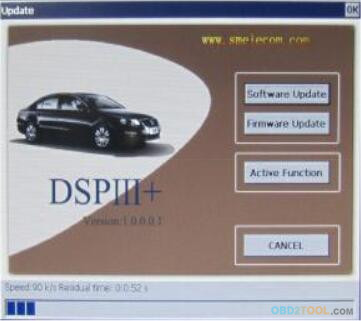
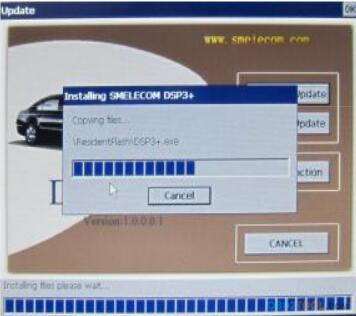
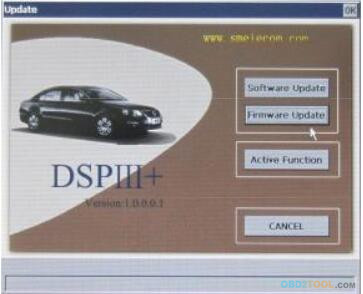
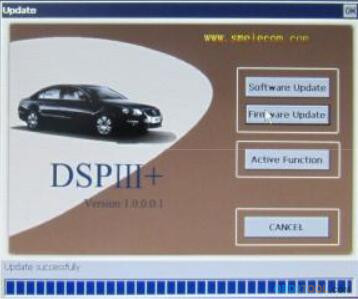
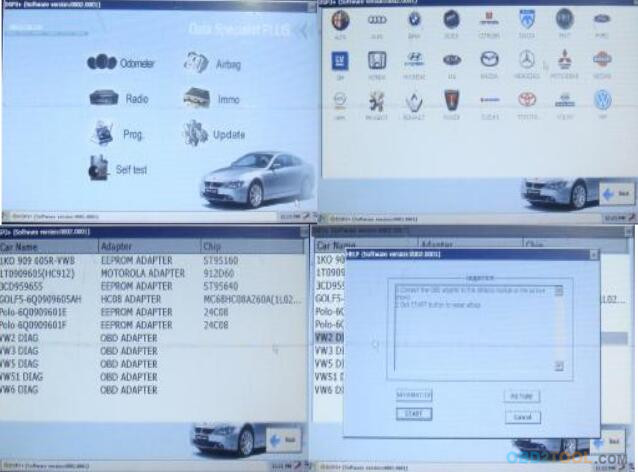
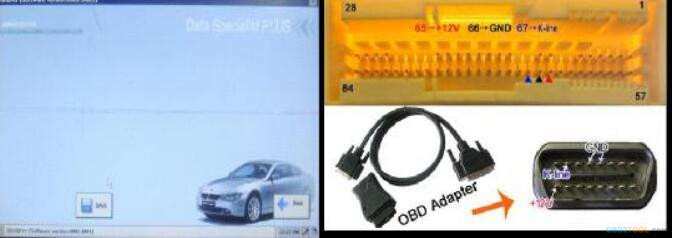
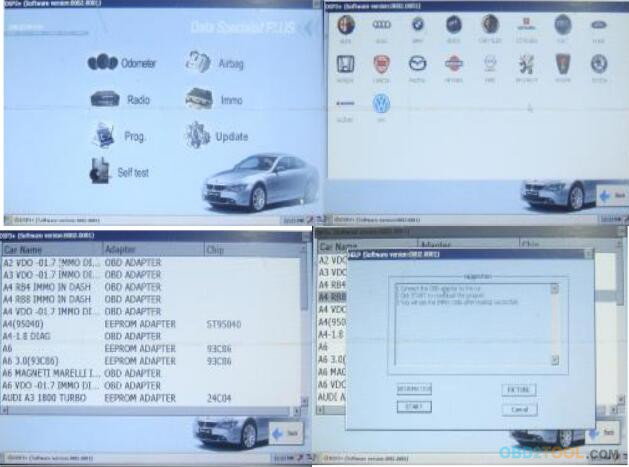
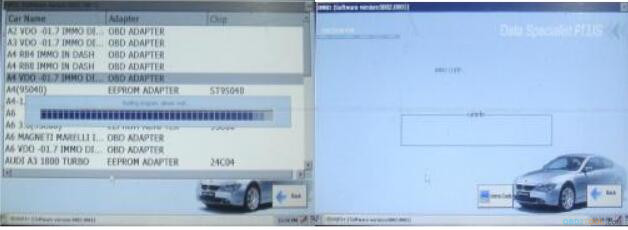
Antes de la actualización del firmware, póngase en contacto con smelecom. Una vez autorizado, puede operar como software uptare.
This blog offer you all kinds of car diagnostic tools at cheap price,car diagnostic tools are hot sale at shop www.obd2tool.com.
Monday, February 19, 2018
Corrección de kilometraje DSP3 ACTUALIZACIÓN
La
condición de la actualización del software es la conexión a Internet.
Al principio conecte el OBD con el host, luego encienda el sistema, se
abrirá el software.
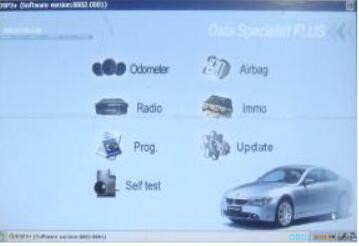
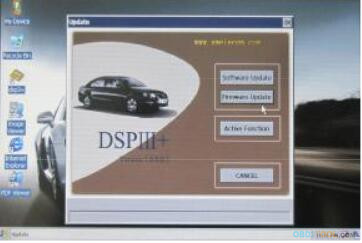
Ejecute 'sm2007', haga clic en Actualizar - actualización de software. -
Luego, puede ver Reconocimiento de autorización de ID, Descargar
archivo, detalles, ver figura. Archivo de ayuda de video: CD: \ DSP 3 \ UPDATE.RMVB.
Antes de la actualización del firmware, póngase en contacto con smelecom. Una vez autorizado, puede operar como software uptare.
Corrección de kilometraje DSP3 CONEXIÓN A INTERNET
Conecte
la máquina a la PC a través del cable USB, instale el controlador USB
al principio (consulte el archivo de ayuda de video: CD: \ dsp3 \
drivesoft.rmvb) y luego configure acticesync.exe (consulte el archivo de
ayuda de video: CD: \ DSP3\ ActiveSync. rmvb)
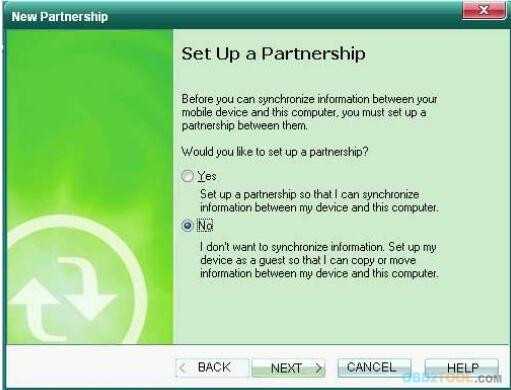
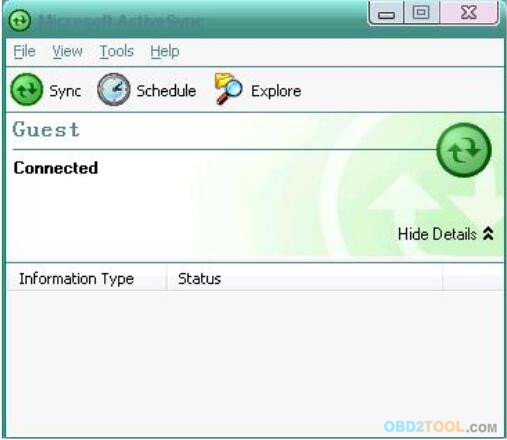
Después de eso, puede ver la ventana Microsoft Active Sync como se muestra en la Figura.
[Windows XP]
Seleccione 'NO' y luego haga clic en 'siguiente paso'. Hasta ahora, conecte su PC a Internet, puede ir a internet en la máquina.
[Windows 7]
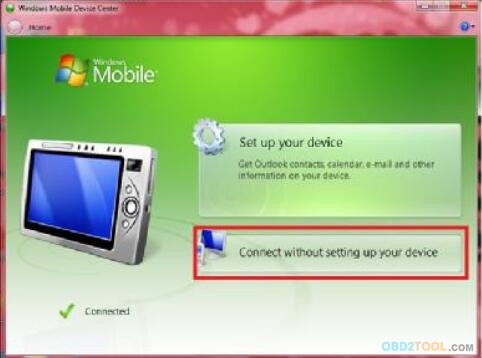
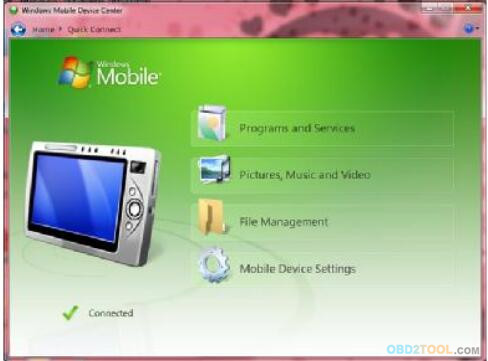
Seleccione 'Conectar sin configurar la imagen seguida. Hasta ahora, conecte Internet por la máquina.
su dispositivo 'entonces mostraría su PC a internet, puede ir a internet por la máquina.
Después de eso, puede ver la ventana Microsoft Active Sync como se muestra en la Figura.
[Windows XP]
Seleccione 'NO' y luego haga clic en 'siguiente paso'. Hasta ahora, conecte su PC a Internet, puede ir a internet en la máquina.
[Windows 7]
Seleccione 'Conectar sin configurar la imagen seguida. Hasta ahora, conecte Internet por la máquina.
su dispositivo 'entonces mostraría su PC a internet, puede ir a internet por la máquina.
DSP 3 AIRBAG RESET
Haga clic en el botón 'AIRBAG' en la ventana principal, verá la ventana de restablecimiento del airbag de la DSP3 Odometer Correction OBD Tool , seleccione la marca y el modelo, luego repárela.
LECTOR DE CÓDIGO IMMO
Haga clic en el botón 'IMMO' en la ventana principal, verá la ventana de lectura del código immo, seleccione marca y modelo, luego lea el código immo.
Notas:
Algunos códigos IMMO se pueden leer mediante operaciones de ajuste del odómetro OBD.
Algunos IMMO no se pueden leer, lo que solo se puede hacer es desactivar la función immo escribiendo eeprom de la ECU del motor.
LECTOR DE CÓDIGO IMMO
Haga clic en el botón 'IMMO' en la ventana principal, verá la ventana de lectura del código immo, seleccione marca y modelo, luego lea el código immo.
Notas:
Algunos códigos IMMO se pueden leer mediante operaciones de ajuste del odómetro OBD.
Algunos IMMO no se pueden leer, lo que solo se puede hacer es desactivar la función immo escribiendo eeprom de la ECU del motor.
Monday, January 29, 2018
The MaxiSys Pro MS908P Spanish, German and Portuguese language are available right now!
Category : Autel Tools
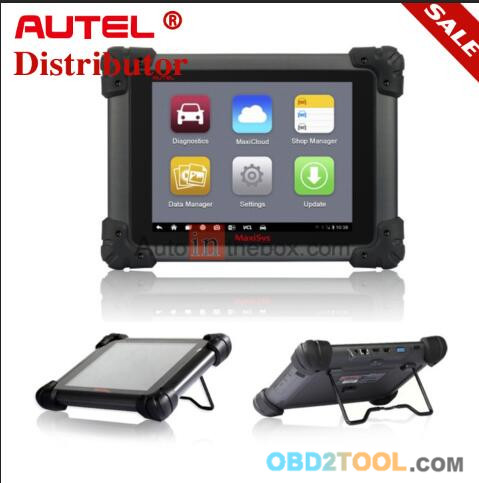
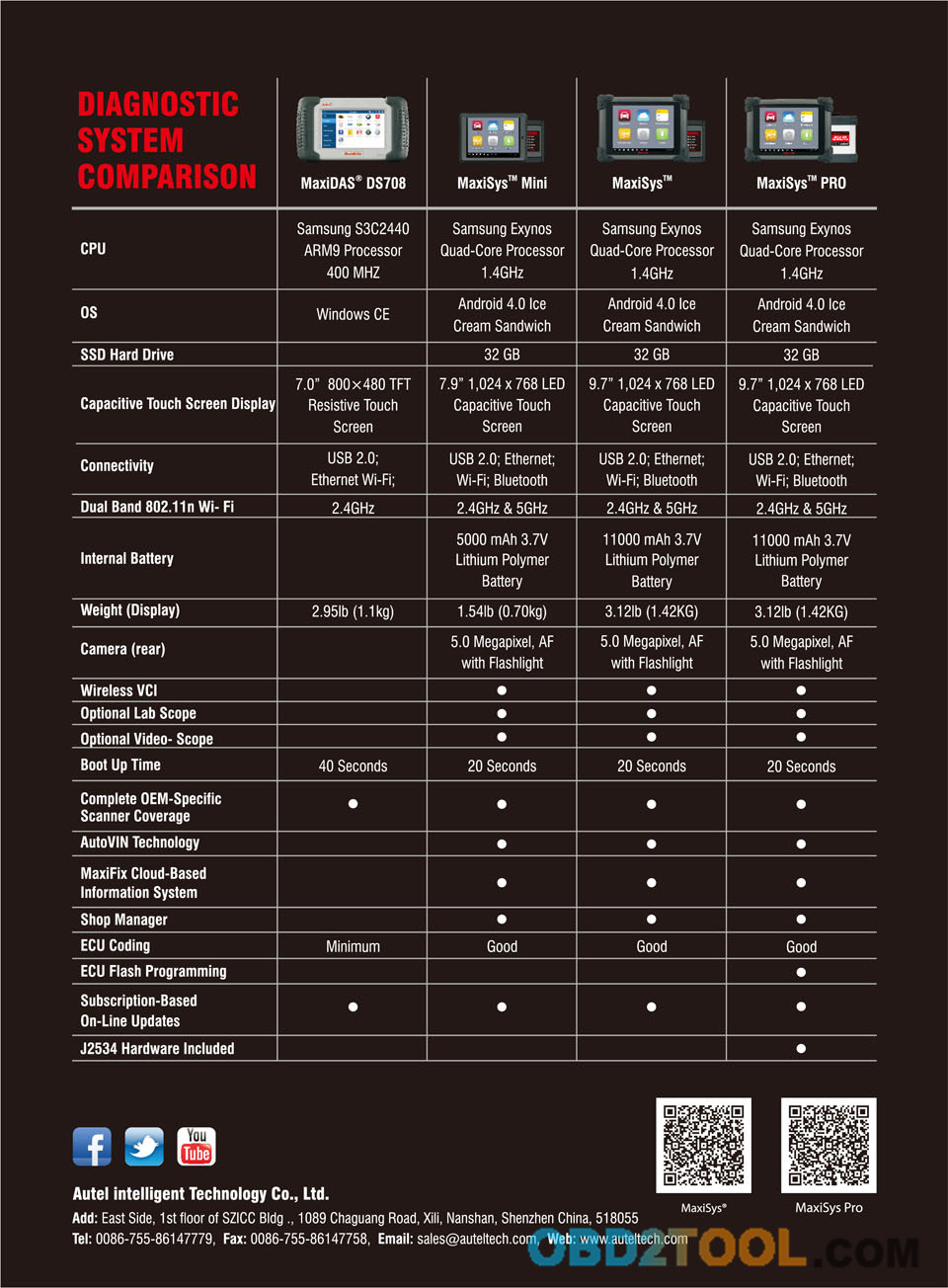
Autel Maxisys Pro Designed with the DNA of Autel’s diagnostics family, the MaxiSys is built to offer many of the prestigious qualities of the MaxiDAS DS708 with extreme ease of use and powerful diagnostic performance. However the MaxiSys has evolved far beyond the original capabilities. Utilizing an A9 quad-core 1.40GHz processor that offers 50% increase in speed versus competing products, a 9.7” LED screen with a resolution of 1,024 x 768 capacitive touch screen, the revolutionary multitask-capable Android Operating System, combined with the best possible coverage of OE-level diagnostics, the MaxiSys is the perfect diagnostic solution for shops and technicians who demand unrivalled smart technology and smart repairs.
Highlight
1.Autel Maxisys Pro can do online programming ,at the same time it’s compatiable for diagnosis and online programming for part of the original software.
2.MaxiSys Pro HAVE 6 Kinds of languages for you chooseEnglish,German, Spanish,Portuguese
3.Extensive vehicle coverage for more than 40 US, Asian and European vehicle makes
4.MaxiSYS Pro includes the J-2534 reprogramming box and special MaxiSYS Pro software
5.The VCI connects wirelessly to the main unit with ultra-range Bluetooth WIFI
6.Intelligent memory of vehicles for easy and quick diagnosis of tested vehicles
MaxiSYS Pro
The Maxisys Pro includes the J-2534 reprogramming box and special MaxiSYS Pro software needed for shops and technicians who demand a comprehensive diagnostic system capable of completing even the most complicated and demanding tasks. The MaxiSYS Pro comes with all of necessary adaptors for 1996 & newer vehicles, software for Domestic, Asian, & European vehicles (J-2534 manufacturer updates sold separately) and cables needed to get the job done, as well as one year of FREE updates.
Product Features & Functions
1.Extensive vehicle coverage for more than 40 US, Asian and European vehicle makes
2.Complete function capability for codes, live data, actuation tests, adaptations, coding, and even ECU programming
3.Extraordinarily powerful Cortex-A9 quad-core processor
4.9.7 inch 1,024×768 LED-backlit glossy widescreen Multi Touch display with IPS technology
5.Built-in 5-megapixel rear camera with autofocus; Virtual on-screen keyboard· Wi Fi wireless to access your favorite web resources & automatically update new software
6.Unique shop tough ergonomic design features strong rubber protection and housing
7.Built-in rechargeable lithium-ion battery for up to 8 hours of continuous operation
8.USB, audio, and auxiliary ports make it easy to connect accessories
9.Internal Reliable and fast 32GB Solid State Drive for better performance
10.The VCI connects wirelessly to the main unit with ultra-range Bluetooth
The Autel Scanner MaxiSys PRO Diagnostic Platform is an evolutionary smart solution for specialized automotive diagnosis and ECU programming. Designed with the DNA of Autel’s diagnostics family, the MaxiSys is built to offer many of the prestigious qualities of the MaxiDAS DS708 with extreme ease of use and powerful diagnostic performance. However the MaxiSys has evolved far beyond the original capabilities. Utilizing an A9 quad-core 1.40GHz processor that offers 50% increase in speed versus competing products, a 9.7” LED screen with a resolution of 1,024 x 768 capacitive touch screen, the revolutionary multitask-capable Android Operating System, combined with the best possible coverage of OE-level diagnostics, the MaxiSys is the perfect diagnostic solution for shops and technicians who demand unrivalled smart technology and smart repairs.
The MaxiSys Pro MS908P on OBD2TOOL is an evolutionary smart solution for specialized automotive diagnosis and ECU programming. Designed with the DNA of Autel’s diagnostics family, the MaxiSys is built to offer many of the prestigious qualities of the MaxiDAS DS708 with extreme ease of use and powerful diagnostic performance.
A Revolution in Diagnostics,FAST.SMART.MOBILE.POWERFUL
A new Maxisys System Program, V1.17,has been released for Maxisys, Maxisys Pro and Maxisys Mini, which supports the multitask function in Android platform. After the Maxisys system program update, the user is able to run multiple applications (tasks) at the same time, enabling users to realize other functions in the vehicle diagnostic process, such as checking update status, playing back the records and reviewing the customer details, etc.
Saturday, January 27, 2018
The different between Kess V2 V5.017 and Ktag V7.020 ECU Programmer Master
KESS V2 V5.017 and KTAG V7.020 both are universal Petrol & Diesel car/truck/tractor/motorcycle ECU Chip Tuning tools.
But KESS V2 Master works better for more 12V gasoline cars, K TAG V7.020 works better for more 12V Diesel Cars and 24V trucks/tractors/motorcycles.
The Vehicle Coverage for these 2 tools are different . KESS V5.017 can not work well For Toyota Denso 76F00XX ECU Protocol, But KTAG V7.020 can work For Toyota Denso 76F00XX very well ! Of course there is also some ECU protocols that KESS can work but ktag can not.
So you need to get get both kess v5.017 and ktag v7.020 together to cover the most vehicles and ecu protocols
KESS V5.017 can read and write ECU via OBD2 Cable Directly For Some Vehicles, do not need to open ECU, Easy To Operate ! But For Some Vehicles, It needs to disassemble ECU then can do ECU programming .
K-TAG V7.020 works in this way , K-TAG 7.020 read and write ECU via TRICORE or BDM Or Other Mode with special cable, But the software will guide you how to operate !
the ECU Connection Way for these 2 tools are different.
When you are not sure your vehicles ecu can be read and write via OBD2 Cable or must be disassemble, then it is better to get both KESS and KTAG.
obd2tool website offer Kess V2 V5.017 Plus Ktag V7.020 ECU Programmer with good price and best quality. It is the Master Version No Tokens Limited! If you are looking for ECU programming tool, Please link to http://www.obd2tool.com/goods-6983-Kess+V2+V5017+Plus+Ktag+V7020+ECU+Programmer+Master+Version+No+Tokens+Limited.htm
Labels:
ecu tuning kit,
K-TAG,
Kess V2,
Kess V2 Online Version,
KESS V2 V5.017,
KTAG,
KTAG ECU Programmer,
KTAG KTM100,
KTAG Master,
ktag v2.23,
KTAG V7.020,
KTM100 KTAG,
ktm100 v2.23,
truck kess v2,
V2.23 Kess V2
Tuesday, January 16, 2018
AUTEL MAXITPMS TS608
Autel MaxiTPMS TS608 is a diagnostic tool for installing tire pressure
sensors, sensor reading codes, pressure values,temperature, battery
condition, OE access code, TPMS retrieval information, read, erase
sensor connection directly with car, VCI Bluetooth connectivity, visual
feedback and audio to confirm the sensor works properly,Easy to use
interface, step by step instructions.
Description
Autel MaxiTPMS TS608 is a diagnostic tool that installs tire pressure sensors, sensor read codes, pressure values, temperature, battery conditions, OE access codes, TPMS retrieval information, direct connection to the car, VCI Bluetooth connectivity, visual feedback and audio to confirm the sensor works properly, easy to use interface, step by step instructions.
Autel MaxiTPMS TS608
Touch screen 7 "1024 x 600 LED
Wave activated sensor 125KHz
Receive 315MHz and 433MHz signals
Reads the sensor code, pressure value, temperature, battery condition, OE access code, TPMS learning information
Read, delete sensor errors directly connected to the car
Bluetooth VCI connection
Visual and auditory feedback to confirm that the sensor works properly
Easy to use interface, step by step instructions
4 or 5 wheel vehicle charts for easy diagnosis
The LF signal is suitable to avoid confusion by other RF signals
Special function Oil reset, DPF, SAS, BMS, injector code ...
Connect the printer
Robust design with rubber sole
Autel MaxiTPMS TS608 supports car manufacturers
Autel MaxiTPMS TS608 on OBD2TOOL supports diagnostics, error correction, error correction car manufacturers: Abarth, Acura, Alfa Romeo, Alpina, Aston Martin, Audi, Baic, Baojun, Bentley, BMW, Buick, Cadilla, Chevrolet, Chrysler, Citroen, Dacia Daewoo, Dodge, Ferrari, Ford, GMC, GreatWall, Haval, Holden, Honda, HSV, Hummer, Hyundai, Infiniti, Isuzu, Jaguar, Jeep, Kia, Lada, Lamborghini, Lancia, Land Rover, Lexus, Lifan, Lotus, Maserati, Maybach, Mazda, Mercedes-Benz, Mercury, Mini, Mitsubishi, Nissan, Opel, Peugeot, Plymouth, Pontiac, Porsche, Renault, Rolls-Royce, Saab, Saturn, Subaru, Suzuki, Tesla, Toyota, Volvo, VW, ...
TPMS equipment manufacturers car manufacturers
Autel MaxiTPMS TS608 is a tire pressure sensor (TPMS) equipment manufacturers such as Tesla, Saturn, Pontiac, Mercury, Lincoln, Jeep, Hummer, GMC, Ford, Dodge, Chrysler, Chevrolet, Cadillac, Buick, Volkswagen, Volvo, Smart, Skoda, Saab, Rolls-Royce, Renault, Porsche, Peugeot, Opel, Mini, Maybach, Maserati, Lotus, Land Rover, Lancia, Lamborghini, Jaguar, HSV, Fiat, Ferrari, Dacia, Citroen, BMW Benz, Bentley, Audi, Aston Martin, Alpina, Alfa Romeo, Abarth, Toyota, Suzuki, Subaru, SsangYong, Scion, Nissan, Mitsubishi, Mazda, Lexus, Kia, Isuzu, Infiniti, Hyundai, Honda, Holden, Daewoo, Acura , ...
MaxiTPMS TS608 error reader
Main screen interface on Autel MaxiTPMS TS608
Fast wifi connection

OE-Level OE-Level diagnostic support for more than 80 car manufacturers, TPMS installation diagnostics, one-touch software updates

Remote support via Teamviewer

Gmail support

Supports web browsing

Autel Scan Tool MaxiTPMS TS608 supports the history of car diagnostics
7-18
Automatic VIN number recognition

Supports other features like Oil reset, EPB, BMS, Brake bleed, DPF, Immo keys, Injector, SAS, Throttle, WIN DR ROOF, ...

List of accessories
Main screen device
VCI Bluetooth
Charging cable
USB connection cable
magnet
English and Vietnamese manual
Suitcase
http://forobd2.seesaa.net/article/456245686.html
Description
Autel MaxiTPMS TS608 is a diagnostic tool that installs tire pressure sensors, sensor read codes, pressure values, temperature, battery conditions, OE access codes, TPMS retrieval information, direct connection to the car, VCI Bluetooth connectivity, visual feedback and audio to confirm the sensor works properly, easy to use interface, step by step instructions.
Autel MaxiTPMS TS608
Touch screen 7 "1024 x 600 LED
Wave activated sensor 125KHz
Receive 315MHz and 433MHz signals
Reads the sensor code, pressure value, temperature, battery condition, OE access code, TPMS learning information
Read, delete sensor errors directly connected to the car
Bluetooth VCI connection
Visual and auditory feedback to confirm that the sensor works properly
Easy to use interface, step by step instructions
4 or 5 wheel vehicle charts for easy diagnosis
The LF signal is suitable to avoid confusion by other RF signals
Special function Oil reset, DPF, SAS, BMS, injector code ...
Connect the printer
Robust design with rubber sole
Autel MaxiTPMS TS608 supports car manufacturers
Autel MaxiTPMS TS608 on OBD2TOOL supports diagnostics, error correction, error correction car manufacturers: Abarth, Acura, Alfa Romeo, Alpina, Aston Martin, Audi, Baic, Baojun, Bentley, BMW, Buick, Cadilla, Chevrolet, Chrysler, Citroen, Dacia Daewoo, Dodge, Ferrari, Ford, GMC, GreatWall, Haval, Holden, Honda, HSV, Hummer, Hyundai, Infiniti, Isuzu, Jaguar, Jeep, Kia, Lada, Lamborghini, Lancia, Land Rover, Lexus, Lifan, Lotus, Maserati, Maybach, Mazda, Mercedes-Benz, Mercury, Mini, Mitsubishi, Nissan, Opel, Peugeot, Plymouth, Pontiac, Porsche, Renault, Rolls-Royce, Saab, Saturn, Subaru, Suzuki, Tesla, Toyota, Volvo, VW, ...
TPMS equipment manufacturers car manufacturers
Autel MaxiTPMS TS608 is a tire pressure sensor (TPMS) equipment manufacturers such as Tesla, Saturn, Pontiac, Mercury, Lincoln, Jeep, Hummer, GMC, Ford, Dodge, Chrysler, Chevrolet, Cadillac, Buick, Volkswagen, Volvo, Smart, Skoda, Saab, Rolls-Royce, Renault, Porsche, Peugeot, Opel, Mini, Maybach, Maserati, Lotus, Land Rover, Lancia, Lamborghini, Jaguar, HSV, Fiat, Ferrari, Dacia, Citroen, BMW Benz, Bentley, Audi, Aston Martin, Alpina, Alfa Romeo, Abarth, Toyota, Suzuki, Subaru, SsangYong, Scion, Nissan, Mitsubishi, Mazda, Lexus, Kia, Isuzu, Infiniti, Hyundai, Honda, Holden, Daewoo, Acura , ...
MaxiTPMS TS608 error reader
Main screen interface on Autel MaxiTPMS TS608
Fast wifi connection

OE-Level OE-Level diagnostic support for more than 80 car manufacturers, TPMS installation diagnostics, one-touch software updates

Remote support via Teamviewer

Gmail support

Supports web browsing

Autel Scan Tool MaxiTPMS TS608 supports the history of car diagnostics
Automatic VIN number recognition

Supports other features like Oil reset, EPB, BMS, Brake bleed, DPF, Immo keys, Injector, SAS, Throttle, WIN DR ROOF, ...

List of accessories
Main screen device
VCI Bluetooth
Charging cable
USB connection cable
magnet
English and Vietnamese manual
Suitcase
http://forobd2.seesaa.net/article/456245686.html
Saturday, January 6, 2018
Ford VCM 2 IDS 107 Avilable With Update Guide !
VCM 2 VCM II was regarded as the best OEM Diagnostic Tool For Ford
& Mazda cars.VCM 2 Diagnostic can support almost all ford cars and
can provide dealer-level diagnostics using the IDS software. And now VCM
2 VCM II IDS V107 Software has been updated ,and IDS 107 software suit
for VCM, VCM II, or VCMM. And today, Obd2tool.com will share a step by steps guide on how to update Ford VCM 2 VCM II IDS to V107,hope it will be useful.
Now 10% OFF For Car Diagnostic Tools,included FORD VCM II VCM 2 is available at BUYOBDII.com.
Ford VCM 2 IDS 107 Updating Guide
Step 1 : Download latest IDS 107.01 software
Step 2 : ran IDS_107.01_Full.exe to perform the Software Update.
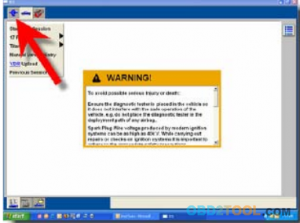
Step 3 : Press the IDS Tab in the upper left corner of the screen like following pix show

Step 4 : Press the System Utilities tab in the lower lef t corner.
Step 5 : Assure Your computer must be network activated and have an Internet connection to receive automatic notification of updates. To activate : System Utilities – >Netwo rk Options – > Activate .
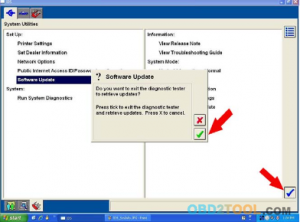
Step 5 : Select “Software Update” and click the blue tick. A software update pop up will be displayed. Click the green tick to continue.

Step 6 : If updates are available, the Software Manager will display them under “Important Updates”. Database and patch updates will be included in a single software update. Selecting the software update will enable the “I nstall” and “Download Only” buttons. Click on “Install” to star t the installation processor “Download Only” to save the update to PC.
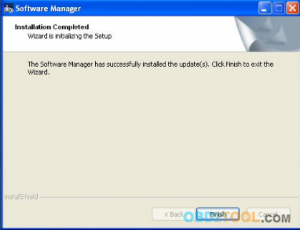
Step 7 : Once the software update installation is complete, then Click “Finish” to complete the process.
http://forobd2.seesaa.net/article/456042896.html
Now 10% OFF For Car Diagnostic Tools,included FORD VCM II VCM 2 is available at BUYOBDII.com.
Ford VCM 2 IDS 107 Updating Guide
Step 1 : Download latest IDS 107.01 software
Step 2 : ran IDS_107.01_Full.exe to perform the Software Update.
Step 3 : Press the IDS Tab in the upper left corner of the screen like following pix show
Step 4 : Press the System Utilities tab in the lower lef t corner.
Step 5 : Assure Your computer must be network activated and have an Internet connection to receive automatic notification of updates. To activate : System Utilities – >Netwo rk Options – > Activate .
Step 5 : Select “Software Update” and click the blue tick. A software update pop up will be displayed. Click the green tick to continue.
Step 6 : If updates are available, the Software Manager will display them under “Important Updates”. Database and patch updates will be included in a single software update. Selecting the software update will enable the “I nstall” and “Download Only” buttons. Click on “Install” to star t the installation processor “Download Only” to save the update to PC.
Step 7 : Once the software update installation is complete, then Click “Finish” to complete the process.
Subscribe to:
Posts (Atom)