Showing posts with label BMW car key programmer. Show all posts

Thursday, October 17, 2019

How does CGDI BMW read BMW MSV90 ISN without dismantling

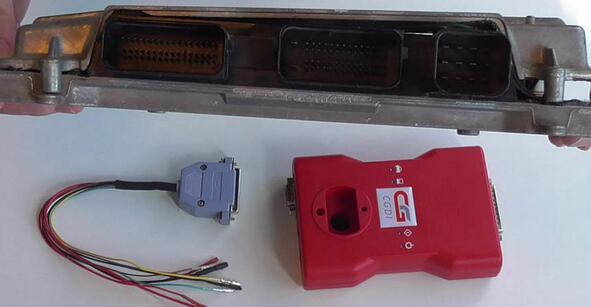
Using one CGDI BMW programmer and one cable by CG Company, read BMW MSV90 ISN job become easier. Here we go for procedure.
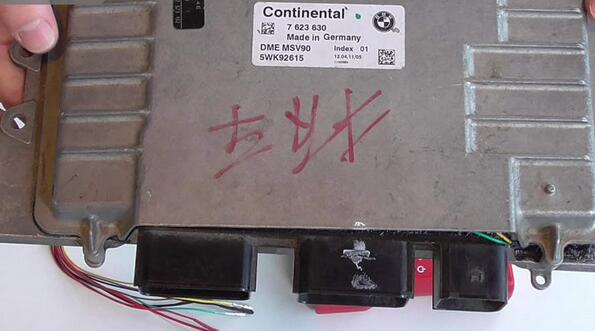
Engine model: BMW DME MSV90 (for BMW 5 series, 7 series, X series, X6, X5 etc)
cgdi-bmw-read-write-bmw-msv90-isn-without-dismantling-1
cgdi-bmw-read-write-bmw-msv90-isn-without-dismantling-2
Purpose:
Read and write ISN
Backup data
BMW ISN reader:
1.CGDI BMW + MSV90 read ISN authorization
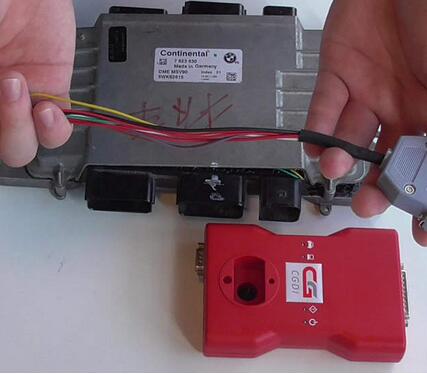
2.One cable made by CG Company, use this cable to connect CGDI BMW and DME MSV90, the operation need no chip dismantling job.
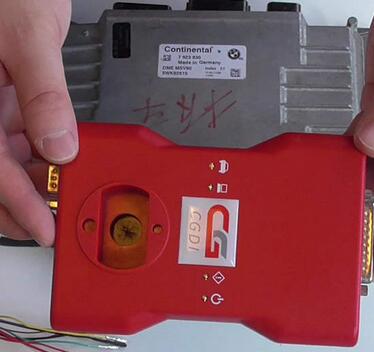
cgdi-bmw-read-write-bmw-msv90-isn-without-dismantling-3
cgdi-bmw-read-write-bmw-msv90-isn-without-dismantling-4
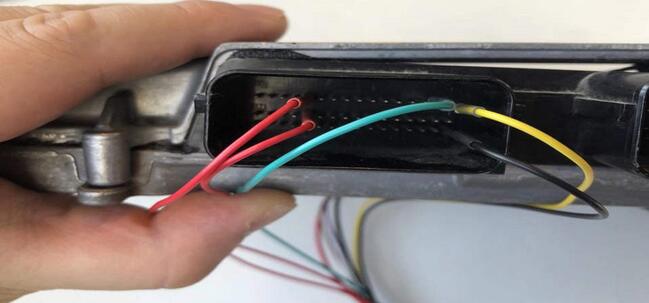
The software comes with the wiring diagram (2 positive, 1 negative, 1 High CAN and 1 Low CAN)
There are 5 lines to be connected.
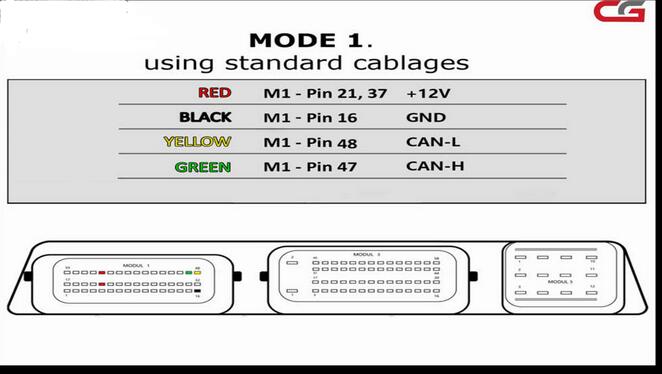
cgdi-bmw-read-write-bmw-msv90-isn-without-dismantling-5
cgdi-bmw-read-write-bmw-msv90-isn-without-dismantling-6
Open CGDI Key Programmer software, then “Next” page, click on “Read MSV90 ISN”.
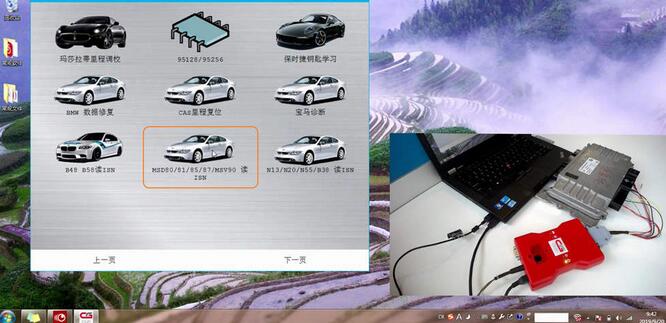
cgdi-bmw-read-write-bmw-msv90-isn-without-dismantling-7
Chip selection “MSV90”.
cgdi-bmw-read-write-bmw-msv90-isn-without-dismantling-8
There are 4 options: wiring diagram, Identify, Read ISN, back.
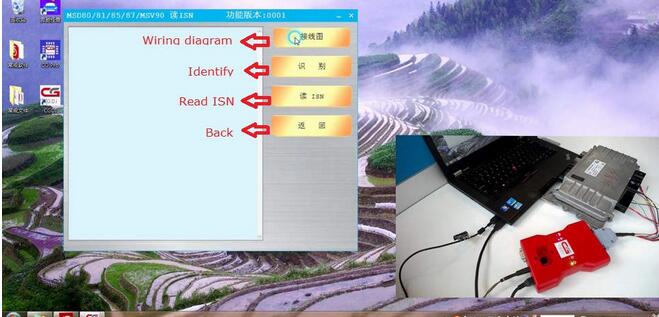
cgdi-bmw-read-write-bmw-msv90-isn-without-dismantling-9
Click on “Identify”.
Requirement: supply 12V power to CGDI BMW device, and the computer is connected the network connection.
Read out VIN, Engine identifying No, and engine type.
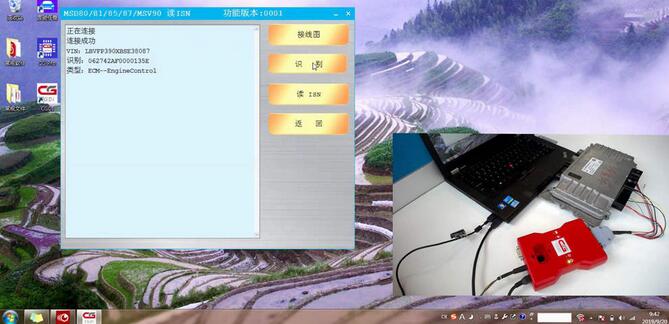
cgdi-bmw-read-write-bmw-msv90-isn-without-dismantling-10
Click on “Read ISN”.
Getting authorization
Obtain authorization successfully.
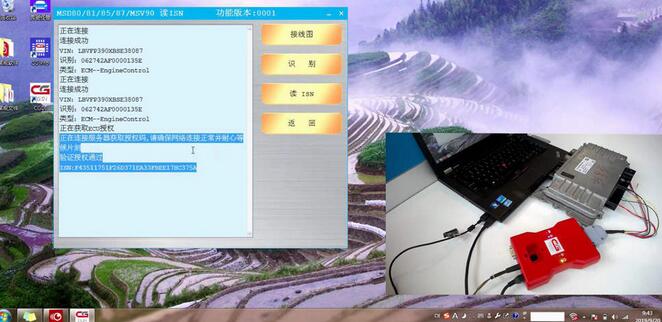
cgdi-bmw-read-write-bmw-msv90-isn-without-dismantling-11
Done.

Saturday, July 6, 2019

How to Solve for BMW CAS 4+ with CGDI Car Key Programmer when all leys lost?

CAS 4+ anti-theft auto keys are all lost, need to be read to configure the key, read CAS 4+ anti-theft data and engine computer data, to load data distribution keys.

1.Reading CAS 4+ anti-theft data with CG-Pro S912
CAS 4+ anti-theft computer module style
1
CAS 4+ anti-theft computer module
2
Software physical wiring diagram
3
Physical connection
4
Connect the CG-Pro
5
Decrypt successfully and save the data
6

2.Read engine ECU data with CG-100
Note: CG-100 full-featured support
Click “ECU”
7
Click on the engine model option to enter the current vehicle
8
According to the software physical wiring diagram wiring
9
Engine module wiring
10
Click “Read EEPROM”
11
Read successfully and save the data
12
Show ISN and VIN
13

3.Match the new key with CGDI Prog
Click on the “CAS4 key match”
14
Load CAS 4+ data read by CG-Pro
15
Select data and click open
16
Display relevant information
17
Select the key position that needs to be configured, click to generate the dealer key, and click on the engine data to determine the next step
18
Choose the engine data with CG-100
19
Blank key
20
New key programming success
21
After learning, it can be used normally
22
 If you want to know more about vehicle key programming, please visit our website.