Vehicle Information: Mercedes W221 S350
Device: KTAG ECU Programmer
Step1:
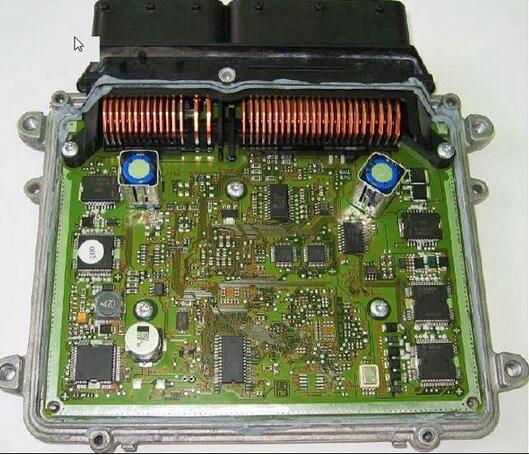
Remove the ME9.7 ECU from vehicle,and open the ECU shell carefully.(for ECU shell removal,you can check this article:How to open EDC16 / EDC17 / MED17 )
ECU PCB show as picture show:
Step 2:
Connect then cable 14P600KT02 to the connector of ECU.
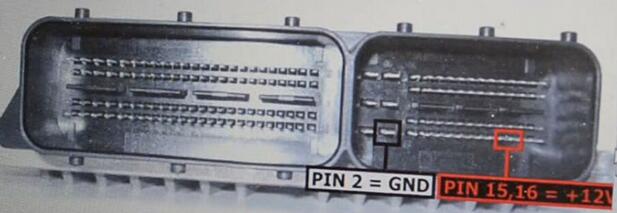
Refer to below pin out diagram:
Red color: Pin 15, 16: +12V
Black: Pin 2: GND
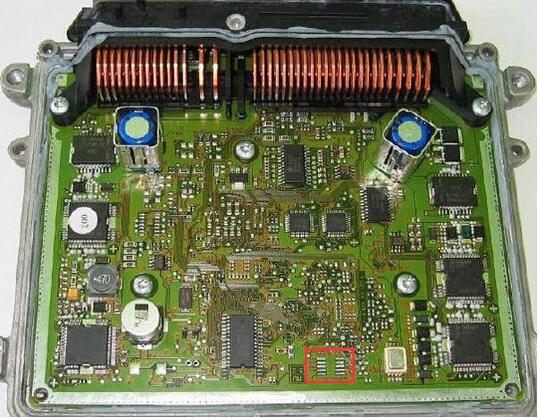
Apply solder paste on the red area in ECU as following picture:
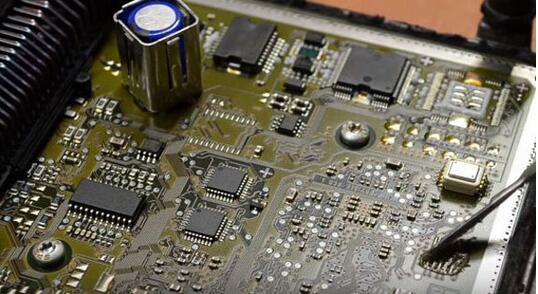
Solder cable to ECU:
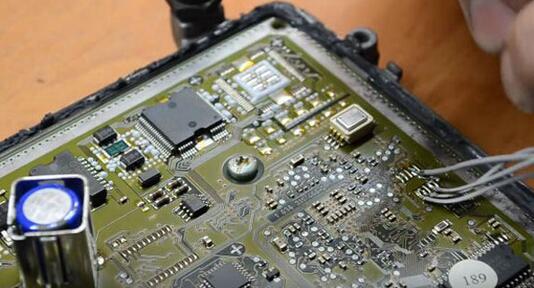
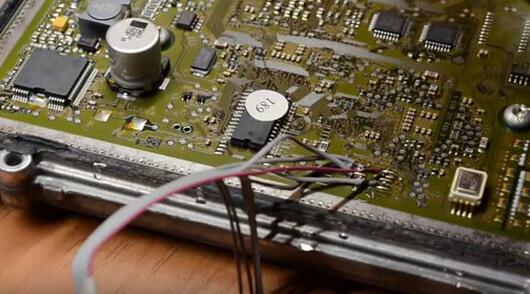
Note:Here i you want to make the procedures simplify,you can choose ME9.7 ECU Renew Cable.No need to disassemble the ECU and soldering cable connectors.It can reduce operational risk of ECU damaged.
KTAG-to-ReadWrite-for-Benz-7)
Step3:
Open KTAG software.
Then I Choose “Mercedes” “S (W221)” and “S350 3500 V6…BOSCH ME9.7”.
KTAG-to-ReadWrite-for-Benz-8)
Choose plug-in “P102”.
KTAG-to-ReadWrite-for-Benz-9)
I clicked “Read” and wait for a while.
Then Save the bin file.
Finally, i successfully used K-TAG Auto ECU Programmer to read Mercedes W221 ME9.7 ECU !
KTAG-to-ReadWrite-for-Benz-10)
KTAG-to-ReadWrite-for-Benz-11)
Then write procedures is same as reading procedures.And before you write a new ECU data file back into ECU,you would better make a backup.
