Thursday, October 28, 2021

Autel IM508 Program 2018 Dodge RAM 3500 Key Fob via 12+8 Bypass Cable


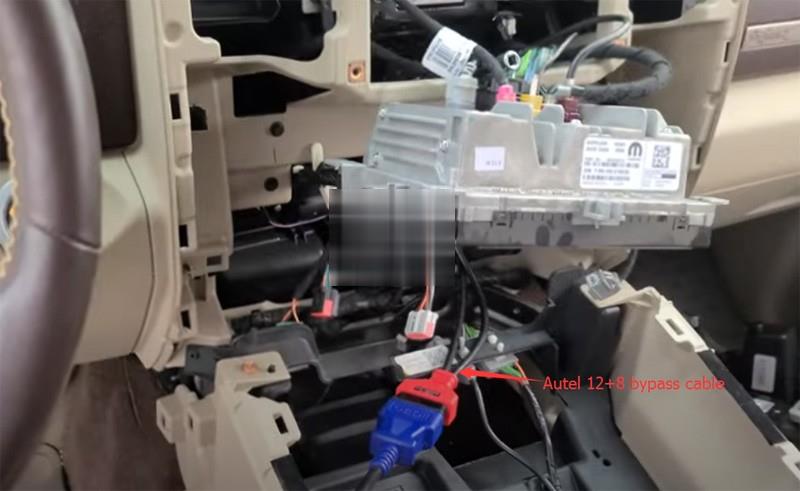
Chrysler vehicles 2018- now require the 12+8 cable to clear DTCs and to add keys.  Here we successfully added a new key fob with Autel IM508 XP400 and autel 12+8 cable for Dodge RAM 3500 year 2018 with secure gateway module (SGM). Program key in auto mode.
4 buttons remote key fob

Dodge Ram 1500 2018 Key Fob
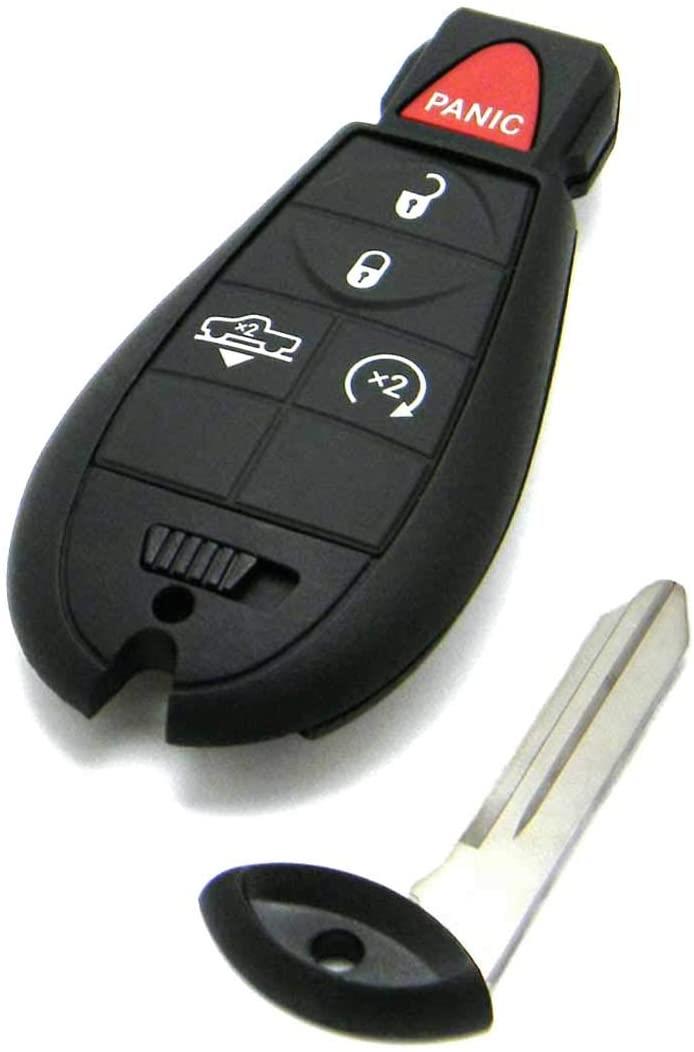
Autel-Im608-2018-Dodge-Ram-3500-Key-Fob-1 (2)

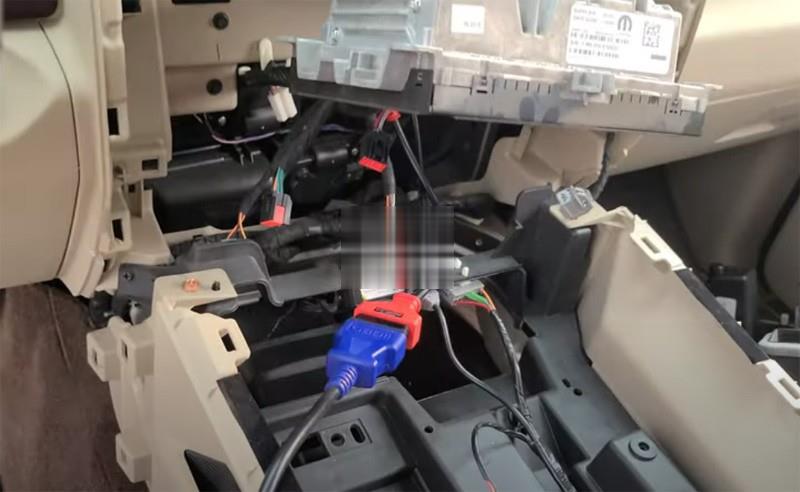
2018 Dodge RAM3500 SGM location:
Need to remove the stereo in order to get to the secure gateway module.  Remove everything and you will see.
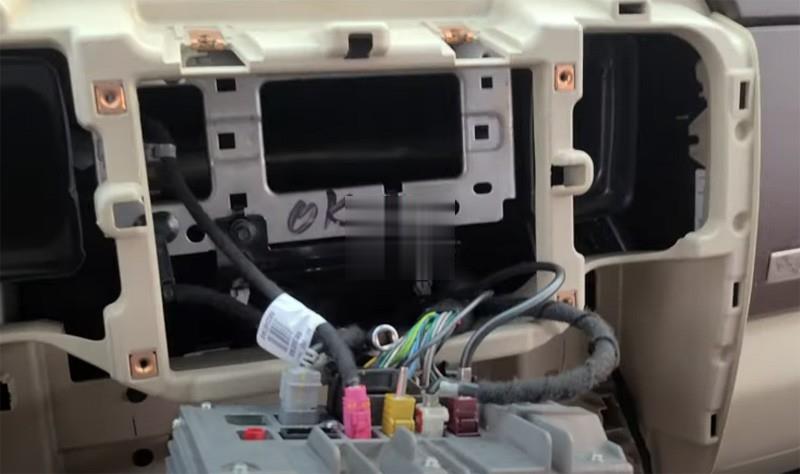
Autel-Im608-2018-Dodge-Ram-3500-Key-Fob-2 (2)
Autel-Im608-2018-Dodge-Ram-3500-Key-Fob-3 (2)

Go to Dodge 3500 key programming menu, IM508 asks to hook up a Chrysler FCA 12+8 adapter
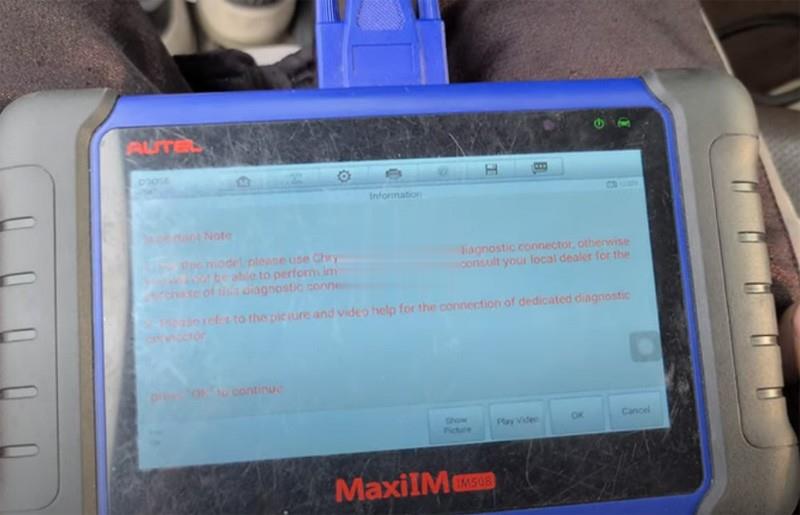
Autel-Im608-2018-Dodge-Ram-3500-Key-Fob-4 (2)
Autel-Im608-2018-Dodge-Ram-3500-Key-Fob-5 (2)

We’ve got that connected right there behind the stereo

Turn the ignition off and turn on the emergency flashers
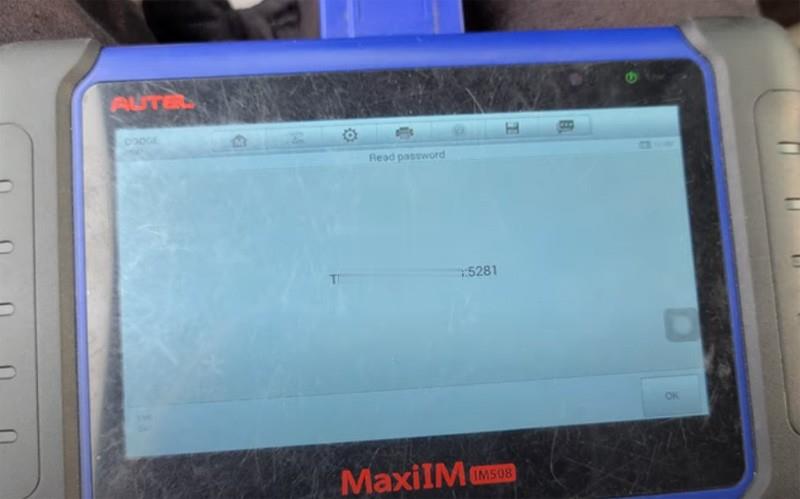
Autel-Im608-2018-Dodge-Ram-3500-Key-Fob-6 (2)

Read security password
Select Keyless System (CAN) – Key Learning – Key Learning
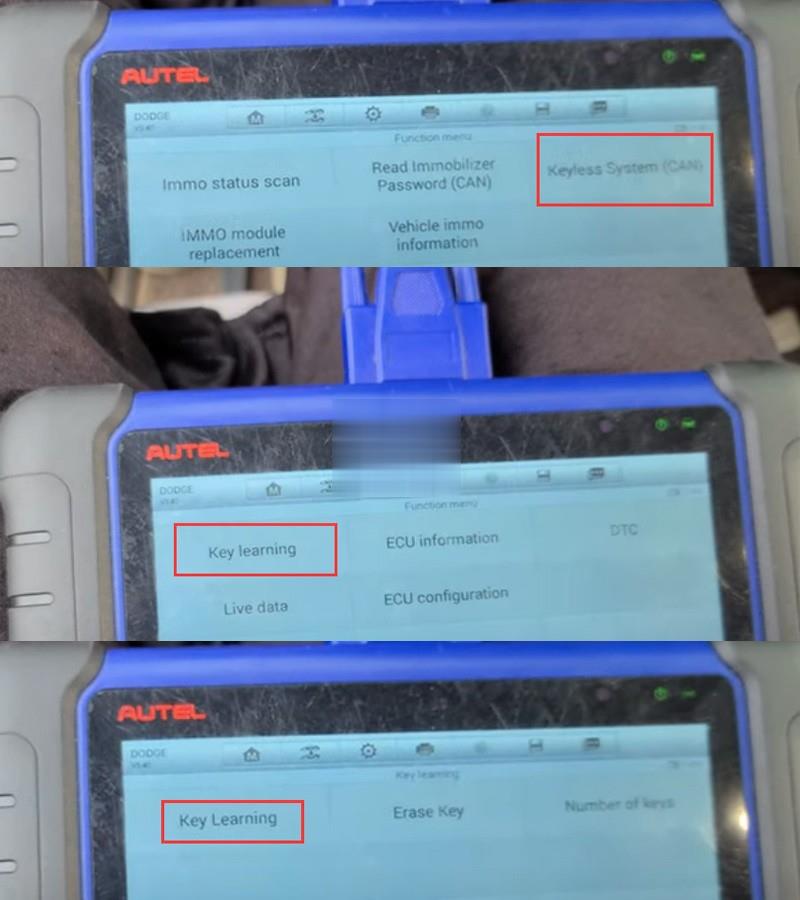
Autel-Im608-2018-Dodge-Ram-3500-Key-Fob-7 (2)

Turn the ignition off and turn on the emergency flashers
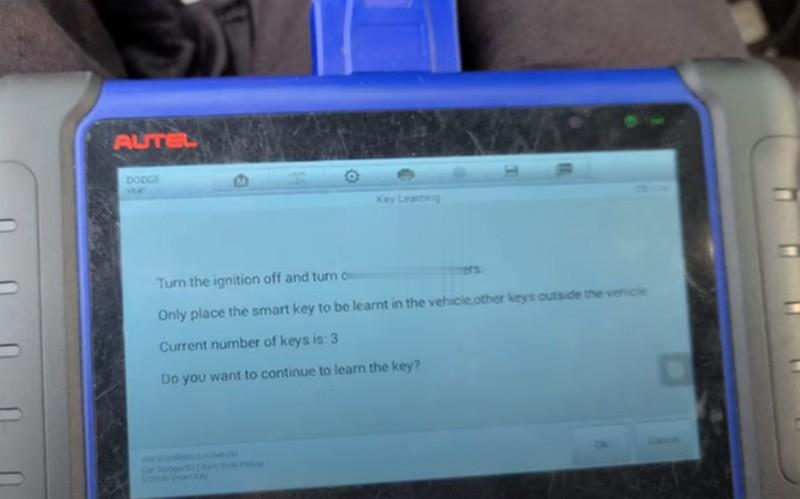
Autel-Im608-2018-Dodge-Ram-3500-Key-Fob-8 (2)

Put smart be to be learned in vehicle and take other keys out of the vehicle
Auto fill-in 4-digit pin to access

Autel-Im608-2018-Dodge-Ram-3500-Key-Fob-9 (2)
Press LOCK or UNLOCK button on the remote control
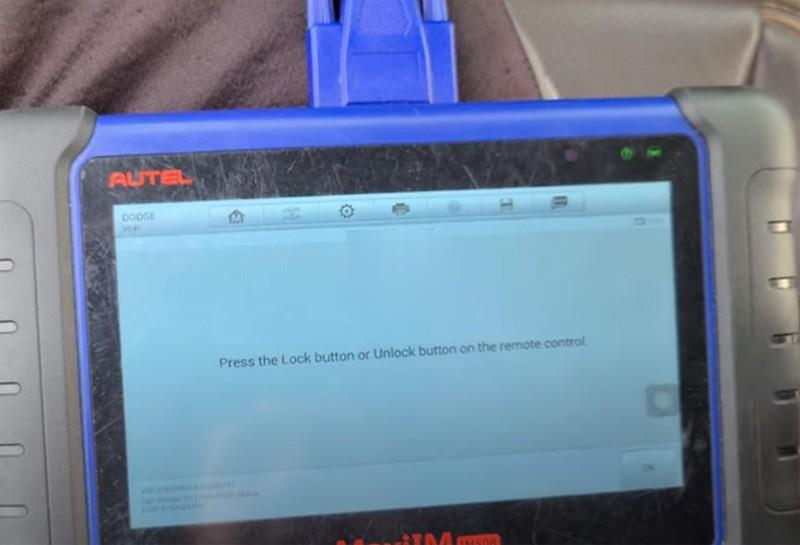
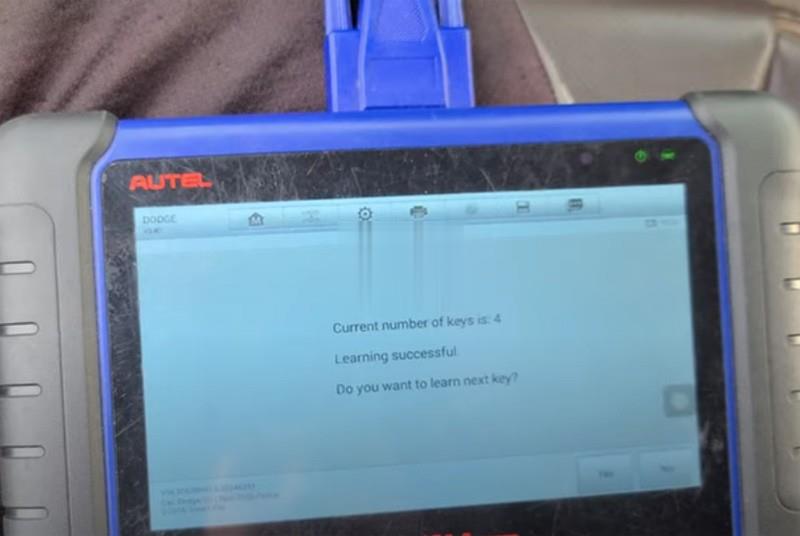
Autel-Im608-2018-Dodge-Ram-3500-Key-Fob-10 (2)

Key learning successful
Put everything back
And test remote control and new key.

Done.

Tuesday, October 5, 2021

How to Solve forget your XTOOL device screen password

If forget the XTOOL Device Screen Password ,how do we solve it ?

When we forgot or lost the XTOOL Device screen password,PIN, pls don’t mess trail input the password,3-5 attempts wrong the machine will be locked .we need the factory reset to unlock the device .

How-to-Solve-forget-your-XTOOL-device-screen-password

what should i do ?

First : pls purchase the XTOOL flash file system service .
Second : Offer the device SN and contact  customer service to arrange the XTOOL Tech to help flash the device when you are free l.
Third : connect the XTOOL tablet to computer via USB Cable
Forth : Open the Teamviewer on PC and tell the ID and Password .

I hope that could help you .In the future ,any questions .pls feel free contact with us .

How to Sovle VXDIAG Benz C6 No WiFi Connection on Windows 10

 he problem goes like this:

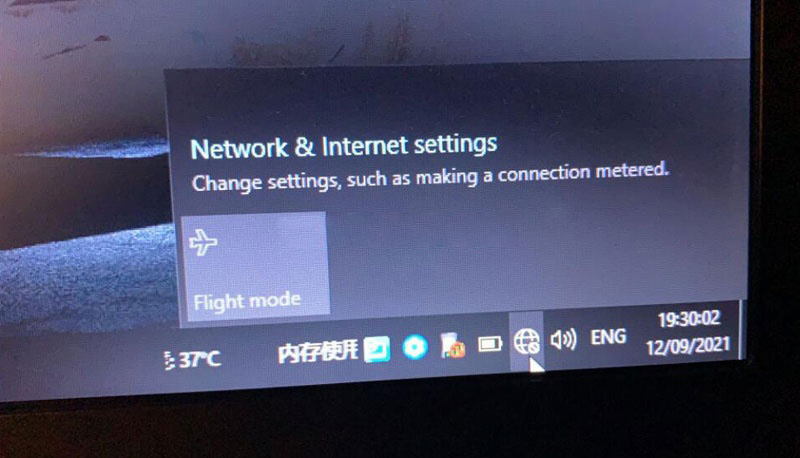
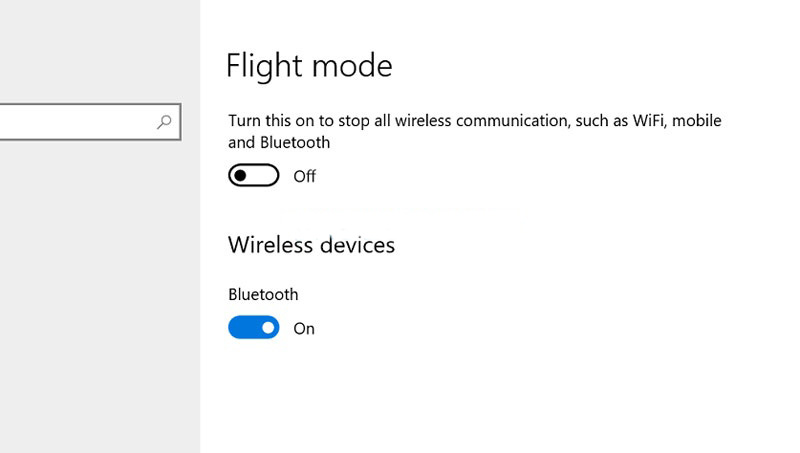
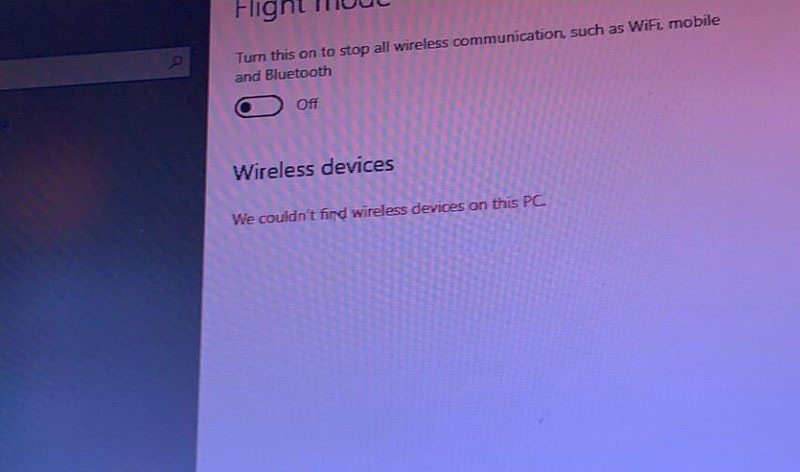
” My Vxdiag Benz C6 connects no problem via LAN cable. But it failed to connect via WiFi and does not allow me to disable Flight mode either. Windows 10 cannot find Wifi devices on this PC.  Any idea how to fix it?”
How-to-Sovle-VXDIAG-Benz-C6-No-WiFi-Connection-on-Windows-10-1
How-to-Sovle-VXDIAG-Benz-C6-No-WiFi-Connection-on-Windows-10-3

Solution:

The problem was caused by missing a WiFi driver.

Our Xentry HDD does come with the Driver Genius. Sometimes it is not compatible with your operating system due to various configurations.

Connect network via LAN cable. Send Teamviewer ID and password to us.

Our engineer will help update the WiFi driver.

How-to-Sovle-VXDIAG-Benz-C6-No-WiFi-Connection-on-Windows-10-2

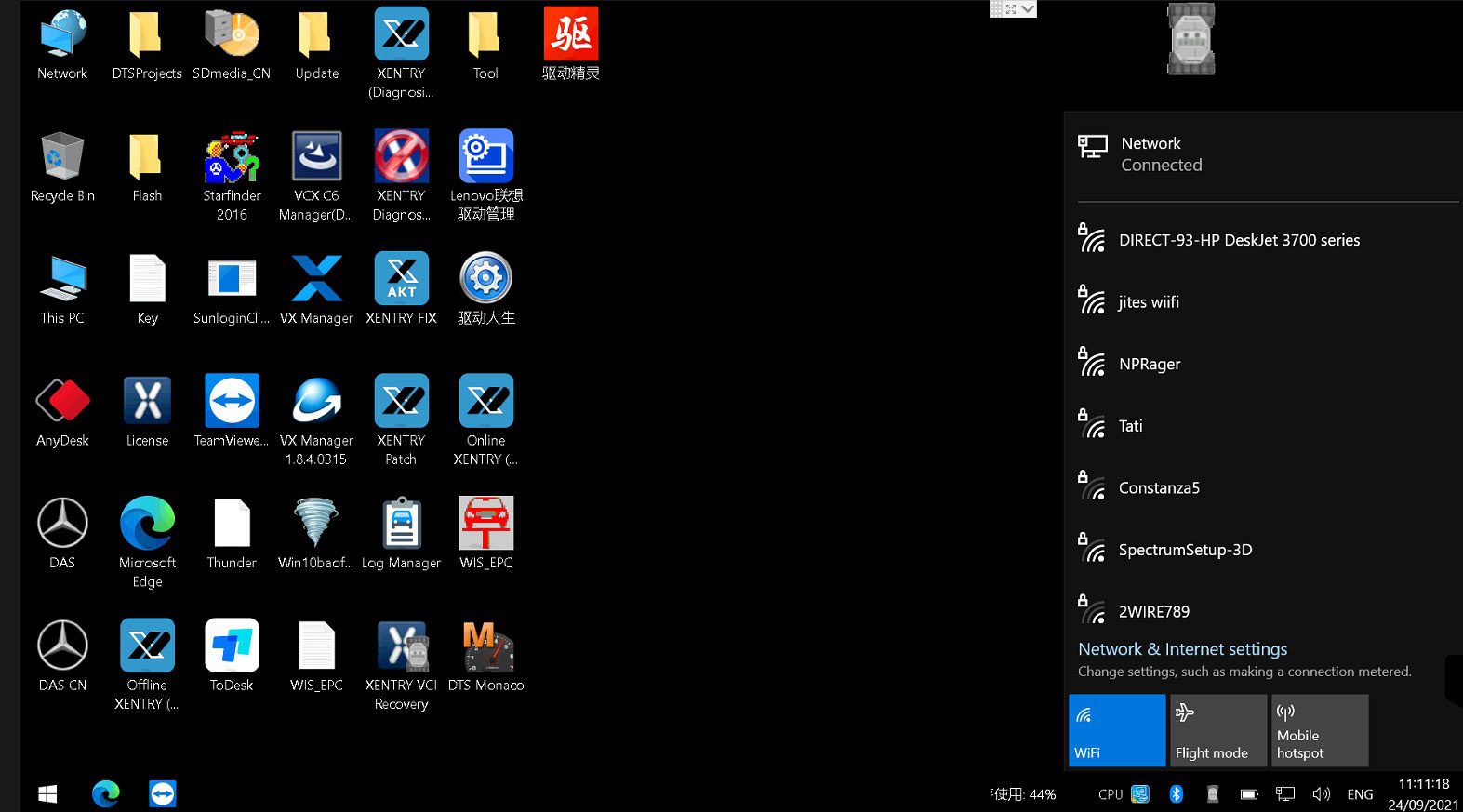
How-to-Sovle-VXDIAG-Benz-C6-No-WiFi-Connection-on-Windows-10-4

WiFi wireless connection is working fine now.

Sunday, October 3, 2021

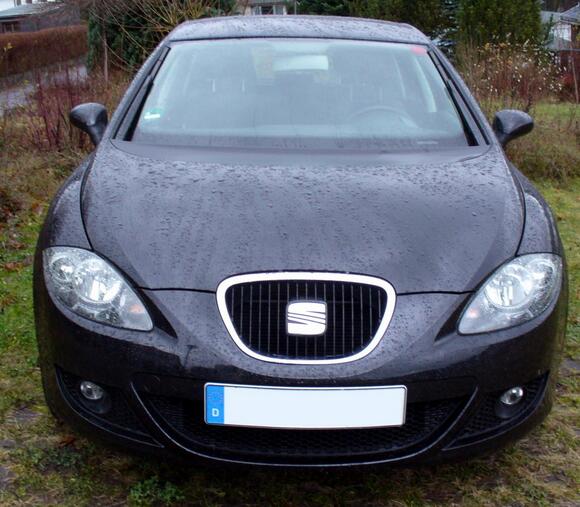
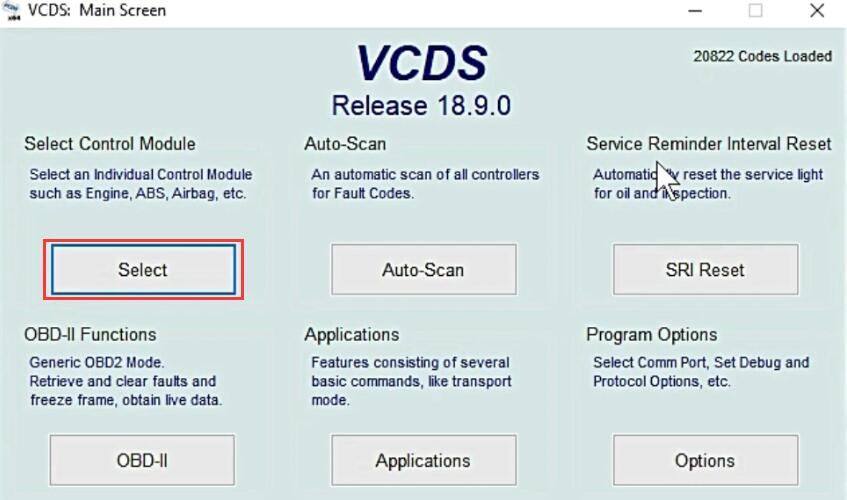
How to Remote Folding Mirrors via VCDS for Seat Leon


This short post will show you guide on how to set remote folding mirrors function by VCDS for Seat Lean. More function of VCDS, please refer to VCDS CASES.

How-to-Remote-Folding-Mirrors-via-VCDS-for-Seat-Leon-1

Procedures:

Connect VCDS to Seat Leon OBD port and running it.

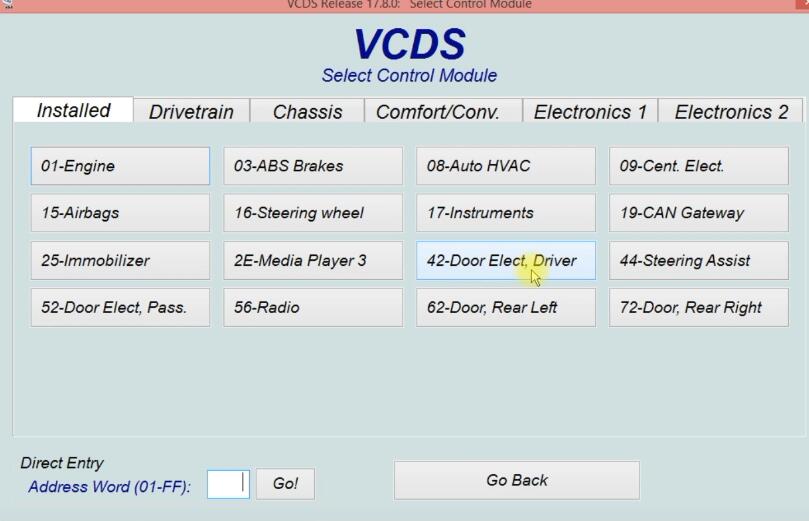
Click “Select” to select control module

How-to-Remote-Folding-Mirrors-via-VCDS-for-Seat-Leon-2

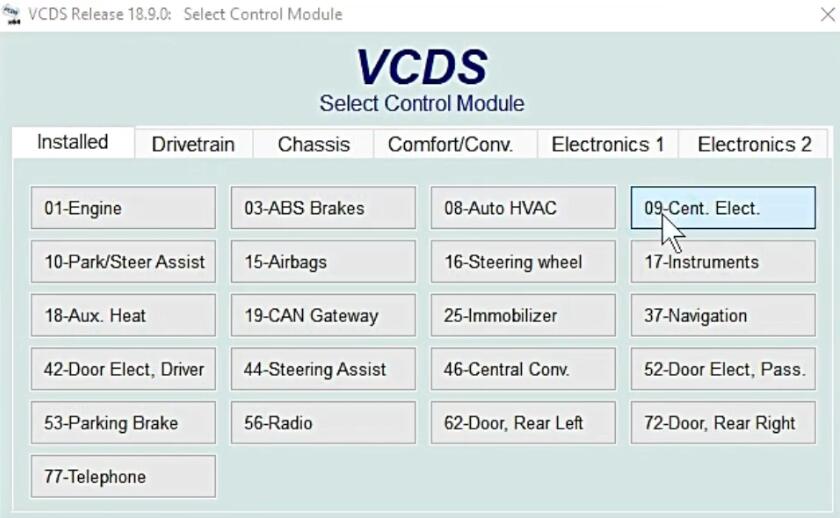
Select “42-Door Elect,Driver”

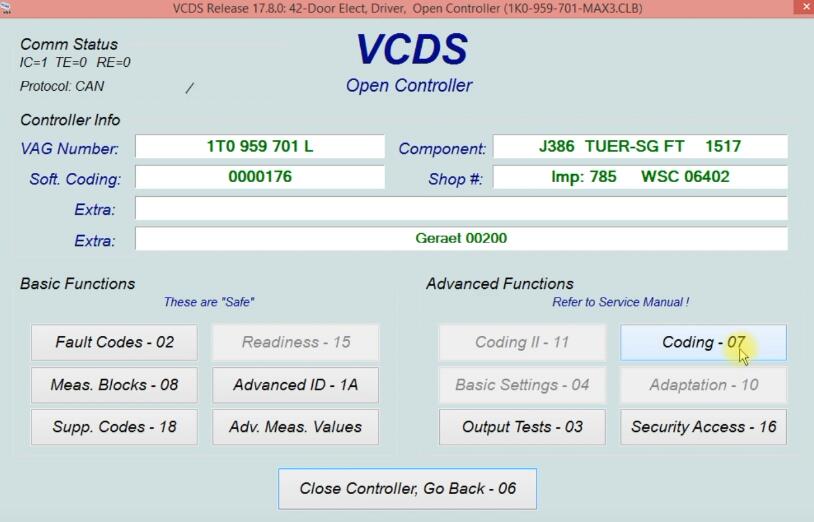
How-to-Remote-Folding-Mirrors-via-VCDS-for-Seat-Leon-3

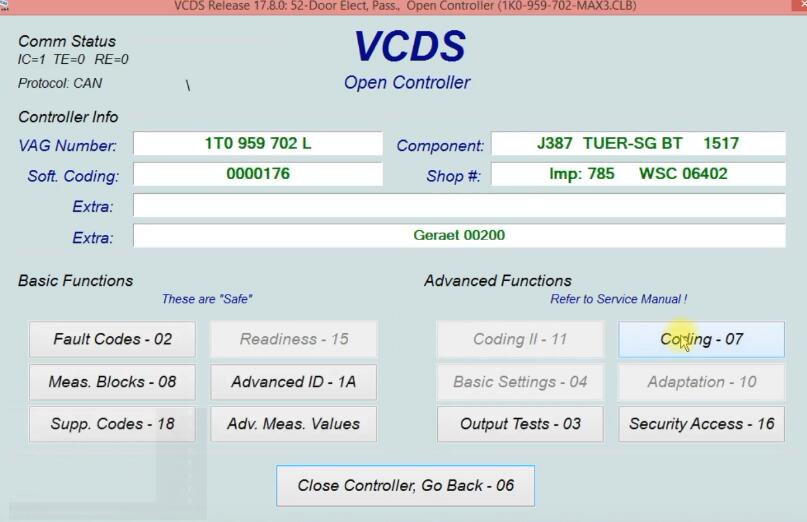
Select “Coding-07”

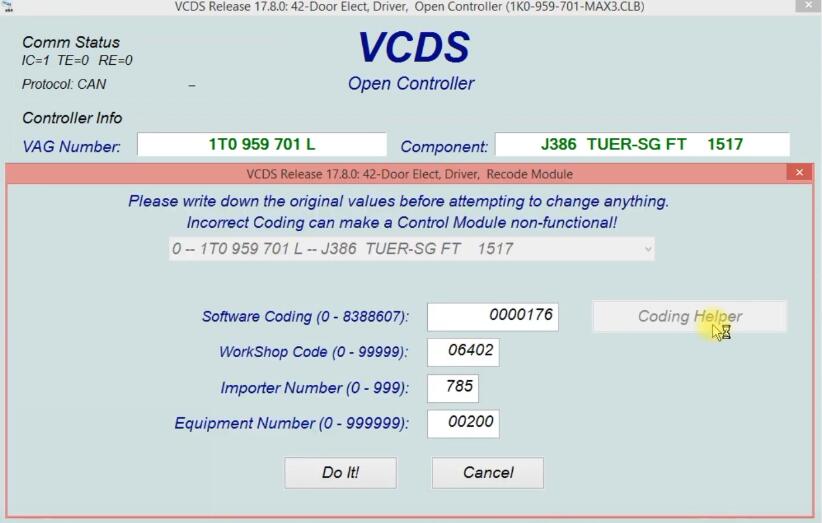
How-to-Remote-Folding-Mirrors-via-VCDS-for-Seat-Leon-4

Select “Coding Helper”

How-to-Remote-Folding-Mirrors-via-VCDS-for-Seat-Leon-5

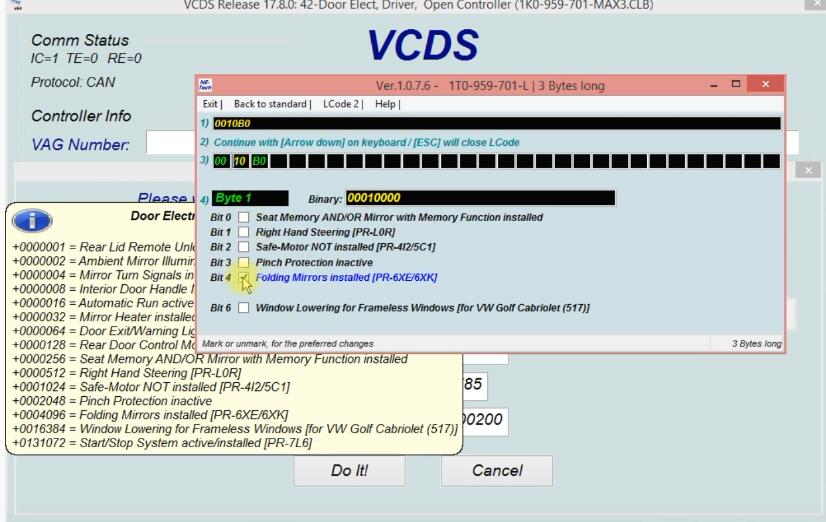
Select “Bit 4 Folding Mirrors installed”

How-to-Remote-Folding-Mirrors-via-VCDS-for-Seat-Leon-6
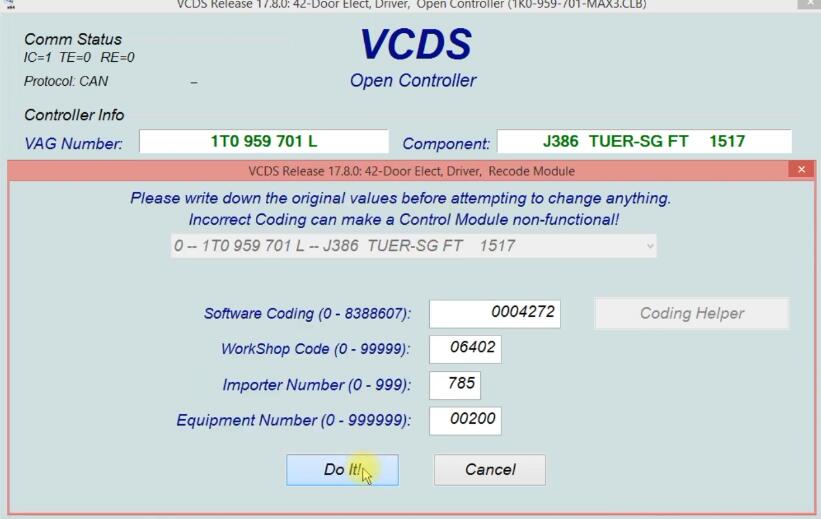
Click “Do It!”

How-to-Remote-Folding-Mirrors-via-VCDS-for-Seat-Leon-7

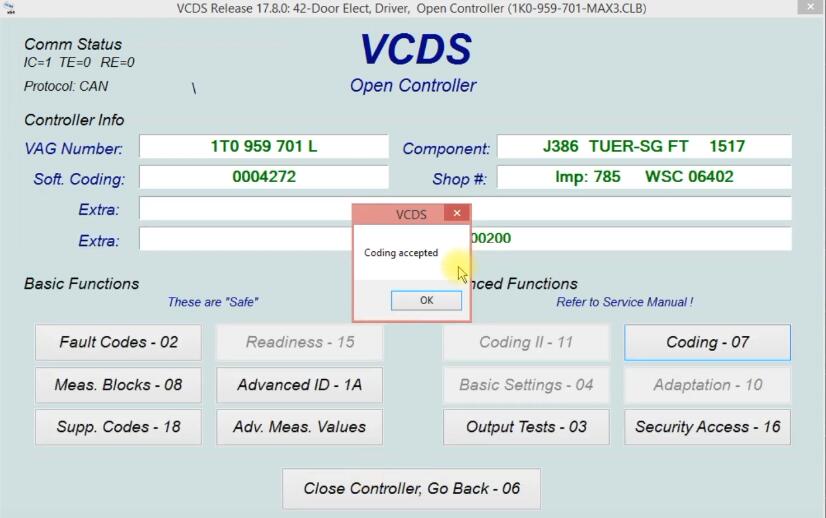
Click “OK”

How-to-Remote-Folding-Mirrors-via-VCDS-for-Seat-Leon-8

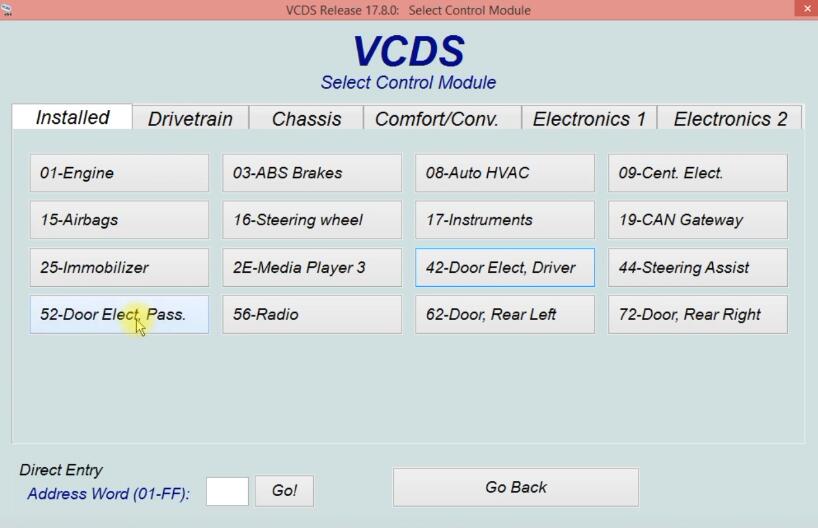
Go back and select “52-Door Elect Pass.”

How-to-Remote-Folding-Mirrors-via-VCDS-for-Seat-Leon-9

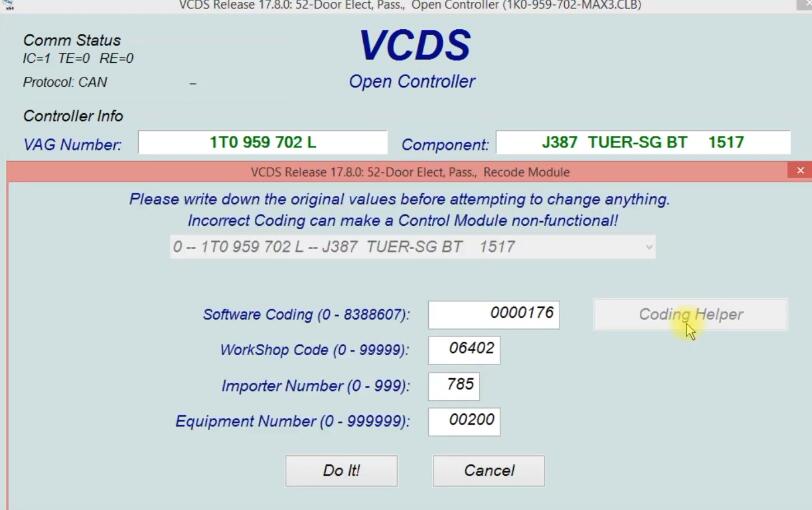
Select “Coding-07”

How-to-Remote-Folding-Mirrors-via-VCDS-for-Seat-Leon-10

Click “Coding Helper”

How-to-Remote-Folding-Mirrors-via-VCDS-for-Seat-Leon-11

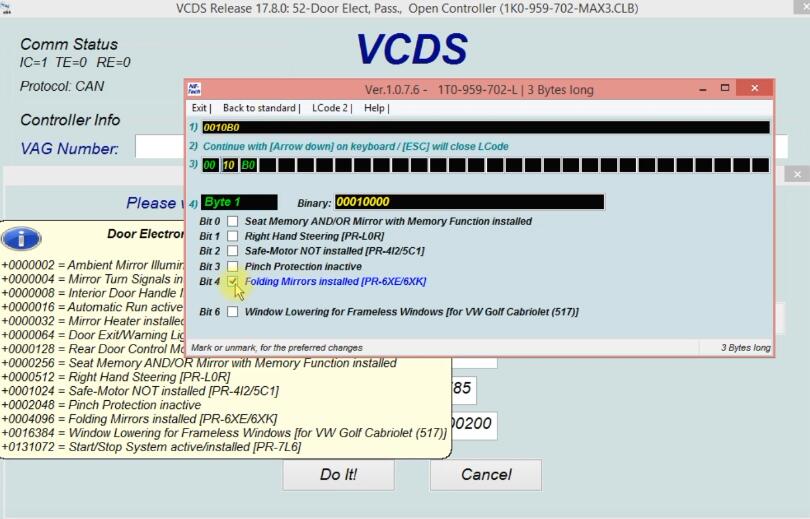
Select “Bit 4 Folding Mirrors installed”

How-to-Remote-Folding-Mirrors-via-VCDS-for-Seat-Leon-12

Click “Do It!”

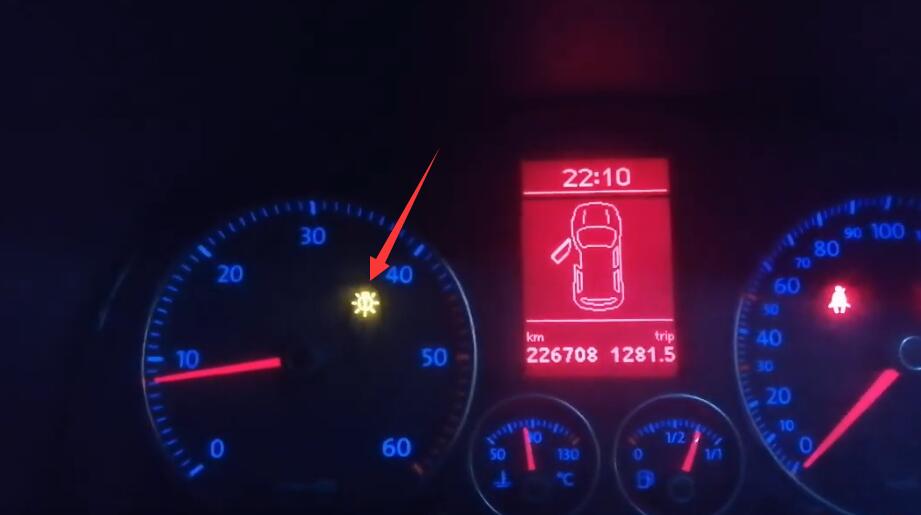
Coding accepted, function is ready.

If you want to know more about Seat, please visit here: Seat Trouble Repair.

Saturday, October 2, 2021

How to Clear LED Errors via VCDS for VW


After mounting the LED bulbs on low-beam, high-beam, position lights and fog lights, there is a permanent fault on the instrument dashboard. This is why this coding using the VCDS helps to remove this fault and if one of the bulbs is defective it will be reported.

Steps:

Connect VCDS to VW OBD port, and running it.

Click “Select” to select control module

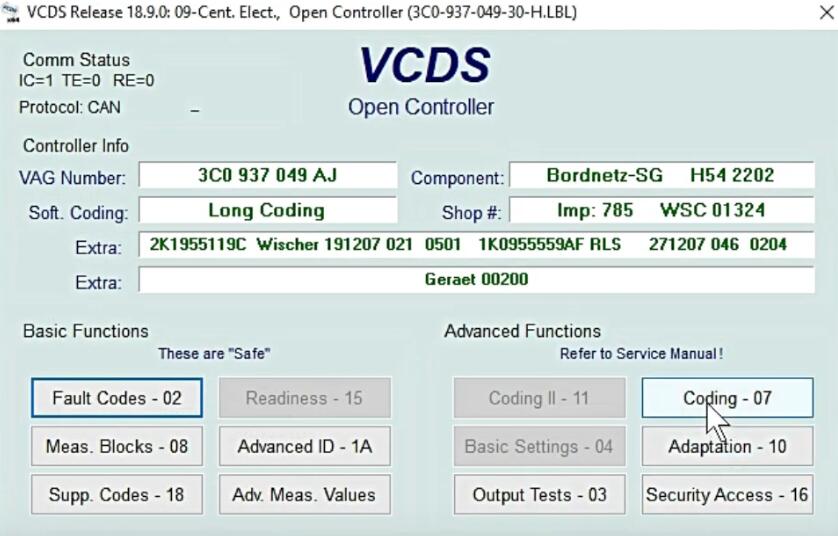
Select “09-Cent. Elect.”

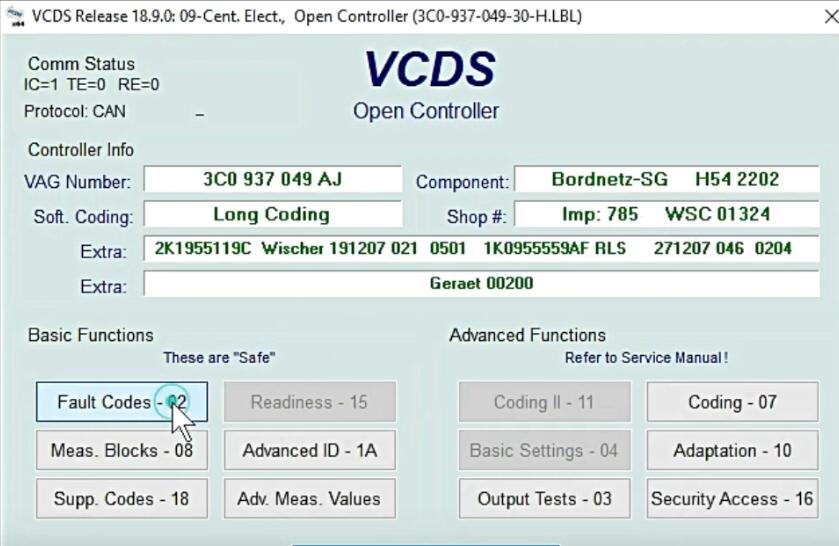
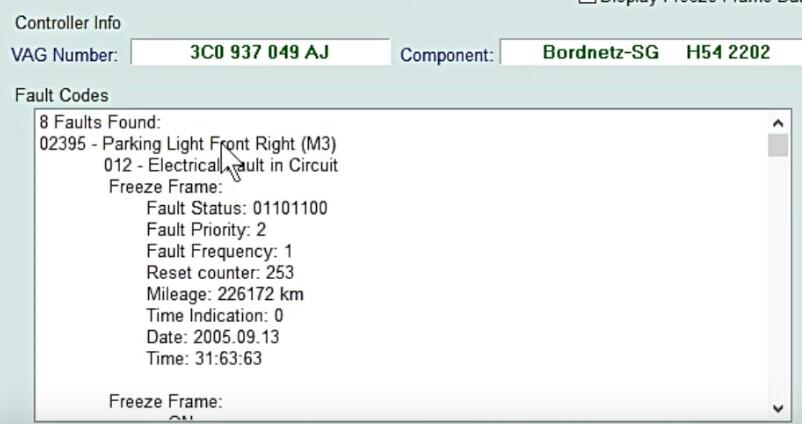
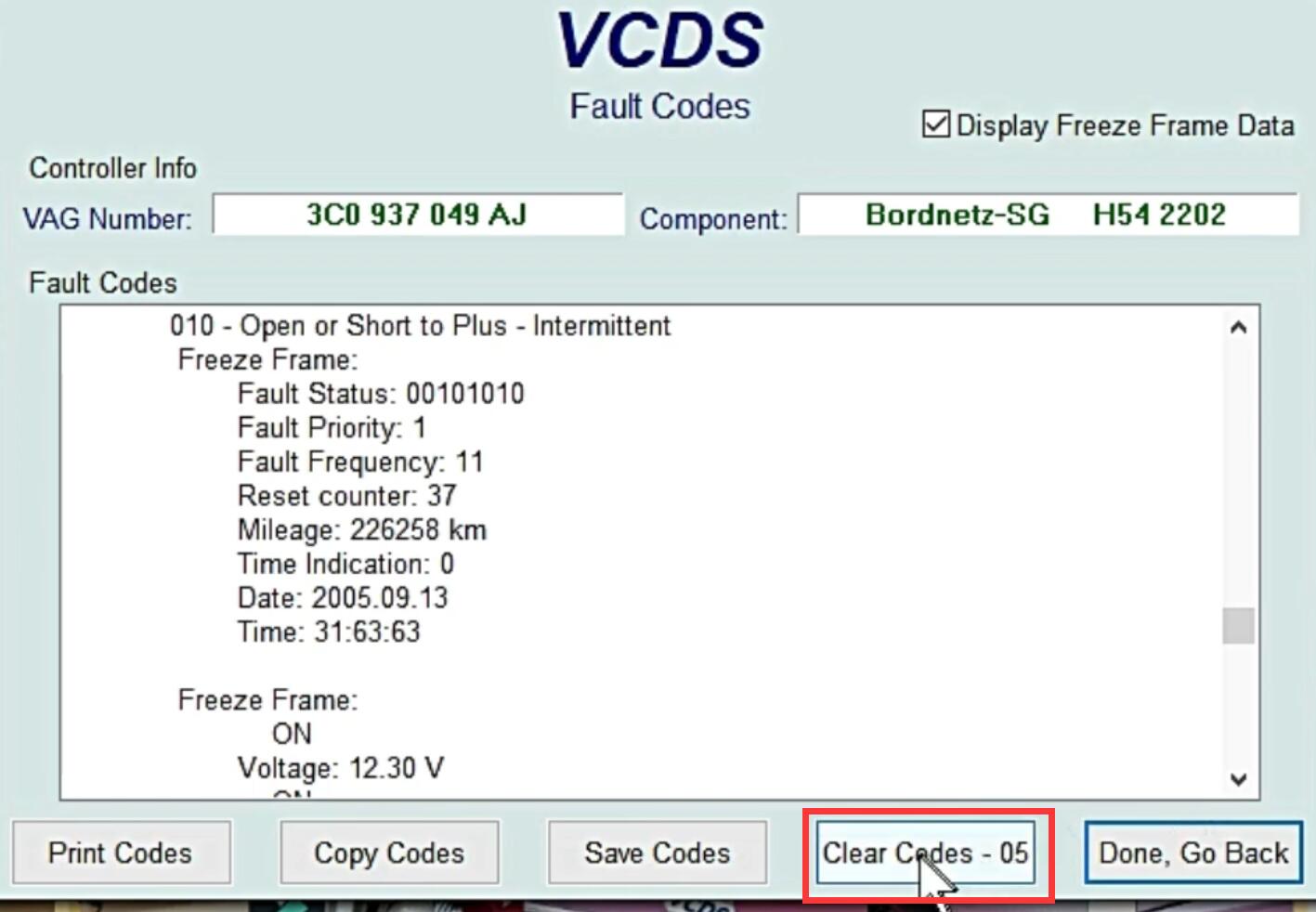
Select “Fault Codes-02”

Default fog- Light and High beam, low beam

Click “Clear Codes -05”

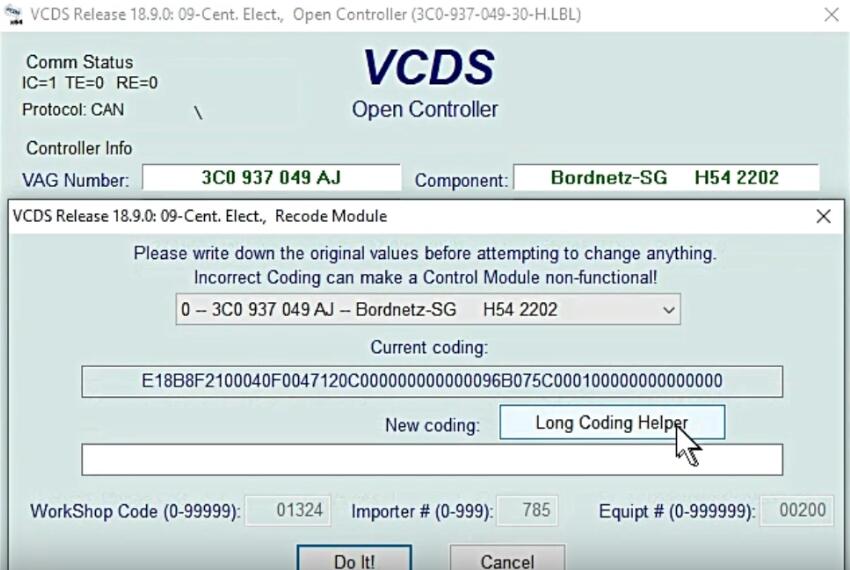
Go back and click “Coding -07”

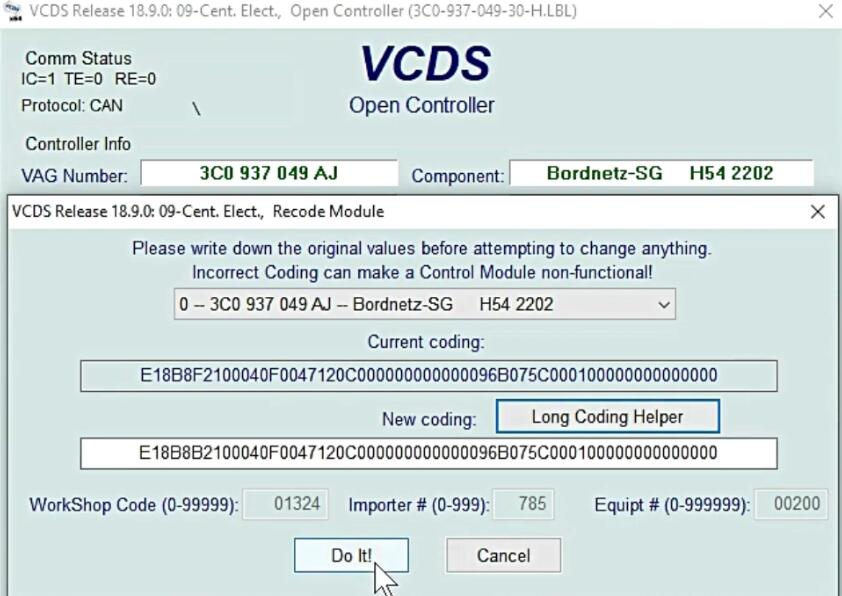
Click “Long Coding Helper”

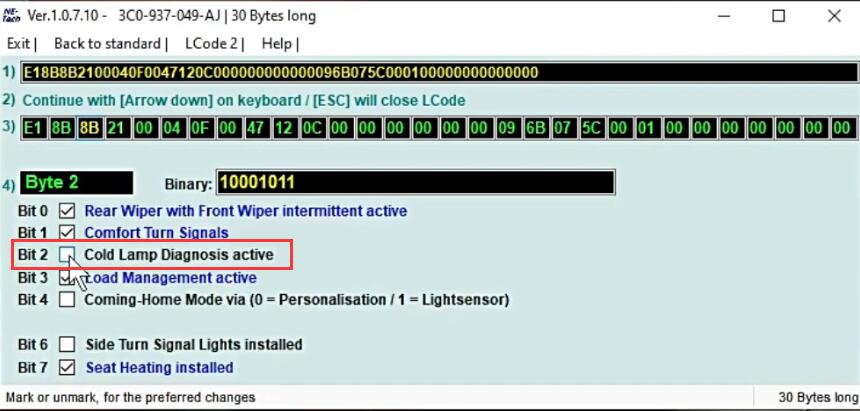
Remove tick from Bit 2

Exit, then click “Do It!”

Coding accepted.

More cases about VW, please refer to VW Trouble Repair.

Tuesday, September 28, 2021

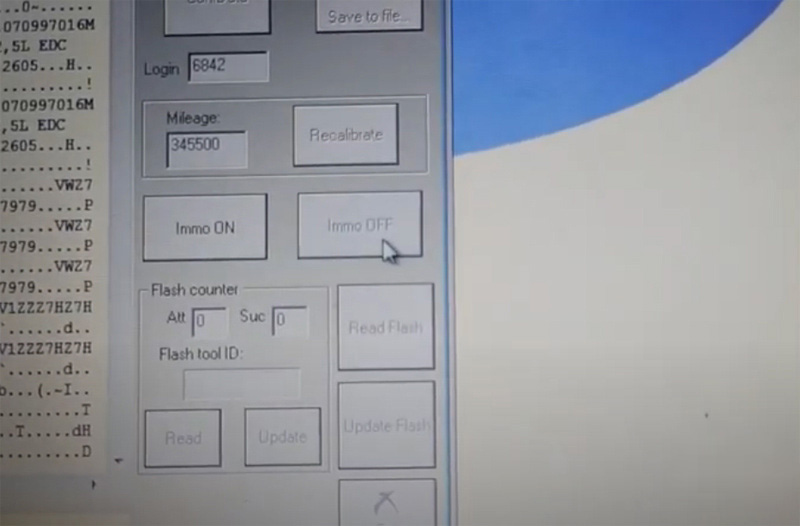
SVCI 2020 VAG EDC16U31 Immo Off


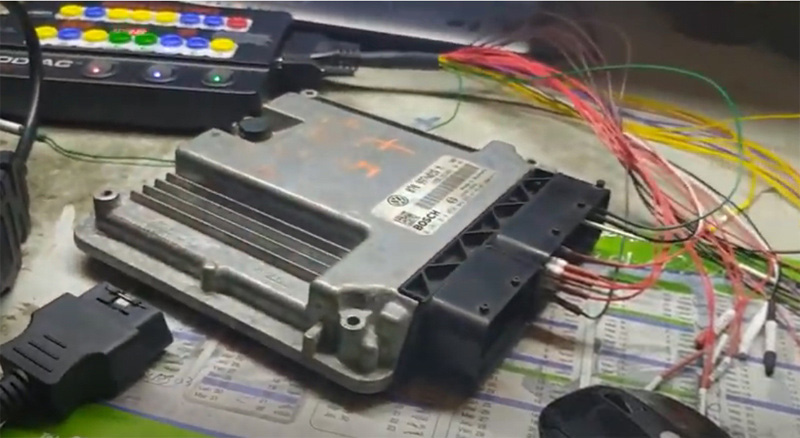
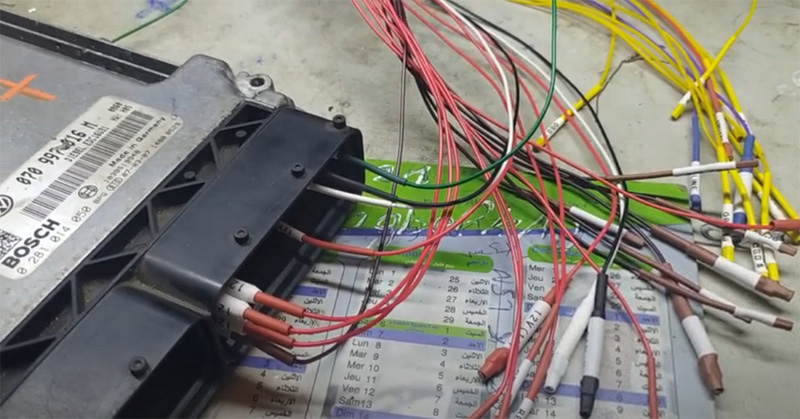
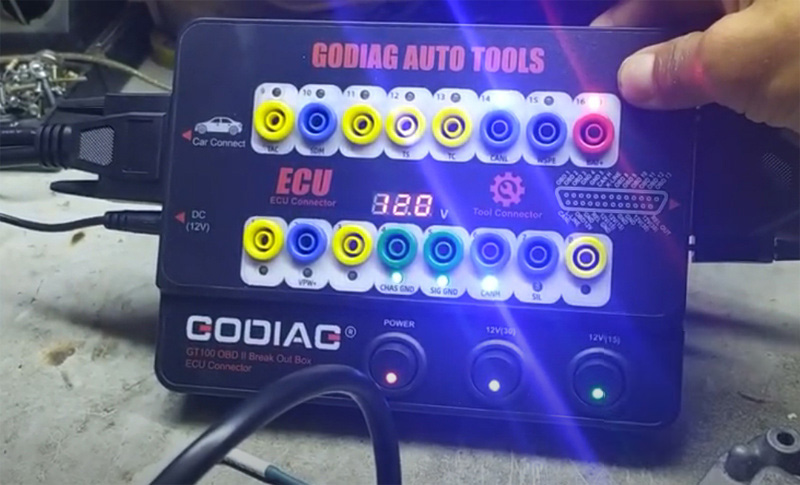
FVDI 2020 (SVCI 2020) or FVDI 2018 full has VAG V21.0/V38.1 software activated with specifial functions.  Here we test it on VAG EDC16U31 ECU Immo off together with the Godiag GT100 breakout box.

SVCI-2020-VAG-EDC16U31-Immo-Off-1

SVCI-2020-VAG-EDC16U31-Immo-Off-2

SVCI-2020-VAG-EDC16U31-Immo-Off-3
SVCI-2020-VAG-EDC16U31-Immo-Off-4

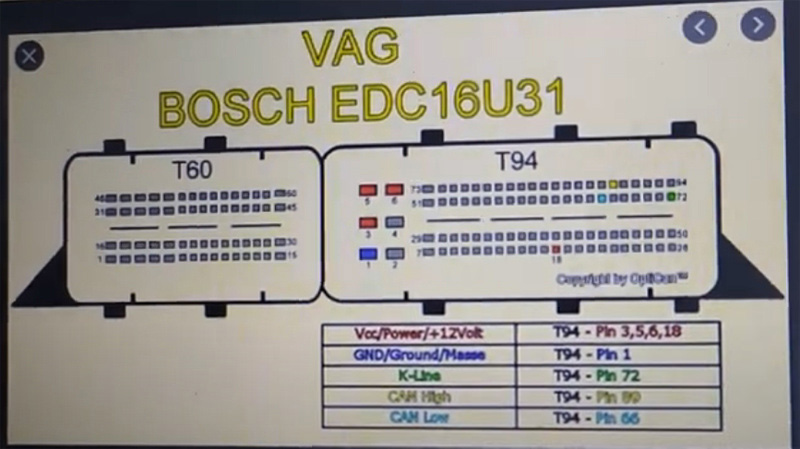
Follow wiring diagram to connect SVCI, GT100 and ECU

Keep voltage 12v+
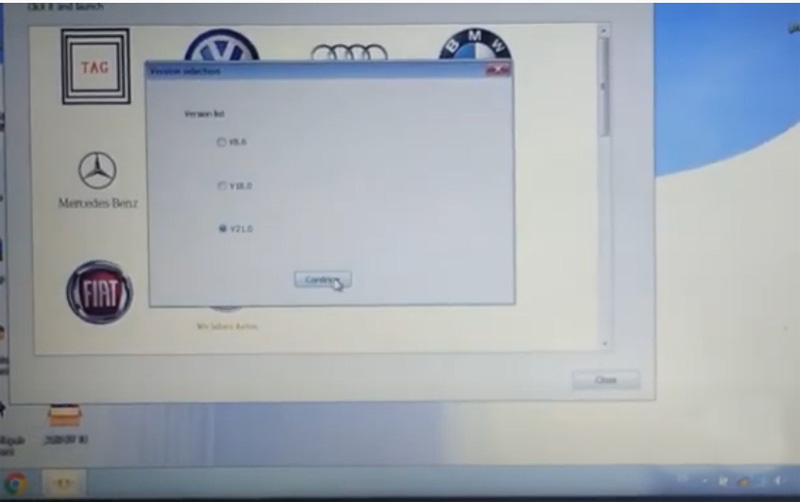
Run SVCI software– VAG software- V21.0

SVCI-2020-VAG-EDC16U31-Immo-Off-5
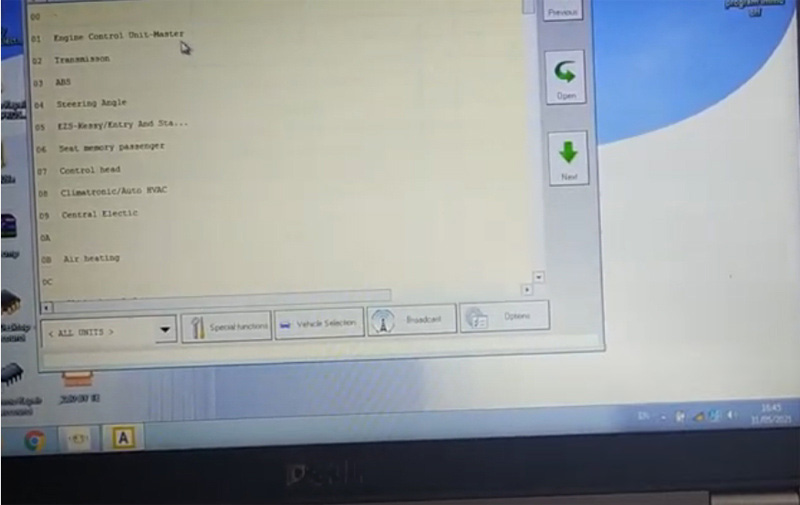
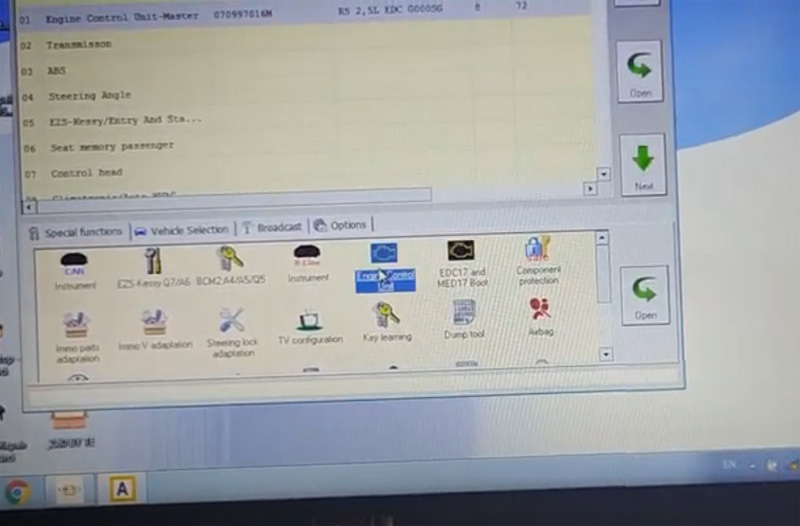
Select Engine Control Unit

SVCI-2020-VAG-EDC16U31-Immo-Off-6

SVCI-2020-VAG-EDC16U31-Immo-Off-7

Identify controol unit infomarion
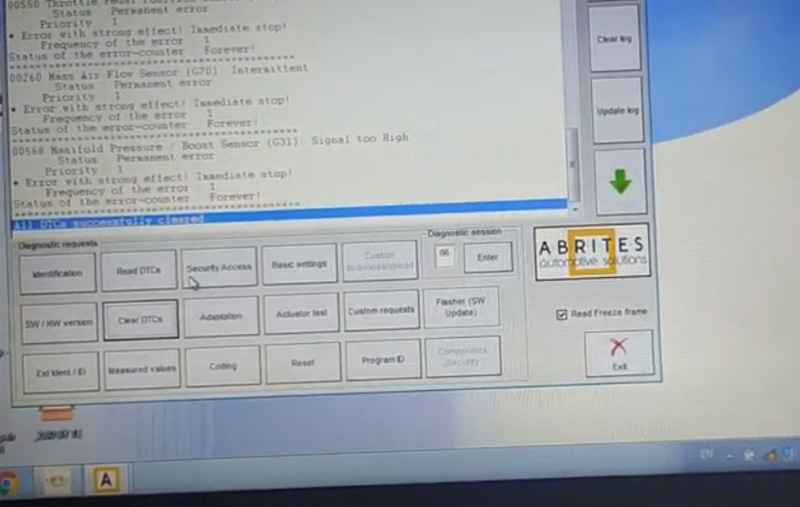
First read and clear DTC, then reset
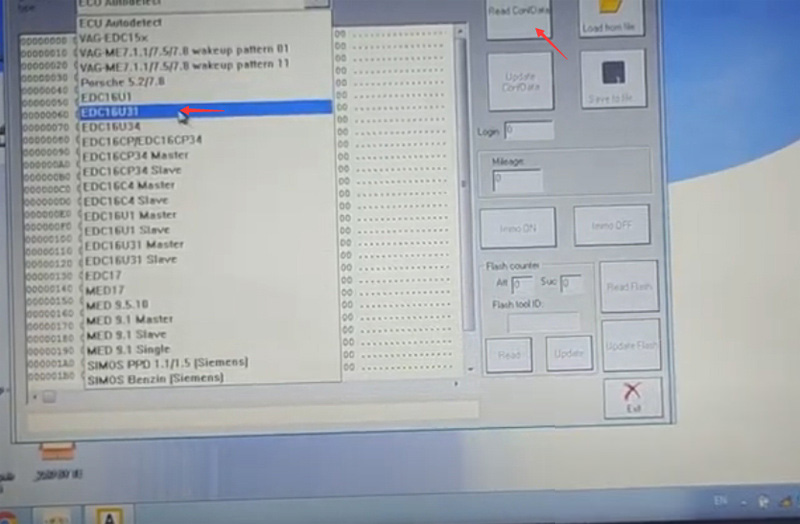
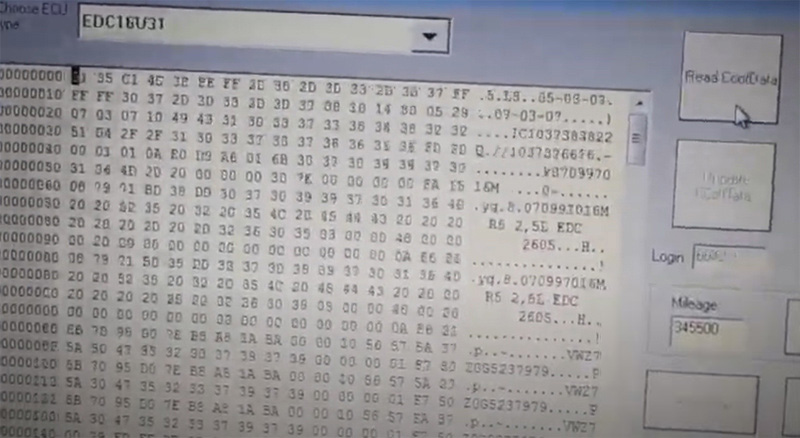
Go to Special Functions- Engine Control Unit- EDC16U31 – Read data

SVCI-2020-VAG-EDC16U31-Immo-Off-8

SVCI-2020-VAG-EDC16U31-Immo-Off-9

SVCI-2020-VAG-EDC16U31-Immo-Off-10

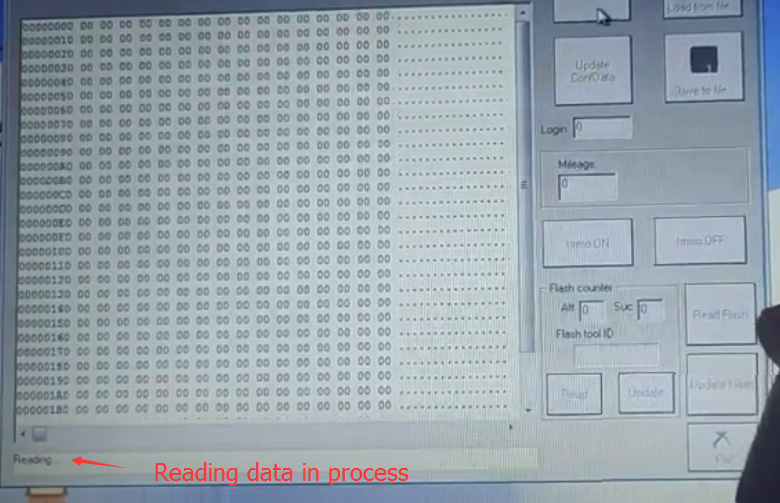
Read data succes

SVCI-2020-VAG-EDC16U31-Immo-Off-11

SVCI-2020-VAG-EDC16U31-Immo-Off-12

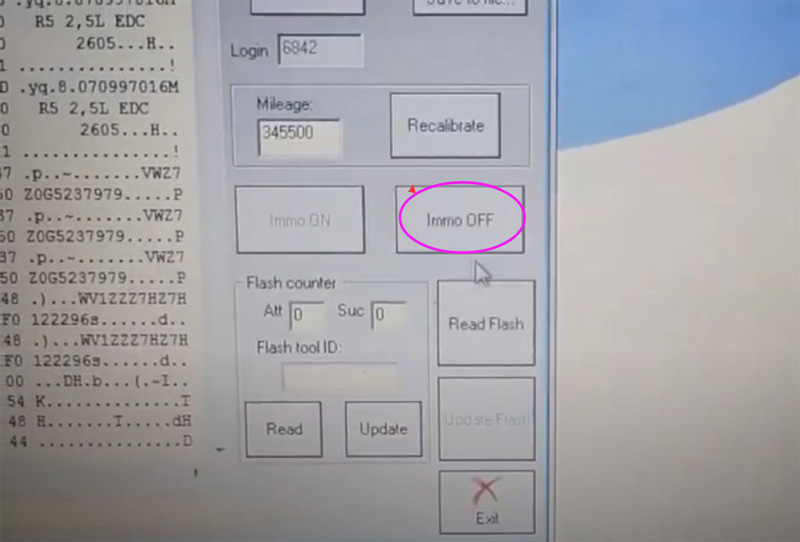
press IMMO Off

Turn ignition OFF within 3 sec
Turn on ignition
Turn ignition OFF
Turn on ignition

SVCI-2020-VAG-EDC16U31-Immo-Off-13
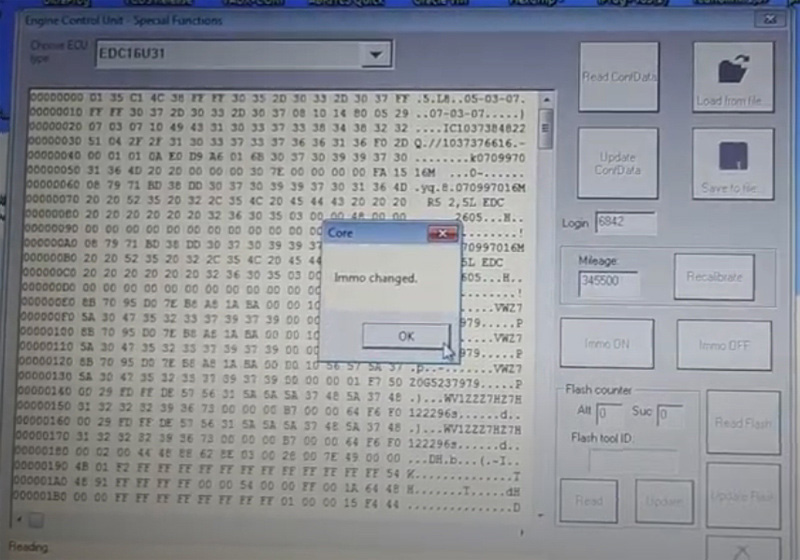
Immo changed
Turn ignition OFF
Turn on ignition

SVCI-2020-VAG-EDC16U31-Immo-Off-14

Immo status has been changed.

https://fvdicommander.blogspot.com/2021/08/svci-2020-vag-edc16u31-immo-off.html