Friday, January 21, 2022

How to Activate and Update XTOOL A80 Pro (H6 Pro)

This post will share the guide to register (activate) and update XTOOL A80 Pro (H6 Pro) diagnostic tool for the users who use this XTOOL tablet at the first time.

Main operation guide:
The device used below is XTOOL H6 Pro, but the guide also applies to A80 Pro.
First, turn on the XTOOL tablet.
When you receive the device, you will have some charge in the actual tablet, you can connect it to the main power.
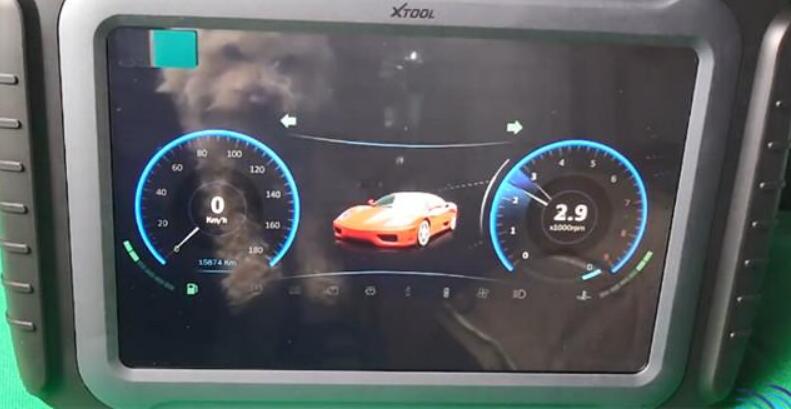
You’ve got to have your WIFI network ready and as you see that little Ferrari rolls up then you know you’re in business.

How-to-Activate-and-Update-XTOOL-A80-Pro-1

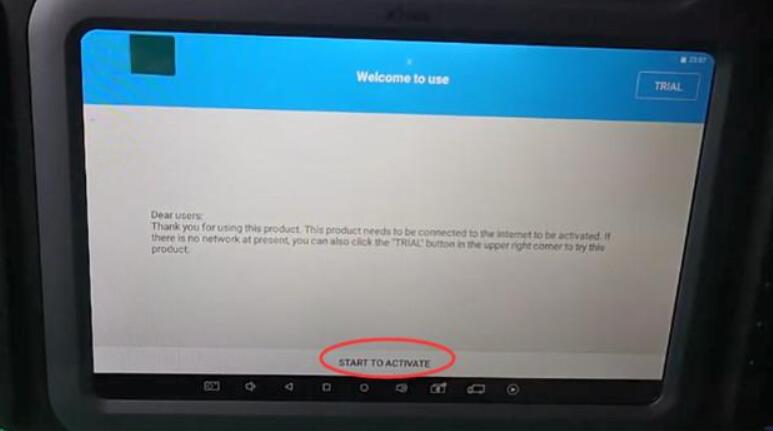
Then go to hit “START TO ACTIVATE”.

How-to-Activate-and-Update-XTOOL-A80-Pro-2
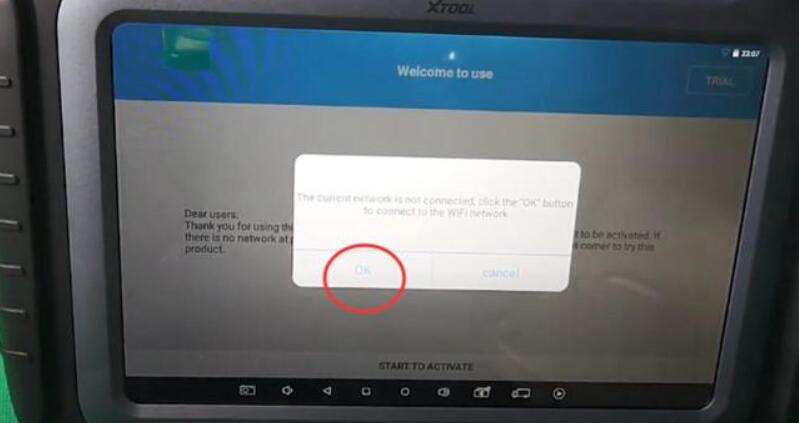
If it says “The current network is not connected, click the “OK” button to connect to the WIFI network”, just click “OK” to continue.

How-to-Activate-and-Update-XTOOL-A80-Pro-3

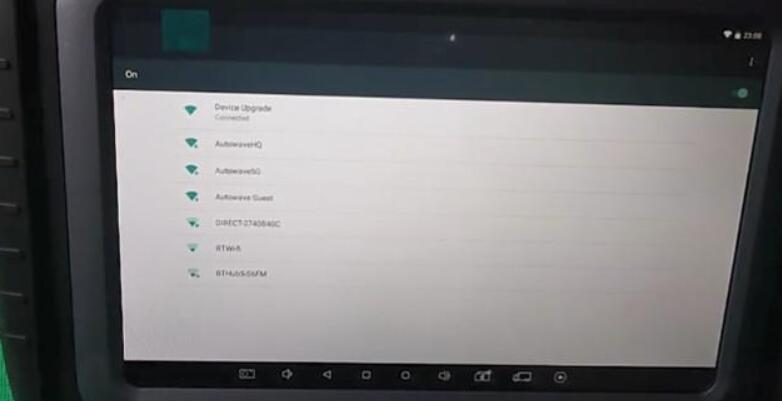
Then it will show what WIFI networks are available, just choose one network to set up for device upgrade.

How-to-Activate-and-Update-XTOOL-A80-Pro-4

After that, hit “START TO ACTIVATE” again.

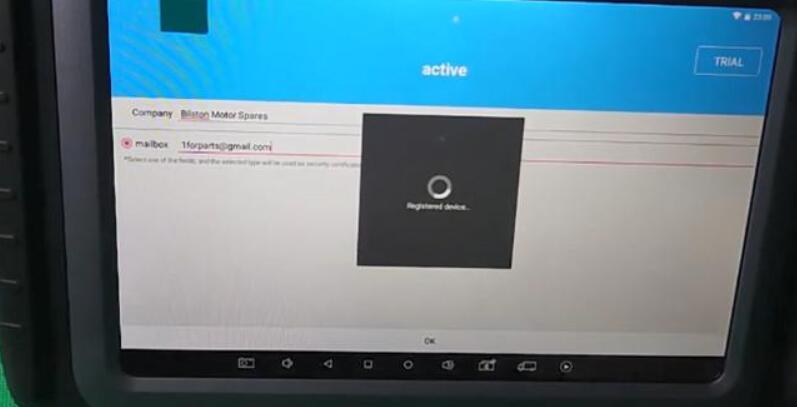
Put your company name &email address, and click “OK”.

How-to-Activate-and-Update-XTOOL-A80-Pro-5

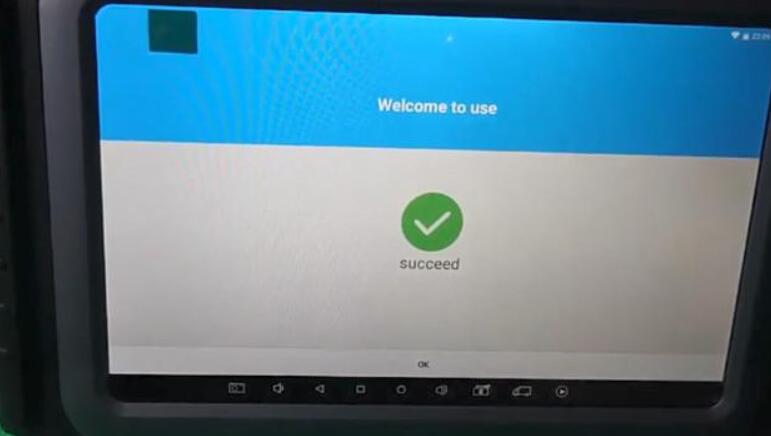
When the device has been activated (registered), it will show “succeed”.

How-to-Activate-and-Update-XTOOL-A80-Pro-6

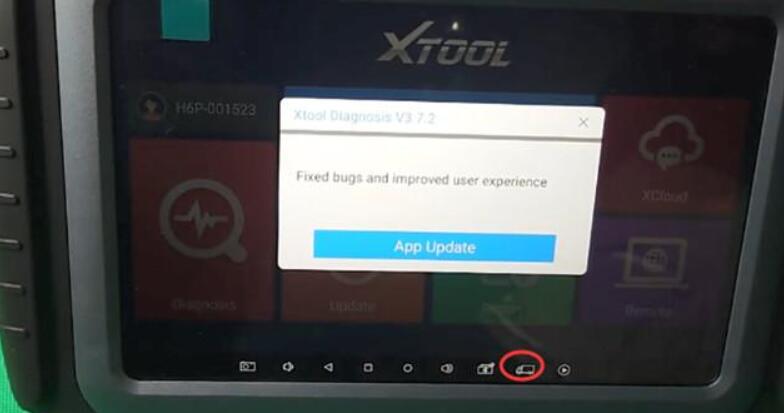
Next, go to the main screen by hitting the little van button.

It’s a brand new device and need to update all applications and download all software.

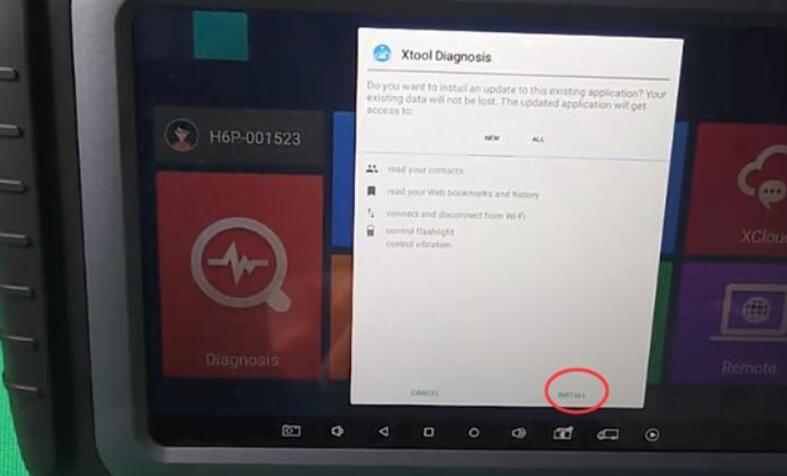
Click “App Update” and then click “Install” when it prompts you to install an update to the existing application.

How-to-Activate-and-Update-XTOOL-A80-Pro-7
How-to-Activate-and-Update-XTOOL-A80-Pro-8

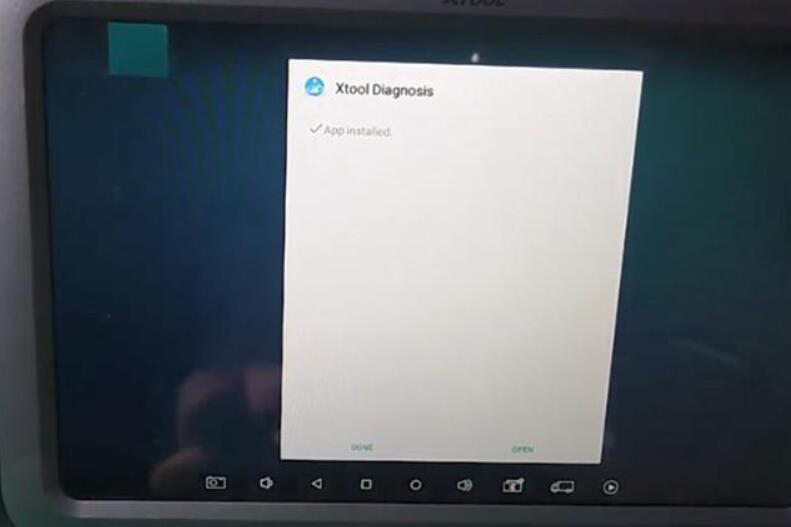
Once the App is installed, click “DONE” or “OPEN” is ok.

How-to-Activate-and-Update-XTOOL-A80-Pro-9

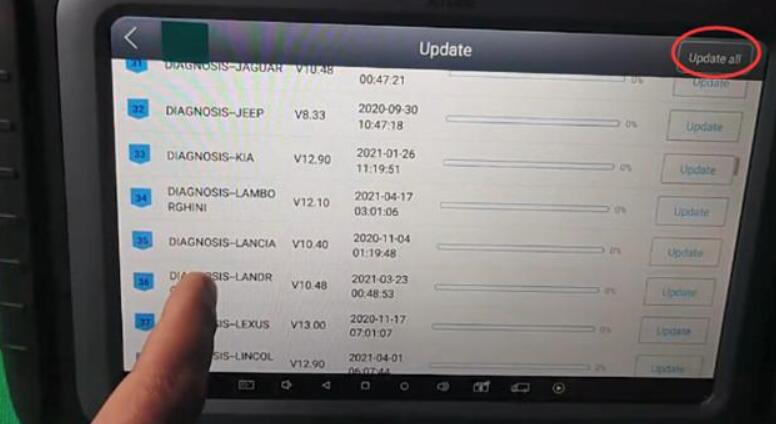
When click “OPEN”, you can enter the main menu again, it’s the latest version, so click “Update”

Note: The wifi network should be connected during the update process.

It will make the device fully up- to- date and usable. It’s very important you do this when you buy the device because it won’t have all latest software. If it’s a European version, it will download all EU software, just click “Update all” to download and install all software.

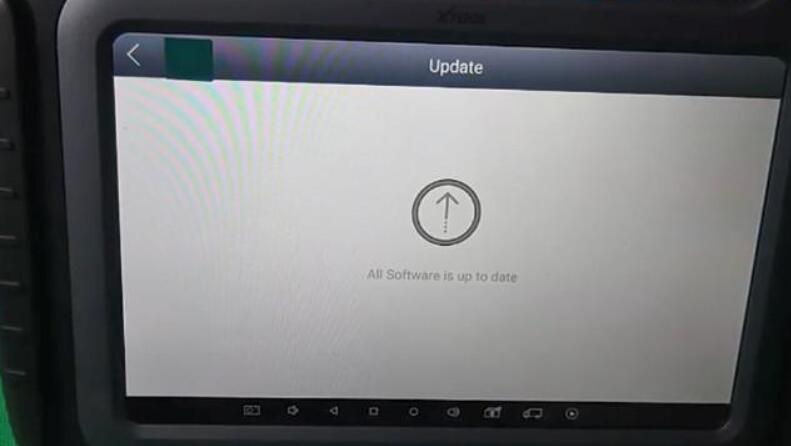
How-to-Activate-and-Update-XTOOL-A80-Pro-10

All software is up to date.
How-to-Activate-and-Update-XTOOL-A80-Pro-11

If come back to the main menu and go into the update again, it will connect again to the server which is good practice to do because there’s so many frequent updates and sometimes when you’re updating another update will just come out.

When it’s your first time to do this, the full update would take about 20 minutes.

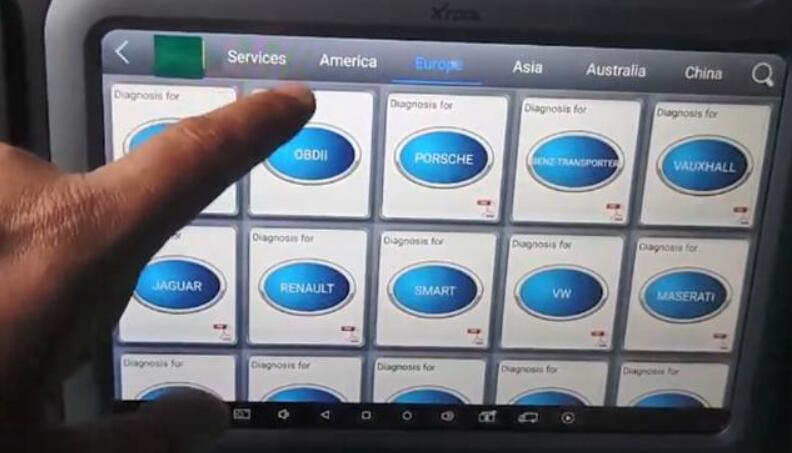
After the update is completed, return to the main menu, and go to “Diagnosis” function, then you can see all menus have already got.

How-to-Activate-and-Update-XTOOL-A80-Pro-12

That’s whole process to activate and update the XTOOL A80 Pro tablet.

Enjoy!

VXDIAG VCX SE JLR Not Connected to VCI Solution


Problem:

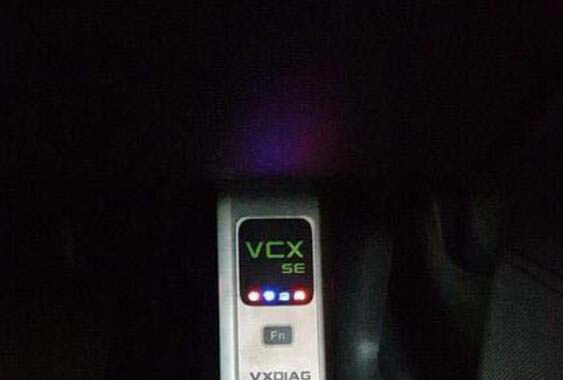
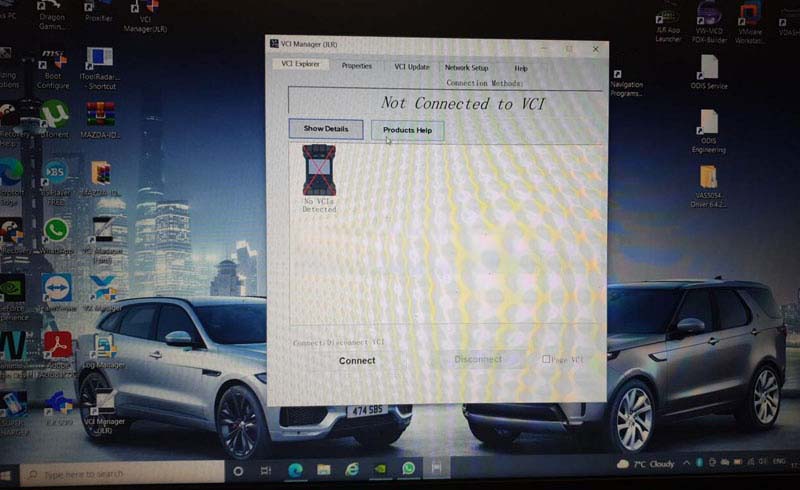
I had a problem connecting vxdiag vcx se se jlr doip with Pathfinder and vehicle. vx manager didn’t detect the vcx se unit. Tried installing JLR VCI Manager driver,  nothing happened.

error “Not connected to VCI”, image attached:

VXDIAG-VCX-SE-JLR-Not-Connected-to-VCI-Solution-1
VXDIAG-VCX-SE-JLR-Not-Connected-to-VCI-Solution-2
VXDIAG-VCX-SE-JLR-Not-Connected-to-VCI-Solution-3

Solution:

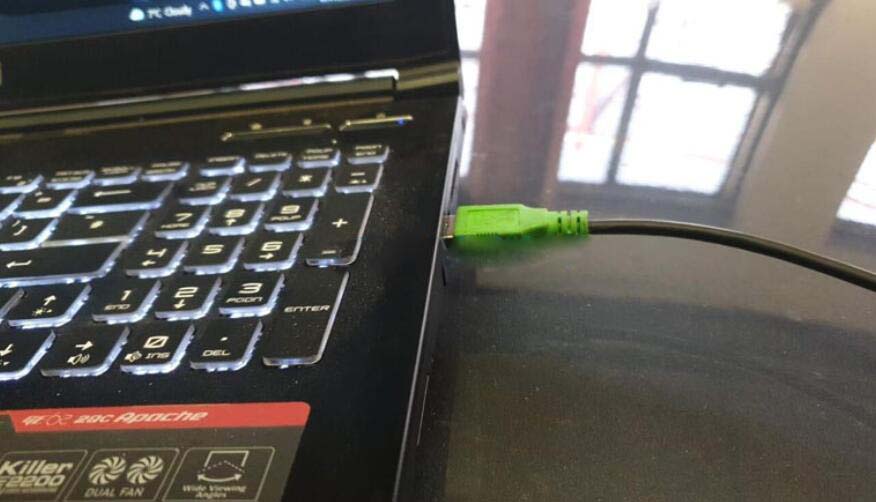
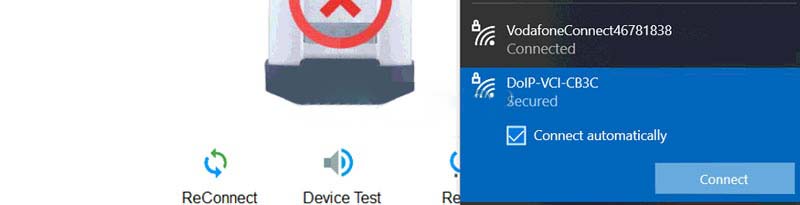
Try to connect vcx se jlr with PC via WiFi.

Search  DoIP VCI wifi and pair with password: 12345678

VXDIAG-VCX-SE-JLR-Not-Connected-to-VCI-Solution-4
Run VX Manager again.

If vx manager still cannot detect device, disconnect and power off vcx se for 3 minutes, then try again.

Wednesday, December 15, 2021

How to open Online Programming Function for Launch X431 PAD V,PAD VII , PAD III


Launch X431 PAD V , Pad VII, PAD III all support online programming function , but some equipment was shield by original factory , you can open the function as bellowing steps :

Setting online programming functions operations :
Enter into other – equipment-File management – cnlaunch folder – X431PADV – assets folder find out the StdCfg.ini file

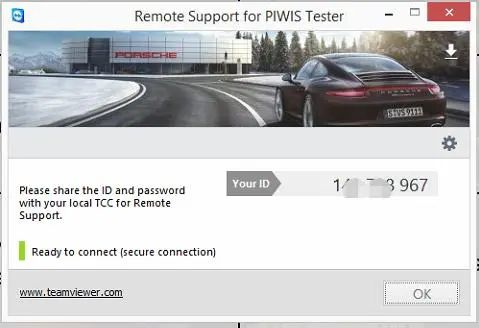
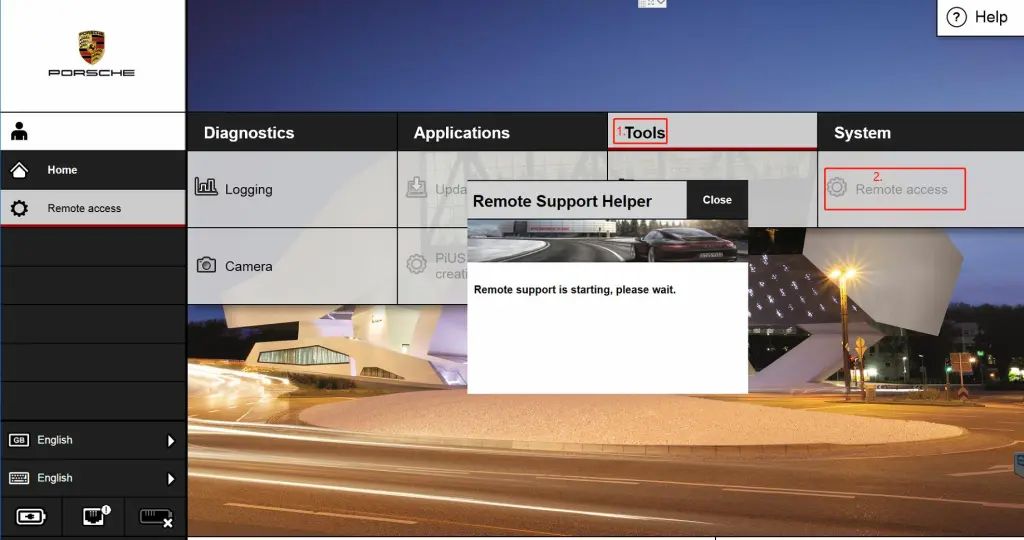
How-to-open-Porsche-Piwis-3-Remote-access-teamviewer-1
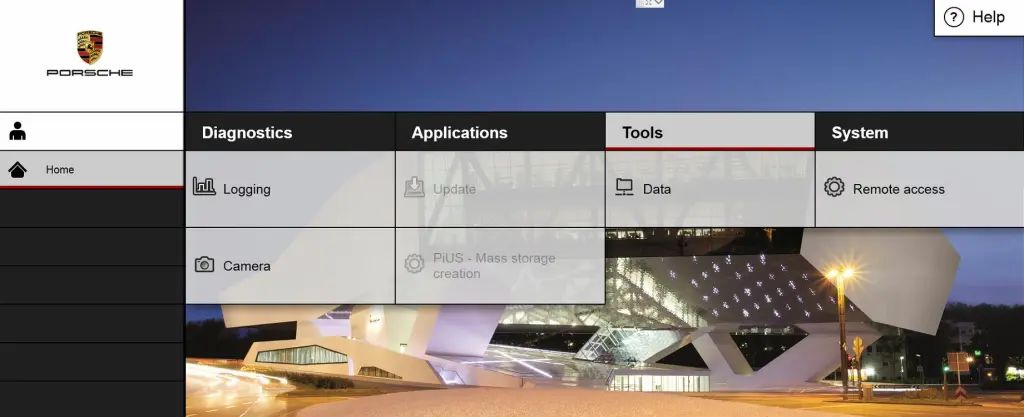
How-to-open-Porsche-Piwis-3-Remote-access-teamviewer-2
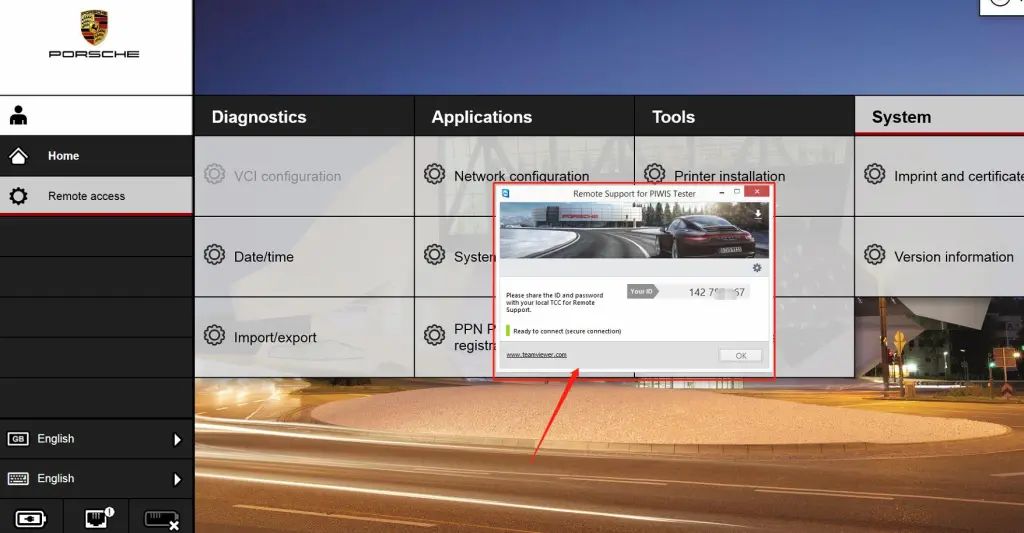
How-to-open-Porsche-Piwis-3-Remote-access-teamviewer-4
Open the StdCfg.ini with text editor ,Click the edit button on the upper right, make the file in edit state, Find out OnlineFlash and Flash ,the default value is 0 , means not support online programming , Click on the corresponding field and change the value to 1 , click save . Let the value to 1 like the bellowing picture :

How-to-open-Porsche-Piwis-3-Remote-access-teamviewer-3

How-to-open-Porsche-Piwis-3-Remote-access-teamviewer-5
Then , the diagnostic software of your machine can support online programming function .

Be attention : America north countries not support online programming recently , the other area can do it like the above steps , and the online programming menu will not display on front page,you should enter into the diagnostic software then can find the Corresponding menu .

How to Update XENTRY Diagnosis VCI Firmware


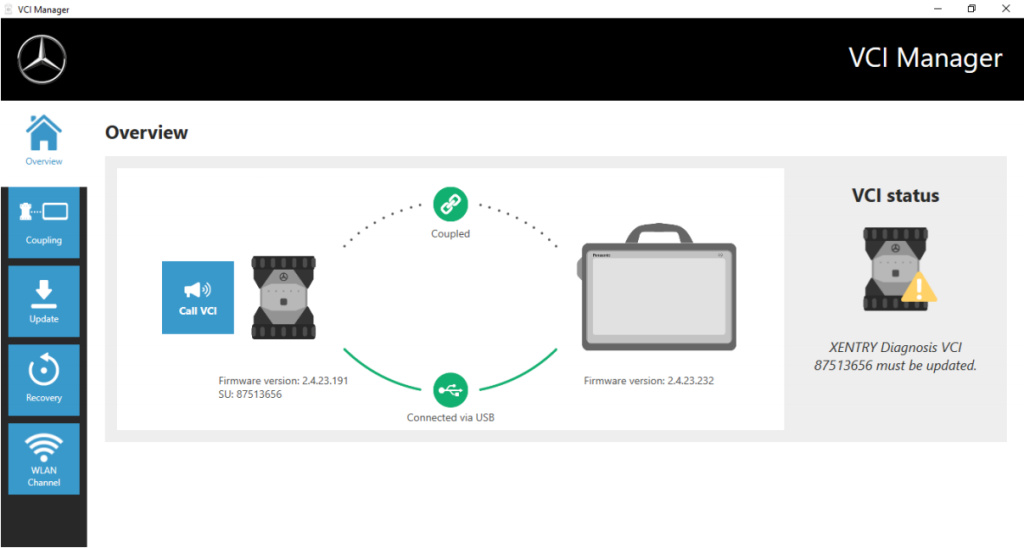
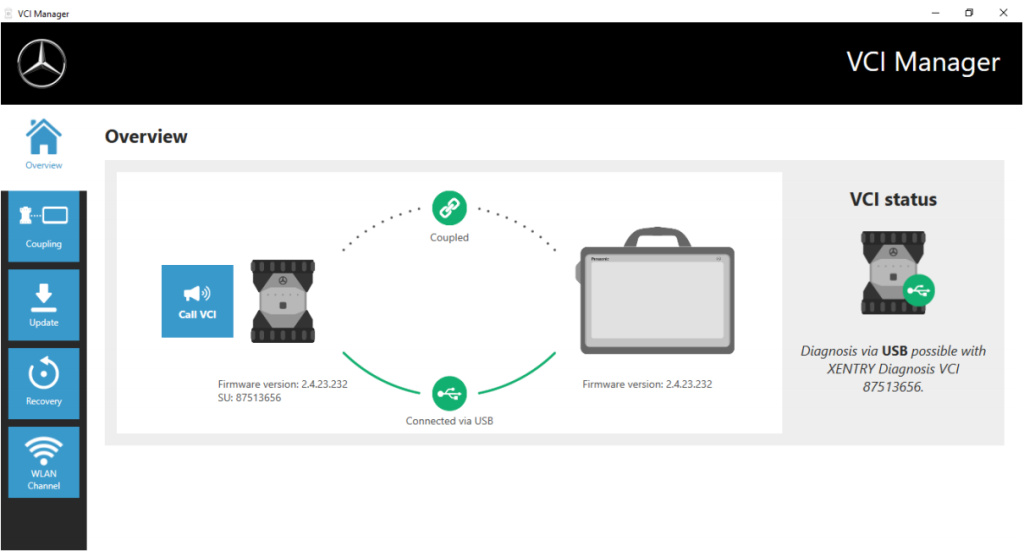
After an update to the XENTRY Diagnosis Pad 2, you may then need to update the firmware for the Xentry diagnosis VCI.
You can also see this in the VCI Manager on the overview page:

How-to-Update-XENTRY-Diagnosis-VCI-Firmware-1

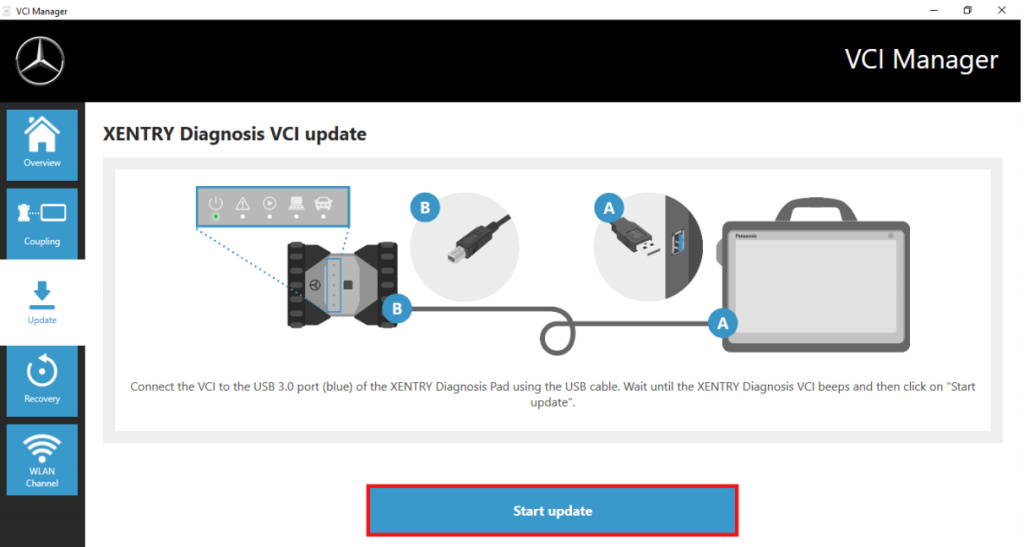
Click in the “Update” menu item in the VCI Manager and then on the “Start update” button.

How-to-Update-XENTRY-Diagnosis-VCI-Firmware-2

When executing the update, please ensure that the USB connection between XENTRY Diagnosis Pad and VCI is not
interrupted.
Once the update has completed, you can then continue to work with XENTRY Diagnosis Kit 4 as usual.

How-to-Update-XENTRY-Diagnosis-VCI-Firmware-3


Monday, November 22, 2021

How to install the Xtuner T1 on your laptop


WIFI XTUNER T1 heavy duty truck diagnostic tool supports more than 22 language and multi brand trucks, besides basic function such as Read ECU Info, Read DTCs, Erase DTCs, Clear learning value, Data Stream, Actuations, Read freeze frame data etc, Xtuner T1 supports  resetting, coding and programming as well.

XTUNER T1 Heavy Duty Truck Diagnostic Tool Overview:
● Extensive vehicle coverage for heavy-duty trucks.
● Complete function including DTC, DTC freeze Info, Live data, Actuation test and Special function.
● Support standard protocol J1939, J1708 and J1587.
● Communication: USB or WIFI connection for the VCI.
● XTUNER T1 Update: One years free for IDUTEX product hardware replacement and lifetime maintenance. Software is free updating within 1 year, from the date of online automatically updating.
● Supply OBDII and other 10 connector.
● With brand-new design, the hardware features in stability and anti-interference.
● The built-in overvoltage protection module is able to protect scanner and vehicle against accidental damage during checking.
● Work stably and smoothly in high and low temperature environment..
● Operation System:  Windows XP, Windows 7, Windows 8, Windows 10, which allows for more stable performance, better compatibility and expandability.

What Can XTUNER T1 Do?

Basic Function: Read ECU Info, Read DTCs, Erase DTCs, Clear learning value, Data Stream, Actuations, Read freeze frame data.

Resetting: Basic Reset, Oil change, Cylinder shut off test,Cylinder compression test,Cylinder balancing test, EGR Solenoid Test,EGR Pulse Ratio Test,DPF Manual Forced, DPF Normal Regeneration.

Coding: Control unit adaptations, Injector Codes, Read/Write VIN,Road speed limit optional vehicle speed set.

Programming:  Level calibration, Idle speed learning, Idle speed Adjustment, Camshaft timing control learning, etc.
XTUNER T1 System Coverage

Engine system, Body syetem, SRS system, ABS(anti-lock brake system),Instrument System, Transmission system, Brake control system, Unit pump system, Common Rail System, Electronical control system, Natural gas system, Tail gas after-treatment system, etc.
XTUNER T1 Vehicle Coverage

Diesel: For ASTRA, For BENZ, For BREMACH, For CATERPILLAR, For DAF, For DETROIT, For ERF, For FORD, For FOTON, For FREIGHTLINER, For FUSO, For HINO, For HYUNDAI, For INTERNATIONAL, For ISUZU, For IVECO, For KENWORTH, For KIA, For GM, For MACK, For MAN, For MaxxForce, For NAVISTAR, For RENAULT, For SCANIA, For TOYOTA, For UD, For VOLVO, ect.

Electronic Control System: For ALLISON, For BENDIX, For BOSCH, For CUMMINS, For WABCO.

Standard OBD: Diesel OBD.

How To Install & Use XTUNER T1 Scanner

Tuesday, November 9, 2021

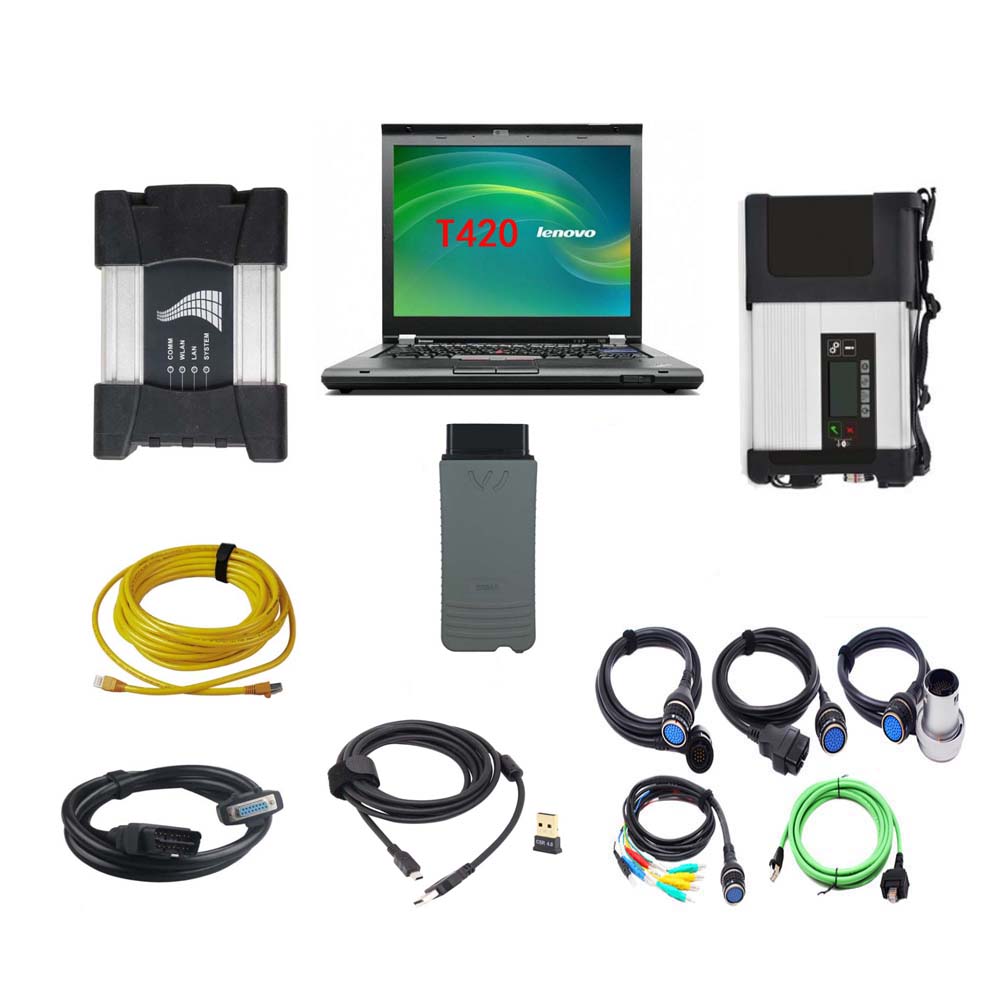
MB Star C5 + BMW ICOM NEXT + VAS 5054A 3in1 With Lenovo T420 Laptop

 V2021.09 MB Star SD Connect C5 + BMW ICOM NEXT + VAS 5054A 3in1 Diagnostic Tool With Lenovo T420 Laptop Ready to Use


NOTE:
The full device including MB Star SD Connect C5 / BMW ICOM NEXT / VAS 5054A hardware and one laptop has installed the MB Star SD Connect C5 / BMW ICOM NEXT / VAS 5054A software on Lenovo T420 Laptop. When you received the device, you can use it directly.

Software version:
1.MB Star SD Connect C5 V2021.09
2.BMW ICOM NEXT V2021.09
3.VAS 5054A ODIS V7.11

1. MB Star SD Connect C5 Diagnosis Tool with 2021.09 Vediamo and DTS Engineering Software
Please kindly note:
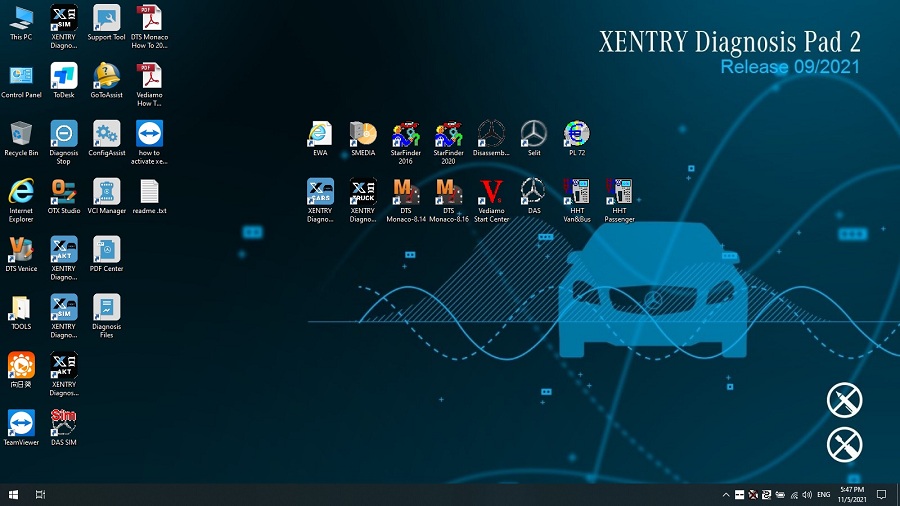
1.Including Super Engineer Software: DTS monaco V8.16.15 And Vediamo V5.01.01 Support Offline Programming

2.Support Wireless

3.Software Version: V2021.09
4.Support Multi-Language: (Default language is English, if you want other languages, please leave message) English/Bulgarian/Danish/Greek/Spanish/French/Italian/Korean/Polish/Romanuan/Serbo-Croatian/Turkish/Czech/German/Finish/Hyngarian/Japanese/Dutch/Portuguese/Russian/Swedish/Chinese.
5.Support Both Mercedes Benz Cars and Trucks
6.Support Mercedes Benz Cars After Year 2000
7.Support Offline and Online Programming, If You Want to Do Online,you must have an account online.

Softwares list:
1. DAS 2021.09: the automatically Diagnosis Assistance System
2. Xentry 2021.09: New software released by Bennz Company after 04/2009 by diagnosis new cars.
3. WIS net 2020.10: Workshop Information System

Supply the whole view of the wiring diagram in a car, component location diagram and maintenance method. What you do is to enter the chassis number, and then you will get the manufacture data, engine configuration and the car model -all in detail.

4. EPC.net 2018.11: Electronic Parts Catalog
5. ST Finder: Part Location Finder options: 2016 and 2020
6. STARUTILITIES: the movement management system and self-test
7. SD MEDIA 2014
8. PL72
9.HHT Software for old cars
10.Engineer version Vediamo updated to V5.01.01 ,Engineer version DTS updated to V8.16.015,Upgrade to the latest version of 2020 data
1) Fix the error that Mercedes-Benz DAS cannot directly call WIS
2) Join the DAS sedan smart offline programming
3) Join the 204 DAS stand-alone version, which can be mutated (German), which is more powerful than Vediamo
4) Join DAS special function password-free access PKW and SMART
5) Repair SMART 450, 451, 452, 454 No longer need TAN Caculator, all offline
6) Increase offline EOL and VMAX all LKW, modify truck maximum speed limit
7) Lift the truck NOx TORGUE restriction, do not need FDOK XT calculation code, directly enter, directly cancel the legal speed limit, you can modify without special function
8) Clear the truck SCR/ADBLUE fault code (MR), do not need FDOK XN calculation code, enter directly
9)Add DAS 212,207 prototyp model
10)Add Xentry special features and the VeDoc calculator($53 for activation)

2. V2021.09 BMW ICOM NEXT Diagnostic Tool
V2021.09 Newest Vsrsion Software ISTA-D ISTA 4.30.40 ISTA-P 3.68.0.800 with Engineer Programming
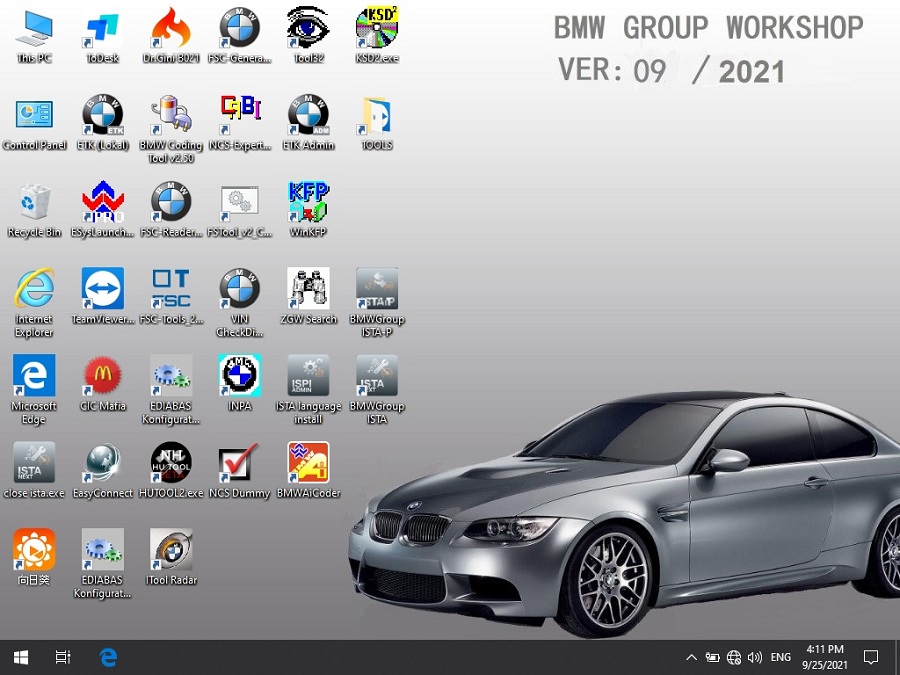
Software Version: V2021.09

ISTA – D: 4.30.40,with SDP Programming Database 4.30.40
ISTA – P: 3.68.0.800 with Engineer Programming,supports the programming of BMW motorcycles and electric vehicles can program F/G/I/K chassis for car (through the ICOM, not other cable ) Vin: V2021.07.28

BMW ETK: 2019.12

BMW KSD: 2019.12 Multilanguage
BMW FSC Navigation Code Generator
BMWAiCoder for BMW Coding
Win10 64 bit operating system

BMW ICOM V2021.09, With free Software:
1. Get engineer version, INPA 5.00,winkfp 5.2.3,NCS 3.5.1, e-sys 3.31,data V68.0
2. get Chinese software DR.GINI B020
3. get count code navigation tool software FSC operator code
4. get one-clik hidden brush tool BMWAi V4.6
5. Add DIS Software for Old cars, DISV57 and DISV44,diagnosis and programming for BMW virtual machines
6. Support Vehicles: For BMW Cars,For BMW Motorcycle,For Rolls-Royce, For Mini Cooper

ISTA-D Language: Czech, Dutch, French, German, Greek, Italian, Japanese, Korean, Polish, Portuguese, Russian, Spanish, Sweden, Thai, Turkish

ISTA-P Language: English, Chinese, Czech, Dutch, French, German, Greek, Indonesian, Italian, Japanese, Korean, Polish,
Portuguese, Russian, Spanish, Swedish, Thai, Turkish
Notice : The software installed English language in default.

3. VAS 5054A With OKI Chip VAG Diagnostic Tool
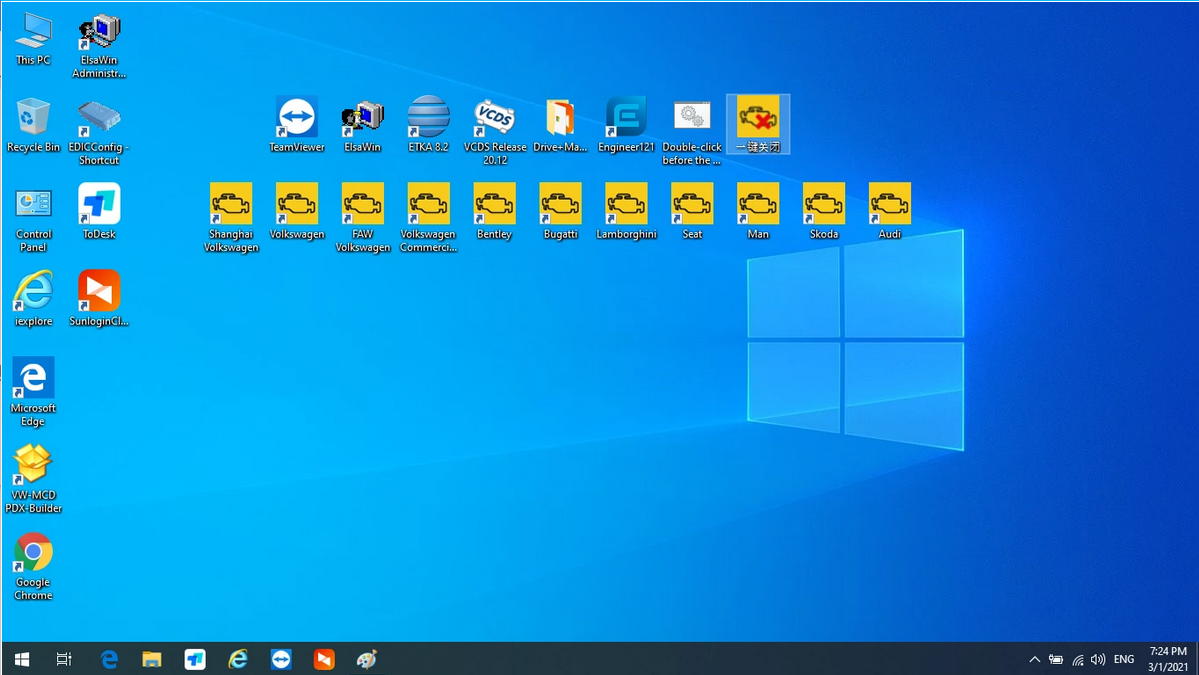
1.ODIS V7.11 includes: Audi, Skoda, FAW-Volkswagen, Volkswagen, Shanghai Volkswagen, Volkswagen Commercial, Bugatti, Lamborghini, SEAT, MAN, Bentley
2.ODIS Engineer Software: V12.1 Version
3.ETKA 8.2, data updated to 2021.3
4.Elsawin 6.0, support VW, Audi, data updated to 2016.1

VAS 5054A Features:
1.Full chips version Support UDS Protocol and PWM
2.Support Language: English
3.Supported Car Models: VW, AUDI, SKODA, SEAT
4.VAS 5054a Full Chips diagnosis and programming tool for VAG vehicles, come with ODIS software V7.11 support all Volkswagen, Audi, Seat, Skoda, Bentley, Lamborghini

The following vehicle bus systems are supported:
K line (ISO9141-2)
High-speed CAN (ISO 11898-2)
Low-speed CAN (ISO 11898-3)
J1850 (SAE J1850)

Package List:
MB STAR C5
1pc x MB STAR C5 Multiplexer
1pc x OBDII 16Pin Cable
1pc x 38PIN Cable
1pc x 14PIN Cable
1pc x 8PIN Cable
1pc x Lan Cable
BMW ICOM NEXT
1pc x BMW ICOM NEXT
1pc x LAN Cable
1pc x OBD Cable
VAS 5054A
1pc x VAS 5054A Main unit
1pc x USB Cable
2pcs x CD Software
1set x Second Hand Lenovo T420 Laptop I5 4GB Laptop

Second Hand Laptop Lenovo T420 Laptop Specification:
Brand: Lenovo
Condition: Used
Type: Laptop/Notebook
Screen Size: 14.0
Processor Type: Intel (R) Core(TM) I5-2520M CPU
Processor Speed: 2.50 GHz
Processor Configuration: Dual Core
Memory: 4GB
Compared with other laptop, this one is better quality and run faster.
Thursday, October 28, 2021

Chrysler 200 Spare Key Add with WiTech or AlfaOBD

Have a 2011 Chrysler 200 S used with one of the original keys, I want to add one more spare key, I need to go to the dealer to have the key list reset? Because I don’t have 2 original keys.

3 options of 2011 Chrysler 200 S key add:

Unfortunately this is true, you need 2 working keys to program additional keys. A dealer is able to able to add keys using the WiTech diagnostic tool. This also requires a PIN which the dealer is able to get through the parts department. If you buy the blank key through the dealer they may program it for you for the price of the key ($150 or so dollars).

PS:

Chrysler wiTech MicroPod 2 can also program 2005 Chrysler 200 when All Keys Lost, here is the operation guide:

https://www.obd2tool.com/blog/2021/09/16/how-to-use-witech-micropod-2-to-program-2005-chrysler-200-all-keys-lost/

Insert the new key you want to program and turn the ignition cylinder to ON position. Currently Chryslers MicroPOD II is the only solution for all keys lost because its the only tool that will wake the BUS to begin the programming procedure for new keys. Lost key replaced on site using MVP Pro to pull pin and program a new smart key.

Another option is to purchase the appcar software beta which is able to pull the PIN and program additional keys. It will cost $50 for the software and $40 for the obd dongle/cable to connect to the car obd port and you will need to buy a blank key. Note, do not buy a refurbished key, new only, as the key is programmed to the wcm (wireless key module) of the car and cannot be reused/reprogrammed.

Appcar will work on all 200’s as noted on their website. The appcar software can retrieve the PIN so there no need to go to a dealer. It is quite easy to pull the PIN and immediately program the new keyfob.
Note that AlfaOBD will still require the purchase of a separate OBD dongle.

Another option is I have used alfaOBD for such. This should work on the car listed by the op also. Still will need pin from dealer, and yes new key. AlfaOBD is $50 and works with windows or android. I believe it works on all FCA, stelantis, etc from 2009 and up. At least for now. Not sure of course what will change with new ownership.

Alright, all of three WiTech diagnostic tool, appcar and alfaobd have their strengths and weaknesses.

As noted, it is your choice on how to proceed.