Showing posts with label mb star c5. Show all posts

Tuesday, November 9, 2021

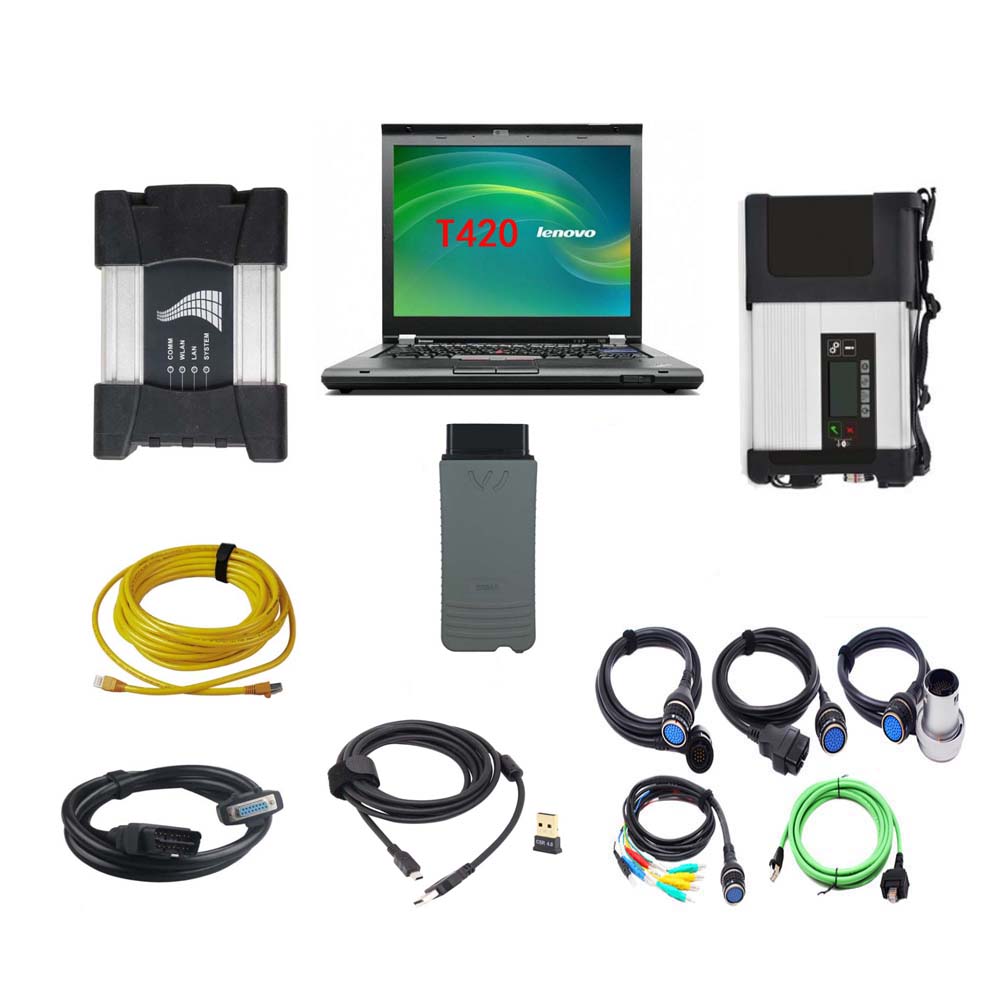
MB Star C5 + BMW ICOM NEXT + VAS 5054A 3in1 With Lenovo T420 Laptop

 V2021.09 MB Star SD Connect C5 + BMW ICOM NEXT + VAS 5054A 3in1 Diagnostic Tool With Lenovo T420 Laptop Ready to Use


NOTE:
The full device including MB Star SD Connect C5 / BMW ICOM NEXT / VAS 5054A hardware and one laptop has installed the MB Star SD Connect C5 / BMW ICOM NEXT / VAS 5054A software on Lenovo T420 Laptop. When you received the device, you can use it directly.

Software version:
1.MB Star SD Connect C5 V2021.09
2.BMW ICOM NEXT V2021.09
3.VAS 5054A ODIS V7.11

1. MB Star SD Connect C5 Diagnosis Tool with 2021.09 Vediamo and DTS Engineering Software
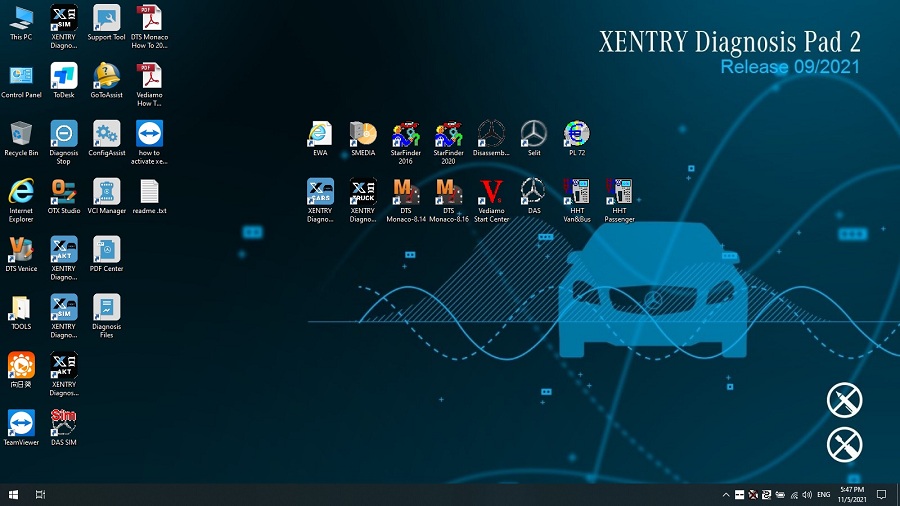
Please kindly note:
1.Including Super Engineer Software: DTS monaco V8.16.15 And Vediamo V5.01.01 Support Offline Programming

2.Support Wireless

3.Software Version: V2021.09
4.Support Multi-Language: (Default language is English, if you want other languages, please leave message) English/Bulgarian/Danish/Greek/Spanish/French/Italian/Korean/Polish/Romanuan/Serbo-Croatian/Turkish/Czech/German/Finish/Hyngarian/Japanese/Dutch/Portuguese/Russian/Swedish/Chinese.
5.Support Both Mercedes Benz Cars and Trucks
6.Support Mercedes Benz Cars After Year 2000
7.Support Offline and Online Programming, If You Want to Do Online,you must have an account online.

Softwares list:
1. DAS 2021.09: the automatically Diagnosis Assistance System
2. Xentry 2021.09: New software released by Bennz Company after 04/2009 by diagnosis new cars.
3. WIS net 2020.10: Workshop Information System

Supply the whole view of the wiring diagram in a car, component location diagram and maintenance method. What you do is to enter the chassis number, and then you will get the manufacture data, engine configuration and the car model -all in detail.

4. EPC.net 2018.11: Electronic Parts Catalog
5. ST Finder: Part Location Finder options: 2016 and 2020
6. STARUTILITIES: the movement management system and self-test
7. SD MEDIA 2014
8. PL72
9.HHT Software for old cars
10.Engineer version Vediamo updated to V5.01.01 ,Engineer version DTS updated to V8.16.015,Upgrade to the latest version of 2020 data
1) Fix the error that Mercedes-Benz DAS cannot directly call WIS
2) Join the DAS sedan smart offline programming
3) Join the 204 DAS stand-alone version, which can be mutated (German), which is more powerful than Vediamo
4) Join DAS special function password-free access PKW and SMART
5) Repair SMART 450, 451, 452, 454 No longer need TAN Caculator, all offline
6) Increase offline EOL and VMAX all LKW, modify truck maximum speed limit
7) Lift the truck NOx TORGUE restriction, do not need FDOK XT calculation code, directly enter, directly cancel the legal speed limit, you can modify without special function
8) Clear the truck SCR/ADBLUE fault code (MR), do not need FDOK XN calculation code, enter directly
9)Add DAS 212,207 prototyp model
10)Add Xentry special features and the VeDoc calculator($53 for activation)

2. V2021.09 BMW ICOM NEXT Diagnostic Tool
V2021.09 Newest Vsrsion Software ISTA-D ISTA 4.30.40 ISTA-P 3.68.0.800 with Engineer Programming
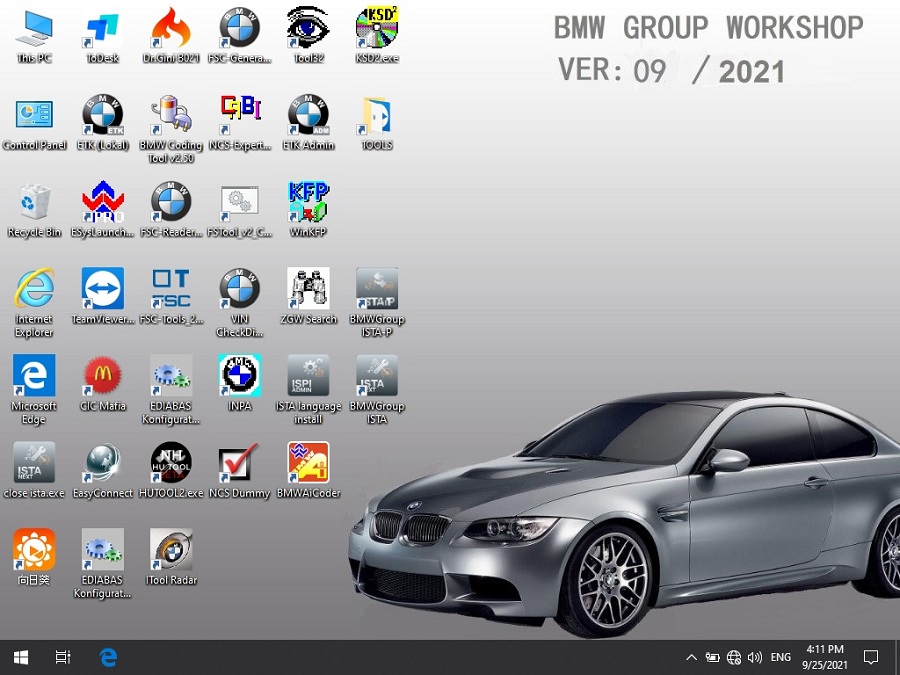
Software Version: V2021.09

ISTA – D: 4.30.40,with SDP Programming Database 4.30.40
ISTA – P: 3.68.0.800 with Engineer Programming,supports the programming of BMW motorcycles and electric vehicles can program F/G/I/K chassis for car (through the ICOM, not other cable ) Vin: V2021.07.28

BMW ETK: 2019.12

BMW KSD: 2019.12 Multilanguage
BMW FSC Navigation Code Generator
BMWAiCoder for BMW Coding
Win10 64 bit operating system

BMW ICOM V2021.09, With free Software:
1. Get engineer version, INPA 5.00,winkfp 5.2.3,NCS 3.5.1, e-sys 3.31,data V68.0
2. get Chinese software DR.GINI B020
3. get count code navigation tool software FSC operator code
4. get one-clik hidden brush tool BMWAi V4.6
5. Add DIS Software for Old cars, DISV57 and DISV44,diagnosis and programming for BMW virtual machines
6. Support Vehicles: For BMW Cars,For BMW Motorcycle,For Rolls-Royce, For Mini Cooper

ISTA-D Language: Czech, Dutch, French, German, Greek, Italian, Japanese, Korean, Polish, Portuguese, Russian, Spanish, Sweden, Thai, Turkish

ISTA-P Language: English, Chinese, Czech, Dutch, French, German, Greek, Indonesian, Italian, Japanese, Korean, Polish,
Portuguese, Russian, Spanish, Swedish, Thai, Turkish
Notice : The software installed English language in default.

3. VAS 5054A With OKI Chip VAG Diagnostic Tool
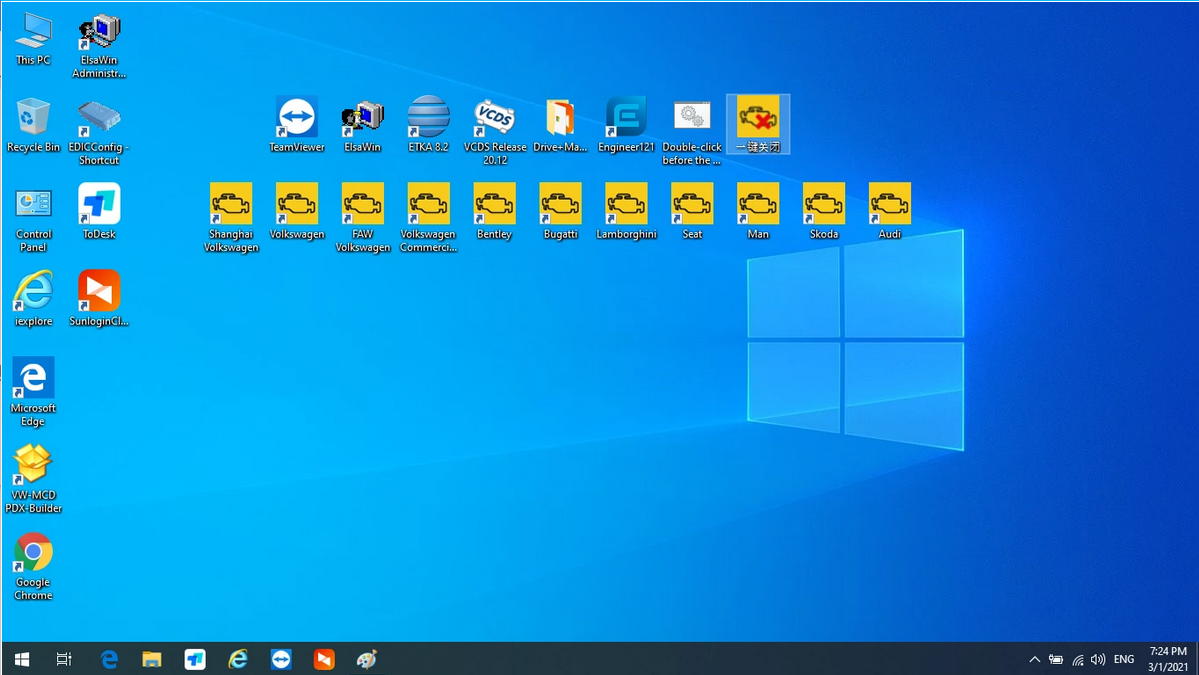
1.ODIS V7.11 includes: Audi, Skoda, FAW-Volkswagen, Volkswagen, Shanghai Volkswagen, Volkswagen Commercial, Bugatti, Lamborghini, SEAT, MAN, Bentley
2.ODIS Engineer Software: V12.1 Version
3.ETKA 8.2, data updated to 2021.3
4.Elsawin 6.0, support VW, Audi, data updated to 2016.1

VAS 5054A Features:
1.Full chips version Support UDS Protocol and PWM
2.Support Language: English
3.Supported Car Models: VW, AUDI, SKODA, SEAT
4.VAS 5054a Full Chips diagnosis and programming tool for VAG vehicles, come with ODIS software V7.11 support all Volkswagen, Audi, Seat, Skoda, Bentley, Lamborghini

The following vehicle bus systems are supported:
K line (ISO9141-2)
High-speed CAN (ISO 11898-2)
Low-speed CAN (ISO 11898-3)
J1850 (SAE J1850)

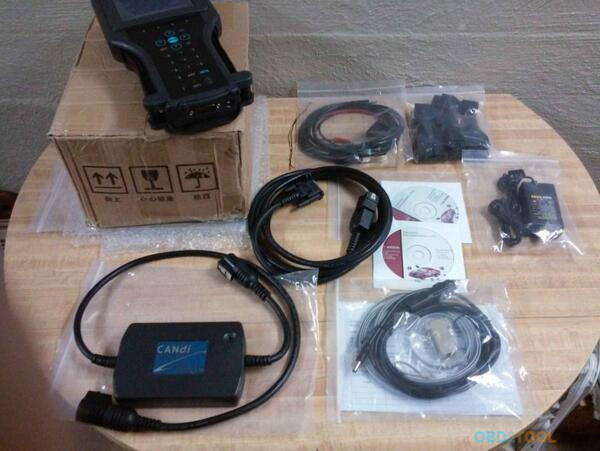
Package List:
MB STAR C5
1pc x MB STAR C5 Multiplexer
1pc x OBDII 16Pin Cable
1pc x 38PIN Cable
1pc x 14PIN Cable
1pc x 8PIN Cable
1pc x Lan Cable
BMW ICOM NEXT
1pc x BMW ICOM NEXT
1pc x LAN Cable
1pc x OBD Cable
VAS 5054A
1pc x VAS 5054A Main unit
1pc x USB Cable
2pcs x CD Software
1set x Second Hand Lenovo T420 Laptop I5 4GB Laptop

Second Hand Laptop Lenovo T420 Laptop Specification:
Brand: Lenovo
Condition: Used
Type: Laptop/Notebook
Screen Size: 14.0
Processor Type: Intel (R) Core(TM) I5-2520M CPU
Processor Speed: 2.50 GHz
Processor Configuration: Dual Core
Memory: 4GB
Compared with other laptop, this one is better quality and run faster.

Wednesday, July 8, 2020

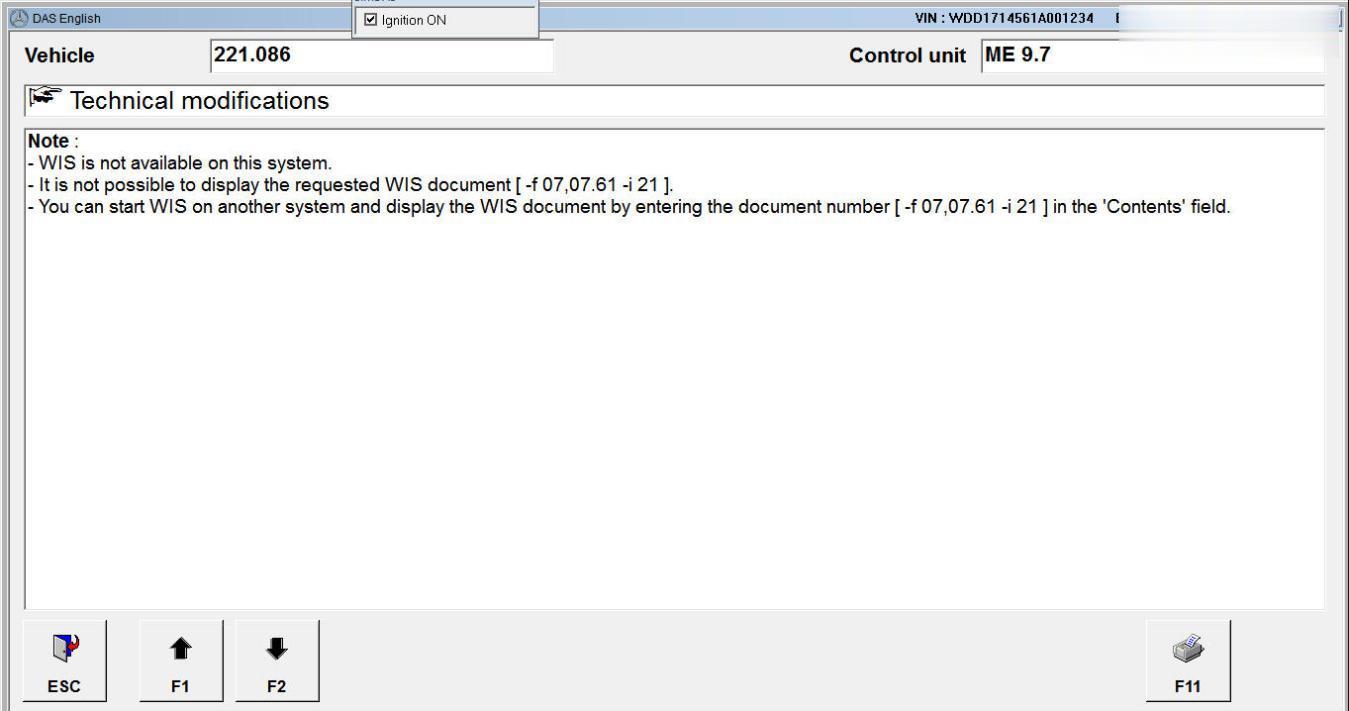
XDOS DAS Call WIS NET F6 (HELP)- WIS is not available Solution

Problem:
Update VI. Fix “WIS is not available on this system” error when click F6 in DAS ver 1.1 for 2019-09.
Purpose:
if you click F6 in DAS then you get “WIS is not available on this system” error, you have to apply this fix to get the help documents in wis.
As there is an known obstacle on installing wis standalone on Xentry, you can use wis net as replacement of it. But when you click F6, you will get this famous sentence “WIS is not available on this system”
XDOS-DAS-Call-WIS-NET-F6--WIS-is-not-available-Solution-1 (2)
XDOS-DAS-Call-WIS-NET-F6--WIS-is-not-available-Solution-2 (2)
XDOS-DAS-Call-WIS-NET-F6--WIS-is-not-available-Solution-3 (2)
Notes:
1. I change the “s” file only but to sustain compatibility i include the cnt too.
2. It should be able to be used for DAS call WIS standalone in Xenty XP, but i have not tested it yet. i don’t have the Xentry xp system right now.
3. You have to run wis net before run xentry.
4. DIY, No Support, All Risks are yours, it is for education only.
Compatibility: ALL XDOS version, Xentry xp (not check yet).
Vehicle: passenger car, smart, transp/van.
For passenger car (pkw):
XDOS-DAS-Call-WIS-NET-F6--WIS-is-not-available-Solution-1 (2)
extract to
xdos: (x32/x64)
c:\program files (xxx)\mercedes-benz\das\trees\pkw\programm\wis_link
xp:
f:\programme\das\trees\pkw\programm\wis_link
Don’t forget to backup the original files please.
For smart:
XDOS-DAS-Call-WIS-NET-F6--WIS-is-not-available-Solution-5 (2)
extract to
xdos: (x32/x64)
c:\program files (xxx)\mercedes-benz\das\trees\smart\SpecialF\WIS
xp:
f:\programme\das\trees\smart\SpecialF\WIS
For transp/van
extract to
xdos: (x32/x64)
c:\program files (xxx)\mercedes-benz\das\trees\transp\037\programm\wis_link
c:\program files (xxx)\mercedes-benz\das\trees\transp\157\programm\wis_link
c:\program files (xxx)\mercedes-benz\das\trees\transp\960\programm\
c:\program files (xxx)\mercedes-benz\das\trees\transp\909\programm\
xp:
f:\programme\das\trees\transp\037\programm\wis_link
f:\programme\das\trees\transp\157\programm\wis_link
f:\programme\das\trees\transp\960\programm\
f:\programme\das\trees\transp\909\programm\
Don’t forget to backup the original files please.
EDIT:
When you update java, don’t forget to edit
xentry\bin\GlobalSystemSettings_install.properties.
For example: xdos 05-2017 version, here is the fix:
Xentry Help and DAS F6 Call WIS added fix for 2017-05.rar
Fix DAS F6 Call WIS is not available on this system ver 1_1.rar
Update:
it’s still valid for xdos 2018-12 with wis 2018-11. when you update java,
don’t forget to edit xentry\bin\GlobalSystemSettings_install.properties
The patch above is valid too for 03-2017 xdos version.
Hope this help.

How to recoverreset Xentry SD Connect C5

Xentry SD Connect C5 recovery… Here you go.
You can reset your Xentry Connect C5 multiplexer if your Xentry connect can not work well.
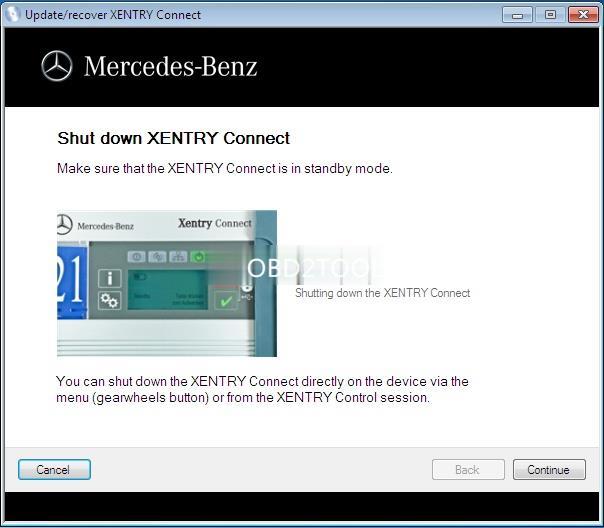
Make sure the Xentry connect is in Standby Mode!!!
You can shut down the Xentry Connect directly on the device via the menu (gearwheels button) or from the Xentry Control session
xentry-connect-c5-recovery-1 (3)
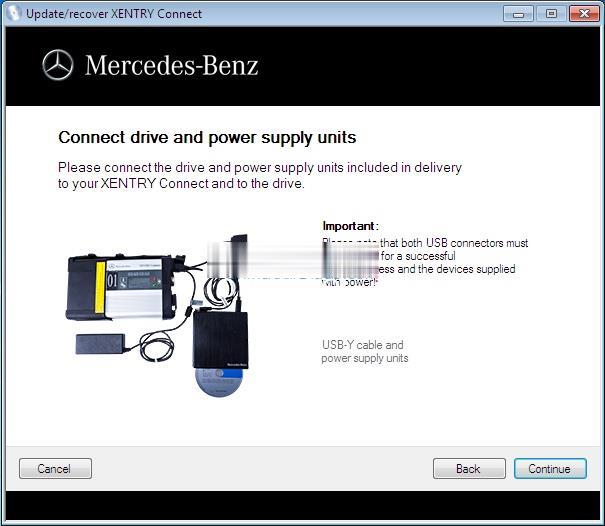
Please connect the driver and power supplyincludinged in delivery to your Xentry connect and to the drive.
xentry-connect-c5-recovery-2 (3)
Important: please note that both USB connectors must be attached for a successful update process and the devices supplied with power
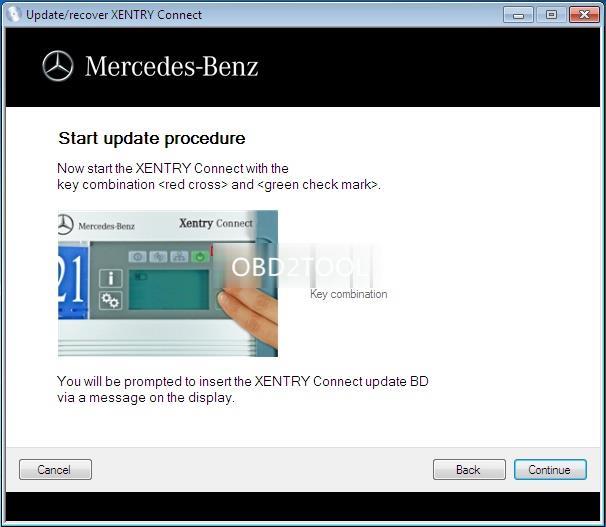
Start update procedure: Power on the Xentry Connect with the keycombination<red cross> and <green check mark>
xentry-connect-c5-recovery-3 (3)
You’ll be prompted to insert the Xentry Connect update BD via a message on the display
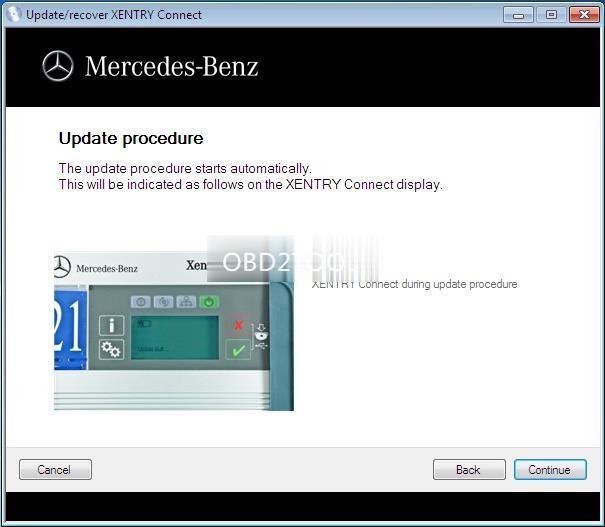
Update procedure: The update procedure starts automatically. This will be indicated as follows on the display
xentry-connect-c5-recovery-4 (3)
Just wait till the steps finish.
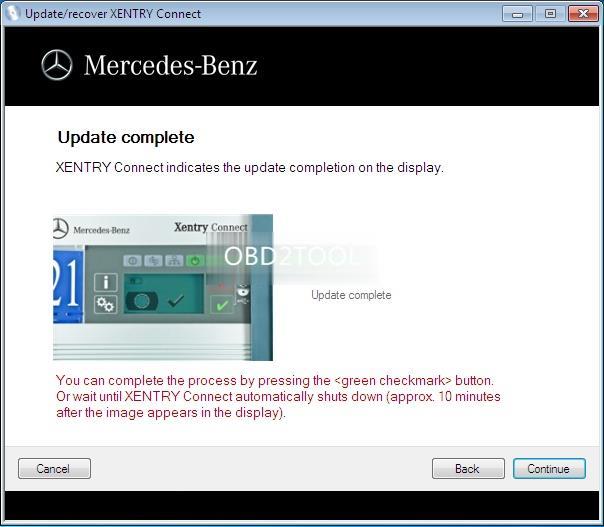
Update complete: Xentry Connect indicates the update completion on the display.
xentry-connect-c5-recovery-5 (3)
You can complete the process by pressing the <green check mark> button. Or wait until Xentry Connect automatically shuts down (approx 10 min after the image appears in the display)
If necessary, install some patchs or add-ons after the Xentry Connect Recovery.
xentry-connect-c5-recovery-6 (3)
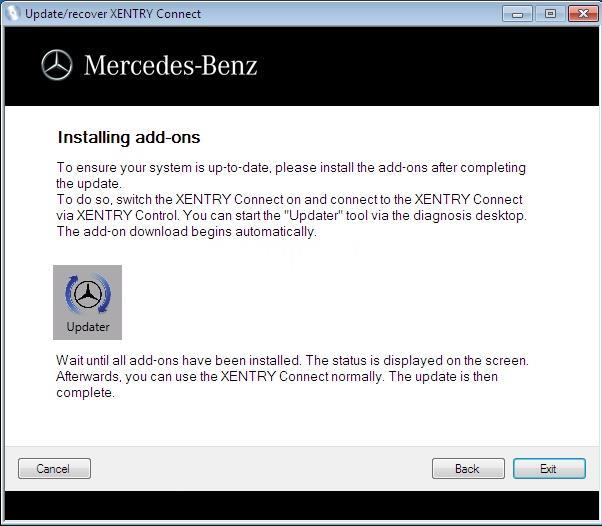
To ensure your system is up-to-date, please install the add-ons after completing the update
To do so, switch the Xentry Connect on and connect to the Xentry Connect via Xentry Control. You can start the “Updater” tool via the diagnosis deskshop.
The add-on download begins automatically
Wait until all add-ons have been installed. The status is displayed on the screen. Afterwards, you can use the Xentry Connect C5 normally. The update is then complete

Tuesday, December 3, 2019

Why choose Mercedes C5

First , see the fake Mercedes Benz C5: nothing update
Fake mb star c5 is another SDconnect c4 with a different look only
fake C5 adopts the same design in appearance as the genuine from French ACTIA Company
same sw, some PCB, same result
See the fake board from c5 mux, completely same as Mercedes BENZ C5
To buy a fake c5 is to have a c4 in hand.
But now, you have luck with a real Mercedes Benz C5.
Genuine Xentry Connect C5
1:1 clone of the original
This 1:1 clone of the original is the newest star diagnosis system in the year 2017.
Same as the one produced by French ACTIA Company, can test Engine /Transmission / air conditioning /SRS.ABS/ anti-theft system and OBD-II system.
New & Update:
1 This C5 is the real version with HQ PCB like the original, not the cheap onemade by SD connect PCB.
2 support the newest hybrid W222.
3 has an Ethernet switch, which switches the TCP/IP messages in the event of DoIP diagnosis to the vehicle side.
New PCB talks.
Top 7 Reasons To Get MB SD Connect C5:
1.Support Wireless
2.Software Version: 2019.09
3. Hardware Verison:  OS:2.3   CSD:2.11
4. Support Multi-languages: English, Croatian, Czech, Danish, Dutch, Finish, French, German, Greek, Hungarian, Italian, Japanese, Korean, Polish, Portuguese, Romanian, Russian, Spanish, Swedish, Turkish & Chinese
5. Support Mercedes Benz Cars After Year 2000
6. The quality is the best and it can work stable.
7. Support Offline and Online Programming, If You Want to Do Online,you must have an account online.Buy This Online SCN Coding Service(RD94)
Softwares list:
1. DAS 2019.09: the automatically Diagnosis Assistance System
2. Xentry 2019.09: New software released by Bennz Company after 04/2009 by diagnosis new cars.
3. WIS net 2019.03:Workshop Information System
Supply the whole view of the wiring diagram in a car, component location diagram and maintenance method. What you do is to enter the chassis number, and then you will get the manufacture data, engine configuration and the car model -all in detail.
4. EPC.net 2018.11:Electronic Parts Catalog
5. ST Finder:Part Location Finder options: 2008 and 2016
6. STARUTILITIES :the movement management system and self-test
7. SD MEDIA 2014
8. PL73: 2018 Mercedes software with PL73
9.Engineer Software:DTS monaco V8.14.016 And Vediamo V5.01.01 Support Offline Programming
10.HHT Software for old cars
11. Engineer version Vediamo updated to V5.01.01,Engineer version DTS updated to V8.14.016,Upgrade to the latest version of 2019 data
1) Fix the error that Mercedes-Benz DAS cannot directly call WIS
2) Join the DAS sedan smart offline programming
3) Join the 204 DAS stand-alone version, which can be mutated (German), which is more powerful than Vediamo
4) Join DAS special function password-free access PKW and SMART
5) Repair SMART 450, 451, 452, 454 No longer need TAN Caculator, all offline
6) Increase offline EOL and VMAX all LKW, modify truck maximum speed limit
7) Lift the truck NOx TORGUE restriction, do not need FDOK XT calculation code, directly enter, directly cancel the legal speed limit, you can modify without special function
8) Clear the truck SCR/ADBLUE fault code (MR), do not need FDOK XN calculation code, enter directly
9)Add DAS 212,207 prototyp model

Monday, February 19, 2018

Solucionar problemas del BCM en el 1996 OBD2 Vettes, GM TECH2 o GM Nano?

Buscando el GM Scanner chino para solucionar el BCM en 1996 OBD2 Vettes, el propósito es hacer un ciclo de la bomba ABS, diagnosticar el módulo de airbag, entre otras cosas.
Se supone que el presupuesto ronda los $ 350.00 y si no dura tanto, al menos es más barato que los miles.
Herramientas de escáner GM opcionales:
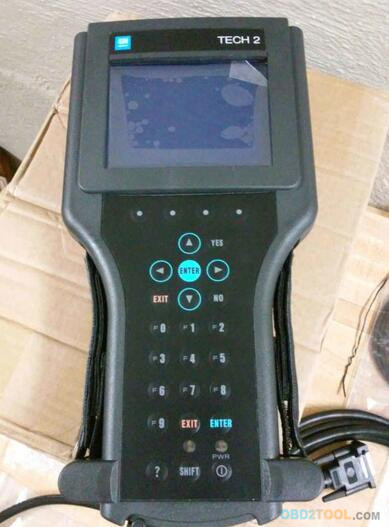
un original Tech 2 usado (el precio depende de)
GM Tech2 chino ($ 224- $ 330)
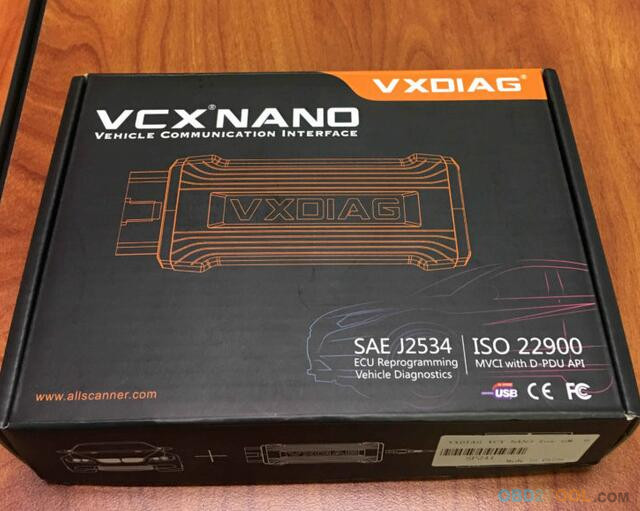
GM VXDiag Nano ($ 119 con wifi, conexión USB $ 109)
Aquí vamos por sus comentarios
1.No se mencionará aquí el original Tech 2 usado, ya que todos saben que es mejor, para el usado, puedes probarlo por tu propia suerte.
2.GM Tech2 Chino opiniones
1) Dice que cubre la mayoría de los autos GM de 1991 a 2013.
Acabo de comprar uno en Ebay y voy a intentarlo. Lo compré de un vendedor de EE. UU. Pero hay otros de China. Me puse en contacto con el vendedor y le pregunté si se utilizaría el ciclo de la bomba ABS en un Corvette 1996 y otros diagnósticos del módulo de control del cuerpo, y dijo que sí.
Viene con la tarjeta flash de 32 Mb para GM. Él tiene tarjetas de Saab e Isuzu y cuestan $ 60.00 cada una.
2) He usado el Tech2 Chinese que compré para numerosas cuestiones de ABS, BCM y ECM / PCM en una amplia variedad de plataformas GM OBD II ......... ..
Como usted sabe, el título no especifica qué año y modelo de GM, las siguientes partes toman C6, 07 2500 GMC, por ejemplo.
Tengo mi C6, 07 2500 GMC, 09 Cobalt que funcionará. Tenga otra herramienta de escaneo para nuestros autos extranjeros.
Las sorpresas fueron, esto es más grande de lo que pensaba. Tiene un pie de alto por 6 "de ancho. Necesita las correas de velcro con las que viene.
Lo probé en mi camión GMC y todo parece estar bien. Conector para OBD1 antiguo y también para 91-95,6. El último software para GM 33.004.
La tarjeta de memoria funciona en cualquiera de las ranuras, probé ambas aunque el disco dice que debe instalarse en la ranura superior. Es una pelea apretada porque la puerta con resorte no se abre lo suficiente para que la tarjeta se deslice con facilidad. Lo entendí con un toque de curiosear. No es un gran trato.
Todo el proceso de compra fue fácil sin problemas. Es un gran kit de herramientas de escaneo por poco dinero. El tiempo dirá cómo se mantiene a largo plazo, pero de otros miembros informa que están obteniendo años de ellos.
Perdón por las pésimas fotos.
32-1
2.VXDIAG VCX Nano para revisiones de GM:
1) Ahora también tienen un software que le permite usar su computadora portátil con el mismo software que está en la unidad Tech 2, se llama "GM Nano".
El Tech 2 GM Nano para la computadora portátil cuesta $ 119.00 en comparación con el clon de la tecnología china 2, que es de alrededor de $ 250.00 a $ 300.00 ...
Recientemente me encontré con un problema en el que quería reemplazar a mi pionero del mercado de accesorios (no me gustaba y prefería mucho mi teléfono inteligente) con una unidad de stock. Encontré una unidad OEM barata en eBay. Después de la instalación, me di cuenta de que las unidades principales de fábrica están vinculadas a los coches originales VIN. No hay problema, le pagaré a la concesionaria para que solucione el problema. El único problema es que dicen rotundamente que NO PUEDEN garantizar que puedan arreglar el estado bloqueado de mi radio y yo todavía tenga que pagar. Como técnico de TI / red, no me puedo imaginar diciéndole a la gente que no puedo garantizar que pueda solucionar los problemas de su red o su PC, pero aún así me debe el precio completo más impuestos.
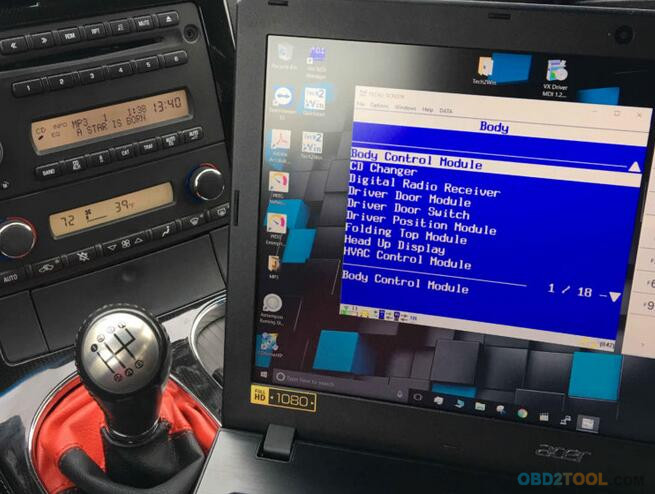
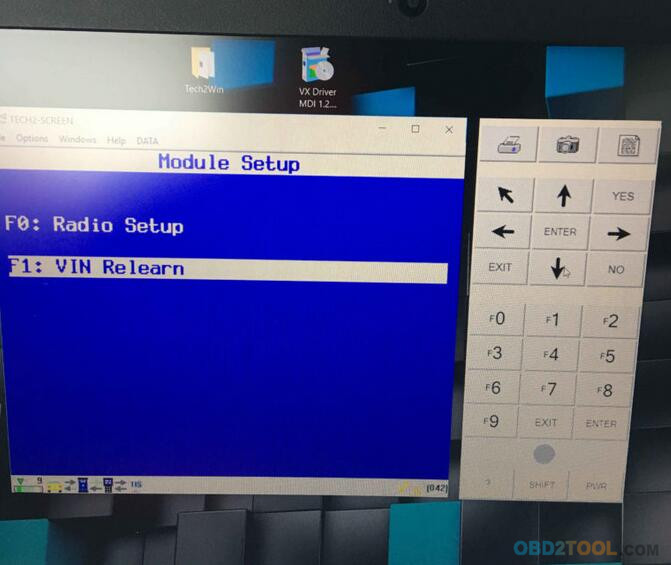
Ingrese el VXDIAG VCX NANO . Estuve investigando clones de tecnología II durante las últimas dos semanas y tropecé con esta joya. Hay muy poca información sobre este producto, pero aún tenía más fe en esto y en mí mismo que en mi propio concesionario, así que me lancé. Por $ 119, básicamente tengo la versión de software de un dispositivo tecnológico II. Pude desbloquear mi radio en cuestión de minutos. Nunca he usado un dispositivo de herramienta de escaneo real o exclusivo, así que no puedo compararlo, pero al examinar algunos de los menús, parece que puedo hacer cualquier cosa que pueda hacer un técnico II. Lo de Kool es que el software tech2win funciona bien en mi computadora portátil con Windows 10 de 64 bits. Sería incluso más fresco con una superficie pro o tableta similar. Estoy seguro de que hay razones para poseer un dispositivo de tecnología II real sobre el software, pero quería probar algo diferente por curiosidad y explorar otras opciones para aquellos que quieren una alternativa aún más barata.
32-2
32-3
32-4
32-5
32-6
2) Utilizando la aplicación VXdiag NANO y tech2win, he podido acceder a todas las funciones de Tech2, incluida la finalización de una nueva versión de CPS, acceso a todas las funciones de resolución de problemas de ABS y airbag en mi corbeta C5 '99. También he podido acceder a las funciones del sistema de programación de servicios usando TIS2000 y vxdiag nano para actualizar el PCM. Esto es muy prometedor debido al precio en comparación con un clon tech2.
¿La captura? No creo que funcione en todos los vehículos de GM. Al intentar hacer interfaz con mi camaro '97, no pude acceder a las funciones de ABS o de airbag del tech2, y recibí un error de comunicación. Supongo que mi camaro aún tiene la edad suficiente para realizar las funciones de abs y airbag sobre el bus de datos OBD1 (aunque tiene un conector obd2). Sin embargo, pude llevar a cabo la programación utilizando la aplicación tis2000 y acceder a las funciones de transmisión y transmisión.
Cómo hacer la conexión entre el VCX Nano y la computadora:
Conecta el dispositivo al puerto OBD2 y luego usa Wifi de vuelta a la computadora portátil para conectarse de esa manera ($ 119), o puede usar un cable usb en su lugar ($ 109).
Tienes opciones: versión USB y versión Wifi
Conclusión:
Un original Tech 2 usado depende de su presupuesto.
Se ha verificado que GM Tech2 Chinese ha estado funcionando como uno real durante muchos años, google y buscará muchas buenas críticas.
GM VXDiag Nano, basado en Windows, se verifica que funciona bien también y las ventas a bajo precio, se supone que los usuarios tienen habilidades para instalar el controlador, pero está bien si sigues el video y las instrucciones.
Si está buscando un tech2 para su corbeta MB Star C5 , creo que no debería comprar un clon tech2. En cambio, opta por el clon de GM MDI , o tal vez el vxdiag nano si estás dispuesto a arriesgarte al hecho de que parece ser impreciso dependiendo de los vehículos con los que planeas conectarte.
Otra cosa a tener en cuenta, si tiene la intención de hacer programación, la aplicación TIS2000 no ha sido actualizada por GM desde 2008. En su lugar, ahora usan una aplicación alternativa en línea llamada 'tis2web'. Mientras que TIS2web se ha descifrado para los vehículos GM de exportación europea, aún no se ha descifrado para los vehículos GM de operación norteamericana. Como resultado, si está utilizando un vehículo más nuevo para la programación, realmente deberá comprar una suscripción de 3 días a tis2web.