Showing posts with label Lonsdor K518ISE Key Programmer. Show all posts

Wednesday, July 1, 2020

Fixed! Lonsdor K518 Interface Entering ProblemMenus Missing

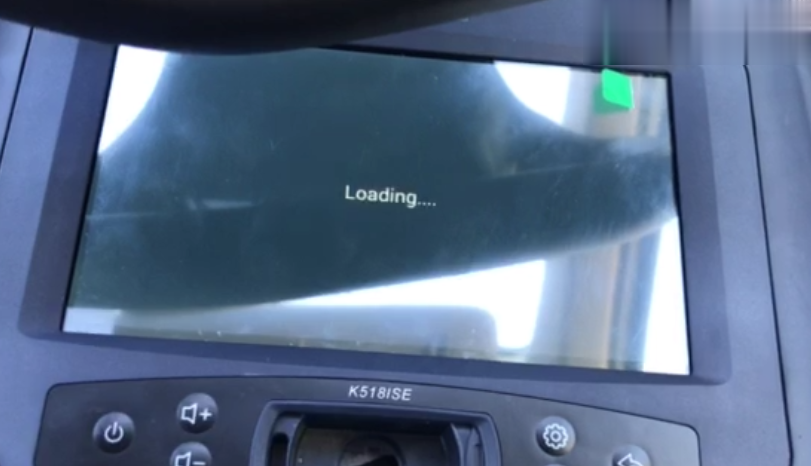
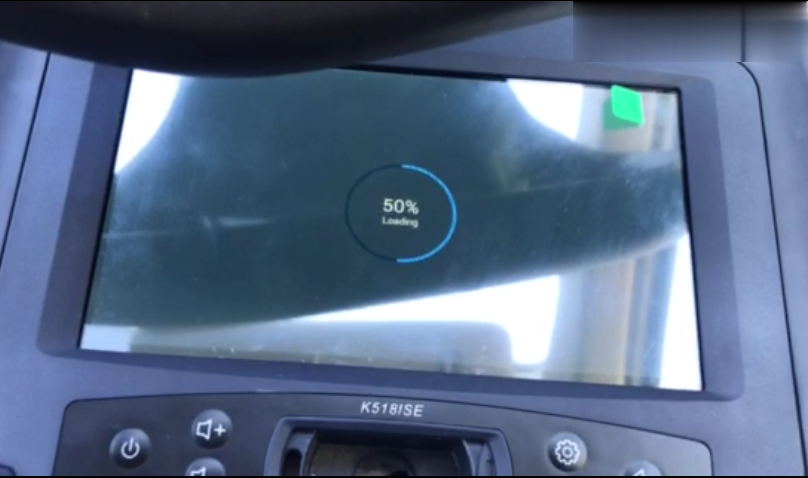
Lately, one of our customers said his Lonsdor K518 key programmer couldn’t enter the main interface, stuck in “50% loading” (as shown in the two pictures below). Chinacardiags offers a solution and the problem has been solved well.
fixed-lonsdor-k518-interface-entering-problem-menus-missing-01 (2)
fixed-lonsdor-k518-interface-entering-problem-menus-missing-02 (2)
Kindly be noted that it’s applied to all the following situations:
Situation 1: It cannot enter the main interface of the device.
Situation 2: It takes a long time to enter the main interface.
Situation 3: Some menus are lost in the device.
Solution:
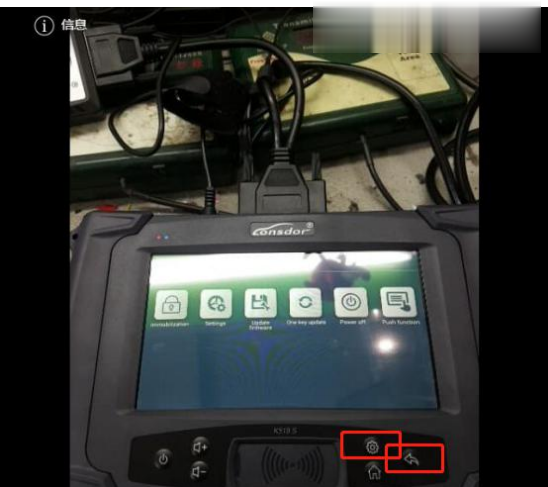
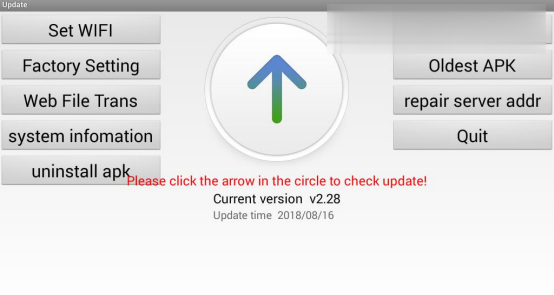
Step 1: Hold these two buttons marked in red at the same time, and you’ll enter an interface as below.
fixed-lonsdor-k518-interface-entering-problem-menus-missing-03 (2)
fixed-lonsdor-k518-interface-entering-problem-menus-missing-04 (2)
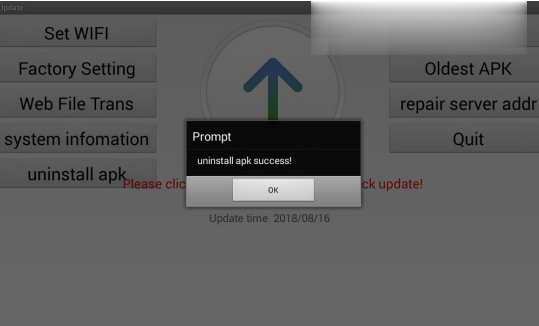
Step 2: Press Uninstall APK once, and you’ll go to another interface like this image.
fixed-lonsdor-k518-interface-entering-problem-menus-missing-05 (2)
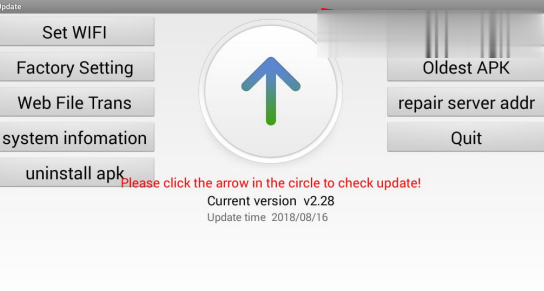
Step 3: Press OK and you’ll be back to the previous screen.
fixed-lonsdor-k518-interface-entering-problem-menus-missing-06 (2)
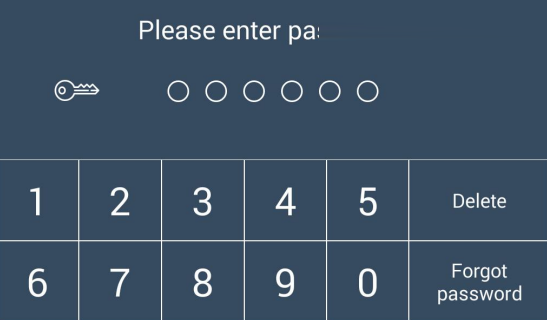
Step 4: Press Oldest APK once, then enter the password accordingly.
fixed-lonsdor-k518-interface-entering-problem-menus-missing-07 (2)
fixed-lonsdor-k518-interface-entering-problem-menus-missing-08 (2)
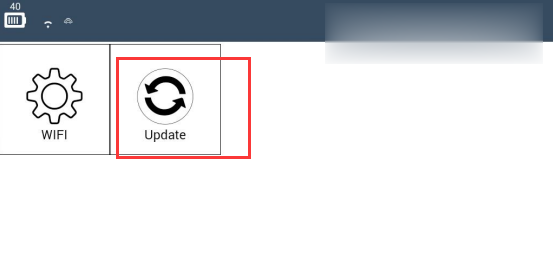
Step 5: Connect the device to WiFi and press Update.
fixed-lonsdor-k518-interface-entering-problem-menus-missing-09 (2)
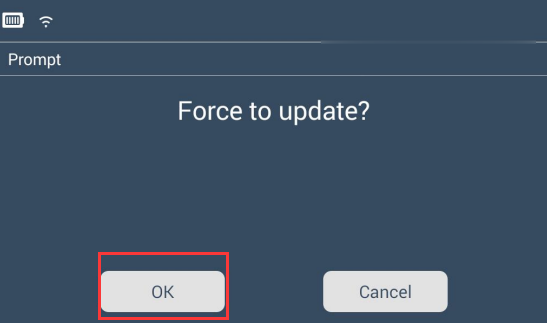
Step 6: Press OK to update the device.
fixed-lonsdor-k518-interface-entering-problem-menus-missing-10 (2)
Now the Lonsdor K518ISE will work normally as before.

Thursday, February 20, 2020

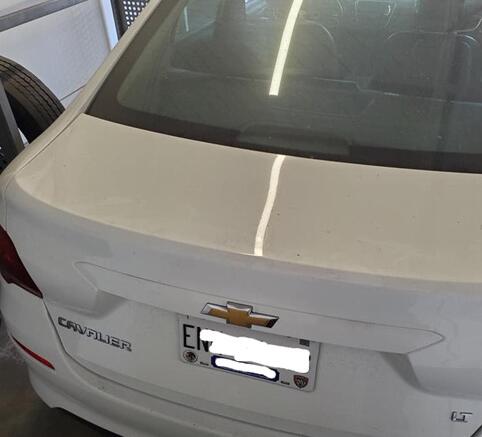
2018 Chevrolet Cavalier New Key Done with Lonsdor K518ise

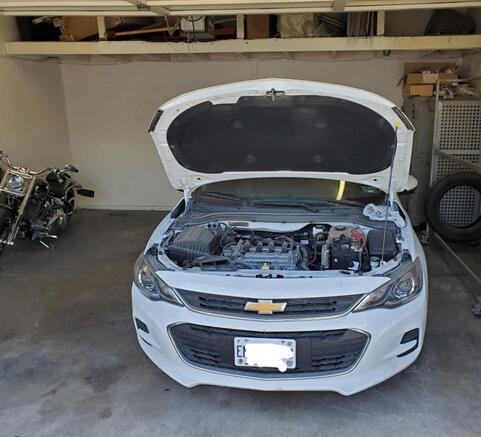
Update: got this one done. Have programmed a new key to 2018 Chevrolet Cavalier
Ended up reading BCM data and sending to someone in mexico a friend hooked me up with and got the 14 digit pin code.
Uses:4d60, i.d. 70 80 bit.
Car: 2018 Chevrolet Cavalier
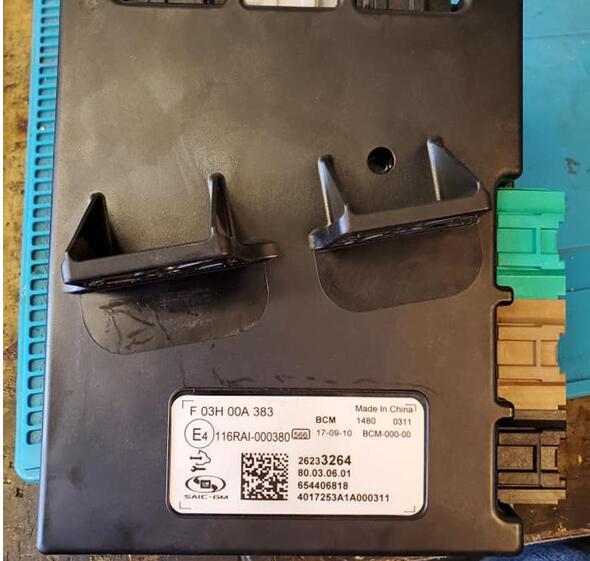
This one is made in china, GM/ SAIC
Lonsdor-K518ise-Chevrolet-Cavalier-1
Lonsdor-K518ise-Chevrolet-Cavalier-2
Key programming using Lonsdor K518ISE:
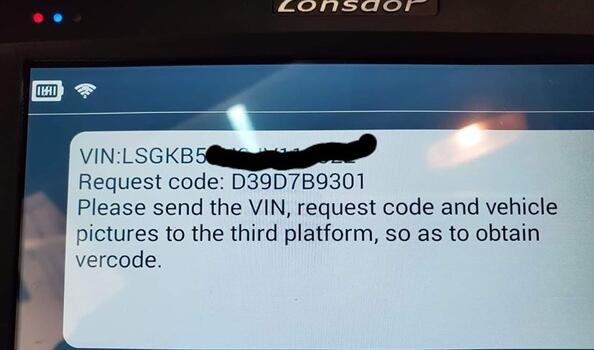
Send VIN to obtain vercode
Lonsdor-K518ise-Chevrolet-Cavalier-3
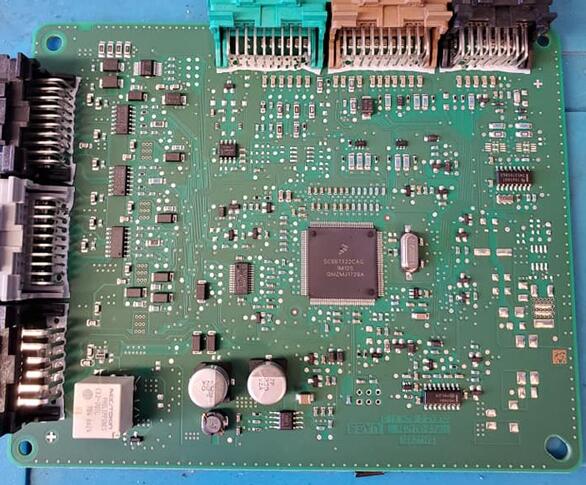
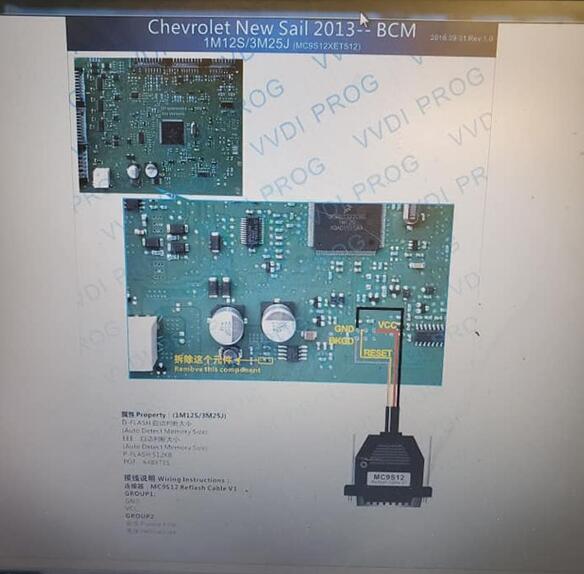
The BCM
Lonsdor-K518ise-Chevrolet-Cavalier-4
Lonsdor-K518ise-Chevrolet-Cavalier-5
Diagram
Lonsdor-K518ise-Chevrolet-Cavalier-6
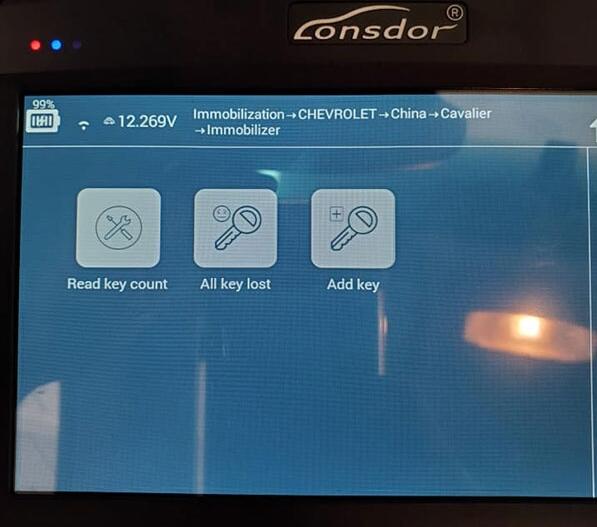
Lonsdor K518ise is gonna to add a new key
Immobilization – CHEVROLET – China – Cavalier – Immobilizer
Lonsdor-K518ise-Chevrolet-Cavalier-7
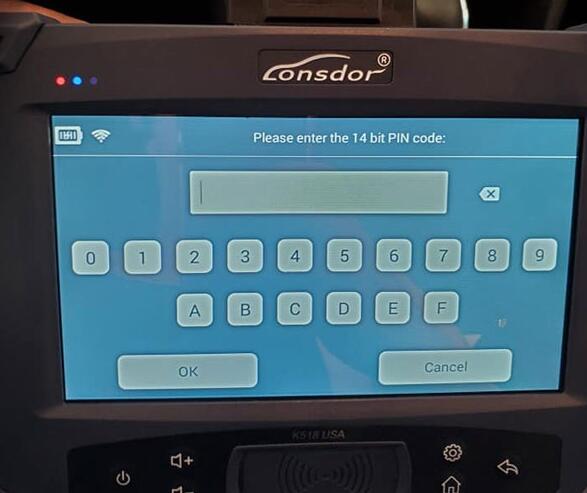
Enter 14bit PIN code
Lonsdor-K518ise-Chevrolet-Cavalier-8
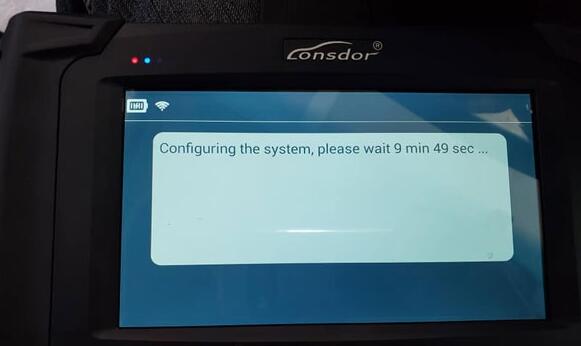
Configuring the system
Lonsdor-K518ise-Chevrolet-Cavalier-9
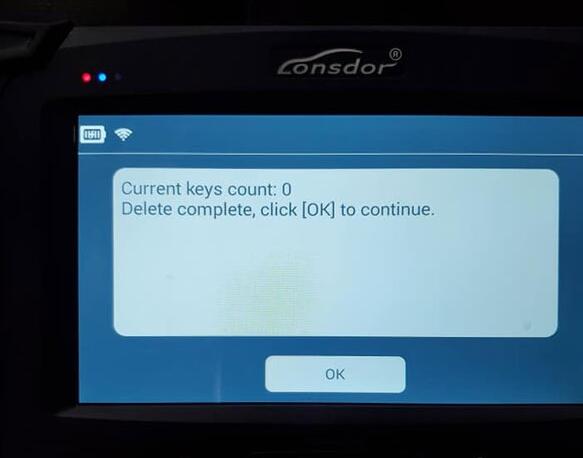
Key count: 0
That is, there is no keys available for this car
Lonsdor-K518ise-Chevrolet-Cavalier-10
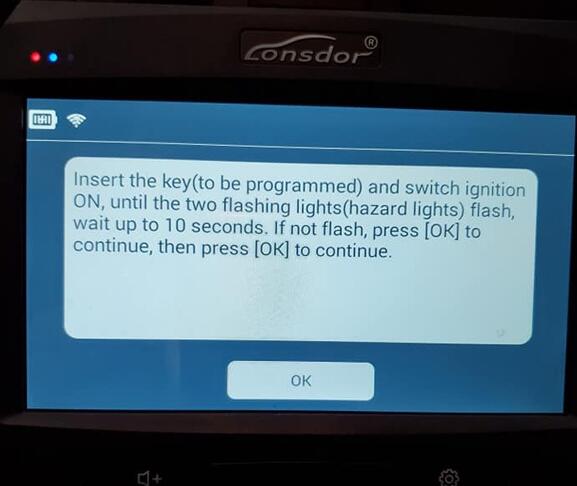
Insert the key (to be programmed) and switch ignition ON until the two flashing lights (hazard lights) flash, wait up to 10 seconds. If not flash, press [OK] to continue, then press [OK] to continue
Lonsdor-K518ise-Chevrolet-Cavalier-11
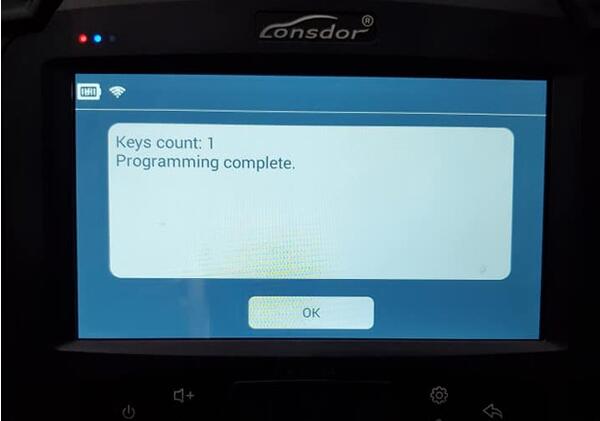
Key count: 1
Lonsdor-K518ise-Chevrolet-Cavalier-12
Programming complete!
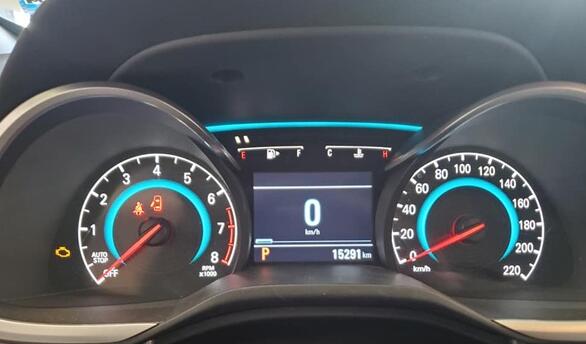
Test the new key. It worked
Lonsdor-K518ise-Chevrolet-Cavalier-13
Lonsdor-K518ise-Chevrolet-Cavalier-14
Lonsdor-K518ise-Chevrolet-Cavalier-15
Job’s done!

Lonsdor K518ise – All New and Old Ford Compatible


Lonsdor K518ISE doesn’t work with old Ford cars, and it doesn’t support j1850, j2534 communication protocols. For all Ford vehicles <2009, 2010 you can use Lonsdor. But for older Ford, you should use SBB or something like that
Lonsdor K518ise FORD Car List:
Series Origin Year Fuel Type Function
New Mondeo Other Other Other Key Programming
New Mondeo Other Other Other Smart Key Programming
Escort Other Other Other Key Programming
New Edge Other 15- Other Smart Key Programming
Mustang Other Other Other Smart Key Programming
Kuga USA 05-07 Other Key Programming
Raptor F350 Other Other Other Key Programming
Transit Other Other Other Key Programming
Mondeo Wins Other Other Other Smart Key Programming
Mondeo Wins Other 2012 Other Key Programming
Mondeo Wins Other 2011 Other Key Programming
Focus Other 2004-2008 Other Key Programming
Focus Other 2011-2013 Other Key Programming
Kuga Other Other Other Key Programming
Ecosport Other Other Other Key Programming
Fiesta Other Other Other Key Programming
Focus Other 2009-2011 Other Key Programming
Mondeo Other Other Other Key Programming
Ecosport Other Other Other Smart Key Programming
Fiesta Other Other Other Smart Key Programming
Focus Other 14- Other Key Programming
Exploror Other 11- Other Key Programming
Classic Focus Other Other Type2 Key Programming
Kuga Other Other Other Smart Key Programming
New Edge Other -15 Other Smart Key Programming
Raptor F150 Other 2011-2014 Other Key Programming
Raptor F150 Other 2009-2010 Other Key Programming
Raptor F250 Other 2009-2010 Other Key Programming
Everest Other Other Other Smart Key Programming
Classic Focus Other Other Type1 Key Programming
Exploror Other 15- Other Smart Key Programming
Taurus Other 15- Other Smart Key Programming
Everest Other Other Other Key Programming

Thursday, August 23, 2018

How to program a key and correct odometer on Audi Q3 2013 with Lonsdor K518ISE Key programmer?


Lonsdor K518ISE Function
  1. Backup EPROM: backup car EPROM data;
  1. Restore EPROM: copy the backed up EPROM data onto the car computer, to restore it to the original state;
3. Make dealer key: use the backed up EPROM data to write a blank new key to be a dealer key that can be programmed directly;
  1. Add key (OBD): use the customized or generated dealer key to directly program key, applicable for the smart card;
  1. Directly add key: use the customized or generated dealer key to directly program key, applicable for the folding key;
  1. Delete key: delete the programmed key;
  1. Reset dashboard
  1. Odometer adjustment: to correct mileage
Attention
  1. During all the system operation, the dashboard will be in the extinguished state, that is normal;
  2. Delete key process:
Step 1. Read immodata; Step 2. Select an existing key; Step 3. Write back immodata.
Reference
Chip model: Dedicated 48 chip
Remote type: 220G 315 frequency
Key embryo no.: No.31
PIN code requirement: Backup EPROM data
Remote generation: Program smart key complete, remote will automatically generated
OBD position: Under the steering wheel:
图片7

The car model
图片8

The key
图片9

Operation
Backup EPROM
1. This function can read the device EPROM data and save in K518ISE;
2. For smart key, please turn off and on the ignition, and then click OK; otherwise click OK directly;
3. The system read out the part number, now is going through security certification, and loading external code;
4. Getting system data, it takes about 2 min, please be patient;
5. Read the vehicle PIN code and other info;
6. Please enter the file name to be saved;
7.EPROM data is saved.
Restore EPROM
1. Note: Write the wrong EPROM data may lead to the car can not start, please confirm that the data to be written is the car EPROM data backed up via K518ISE;
2. For a smart key, please turn off and on the ignition, and then click OK; otherwise click OK directly;
3. The system read out the part number, now is going through security certification, and loading external code;
4. Please confirm the current data is the car EPROM data;
5. Writing EPROM data, about 2 minutes, please be patient;
6.Resetting the dashboard, EPROM data is restored.
Make dealer key
1. This function can generate a dealer key to be programmed, then use this key to perform “Add key” operation;
2. For a smart key, please turn off and on the ignition, and then click OK; otherwise click OK directly;
3. The system read out the part number, now is going through security certification, and loading external code;
4. Getting system data, it takes about 2 min, please be patient;
5. Please choose to vehicle brand;
6. Please insert the blank key to be programmed into the K518ISE card slot;
7.Make dealer key success.

Add key (OBD)
1. This system is suitable for directly programming smart card dealer key.
Directly add key(suitable for folding dealer key directly programming)
1. This function can directly add a dealer key to the immobilizer system, please put the new key into the coil, and connect the host to the car OBD port;
2. For a smart key, please turn off and on the ignition, and then click OK; otherwise click OK directly;
3. The system read out the part number, now is going through security certification, and loading external code;
4. Getting system data, it takes about 2 min, please be patient;
5. Writing immodata, about 2 minutes, please be patient;
6.Add key complete.
Delete key
1. This function can delete an existing key;
2.The process of this function:
Step 1. Read anti-theft data
Step2. Select an existed key
Step 3. Write back immodata;
3. For a smart key, please turn off and on the ignition, and then click OK; otherwise click OK directly;
4. The system read out the part number, now is going through security certification, and loading external code;
5. Getting system data, it takes about 2 min, please be patient;
6. Please select the key to be deleted;
7.System communicating, delete complete.
Reset dashboard
1. Establishing communication, the system is resetting the dashboard;
2.Reset complete.
Odometer adjustment
1. This process can read and calibrate the odometer mileage;
2. if the car is a smart key, please turn off the ignition and then turn on the ignition, and then click OK, otherwise click OK;
3. Read the current mileage;
4. Going through security certification and loading external code, getting data, it takes about 2 minutes;
5. Please enter the new mileage needed to be calibrated ;
6. During writing… write complete.

https://www.obd2tool.com/blog/2018/08/21/how-to-program-a-key-and-correct-odometer-on-audi-q3-2013-with-lonsdor-k518ise-key-programmer/
Monday, November 27, 2017

Lonsdor K518ISE Key Programmer New Update Information

Lonsdor K518ISE Key Programmer Newest Update information!
Update time Nov.7,2017
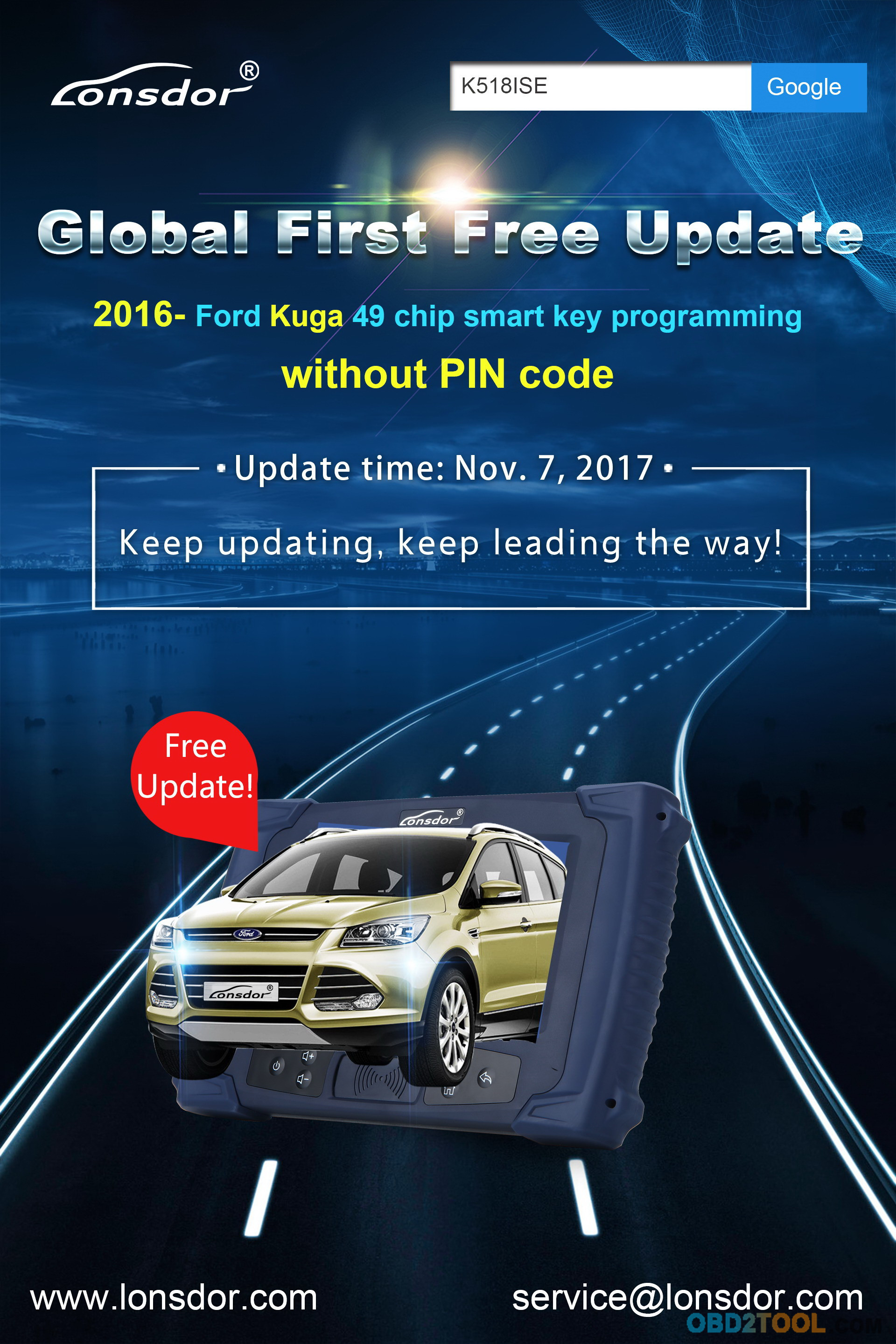
2016-Ford Kuga 49 Chip Smart key programming without Pin Code
Update time Nov.10,2017
Rolls-Royce Wraith,Ghost Key programming
Update time Nov.15,2017
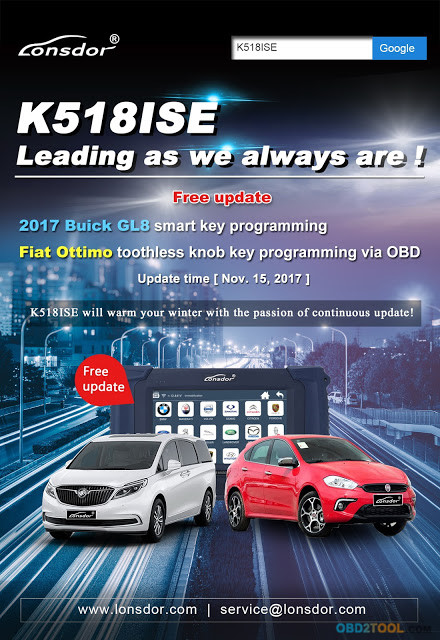
obd key programmer K518 Free update 2017 Buick GL8 smart key programming
Fiat Ottimo Toothless knob key programming via obd
13-0
13-1
13-2
Lonsdor K518ISE on sale :
http://www.obd2tool.com/goods-6954-Lonsdor+K518ISE+Key+Programmer.html

Saturday, November 18, 2017

Lonsdor K518 Read Hyundai i10 47 Pin Code and Program Smart Key by OBD

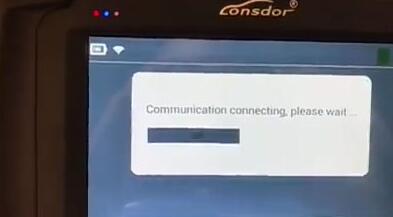
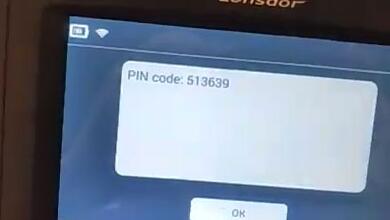
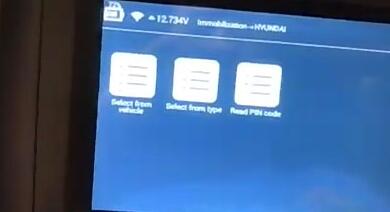
Lonsdor K518ISE Key Programmer is the first tool to read Hyundai / Kia 46/47/8A smart key PIN code via OBD, all key lost included.   Here’s the instruction on reading Hyundai 47 smart key pin code and program smart key by OBD using K518ISE.
Step 1: Read Pin Code
Connect K518 host with vehicle via OBD diagnostic socket
Turn ignition ON
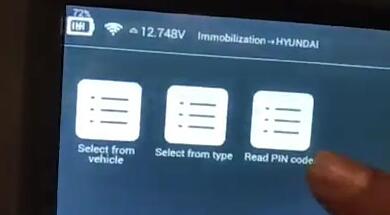
Select Immobilizer->Hyundai->Read PIN Code
1-1
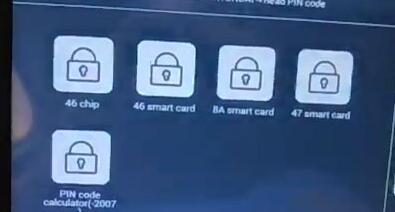
Select read pin code from 47 Smart Card
1-2
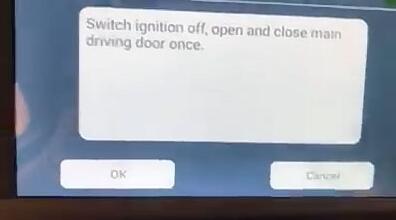
Turn ignition off.
Open and close door on the driver side once
1-3
Comminciating…
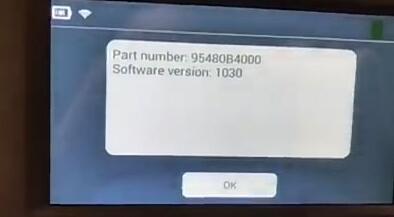
Lonsdor K518ISE at OBD2TOOL will display vehicle part number and software version
1-4
1-5
Read 6-digit pin code success.
1-6
Step 2: Program Smart Key
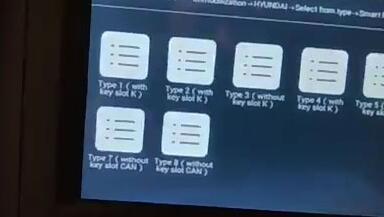
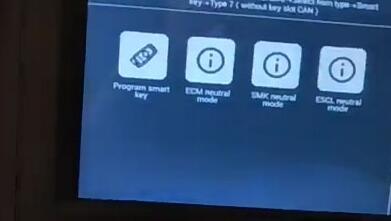
Choose Select from type-> Smart key-> Type 7 (without card slot CAN)-> Program Smart Key
1-7
1-8
1-9
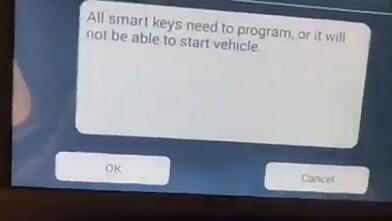
All smart keys need to program, otherwise will not able to start vehicle
1-10
Press OK to continue
1-11
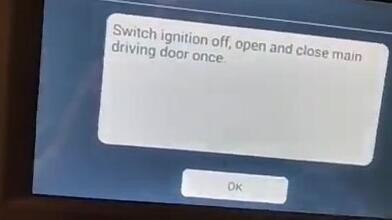
Turn ignition off. Open and close driver door once
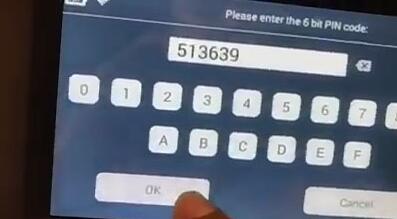
Key Programm Tool Lonsdor K518 requires to enter 6-digit pin code to access
1-12
Enter pin code read from Step 1 and confirm.
Configuring system
1-13
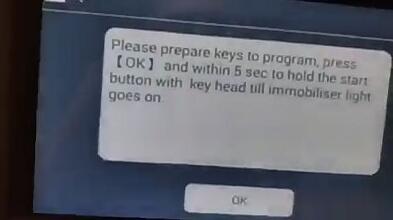
Prepare keys to program.
Press OK and hold the Start button with key head within 5 sec till immobilizer indicator goes on.
Test the smart key.
Done!

http://obd2-key-programmer.blogspot.com/2017/11/lonsdor-k518-program-chevrolet-cruze.html