Showing posts with label Porsche Piwis Tester. Show all posts

Saturday, August 22, 2020

Porsche PSE Retrofit Coding with PIWIS Tester

The coding procedure can be applied to All Porsche Models.

Diagnostic system required: Porsche Piwis ii, PIWIS Tester III

PSE retrofit coding is done as follows:

The sports exhaust system button can only be coded on the right-hand side of the switch console.
Code keypad assignment.

REPLACING SWITCH CONSOLE (ALL MODELS) > ENABLING SPORT/SPORT PLUS/SPORT CHRONO PLUS FUNCTION
Information
On vehicles with the equipment variant SPORT/SPORT Plus/Sport Chrono Plus, a function enable process must be carried out after replacing the switch console.
1. Determine function enabling code in PIWIS.
2. Connect the Porsche PIWIS Tester to the vehicle and start the System Tester. Switch on ignition.
3. Select the vehicle type and start the PIDT.
4. Select Air conditioning control unit using the cursor keys and press [F12].
5. Select Drive links/checks .
6. Select Function enable using the cursor keys and press [F12].
7. Enter the function enabling code and save it by pressing [F8].?
REPLACING SWITCH CONSOLE (ALL MODELS) > ENABLING SPORT/SPORT PLUS/SPORT CHRONO PLUS FUNCTION > CODING KEYPAD
ASSIGNMENT
1.Connect the Porsche PIWIS 3 to the vehicle and start the System Tester. Switch on ignition.
2. Select the vehicle type and start the PIDT.
3. Select Air conditioning control unit using the cursor keys and press [F12].
4. Select Codings/adaptations .
5. Select Customer-specific settings using the cursor keys and press [F12].
6. Select Keypad assignment and press [F12].
7. Check the button assignment using the switch console.?
7.1. Select function of the switches from the shortcut menu if necessary.?
8. Press [F8] to save the button assignment.
9. The message Data has been written appears on the Tester screen. Press [F12] to exit.
10. Read out the fault memory and erase it if necessary.
11. Check the function of the switch console during a test drive.?
Maintenance of vehicle data

Select Additional menu by pressing F7 .?
Select the Maintenance of vehicle data function. Press F12 until M numbers? appears in the Value group column.?
Select 176 – Sports exhaust system in the Coding value column. When you? touch the Installed cell, a tick appears.?
Save the values by pressing F8 . Wait until the message Modified values have? been buffered appears.?
Press F12 until F8 can be activated.?
Press F8 to write values. Wait until the message Generation of vehicle data is? complete appears.?
Press F12 to switch to Log management. Open the log by pressing F10 and? check that vehicle equipment 176 Sports exhaust system is displayed.?
Adapt coding

Press F11 to return to the list of control units.?
Select all control units.?
Switch to the Codings/adaptations menu.?
Select Automatic coding. Press F12 to continue. Wait until the message Coding has been completed successfully appears. Press F12 to continue.?
Once coding is complete, read out the fault memories of all systems, work through any existing faults and erase the fault memories.

Tuesday, June 2, 2020

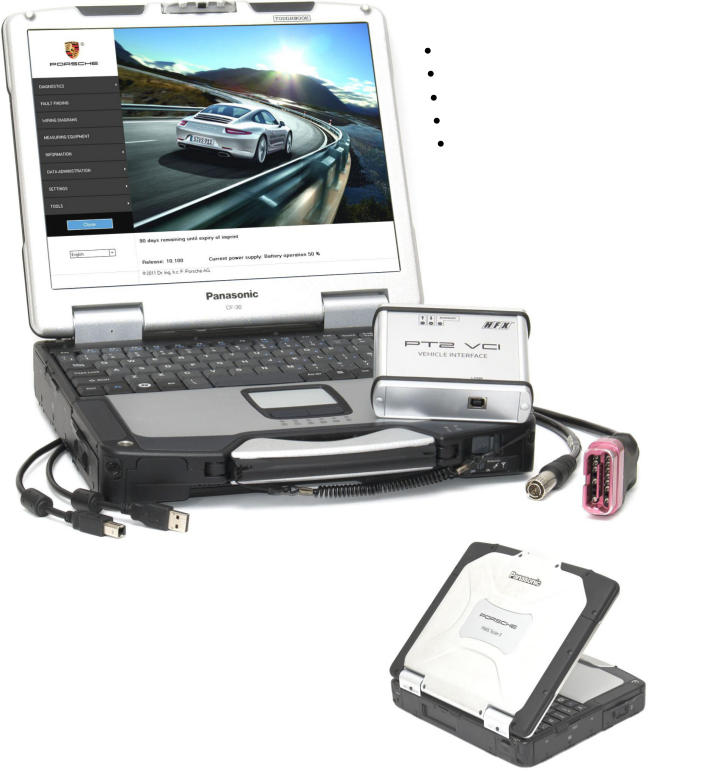
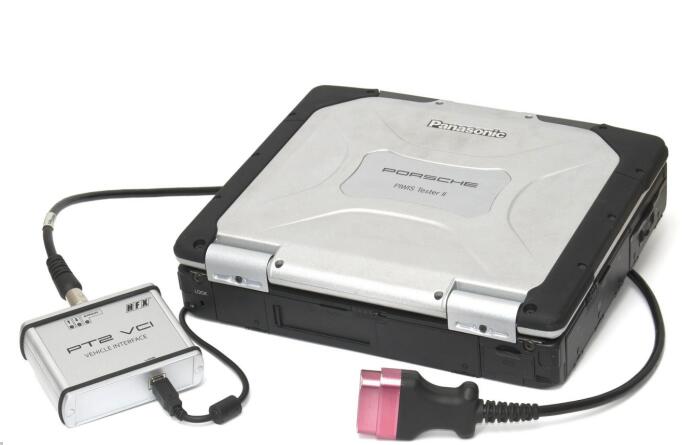
Porsche PIWIS Tester II Dealer diagnostic equipment


PIWIS PT2 is fully operational diagnostic equipment based on engineering vehicle interface VCI and Porsche software. PIWIS II provides exclusive support for Panamera and new Cayenne 92A.

Supported model range
Panamera (all types)
Cayenne 92A (MY2011-2012)
911 (997 facelift, 991)
Cayman (987C, 987C2)
Boxter (987, 987-2)

PIWIS II main functions
General ECU diagnostics (DTC read/clear)
Guided fault finding
ECU programming/coding
Real-time control parameters display
Electrical schematics mapping
PIWIS PT2 advantages
Exclusive support for Panamera and Cayenne 92A
Fast and stable VCI connection
Simulation mode (diagnostic session without VCI connection)
End user capable DVD update
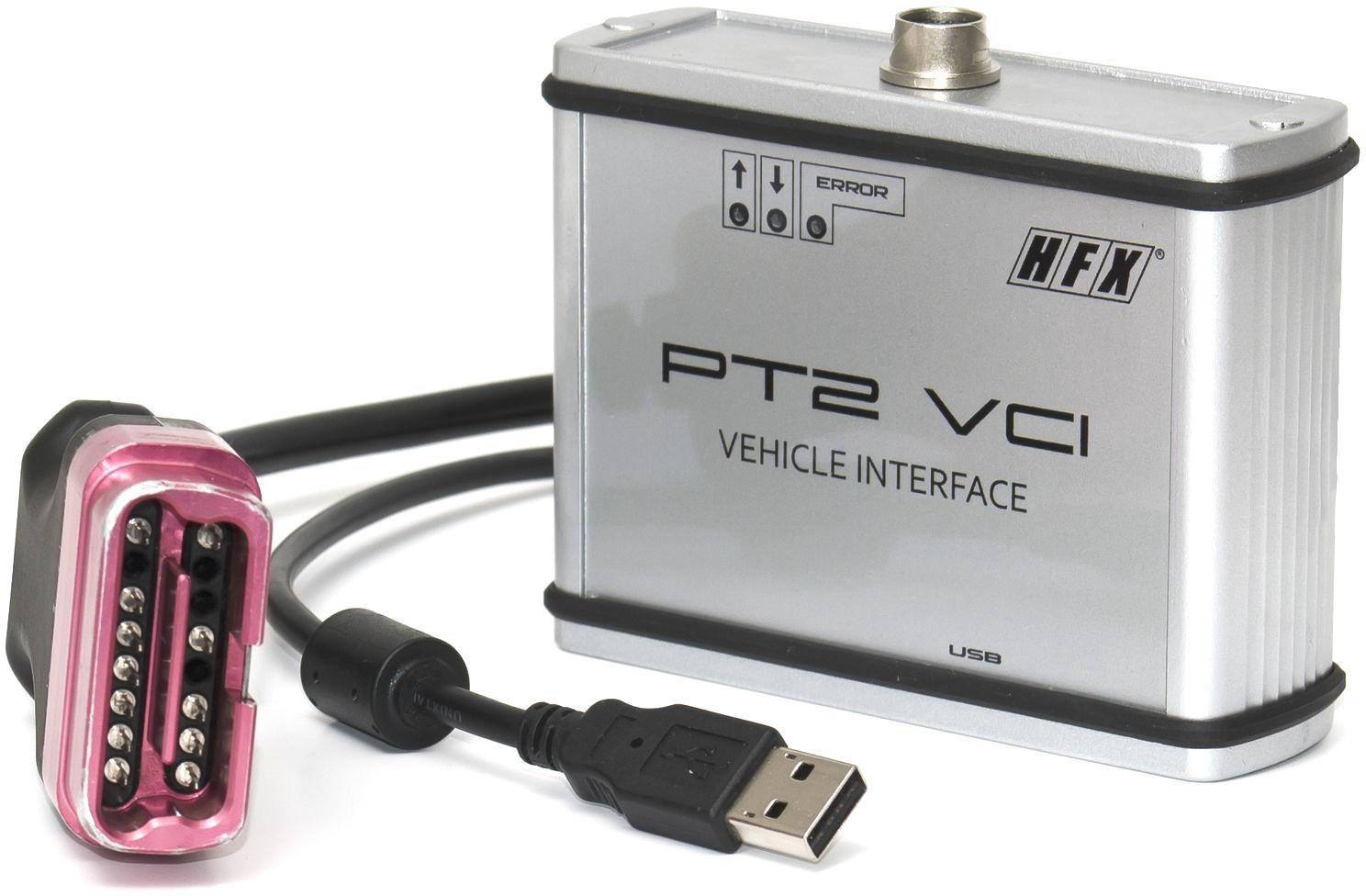
PT2 equipment set includes
Panasonic CF30 notebook
PT2 VCI adapter
OBD and USB cables Laptop power adapter
Preinstalled software

Saturday, April 21, 2018

Porsche Piwis Tester 2 Online Coding Guide

Porsche Piwis online programming account service is piwis porsche subscription and piwis tester 2 online coding service offer via teamviewer. Porsche piwis coding account need to work with obd2tool.com Porsche PIWIS tester 2 diagnostic tool. Porsche Piwis 2 online coding one time for one module of Porsche car coding.
Many customer inquiry about how to do online coding via piwis II, here we share Piwis II Online programming guide as following.
What need prepare for Piwis II online programming?
1.Original plan Porsche Piwis 2 inluded OBD & USB cable
2.Original XP system Piwis Tester II software running on laptop compatible with piwis II
3.One Porsche Car from 1996-2017 (vehicle support OBDII protocol )
If customer need original plan Porsche piwis II with laptop Piwis II software installed full set, just order here>>
14823129183 Porsche Piwis Tester 2 Online Coding Guide
When you keep all mentioned above ready for Porsche Piwis II online programming, just check and following below guide;
How does piwis II online coding service?
Step 1: Prepare Porsche Car information:
Excellent network performance is most important
Car model, Year
VIN number
What module need coding
Step 2: Order piwis II one time online programming here>>
Step 3: Due to time difference, pls keep your order number contact email sales@obd2tool.com  appointment online programming available time in advance.
Step 4: Connect car to Porsche Piwis Tester and laptop, send us teamviewer id and password during appointment time for online coding service offering.
Step 5: Waiting for online programming till coding finished, and check and confirmed.
Obd2tool.com kindly note:
1. We do not offer Porsche Dealer Account login service.
2. We offer one time Piwis II online programming service from dealer account login till module coding be finished successful.
3. Piwis II online programming one time only for one module as usual, if customer need coding several module of cars, pls inquiry our sales for how many times Porsche piwis online coding service you need order.
With Porsche diagnostic tool online coding account, customers can activate the Porsche PIWIS tester2 vci online program function, any question about the Porsche piwis ii online coding account service just contact us freely.

http://forobd2tool.com/blog/2018/04/15/porsche-piwis-tester-2-online-coding-guide/

Thursday, July 27, 2017

Porcshe Piwis Tester V18.1

Porcshe Piwis Tester Software works for original piwis tester 2 and j2534 piwis tester. V18.1 Porsche Software with developer module for Porsche programming offline. www.obd2tool.com offer you V18.1 Porsche PIWIS Software HDD/SDD Piwis Tester II Hard Drive.
Software version:V18.1
Support Languages: Russian, English, French, Spanish, Italian, German, Portuguese, Japanese, Chinese, Dutch
Piwis tester 2 V18.1 Software Hard Driver V18.1 Piwis Tester II HDD/SDD
http://forobd2tool.com/wp-content/uploads/2017/07/1/4-0.jpg
If you want to program your porsche vehicles,  the PIWIS tester II is your best choice.  it not only support programming, but also support diagnostic , Read/clear error code, catch data stream, computer programming match, component test, maintenance information consult, components site drawing, wiring diagram and more .
porsche programming tool piwis tester ii can test the latest porsche, so you no need worry, it will  not test your new porsche models.  piwister ii with  CF30 laptop together, it is easy to use. no need installation,because software is inside the Hard Drive.
Porsche diagnostic tool  support Russian, english, french, spanish,Italian,German,Portuguese, Japanese, Chinese, dutch and more language,  it is convince, you can change the language to want.
you can see porsche piwis II software display:
http://forobd2tool.com/wp-content/uploads/2017/07/1/4-1.jpg
http://forobd2tool.com/wp-content/uploads/2017/07/1/4-2.png
http://forobd2tool.com/wp-content/uploads/2017/07/1/4-3.png
http://forobd2tool.com/wp-content/uploads/2017/07/1/4-4.png


http://forobd2tool.com/wp-content/uploads/2017/07/1/4-5.png
http://obd2trade.com/2017/07/24/porcshe-piwis-tester-v18-1/