Tuesday, November 9, 2021

MB Star C5 + BMW ICOM NEXT + VAS 5054A 3in1 With Lenovo T420 Laptop

 V2021.09 MB Star SD Connect C5 + BMW ICOM NEXT + VAS 5054A 3in1 Diagnostic Tool With Lenovo T420 Laptop Ready to Use


NOTE:
The full device including MB Star SD Connect C5 / BMW ICOM NEXT / VAS 5054A hardware and one laptop has installed the MB Star SD Connect C5 / BMW ICOM NEXT / VAS 5054A software on Lenovo T420 Laptop. When you received the device, you can use it directly.

Software version:
1.MB Star SD Connect C5 V2021.09
2.BMW ICOM NEXT V2021.09
3.VAS 5054A ODIS V7.11

1. MB Star SD Connect C5 Diagnosis Tool with 2021.09 Vediamo and DTS Engineering Software
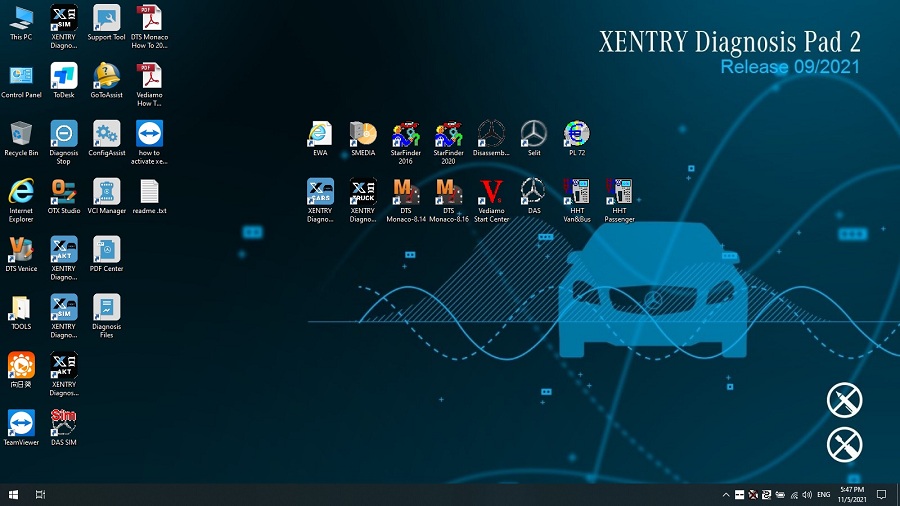
Please kindly note:
1.Including Super Engineer Software: DTS monaco V8.16.15 And Vediamo V5.01.01 Support Offline Programming

2.Support Wireless

3.Software Version: V2021.09
4.Support Multi-Language: (Default language is English, if you want other languages, please leave message) English/Bulgarian/Danish/Greek/Spanish/French/Italian/Korean/Polish/Romanuan/Serbo-Croatian/Turkish/Czech/German/Finish/Hyngarian/Japanese/Dutch/Portuguese/Russian/Swedish/Chinese.
5.Support Both Mercedes Benz Cars and Trucks
6.Support Mercedes Benz Cars After Year 2000
7.Support Offline and Online Programming, If You Want to Do Online,you must have an account online.

Softwares list:
1. DAS 2021.09: the automatically Diagnosis Assistance System
2. Xentry 2021.09: New software released by Bennz Company after 04/2009 by diagnosis new cars.
3. WIS net 2020.10: Workshop Information System

Supply the whole view of the wiring diagram in a car, component location diagram and maintenance method. What you do is to enter the chassis number, and then you will get the manufacture data, engine configuration and the car model -all in detail.

4. EPC.net 2018.11: Electronic Parts Catalog
5. ST Finder: Part Location Finder options: 2016 and 2020
6. STARUTILITIES: the movement management system and self-test
7. SD MEDIA 2014
8. PL72
9.HHT Software for old cars
10.Engineer version Vediamo updated to V5.01.01 ,Engineer version DTS updated to V8.16.015,Upgrade to the latest version of 2020 data
1) Fix the error that Mercedes-Benz DAS cannot directly call WIS
2) Join the DAS sedan smart offline programming
3) Join the 204 DAS stand-alone version, which can be mutated (German), which is more powerful than Vediamo
4) Join DAS special function password-free access PKW and SMART
5) Repair SMART 450, 451, 452, 454 No longer need TAN Caculator, all offline
6) Increase offline EOL and VMAX all LKW, modify truck maximum speed limit
7) Lift the truck NOx TORGUE restriction, do not need FDOK XT calculation code, directly enter, directly cancel the legal speed limit, you can modify without special function
8) Clear the truck SCR/ADBLUE fault code (MR), do not need FDOK XN calculation code, enter directly
9)Add DAS 212,207 prototyp model
10)Add Xentry special features and the VeDoc calculator($53 for activation)

2. V2021.09 BMW ICOM NEXT Diagnostic Tool
V2021.09 Newest Vsrsion Software ISTA-D ISTA 4.30.40 ISTA-P 3.68.0.800 with Engineer Programming
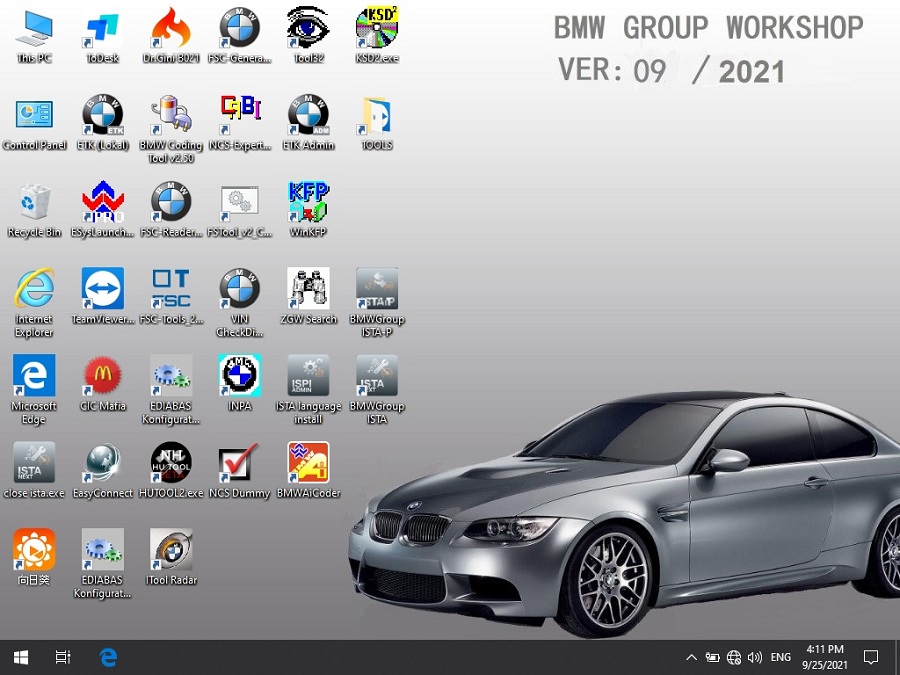
Software Version: V2021.09

ISTA – D: 4.30.40,with SDP Programming Database 4.30.40
ISTA – P: 3.68.0.800 with Engineer Programming,supports the programming of BMW motorcycles and electric vehicles can program F/G/I/K chassis for car (through the ICOM, not other cable ) Vin: V2021.07.28

BMW ETK: 2019.12

BMW KSD: 2019.12 Multilanguage
BMW FSC Navigation Code Generator
BMWAiCoder for BMW Coding
Win10 64 bit operating system

BMW ICOM V2021.09, With free Software:
1. Get engineer version, INPA 5.00,winkfp 5.2.3,NCS 3.5.1, e-sys 3.31,data V68.0
2. get Chinese software DR.GINI B020
3. get count code navigation tool software FSC operator code
4. get one-clik hidden brush tool BMWAi V4.6
5. Add DIS Software for Old cars, DISV57 and DISV44,diagnosis and programming for BMW virtual machines
6. Support Vehicles: For BMW Cars,For BMW Motorcycle,For Rolls-Royce, For Mini Cooper

ISTA-D Language: Czech, Dutch, French, German, Greek, Italian, Japanese, Korean, Polish, Portuguese, Russian, Spanish, Sweden, Thai, Turkish

ISTA-P Language: English, Chinese, Czech, Dutch, French, German, Greek, Indonesian, Italian, Japanese, Korean, Polish,
Portuguese, Russian, Spanish, Swedish, Thai, Turkish
Notice : The software installed English language in default.

3. VAS 5054A With OKI Chip VAG Diagnostic Tool
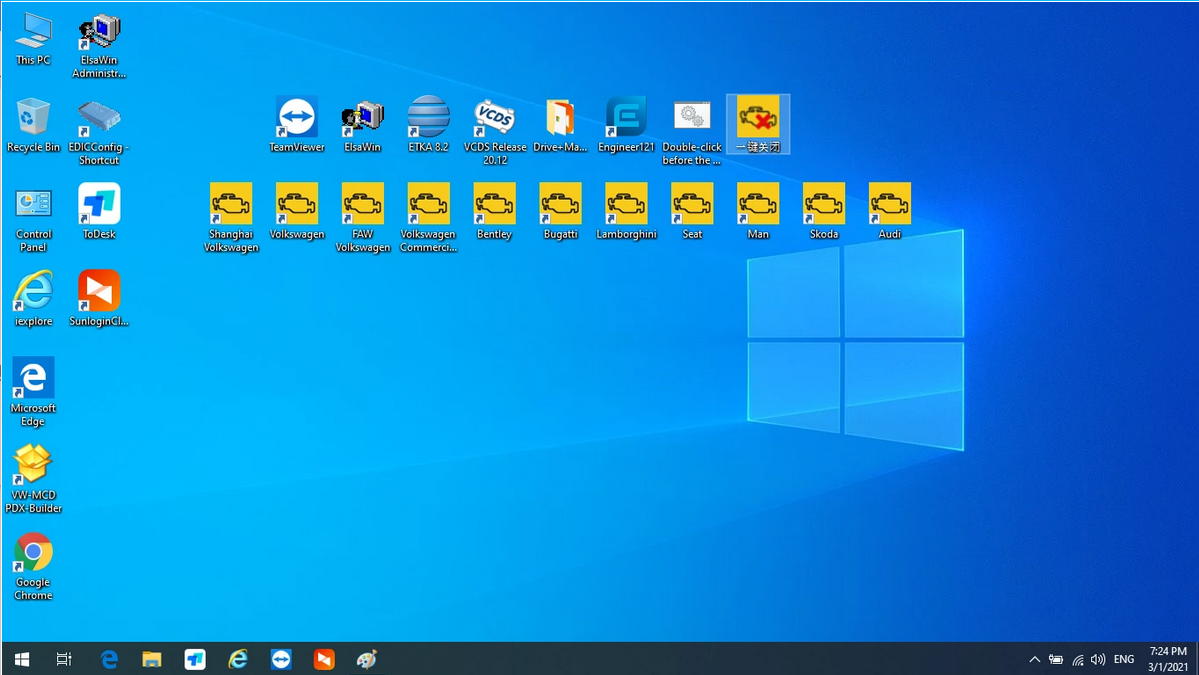
1.ODIS V7.11 includes: Audi, Skoda, FAW-Volkswagen, Volkswagen, Shanghai Volkswagen, Volkswagen Commercial, Bugatti, Lamborghini, SEAT, MAN, Bentley
2.ODIS Engineer Software: V12.1 Version
3.ETKA 8.2, data updated to 2021.3
4.Elsawin 6.0, support VW, Audi, data updated to 2016.1

VAS 5054A Features:
1.Full chips version Support UDS Protocol and PWM
2.Support Language: English
3.Supported Car Models: VW, AUDI, SKODA, SEAT
4.VAS 5054a Full Chips diagnosis and programming tool for VAG vehicles, come with ODIS software V7.11 support all Volkswagen, Audi, Seat, Skoda, Bentley, Lamborghini

The following vehicle bus systems are supported:
K line (ISO9141-2)
High-speed CAN (ISO 11898-2)
Low-speed CAN (ISO 11898-3)
J1850 (SAE J1850)

Package List:
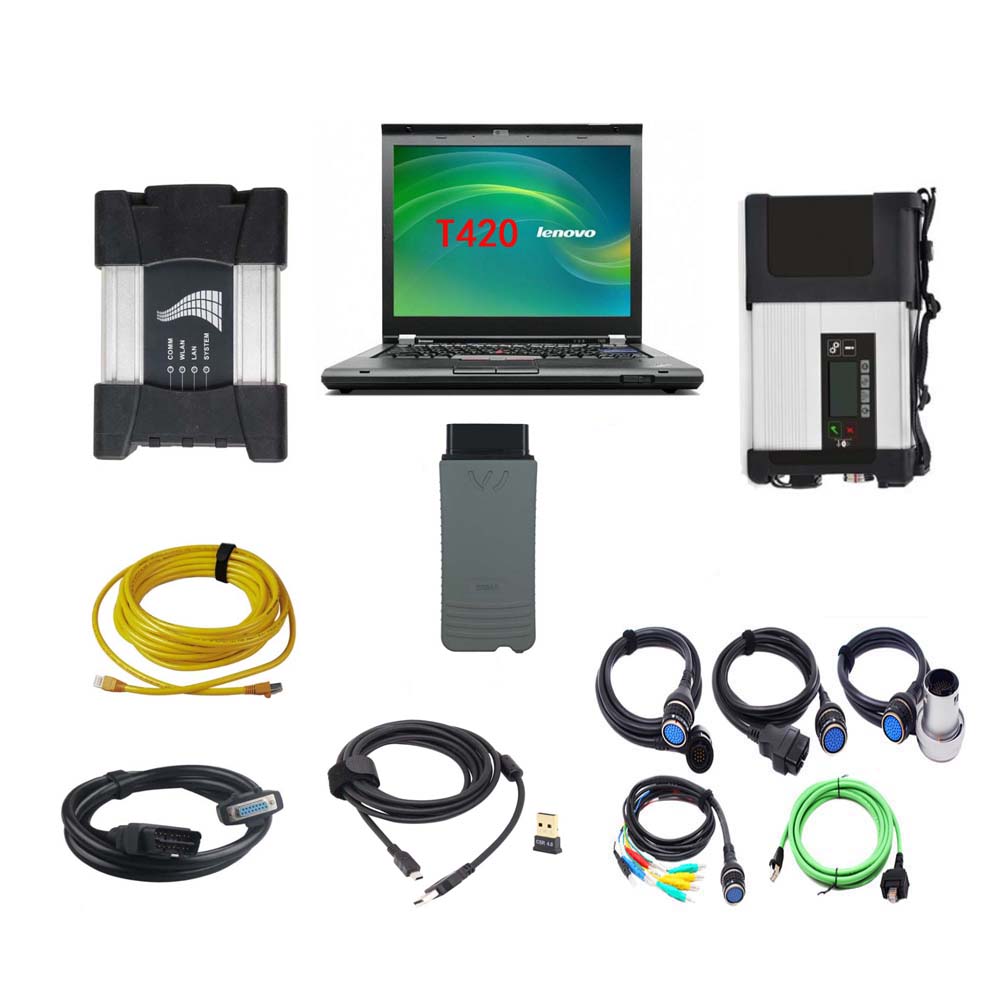
MB STAR C5
1pc x MB STAR C5 Multiplexer
1pc x OBDII 16Pin Cable
1pc x 38PIN Cable
1pc x 14PIN Cable
1pc x 8PIN Cable
1pc x Lan Cable
BMW ICOM NEXT
1pc x BMW ICOM NEXT
1pc x LAN Cable
1pc x OBD Cable
VAS 5054A
1pc x VAS 5054A Main unit
1pc x USB Cable
2pcs x CD Software
1set x Second Hand Lenovo T420 Laptop I5 4GB Laptop

Second Hand Laptop Lenovo T420 Laptop Specification:
Brand: Lenovo
Condition: Used
Type: Laptop/Notebook
Screen Size: 14.0
Processor Type: Intel (R) Core(TM) I5-2520M CPU
Processor Speed: 2.50 GHz
Processor Configuration: Dual Core
Memory: 4GB
Compared with other laptop, this one is better quality and run faster.

Thursday, October 28, 2021

Chrysler 200 Spare Key Add with WiTech or AlfaOBD

Have a 2011 Chrysler 200 S used with one of the original keys, I want to add one more spare key, I need to go to the dealer to have the key list reset? Because I don’t have 2 original keys.

3 options of 2011 Chrysler 200 S key add:

Unfortunately this is true, you need 2 working keys to program additional keys. A dealer is able to able to add keys using the WiTech diagnostic tool. This also requires a PIN which the dealer is able to get through the parts department. If you buy the blank key through the dealer they may program it for you for the price of the key ($150 or so dollars).

PS:

Chrysler wiTech MicroPod 2 can also program 2005 Chrysler 200 when All Keys Lost, here is the operation guide:

https://www.obd2tool.com/blog/2021/09/16/how-to-use-witech-micropod-2-to-program-2005-chrysler-200-all-keys-lost/

Insert the new key you want to program and turn the ignition cylinder to ON position. Currently Chryslers MicroPOD II is the only solution for all keys lost because its the only tool that will wake the BUS to begin the programming procedure for new keys. Lost key replaced on site using MVP Pro to pull pin and program a new smart key.

Another option is to purchase the appcar software beta which is able to pull the PIN and program additional keys. It will cost $50 for the software and $40 for the obd dongle/cable to connect to the car obd port and you will need to buy a blank key. Note, do not buy a refurbished key, new only, as the key is programmed to the wcm (wireless key module) of the car and cannot be reused/reprogrammed.

Appcar will work on all 200’s as noted on their website. The appcar software can retrieve the PIN so there no need to go to a dealer. It is quite easy to pull the PIN and immediately program the new keyfob.
Note that AlfaOBD will still require the purchase of a separate OBD dongle.

Another option is I have used alfaOBD for such. This should work on the car listed by the op also. Still will need pin from dealer, and yes new key. AlfaOBD is $50 and works with windows or android. I believe it works on all FCA, stelantis, etc from 2009 and up. At least for now. Not sure of course what will change with new ownership.

Alright, all of three WiTech diagnostic tool, appcar and alfaobd have their strengths and weaknesses.

As noted, it is your choice on how to proceed.

Autel IM508 Program 2018 Dodge RAM 3500 Key Fob via 12+8 Bypass Cable


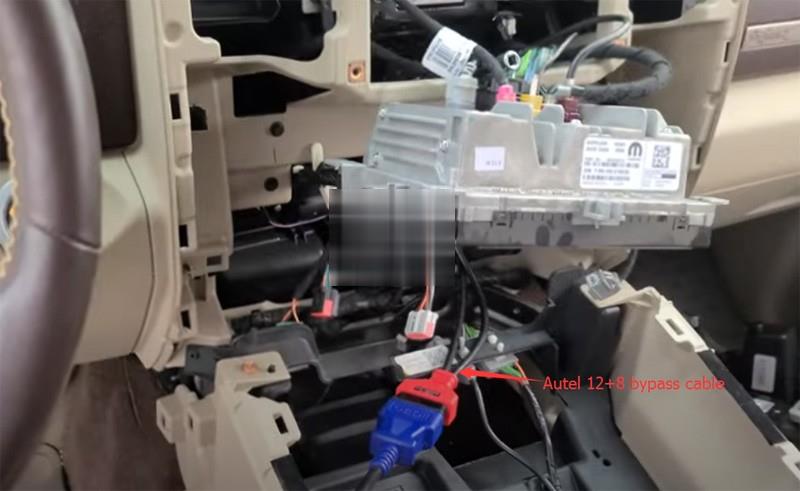
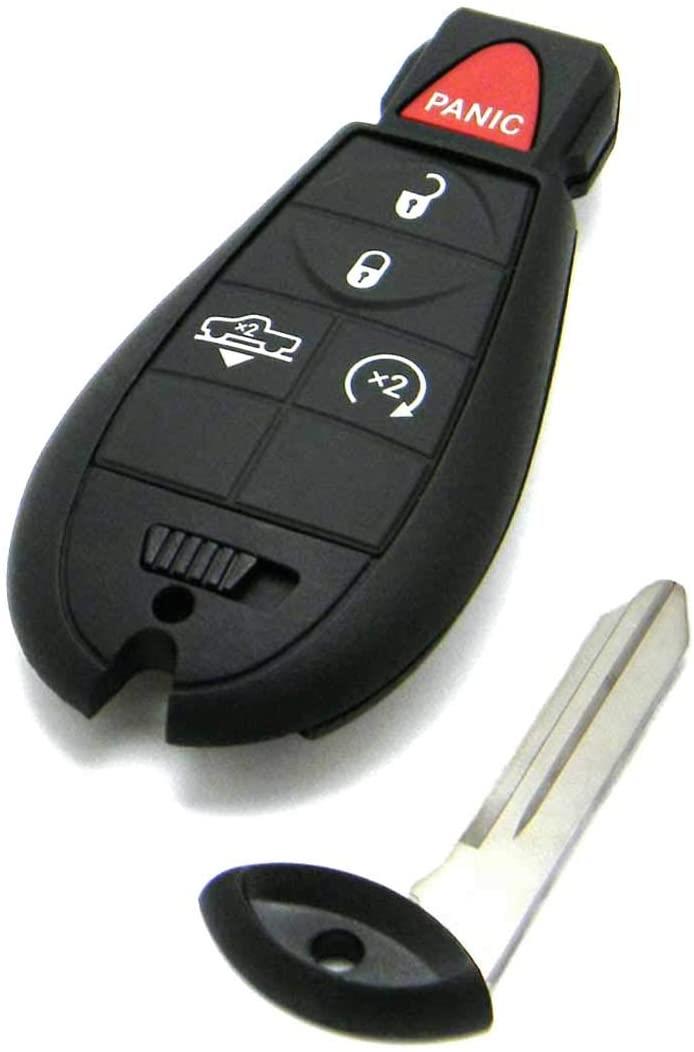
Chrysler vehicles 2018- now require the 12+8 cable to clear DTCs and to add keys.  Here we successfully added a new key fob with Autel IM508 XP400 and autel 12+8 cable for Dodge RAM 3500 year 2018 with secure gateway module (SGM). Program key in auto mode.
4 buttons remote key fob

Dodge Ram 1500 2018 Key Fob

Autel-Im608-2018-Dodge-Ram-3500-Key-Fob-1 (2)

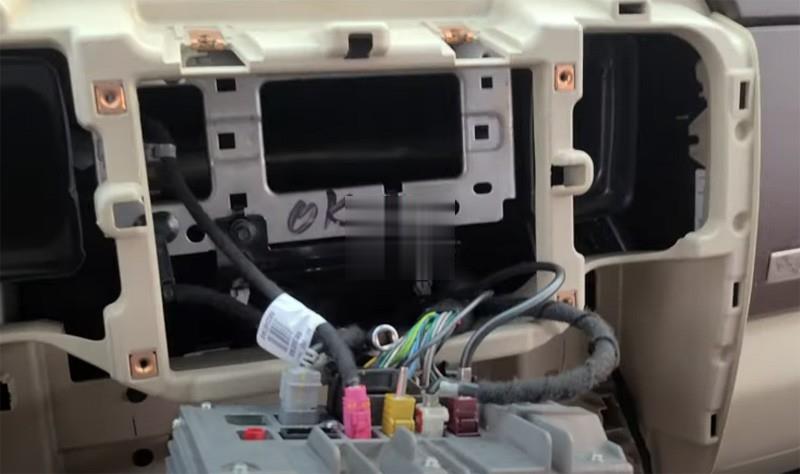
2018 Dodge RAM3500 SGM location:
Need to remove the stereo in order to get to the secure gateway module.  Remove everything and you will see.

Autel-Im608-2018-Dodge-Ram-3500-Key-Fob-2 (2)
Autel-Im608-2018-Dodge-Ram-3500-Key-Fob-3 (2)

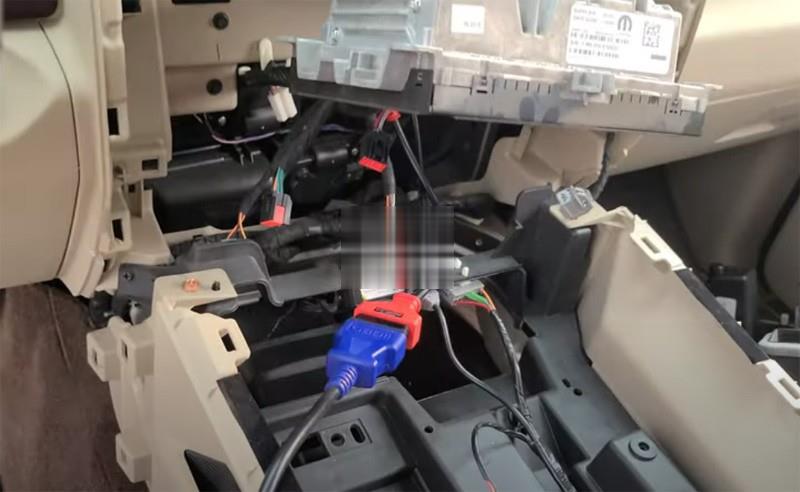
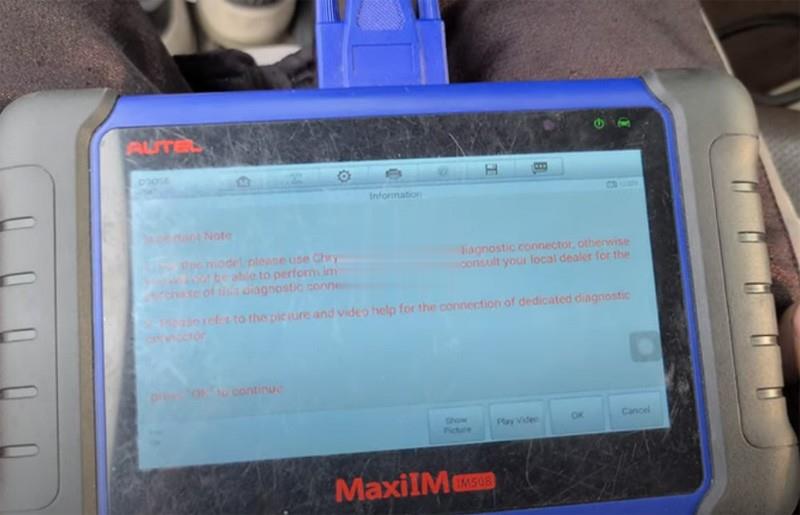
Go to Dodge 3500 key programming menu, IM508 asks to hook up a Chrysler FCA 12+8 adapter

Autel-Im608-2018-Dodge-Ram-3500-Key-Fob-4 (2)
Autel-Im608-2018-Dodge-Ram-3500-Key-Fob-5 (2)

We’ve got that connected right there behind the stereo

Turn the ignition off and turn on the emergency flashers

Autel-Im608-2018-Dodge-Ram-3500-Key-Fob-6 (2)

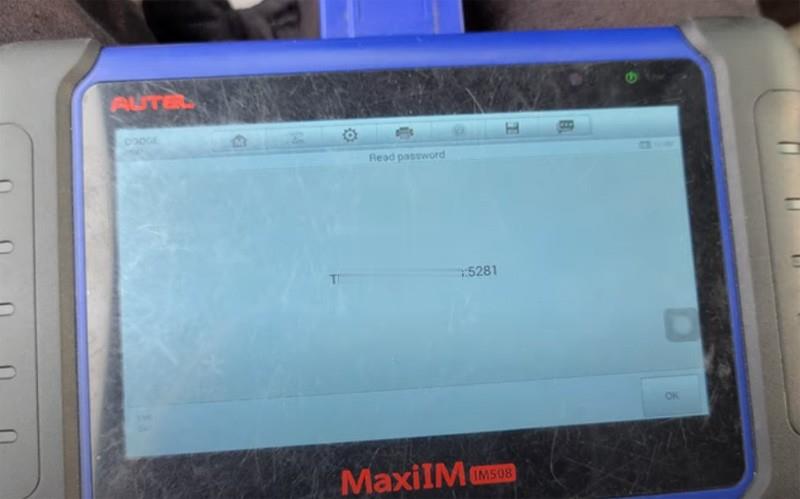
Read security password
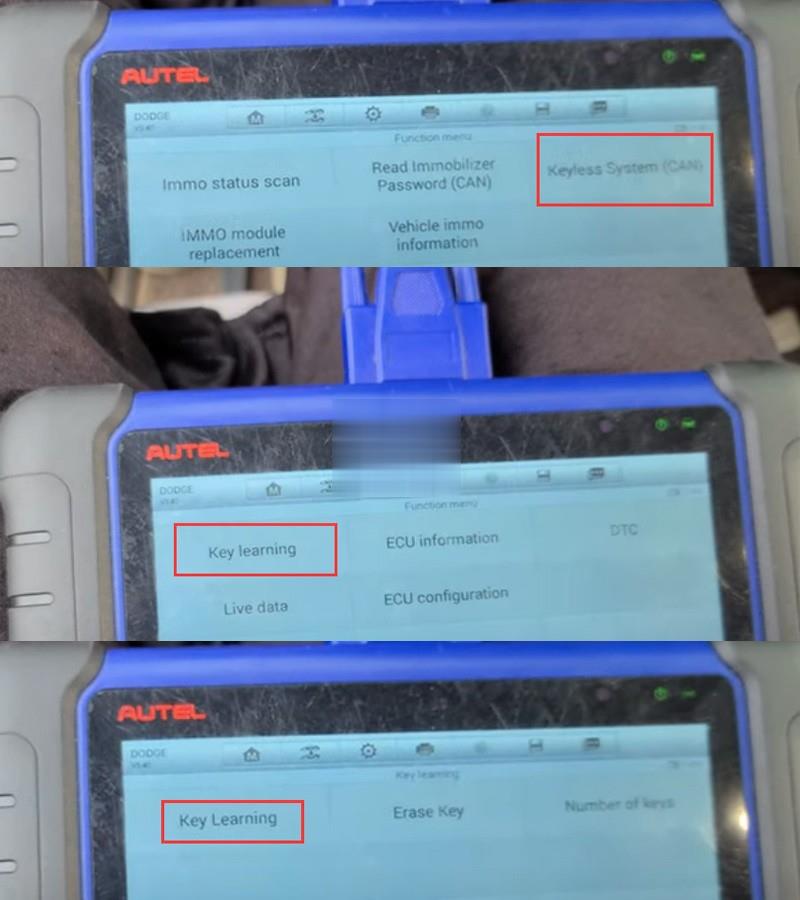
Select Keyless System (CAN) – Key Learning – Key Learning

Autel-Im608-2018-Dodge-Ram-3500-Key-Fob-7 (2)

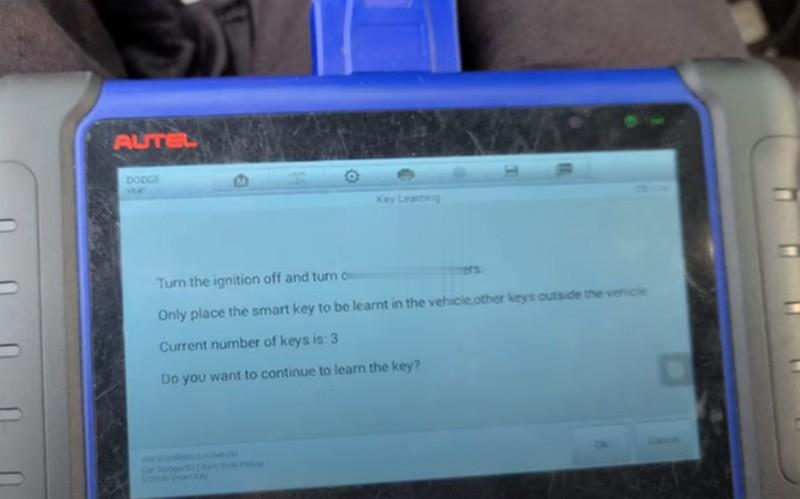
Turn the ignition off and turn on the emergency flashers

Autel-Im608-2018-Dodge-Ram-3500-Key-Fob-8 (2)

Put smart be to be learned in vehicle and take other keys out of the vehicle
Auto fill-in 4-digit pin to access

Autel-Im608-2018-Dodge-Ram-3500-Key-Fob-9 (2)
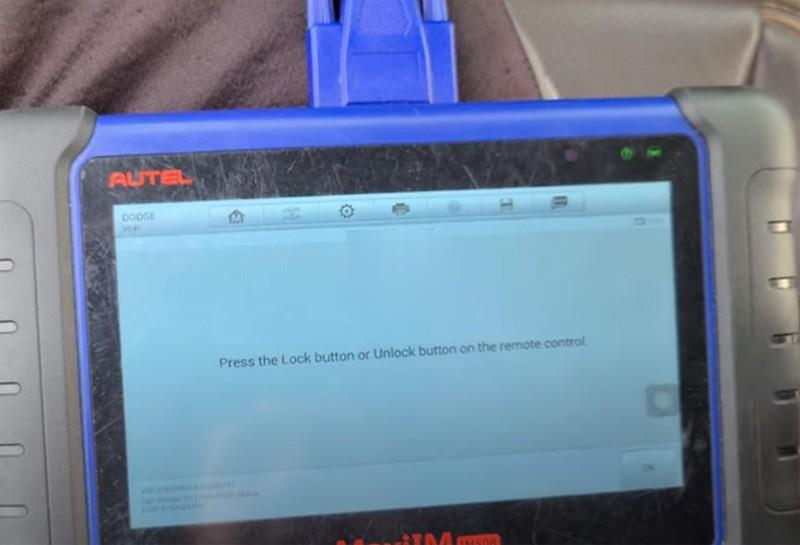
Press LOCK or UNLOCK button on the remote control

Autel-Im608-2018-Dodge-Ram-3500-Key-Fob-10 (2)

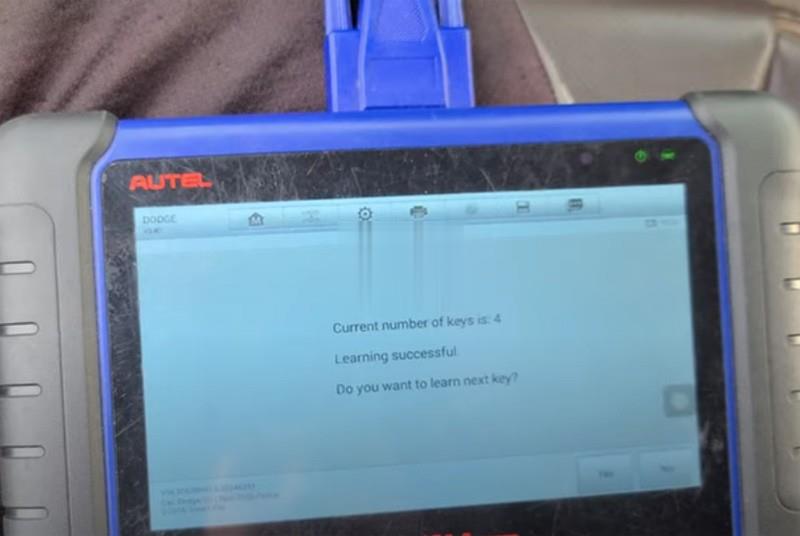
Key learning successful
Put everything back
And test remote control and new key.

Done.

Tuesday, October 5, 2021

How to Solve forget your XTOOL device screen password

If forget the XTOOL Device Screen Password ,how do we solve it ?

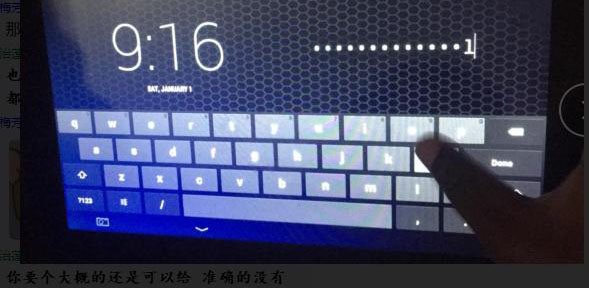
When we forgot or lost the XTOOL Device screen password,PIN, pls don’t mess trail input the password,3-5 attempts wrong the machine will be locked .we need the factory reset to unlock the device .

How-to-Solve-forget-your-XTOOL-device-screen-password

what should i do ?

First : pls purchase the XTOOL flash file system service .
Second : Offer the device SN and contact  customer service to arrange the XTOOL Tech to help flash the device when you are free l.
Third : connect the XTOOL tablet to computer via USB Cable
Forth : Open the Teamviewer on PC and tell the ID and Password .

I hope that could help you .In the future ,any questions .pls feel free contact with us .

How to Sovle VXDIAG Benz C6 No WiFi Connection on Windows 10

 he problem goes like this:

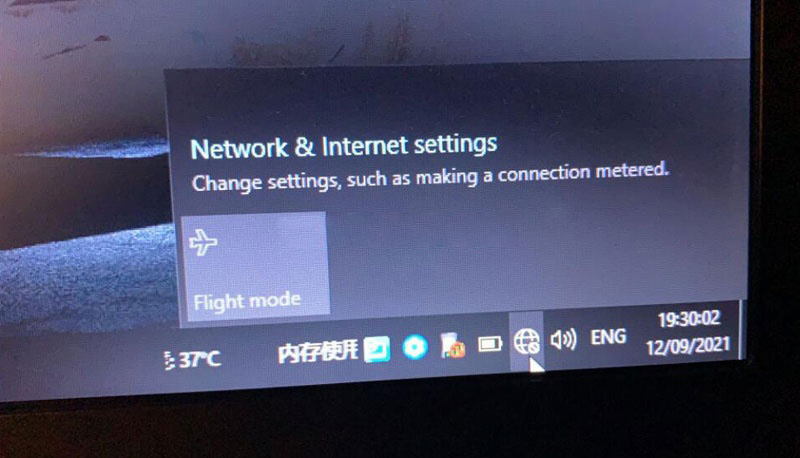
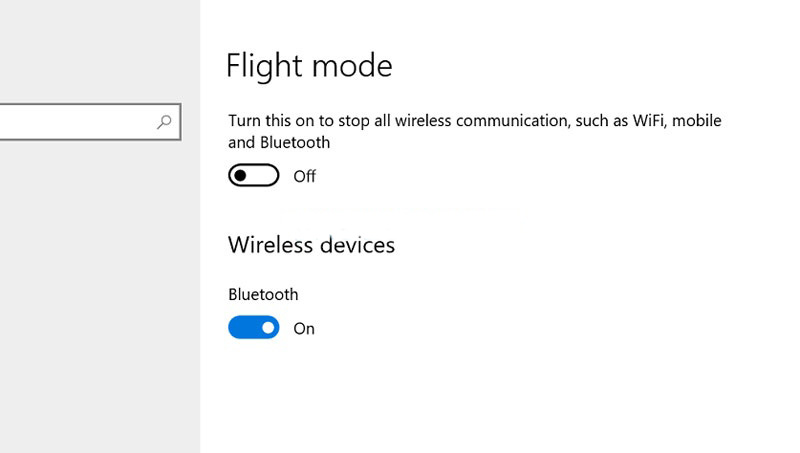
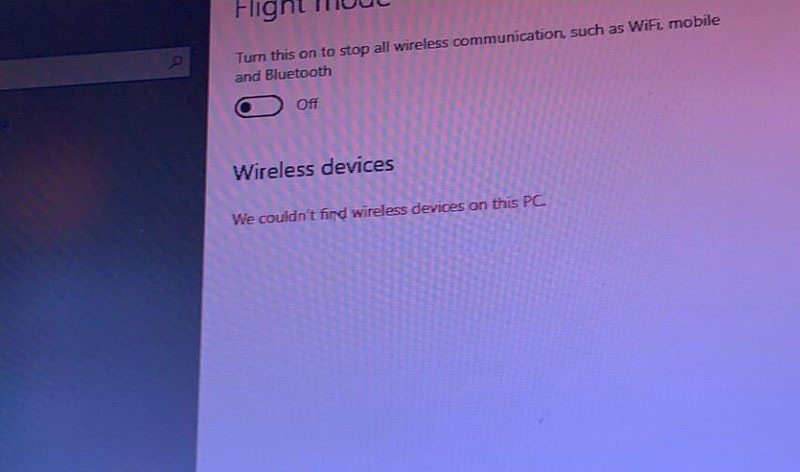
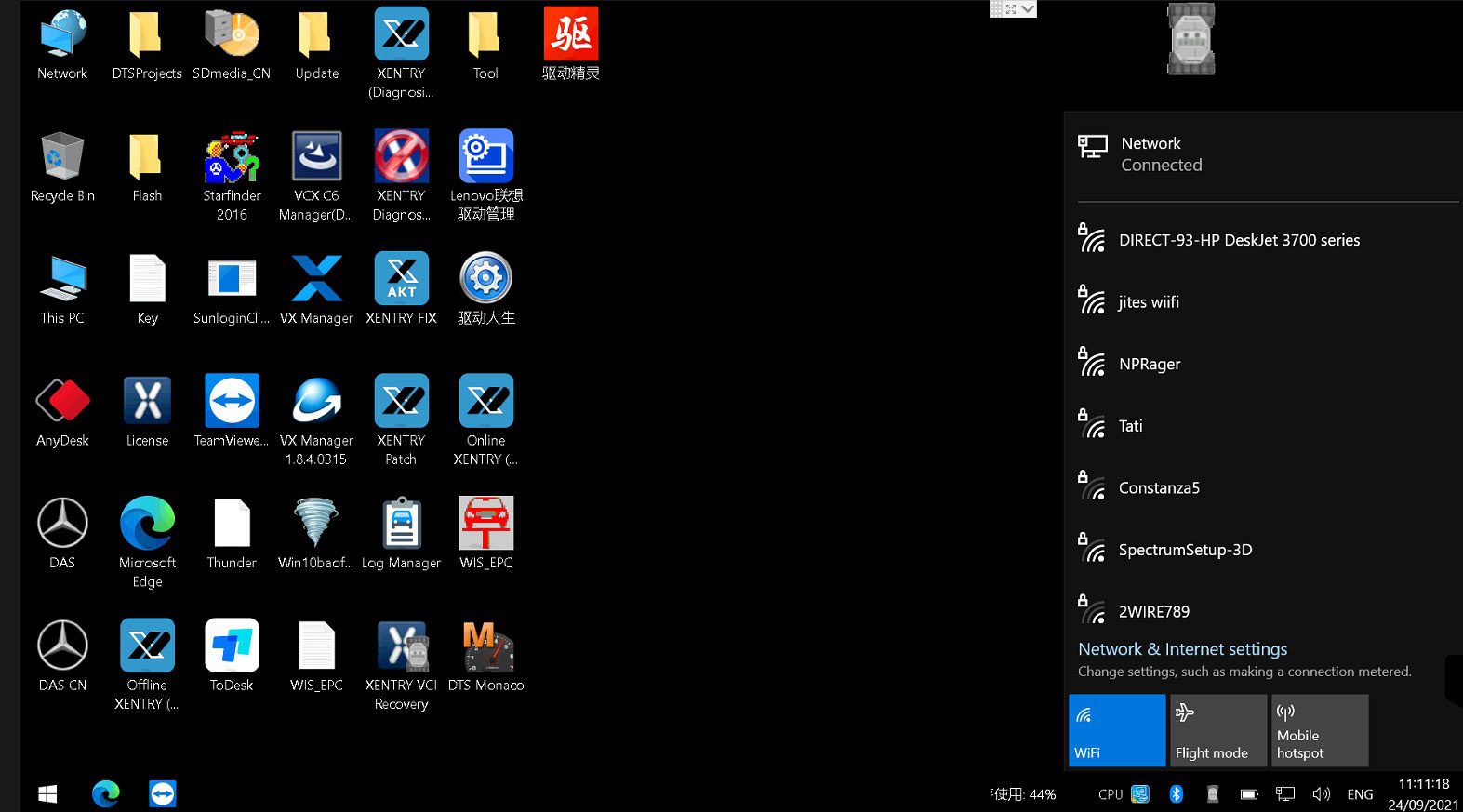
” My Vxdiag Benz C6 connects no problem via LAN cable. But it failed to connect via WiFi and does not allow me to disable Flight mode either. Windows 10 cannot find Wifi devices on this PC.  Any idea how to fix it?”
How-to-Sovle-VXDIAG-Benz-C6-No-WiFi-Connection-on-Windows-10-1
How-to-Sovle-VXDIAG-Benz-C6-No-WiFi-Connection-on-Windows-10-3

Solution:

The problem was caused by missing a WiFi driver.

Our Xentry HDD does come with the Driver Genius. Sometimes it is not compatible with your operating system due to various configurations.

Connect network via LAN cable. Send Teamviewer ID and password to us.

Our engineer will help update the WiFi driver.

How-to-Sovle-VXDIAG-Benz-C6-No-WiFi-Connection-on-Windows-10-2

How-to-Sovle-VXDIAG-Benz-C6-No-WiFi-Connection-on-Windows-10-4

WiFi wireless connection is working fine now.

Sunday, October 3, 2021

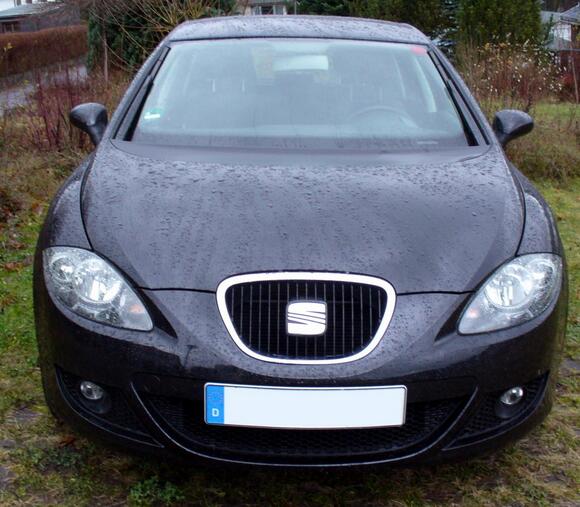
How to Remote Folding Mirrors via VCDS for Seat Leon


This short post will show you guide on how to set remote folding mirrors function by VCDS for Seat Lean. More function of VCDS, please refer to VCDS CASES.

How-to-Remote-Folding-Mirrors-via-VCDS-for-Seat-Leon-1

Procedures:

Connect VCDS to Seat Leon OBD port and running it.

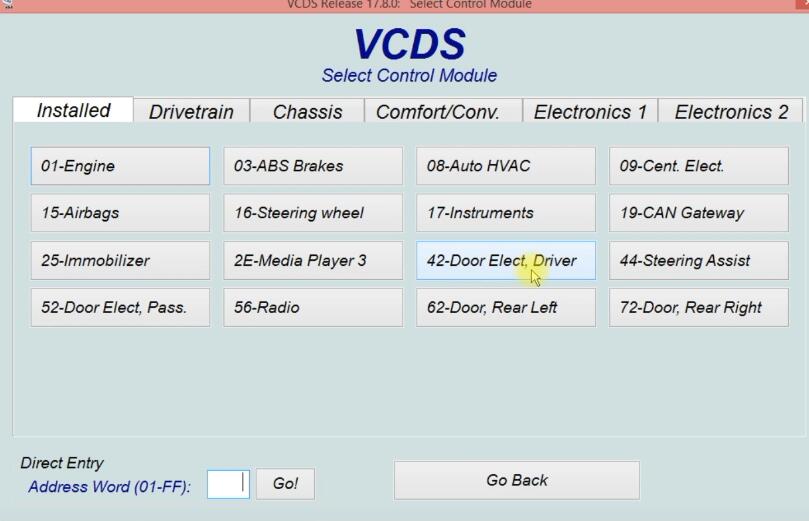
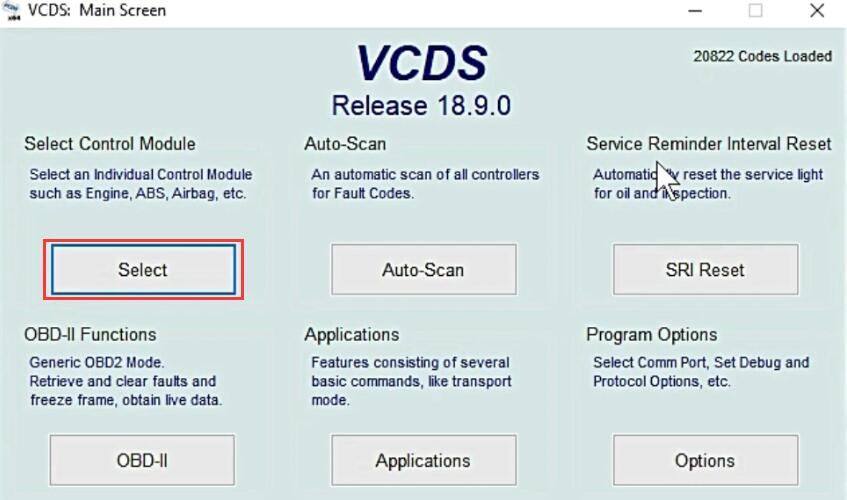
Click “Select” to select control module

How-to-Remote-Folding-Mirrors-via-VCDS-for-Seat-Leon-2

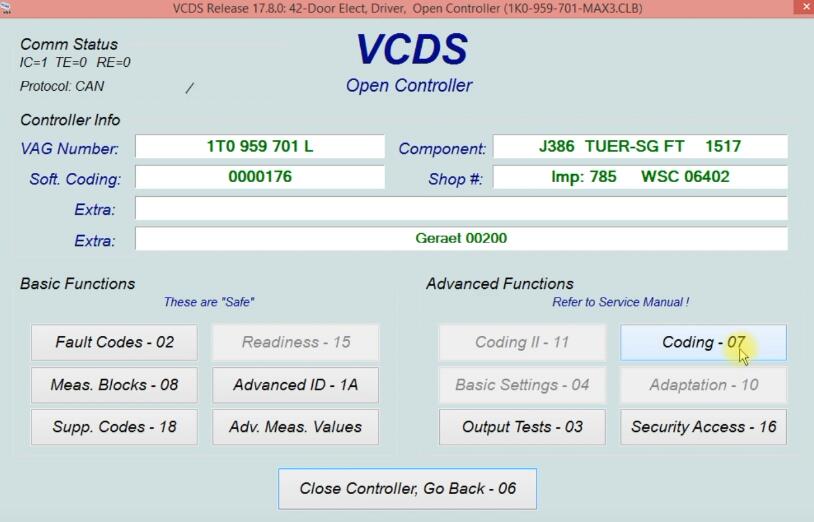
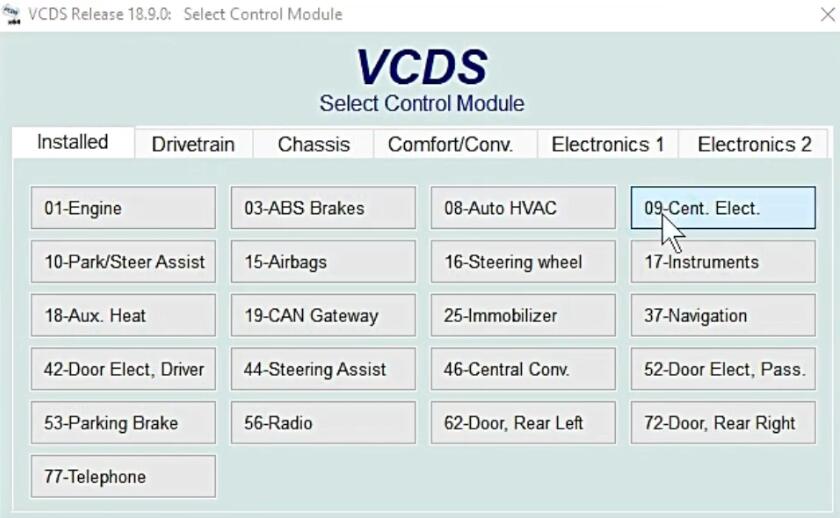
Select “42-Door Elect,Driver”

How-to-Remote-Folding-Mirrors-via-VCDS-for-Seat-Leon-3

Select “Coding-07”

How-to-Remote-Folding-Mirrors-via-VCDS-for-Seat-Leon-4

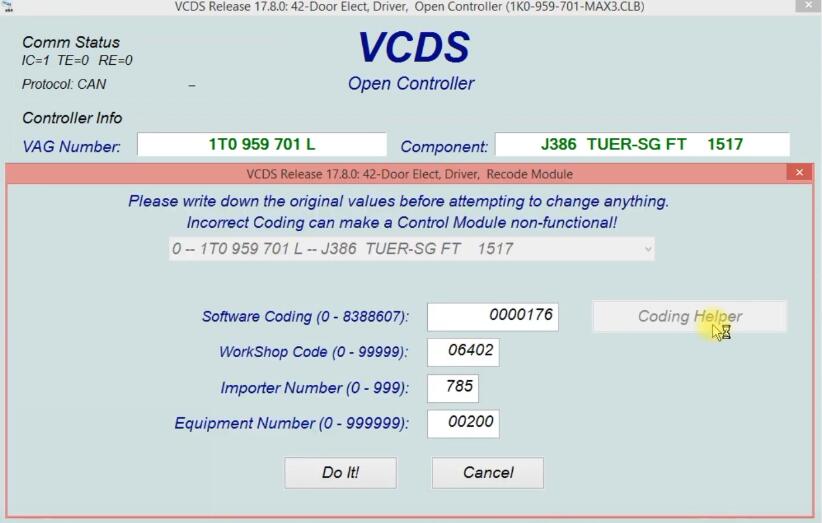
Select “Coding Helper”

How-to-Remote-Folding-Mirrors-via-VCDS-for-Seat-Leon-5

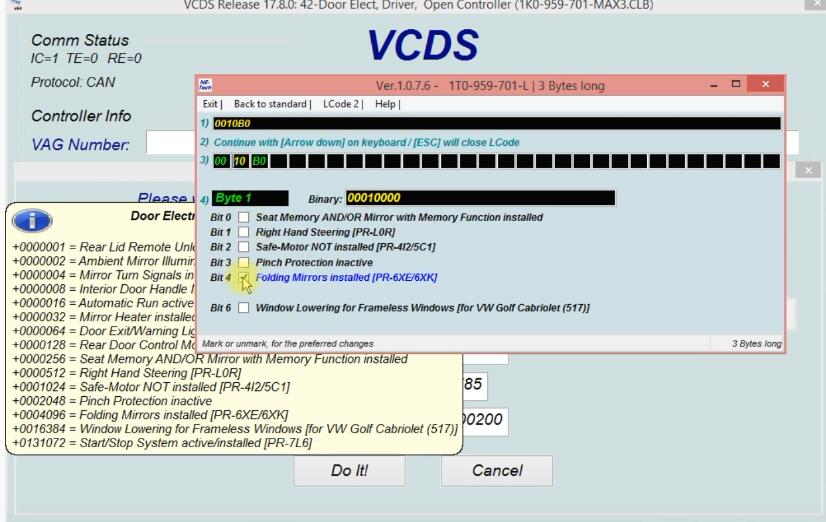
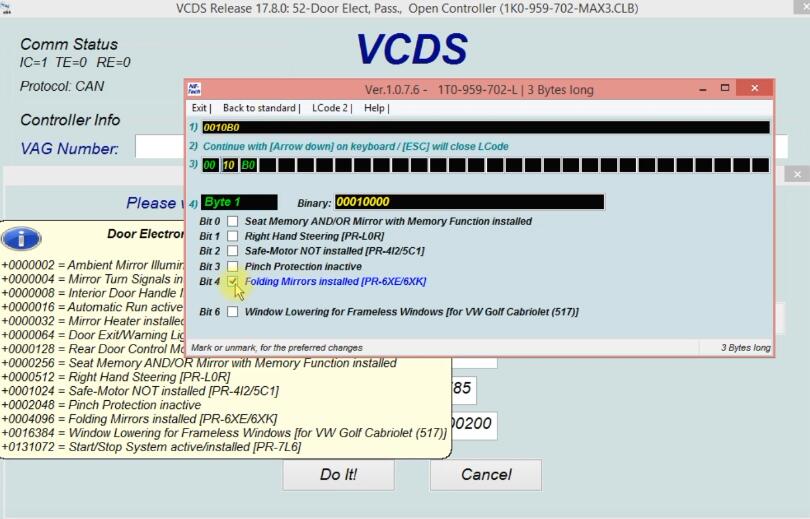
Select “Bit 4 Folding Mirrors installed”

How-to-Remote-Folding-Mirrors-via-VCDS-for-Seat-Leon-6
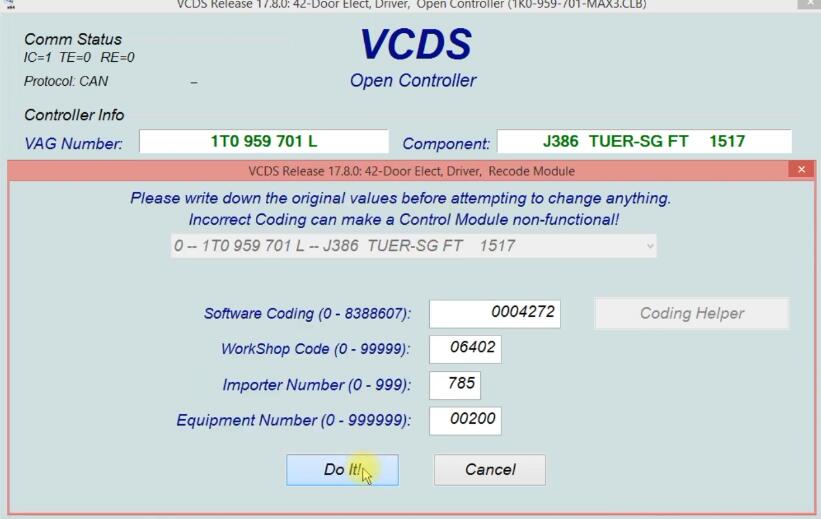
Click “Do It!”

How-to-Remote-Folding-Mirrors-via-VCDS-for-Seat-Leon-7

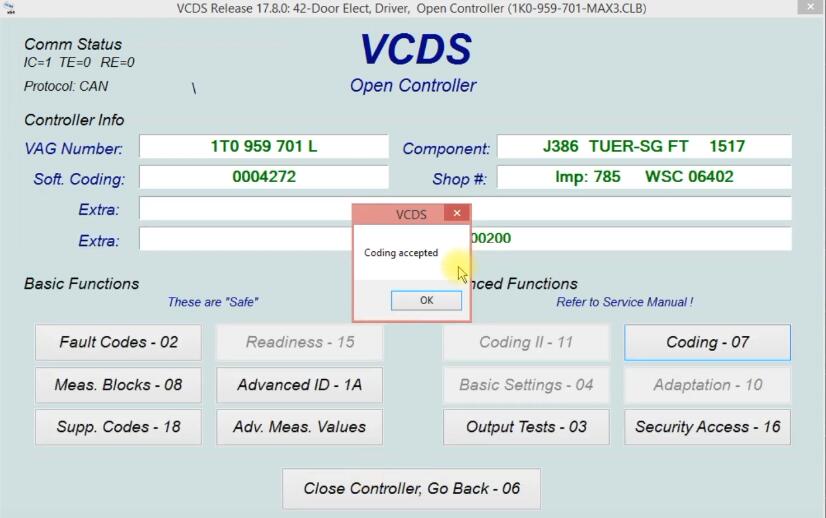
Click “OK”

How-to-Remote-Folding-Mirrors-via-VCDS-for-Seat-Leon-8

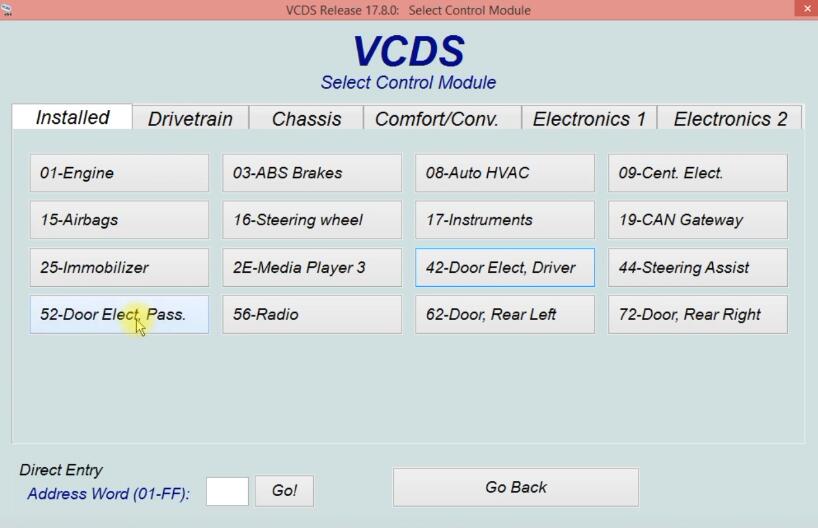
Go back and select “52-Door Elect Pass.”

How-to-Remote-Folding-Mirrors-via-VCDS-for-Seat-Leon-9

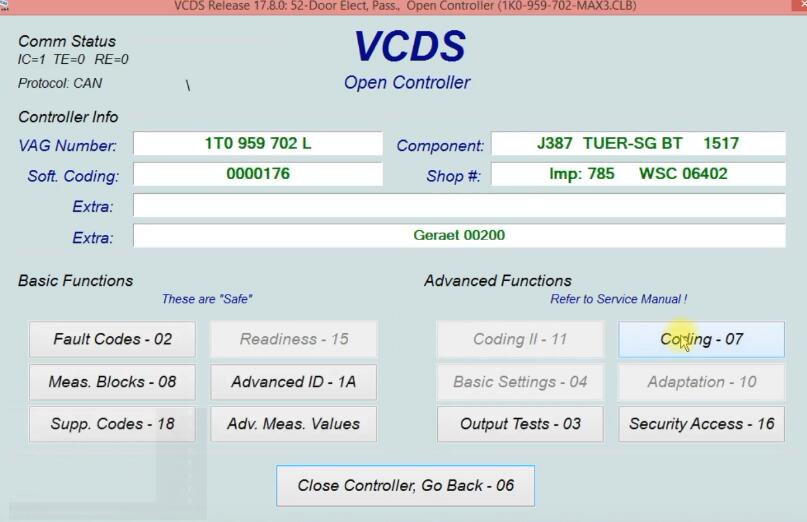
Select “Coding-07”

How-to-Remote-Folding-Mirrors-via-VCDS-for-Seat-Leon-10

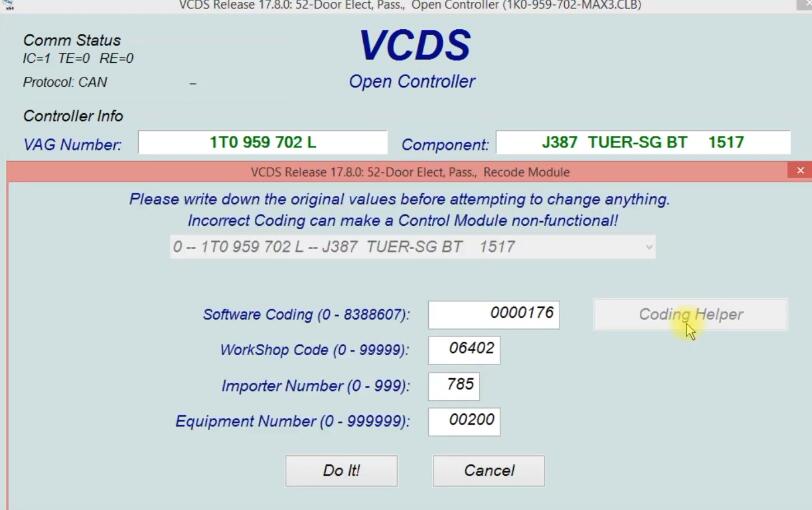
Click “Coding Helper”

How-to-Remote-Folding-Mirrors-via-VCDS-for-Seat-Leon-11

Select “Bit 4 Folding Mirrors installed”

How-to-Remote-Folding-Mirrors-via-VCDS-for-Seat-Leon-12

Click “Do It!”

Coding accepted, function is ready.

If you want to know more about Seat, please visit here: Seat Trouble Repair.

Saturday, October 2, 2021

How to Clear LED Errors via VCDS for VW


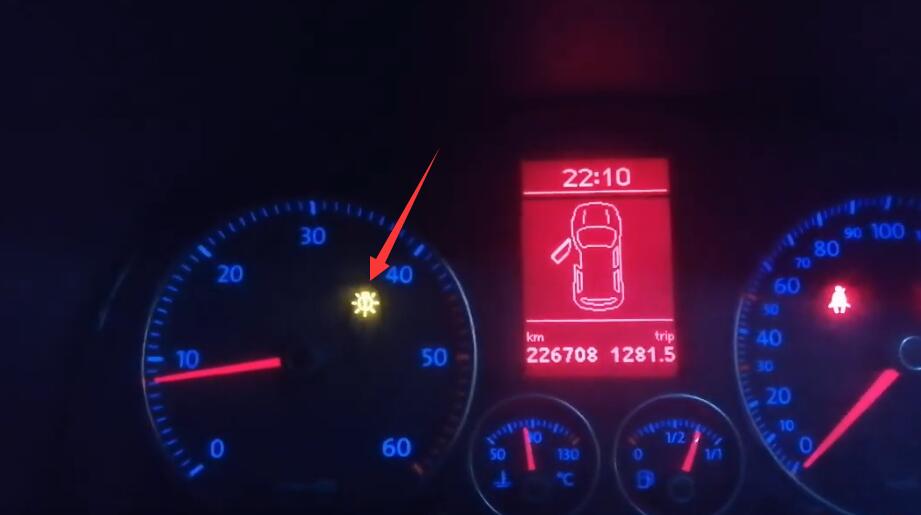
After mounting the LED bulbs on low-beam, high-beam, position lights and fog lights, there is a permanent fault on the instrument dashboard. This is why this coding using the VCDS helps to remove this fault and if one of the bulbs is defective it will be reported.

Steps:

Connect VCDS to VW OBD port, and running it.

Click “Select” to select control module

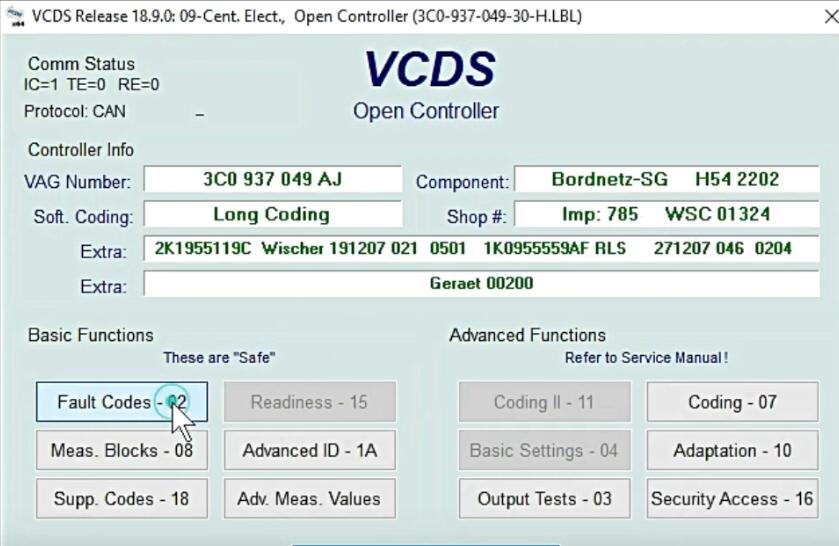
Select “09-Cent. Elect.”

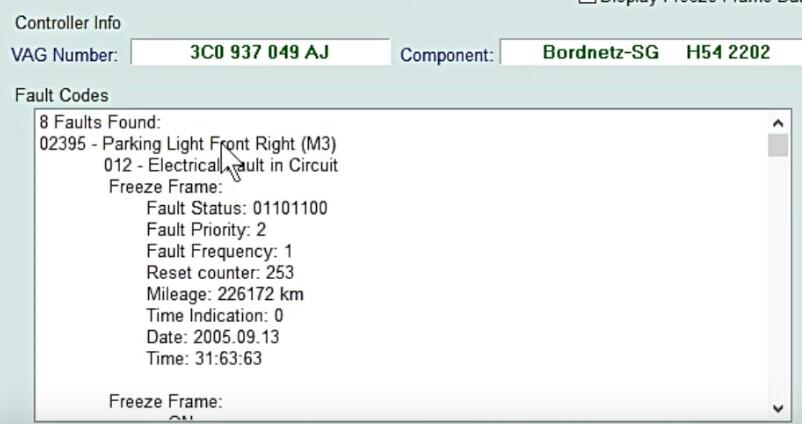
Select “Fault Codes-02”

Default fog- Light and High beam, low beam

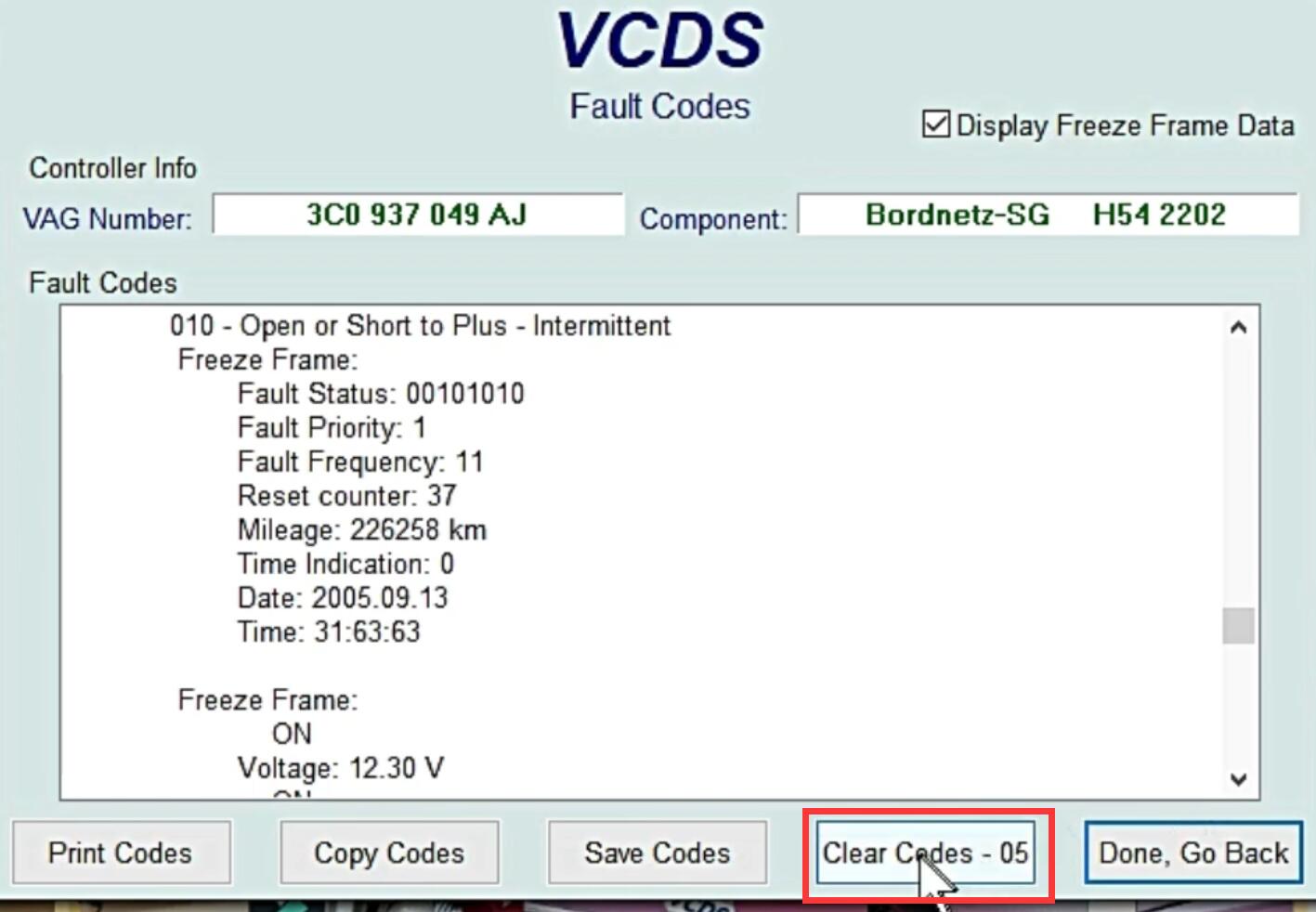
Click “Clear Codes -05”

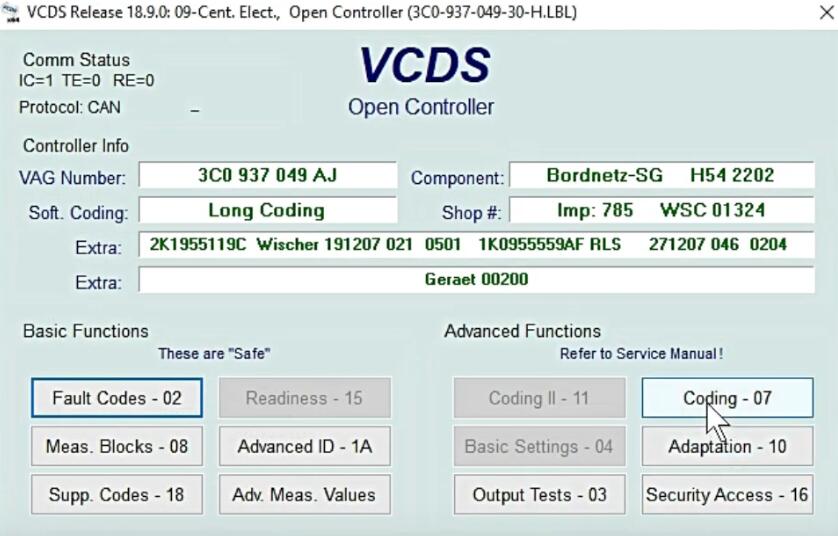
Go back and click “Coding -07”

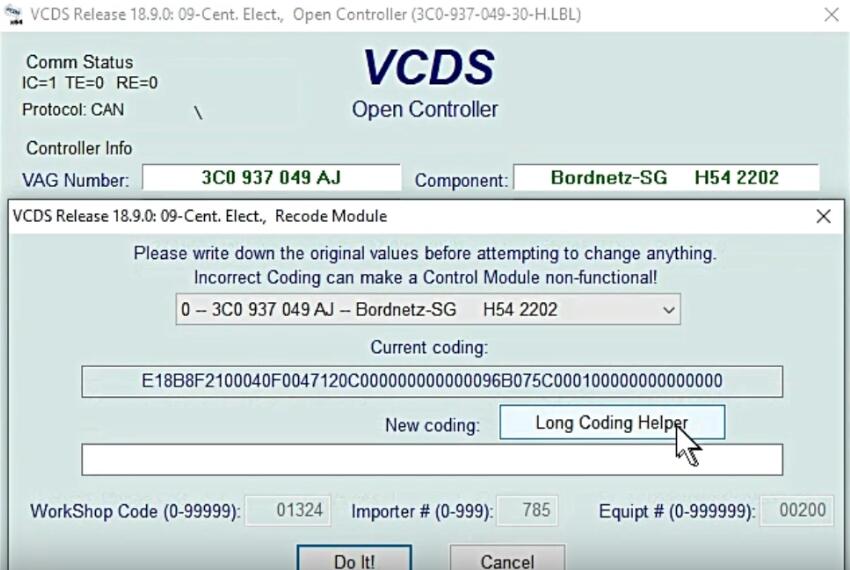
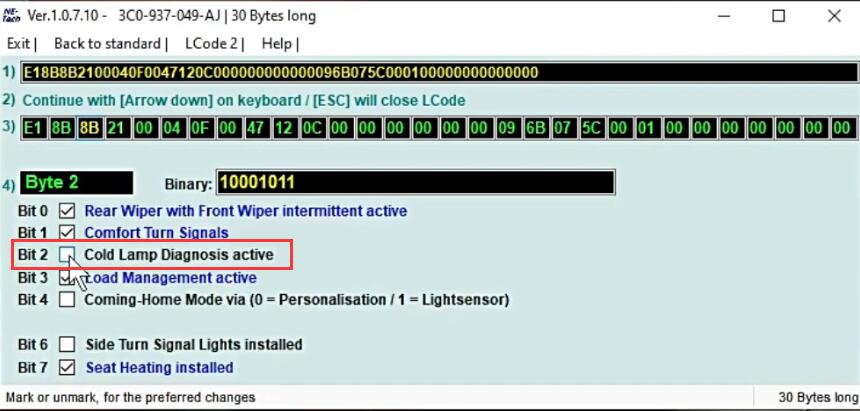
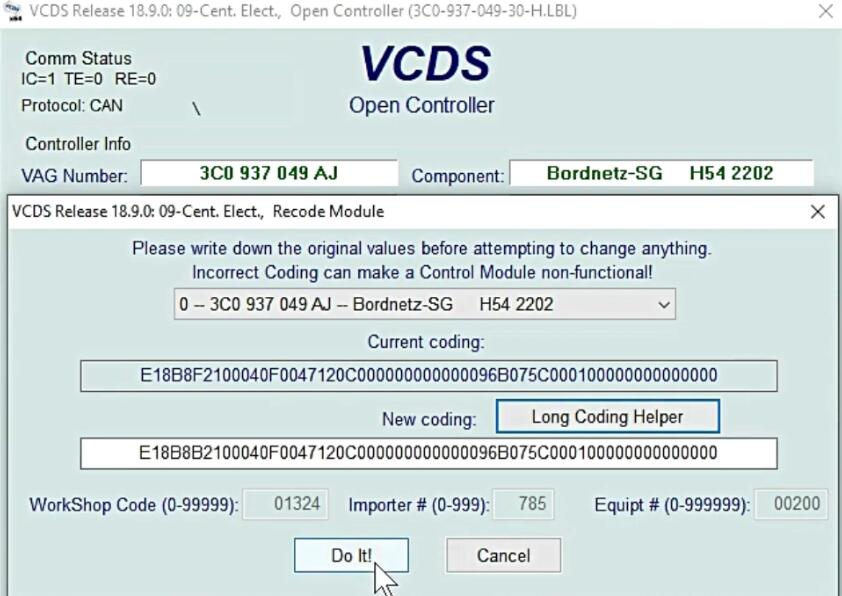
Click “Long Coding Helper”

Remove tick from Bit 2

Exit, then click “Do It!”

Coding accepted.

More cases about VW, please refer to VW Trouble Repair.