This is advice for those have problems:
– what do you think of
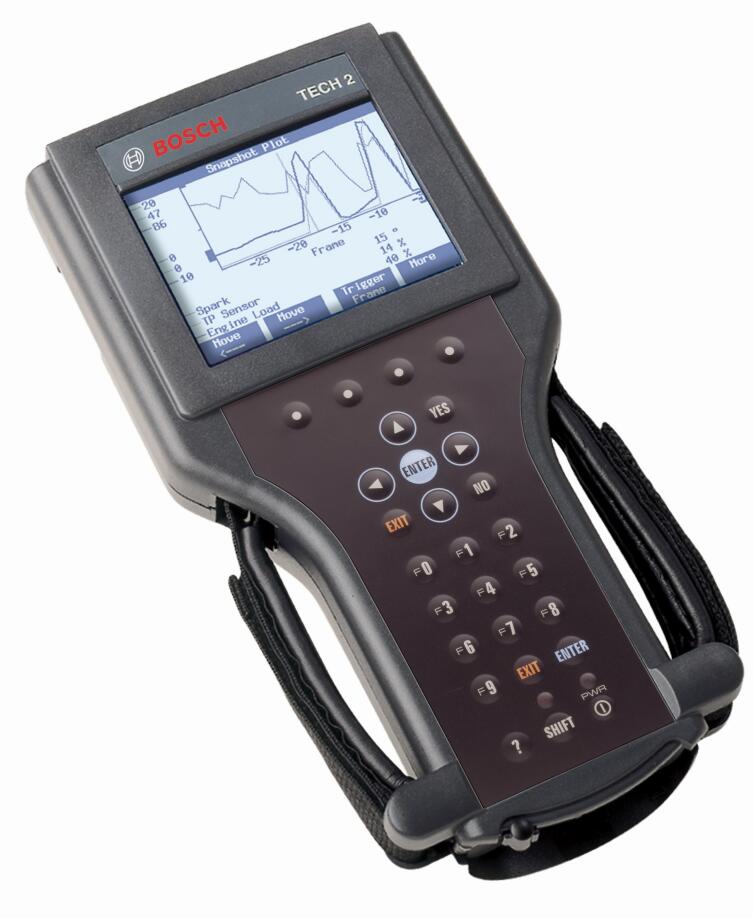
Tech 2 made in china?
– Is there any software close to Tech 2 to be bought which has access to all hummer h2 modules?
Many thanks all contribution from MixManSC like to share his experience with all.
Purchase:
I bought my Tech2 from China and it works great.
I cannot speak for any on Aliexpress or Amazon. I’ve seen both good
and bad reviews on the ones from there.. Regardless it would not matter
as again, I have no way of knowing if one from some seller on there will
be a good one or not.
It is also worth spending the extra to get the case which does cost a
good bit more. These come with a lot of different adapters and parts
and the case makes it very nice and easy to keep it all together.
This is the kit that I ordered. It also includes the Candi module which is needed for many newer model GM vehicles.
Newest Vetronix Tech2 Diagnostic Scanner Working for GM/SAAB/OPEL/SUZUKI/ISUZU
Note: China tech2, Palmer ScanXL Pro and EASE
I’ve got 3 different scanners, a China tech2, Palmer ScanXL Pro with
enhanced GM software and EASE Diagnostics with enhanced software for
both chevy and hummer.
The Tech2 is the best, palmer ScanSL Pro is very good at pulling
trouble codes from all GM modules but does not have bidirectional
control while EASE is good software its had issues with pulling all
codes from all modules but it has bidirectional capabilities. The Tech2
can do it all up to 2013 along with programming modules if you have the
software and security key up to 2007 models.
Package:
The “Candi” module is needed for GM vehicles with the newer
electrical systems. On an H2 the “Candi” module would be required for an
08/09 model. I’m not sure what years on an H3 and other GM vehicles.
On any of them you must have the 32MB card (GM North America)
The plastic case adds to the cost but is worth it as the full kit is a
lot of separate pieces and the case gives you one place in a custom
fitted case to keep it all neatly versus all dumped into a cardboard
box.
The TIS2000 software/USB Key are really NOT needed unless you want to
reprogram ones of the many various computer modules in your vehicle
with software updates. To use the TIS2000 software you will need to
install it on an older PC running Windows 98, Windows XP, or Windows 7
(32 bit) and will need a serial port to connect to the Tech2. As an
example though, my 2003 had multiple modules with updated software which
CAN fix problems. One I remember is my air ride module had an update
that fixed the compressor running much more often than needed.
Hummer H2 Programming tips & guides:
Actually it does the programming just fine on newer than 2007 GM
vehicles BUT you must pay for an ACDelco TDS subscription for vehicles
above 2007 and you would use the CANDI module that comes with many of
the Tech2’s for working with CAN bus vehicles. You can subscribe for as
little as two days for $55.
https://www.acdelcotds.com/acdelco/action/subscribehome
This is ONLY needed if you want to program or update the software in a
module. ALL of the build in diagnostics and testing for vehicles up to
2013 works without the subscription or the older TIS2000 software. You
only need those for doing actual programming. The older TIS2000 software
– that is what has the programming was discontinued in 2007. TIS2000
does have the actual programming for all vehicles up to 2007. After 2007
GM went to the TDS system.
You can also get a newer style
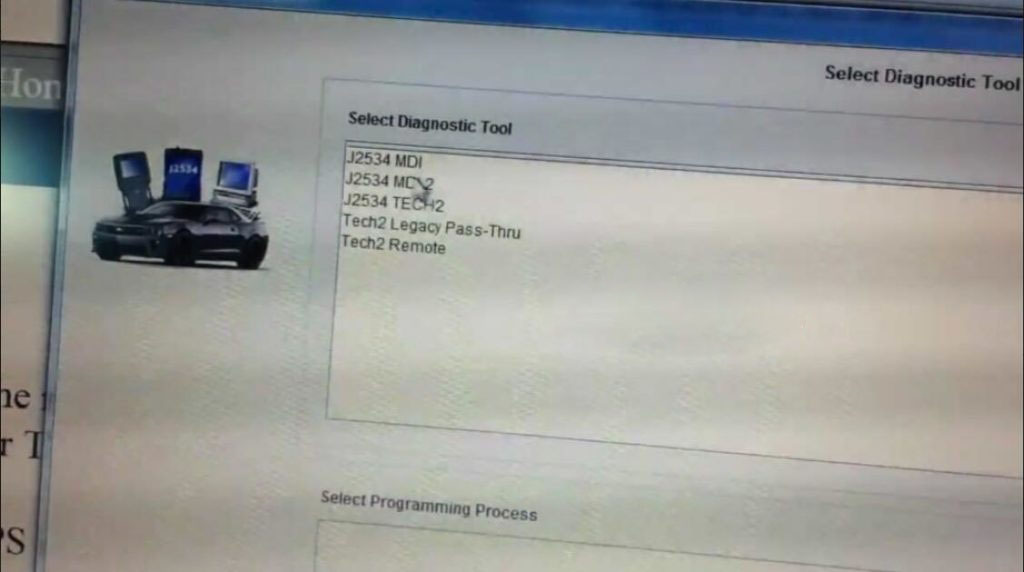
MDI or
MDI 2
for diagnostics and programming. The catch with those. They have NO
screen or built in software and you must pay for a subscription from
from ACDelco TDS to use an MDI.
Other brand units, a very select few can do actual programming and
use the pass-through method. NONE have the diagnostics that the actual
Tech2 or MDI (with the subscription) will have. Check with Autel and see
if they have the full diagnostics and re-calibration for the rear air
suspension on a Hummer H2. Not going to happen, there is too little
demand for them to hack and reverse engineer that particular bit of code
in a Tech2 to figure out the diagnostics and then write programming for
that for their tool.
For programming you also need to have
TIS2000
running on a computer or pay GM for a 24 month subscription for their
TIS2WEB (Vehicle Programming) for $40
https://www.acdelcotds.com/acdelco/action/subscribehome
The computer will need a serial port for downloading the programming to the Tech II for programming your vehicle.
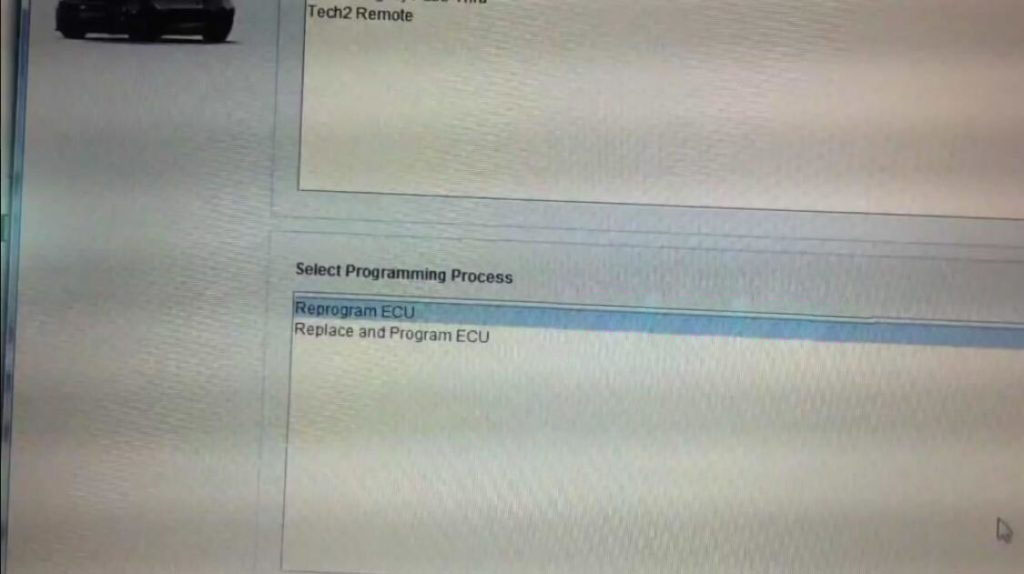
The way programming works is you connect the Tech2 to the vehicle and
tell it you want to program a module. It interrogates all of the modules
on the vehicle for the current versions and the VIN number. You then
connect it to the computer running TIS2000, GlobalTIS, or TIS2WEB
subscription and select programming in the computer. It reads the Tech2
for the vehicle info and then presents you with a list of software for
all of the modules and shows you which have updated software. I
recommend only doing one module at a time which is a good bit more back
and forth but safer. The computer then loads the update to the Tech2.
You take that back to the vehicle and connect it and it then programs
the module.
The best, most reliable and safest method is to use a long enough serial
cable (its uses 9 pin serial adapters with an ethernet cable to make
the cable longer – so you can just use a longer network cable) and do
pass-through programming. In that method the process is the same but you
leave the Tech2 connected to both the computer and the vehicle at the
same time. Once you select programming on the Tech2 then go to the
computer and you can immediately update each module right from the
computer.
There is a slightly more updated version of standalone TIS2000
floating around on the web which has additional updates that has
software updates for vehicles through 2009 as well. I know just using
that TIS2000 both my GMC truck and my 2003 H2 both had
a bunch of software updates available to be programmed all of which
fix small issues or improve certain aspects. One example in on the older
single compressor air ride like my 2003. Those would run and make small
adjustments a LOT more often than needed and the software update fixed
that. On the H2 the rear air ride is also one to be very careful of for
doing software updates though. For example, my 2003 came with the
earlier style single compressor but if it were to fail a dealership
would replace it with the newer style dual pump compressor. Programming
would still think its the original style and would attempt to program it
and that would actually cause it to fail. TIS2000, (Global, Web, etc)
will warn you about this sort of thing though so just heed all warnings
and follow instructions and its fine.
The programming aspect is not needed or required to use the Tech2.
The Tech2 still gives you a TON of diagnostics and tests that NO other
OBD device has including things like the air ride module, detailed BCM
functions, basically you can control and test every computer module in
the vehicle.
btw, HUMMER is not shown in the GM vehicle list… because that little
short list is incorrect and only shows a few of the earlier than 2007
CAN bus vehicles.
Summary:
Cannot really compare software with a gm Tech2 as that is comparing
hardware to a program. That being said, there is a software side of
things that work alongside the Tech2 which is the TIS2000 software.
Getting that working is a bit of a project in and of itself as the
software is old and seems to work best on Windows XP. The TIS2000
software is really not needed to use the Tech2 though – that is needed
if you want to update the firmware in the various modules in your
vehicle like the ECU, BCM, DDM, etc.
Simply put though. There is no other tool that can do everything on
Hummer H2 that the Tech2 can do. It is the only tool with things that
are very specific like calibrating the rear air suspension module. Other
tools can be very powerful but that are mostly just have features that
are common to many vehicles and will not have things that are specific
to just one or two vehicles.