Showing posts with label Tech2. Show all posts

Monday, June 21, 2021

How to get EVAP not ready IM to pass with Tech2

I've been struggling with this for months now and I came across a post of the Cadillac forum where someone mentioned using the GM Tech2 handheld scanner and running the "Evap service bay" test. First you will need the VCX Nano from obd2tool, it comes with the software for GM Tech 2 and GSD2 emulators and install it on a laptop. The Evap test should be done from a cold start so have everything ready. The reason I failed the Tech2 EVAP test first time was you must keep RPM between 1800-2200 for 8 minutes it was impossible to do that with foot so it failed and i had to wait overnight for a cold start. What i did to fix was I found a piece of wood and placed it between the seat and gas pedal and move the electric seat until RPM is 2000. This worked perfectly I used this when doing brake light testing for inspection as well.


*   Have everything set up, I opened hood so it wouldn't get too hot, connect the VCX Nano to the OBD2 port and your laptop and go to the F2: Special Functions->F4: Service Bay Tests->EVAP System Bay Test
*   Have your piece of wood ready so you can hold the RPM constant. After the Tech 2 has read the info it needs and validates you can proceed with the test, it will guide you step by step
*   First, you'll be told to leave the ignition key off for 10 seconds
*   After that, you'll turn on the key (but don't start the car). Once the Tech 2 has read the Data port, it will prompt you the EVAP test can start (or NOT)
*   start the car, idle between 1800-2200 rpm (steady!) this is where you need the wood and move seat against it to push pedal down and hold at 2000 RPM. This is very critical and if it cannot be held between 1800 and 2000 you will need to stop test and wait overnight for it to cool off so you can do a cold start. Then press [Enter] to begin.
*   Once you press [Enter], you need to maintain 1800-2200 RPM for about 6-8 minutes (it has a counter) and it will perform a series of EVAP tests (11 data points are watched). You'll hear the Solenoid working and seeing the '%'


*   After about 8 minutes @ 2000 RPM, you'll be told to take it for a drive. Disconnect the laptop power source, then press [Enter] to start the drive test.
*   The Tech 2 shows 15 KM and 600 seconds to do the drive -- don't worry about the seconds, the KMs are what's important.
*   After you've reached '0's, you'll be told to return to the 'Service Bay' for engine off EVAP Test
*   Here you plug in the external power source for the laptop 'BEFORE' you turn off the car. Once that is done, turn off the car and press [Enter] to start the engine off test. This test will take about 5 to 10 minutes (and yes, you're in the car and waiting d). You see the Fuel Tank voltage change and here the solenoid working.
*   Once you've waited, the Tech 2 will show you your status whether it passed or failed


Overall it takes about an 45-60 min to do the Engine On, Drive, and Engine off EVAP Service Bay Test. I wish I knew about this iI spent dozens of hours researching and trying to drive the 17 step EVAP drive cycle many times requiring the overnight for cold start.

Checked the Ready Monitors with my regular scanner and Im ready for inspection!

The drive cycle takes FOREVER to get done, but this one is ready in about an hour and this does work! Well worth the $90 from Amazon and now I also have great Tech2 scanner and GDS emulator. Also with the GDS it appears it uses a cloud based database and looks like there is every manufacturer supported you would just need the license to turn it on. Very happy with the way this turned out and if anyone is stuck with trying to set EVAP this is the way to go!


https://gmscantool.blogspot.com/2021/05/how-to-get-evap-not-ready-im-to-pass.html

Tuesday, May 25, 2021

GM Tech 2 TIS2000 Crack Download&How To Install On WIN XP/7/8


GM-Tech2

This guide of where to donwload GM Tech2 TIS2000 software and how to install it.Free version all from Customer support,Big thanks!

GM-Tech2

TIS2000 free Software

http://www.mediafire.com/file/bc92by7ao7fp1la/GM+2000NAO.7z
Tis2000 Dongle Crack

http://rg.to/file/a081c4c028aa1fb80ea98e15a540b9a9/TIS2000_Dongle_Crack.7z.html

Tested version:

How to install TIS2000 software:

Customer solutions.. here you go…try on your own risk

TIS2000 Window XP:

*   Installed a fresh copy of Windows XP SP3. I didn’t bother with updating anything else as far as security updates to Windows or install a virus scan because this computer will never be connected to the Internet or used for anything else.2. Installed ALL the required drivers until there were no more yellow check marks in Device Manager. I failed to do this at first and caused a lot of headaches later, including a BSOD during software installation.3. If you’re using a USB to serial adapter, plug it in now and set it up. Go into Device Manager and make note of the COM port used by the adapter.3. Install the Tis2000 software from the CD included with the Tech2. During the install, it will ask you to specify the COM port. If you have a serial port on the computer, it’s probably COM 1 or use the one from the USB adapter.4. Before you can use Tis2000 with your Tech2, you have to make it “think” that there is a dongle connected that authorizes it. You can download the crack below. Follow the read me file for instructions on how to use it.

*   That’s it.

TIS2000 Windows 8 32 bit:

However, if you have a 32-bit copy of Windows 8 installed (I don’t wanna know why you do), running 16-bit applications are disabled by default. You can enable it by going to Control Panel and clicking on 16-bit Application Support then clicking Enable.

TIS2000 Windows 7 with XP Virtual PC:

For those of you with genuine copies of Windows 7 Professional, Enterprise, or Ultimate with a multi-core processor (who doesn’t run Win7 on a multi-core these days); these versions of Windows 7 allow you to use Windows Virtual PC, which lets you virtually run Windows XP Pro without a disc or OS installation. You need to install Windows XP Mode and Windows Virtual PC in order to use it. Before you can download these updates, M$ makes you run a little .exe that checks if your OS install is legitimate. Anyway, after you get that all installed and XP Mode is booted, you can copy the OP’s cracked TIS2000.zip over to the WinXP Desktop and follow the README.txt inside to install it. Here is a link with the cracked TIS2000http://www.obd2eshop.com/wholesale/tis2000-cd-and-usb-key-for-gm-tech2-gm-car-model-software.html…I have tested this on my desktop running Windows 7 Ultimate 64-bit and the cracked copy of TIS2000 the OP posted installed and ran with no problems. Instructions for Win7 XP Pro virtualization mode here: http://windows.microsoft.com/en-us/w…e-in-windows-7

TIS2000 software Window 64 bit or 32 bit:

64-bit versions of Windows contain backwards compatibility with 32-bit applications, but not with 16-bit applications. And 32-bit versions of Windows are backwards compatible with 16-bit applications. The problem with installing TIS2000 on newer machines is that, while the TIS2000 program itself is 32-bit, the installer and drivers are 16-bit. Therefore, you are able to install TIS2000 natively on ANY 32-bit Windows system. This will just work, without having to run anything in compatibility mode.

Now to the most common problem:

If you are running a 64-bit version of Windows XP, Windows Vista, Windows 7 Home Premium or lower, or ALL versions of Windows 8 and 8.1, I guess any version of Mac or Linux too, you have a couple of more involved and more risky options…

You can obtain a copy of Windows 2000 or XP Pro 32-bit. It includes two programs for making a bootable CD or USB drive. Pop the bootable device you created into your laptop, reboot to the device, then install that operating system onto a seperate partition of your hard drive, or a different hdd altogether. Or you can install Virtualbox (free software), and run the cracked Windows copy via a virtual machine… The method I took to test this was to create a separate partition on my ssd and install it there. When the computer reboots, it will ask you what OS you would like to run. Select Windows XP Pro, then continue installing TIS2000 software. If you’re gonna be writing to the main drive on your computer, I suggest first creating a bootable USB with Clonezilla on it and creating a drive backup with that http://clonezilla.org/downloads.php  …This allows you to make a complete backup image of your hard drive, and allows you to flash it back to that drive at any time. A good thing to have around anyway.

VXDIAG VCX NANO GM + TIS2000:

IT works!! ok for anyone trying to use the VXDIAG GM nano with SPS this is what you need to do (order is important):

*** please note you cannot use the VM that the VXDIAG package comes with (GDS2 VM). It’s configured in such a way it won’t work with the dongle crack and caused me a lot of head scratching to find this out.

*   Create awindowsXP 32bit VM using VMWare Player
*   Make sure you add an LPT port (set to auto, not connected on startup). It doesn’t matter if your actual PC has an LPT port or not this is needed for the dongle crack later.
*   Install VMWare tools for your VM
*   After you have the windows VM up and running install the BOSH MDI drivers found here: http://www.boschdiagnostics.com/pro/soft…-and-mdi-2(the MDI drivers on the driver disk andvxmanagerinstaller wouldn’t install on myxp32bit VM but the one from bosh does).
*   From the driver disk or from allscanner.com install the VXDIAG MDI package with pass thru driver (VXDIAG MDI manager or VXDIAG Manager

*   (files / instructionsin the updated.txt you may need to click the link more than once if you get an error when downloading)
*   Mount the tis_data_1.iso in your VM (use the virtual cdrom in vmware player and attach to iso file) this will start the auto install of the TIS2000 2007.3 software)
*   All options can be installed using the default selectionshowevermake sure you check the install checkbox above the parallel security device on the one screen.
*   After installation is complete you can extract the TIS2000DongleCrack.rar and copy the folder to the desktop of your VM
*   Go into the TIS2000DongleCrack folder locate the drivers folder and open it, run the DDINST32.EXE (if you get a registry error you didn’t install an LPT port in your VM), select Express and it should install the files then click ok / Exit to close.
*   Go back to the main TIS2000DongleCrack folder and copy SCAControlUI.exe and Id.dll to c:\Program Files\cosids\bin\ (it will prompt to replace id.dll select yes).
*   Go back to the main TIS2000DongleCrack folder into the Dongle folder and copy the 2 files in there to c:\windows\system32\ (the dongle crack is now installed)
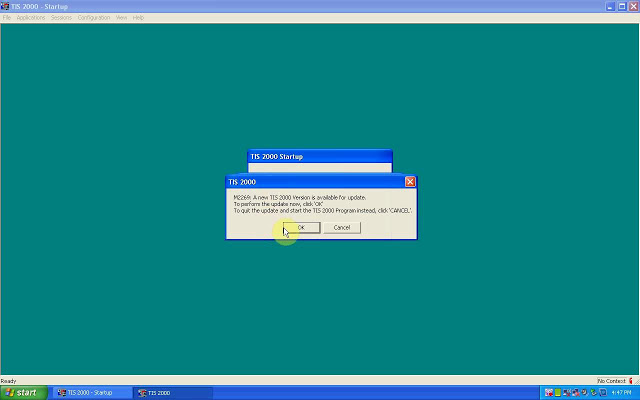
*   Now mount the tis_data_2.iso in your VM (use the virtual cdrom in vmware player and attach to iso file) and open TIS2000 (double click the icon on your desktop) when TIS opens it will ask you if you want to upgrade click yes.
*   After the upgrade completes mount the GM-NAO-TIS200-3_2008.iso in your VM (use the virtual cdrom in vmwareplayer and attach to iso file) and open TIS2000 ( double click the icon on your desktop) when TIS opens it will ask you if you want to upgrade click yes.
*   After the upgrade completes you have successfully installed TIS2000 2008.3 and the Dongle crack, now we need to configure TIS to use the VXDIAG GM nano
*   Open TIS2000 from the icon on your desktop, select Configuration menu from the top and select IO Management.
*   Click the Driver button, click the Browse button, locate the j2534.dll file in the window and click open (installs the J2534Pass Thru Driver)
*   Now click the Add button (in IO management) enter exacly “Generic Pass Thru” in Logical Name and select “J2534Pass Thru Driver” in the Driver drop down, click OK.
*   Select Generic Pass Thru in the list and click Properties, in the Device Name drop down select VXDIAG, (ALLScanner) and click ok then click close to close IO Management.

Now TIS2000 software is installed and configured all you have to do is connect your VXDIAG device to the PC / VM. To do this first use a usb and connect it to the PC then in the VMWare player menu go in removable devices and connect the Future Devices USB to serial converter. At this step my windows install didn’t have the basic usb to serial drivers so I connected the VM to the network (if not connected use the VMWare player menu to connect the network) and windows downloaded them from the net and installed the device as com3. you are now good to go.

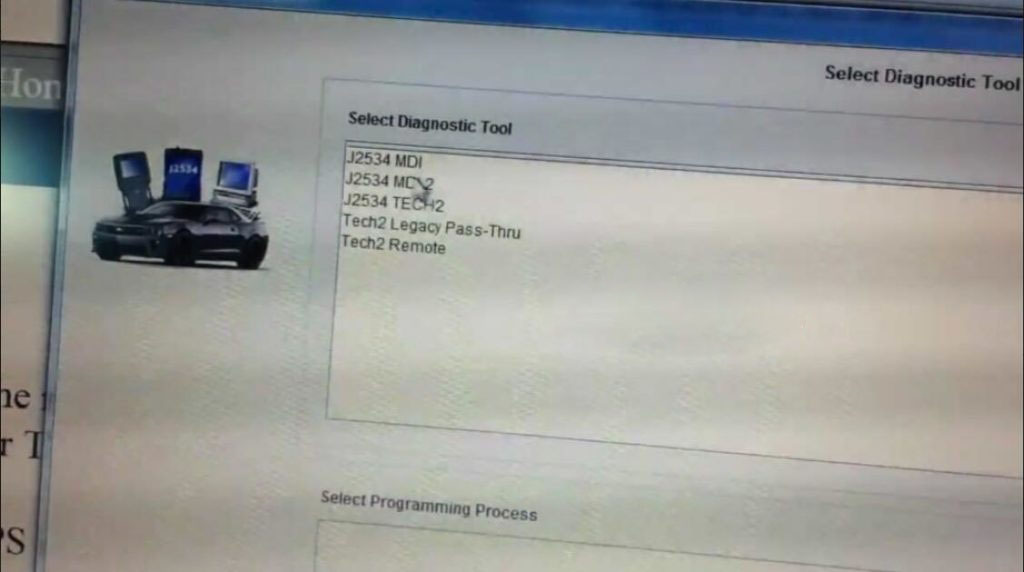
At this point you can now click on SPS in TIS2000 select Generic Pass Thru as your device and your good to program!!

Satisfied, VXDIAG VCX NANO GM device works as a clone to the GM MDI.

Credits to wizzardsl writing for the how-to’s for us.

Monday, February 8, 2021

How to OTC GM Tech 2 Scan Tool

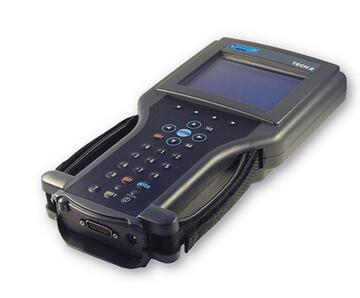
The GM Tech 2 Scan Tool is the best option for working on GM vehicles. We carry the Tech 2 with or without the CANdi module. The CANdi module can also be purchased separately. The Tech 2 is a hand-held computer designed to aid in diagnosis and repair of automotive systems with electronic controls and interfaces. The Tech 2 has been designed as a rugged, shop-ready tool by having a sturdy case, a sealed keypad and heavy-duty cables and connectors. The GM Tech 2 Scan Tool’s diagnostic menu gives you access to four major systems: Powertrain, Body, Chassis, and Diagnostic Circuit Check. Authentic GM software in OTC’s Tech 2 Flash means you have the same information as GM dealers.

How-to-OTC-GM-Tech-2-Scan-Tool

GM’s Service Programming System merges your Tech 2 Flash, a required PC*, and GM’s SPS CD-ROM, and lets you reprogram controllers on ’93 and newer GM/ reprogrammable controllers. With your PC and the Tech 2 Flash, you will be on the receiving end of software subscription updates via CD-ROM disks. Now, different service programming system products are available so you can choose the solution that makes the most sense for your business. The Service Programming System (SPS) updates the flash calibration files that are stored in a vehicle onboard controller (e.g. PCM, ABS, VTD). The calibration file custom-tailors a module to a certain vehicle. The calibration file contains data for things such as spark curves and fuel control. When troubleshooting a driveability condition, diagnosis may call for reprogramming the controller with newer calibration information to correct a customer concern.

The primary function of the CANdi module is to add CAN (controller area network) capability to the Tech 2. The basic characteristics of the CANdi module are that it supports simultaneous communications on three CAN buses and provides high-speed UART communications with the Tech 2. The CANdi module connects between the Auto Diagnostic Scanner Tech 2 Flash’s Diagnostic Link Cable and the OBD adapter. Once the CANdi module is connected, it can be used on all GM vehicle applications, even those vehicles using other platforms such as OBD I and II.

OTC, The One Tool Company that professional technicians trust. Over 75 years commitment to quality has earned that trust. They are continuously adding new technologies and features to the GM Tech-2 Flash line. Features include Flash reprogramming, the CANDi Module, GM’s SPS Service Programming Systems, and GM MDI Tool with TiS SPS Subscription. This innovation enhances the the diagnostic power of the scan tool and provides you with the very best value for your money. When you look at the true cost of ownership – the purchase price, cost of updates, cost of add-ons, range of features, reliability, training and much more – OTC Scanners stand out as the very best value for your money. OTC provides the affordable diagnostics technology you need today and to grow your shop tomorrow.

Keywords: GM, Tech, 2, tech2, two, flash, reprogram, reprogramming, candi, module, mdi, bundle, subscription, otc, scan, tool, scanner, update, software, spx, OBDI, OBD, OBD1, OBD-I, OBD2, OBD-II, OBDII, diagnostic, diagnostics, trouble, code, codes, engine, transmission, ABS, airbag, domestic, updates, kit, OTC3649, 3649, OTC-3649, OTC3648, 3648, OTC-3648, vetronix

Saturday, November 14, 2020

How to Enable Chevrolet Impala Afterblow with GM Tech2


Problem:

I am getting a funky smell when I turn the AC on in my 2007 Chevrolet Impala. I figure the cabin air filter has gotten something bad in it. Just wondering where to get them and how complicated they are to swap out.  Does enabling the Afterblow require a GM Tech2 scanner or can it be done with a hand-held? (Actron CP9580 is what I have).

Solution:

Requires a Tech 2. You need to able to access and modify the BCM parameters. Even HPTuners can’t do any of that. Tech II is the only device I know of that can do it.
However, a dealership should enable it for you for free under the bumper-to-bumper warranty.  Just tell them you have a “dirty sock” smell at time when turning on the A/C and they should do it.

This is assuming that the 9th gens have the required hardware “built in” – not all cars do – some require a “kit” for the added parts needed… I would assume the 9th gens do, but not 100% sure.

This is a known issue (seems to be more and more common on newer vehicles) and there is even a TSB that covers it. The TSB addresses the problem by cleaning the A/C system with some sort of deodorizer (smell is caused by mold) and then enabling an “afterblow” option, which will run the interior HVAC fans for a few minutes about 45 minutes after you park the car (as an attempt to “dry out” condensation from the A/C system.
I’ve had the TSB done to my 2012 Impala, including enabling the afterblow option.

Regarding the “Afterblow option”, when enabled, here is how they enable it and the circumstances under which it will operate (TSB #99-01-39-004C):

Use the following procedure in order to enable the afterblow mode:

Connect the GM Scanner tech 2 scan tool.

Turn ON the ignition, with the engine OFF.

Select HVAC Module.

Select HVAC Systems Automatic.

Select Special Functions.

Select HVAC.

Select Afterblow Option.

Select ENTER to enable the afterblow.

When done, use the soft key to save changes.

When afterblow has been enabled by the scan tool the blower motor will operate between medium and high speed for 4 minutes after the engine has been turned off.

The following conditions must be met for the HVAC module to operate the afterblow:

The outside air temperature must be at least 21°C (70°F).

The A/C compressor must operate for more than 2 minutes.

The engine must be turned off for at least 45 minutes.

The system voltage must be at least 12 volts.

Hope it helps.

Tuesday, April 7, 2020

How to setup GM Tech2 Tis2000 patch

This article is on why need to crack Tis2000 software and how to crack TIS2000 for GM / Opel.
Why need to crack GM Tech2 Tis2000?
For GM Opel tis2000: use D630 computer, you can insert the USB dongle to use or use the patch to crack.
For Saab TIS2000: usually use IBM T30, for other computer you may get error message, need to insert the USB dongle, can’t use the patch to crack.
How to crack TIS2000 for GM / Opel:
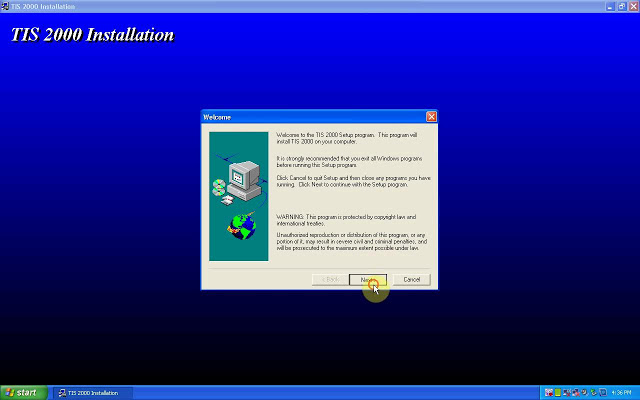
Part 1: Insert CD2.
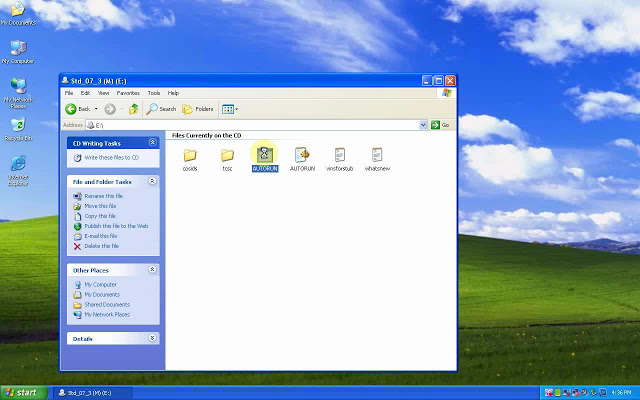
Insert TIS2000 CD into the computer, open DVD.
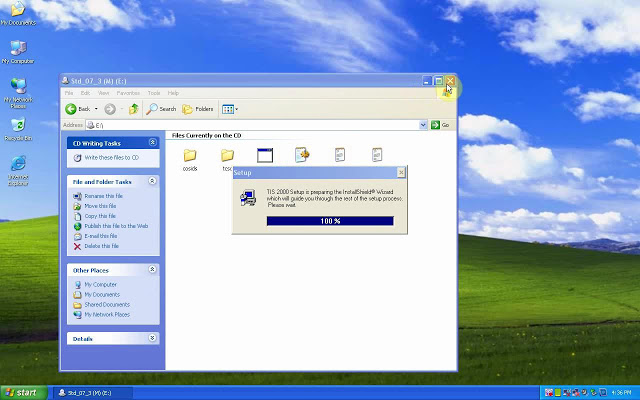
Open “AUTORUN” to setup.
crack-tis2000-01
crack-tis2000-02
Next.
Select language.
Next;
COM1.
Standalone;
NAO;
crack-tis2000-03
crack-tis2000-04
crack-tis2000-05
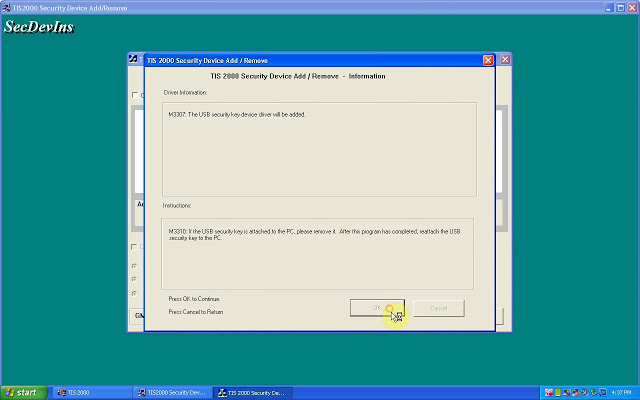
Tick “Click here to add”, then “Continue”.
crack-tis2000-06
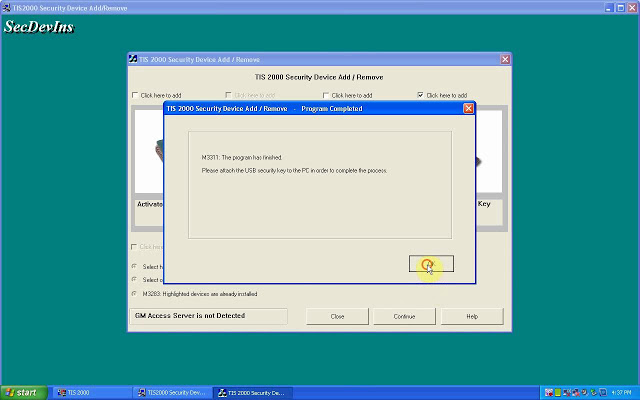
Click on “Ok”.
M3311: the program has finished.
Please attach the USB security key to the PC in order to complete the process.
crack-tis2000-07
crack-tis2000-08
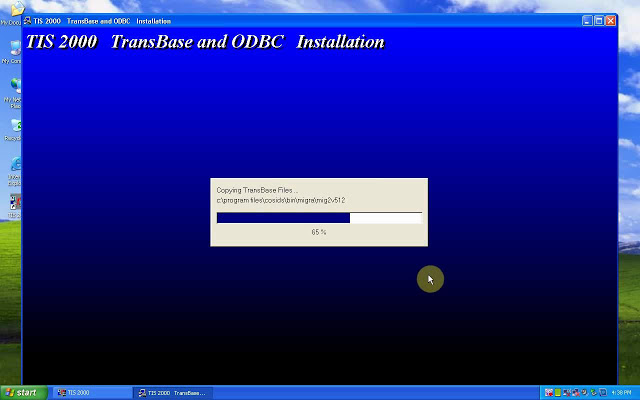
TIS2000 Transbase and ODBC installation.
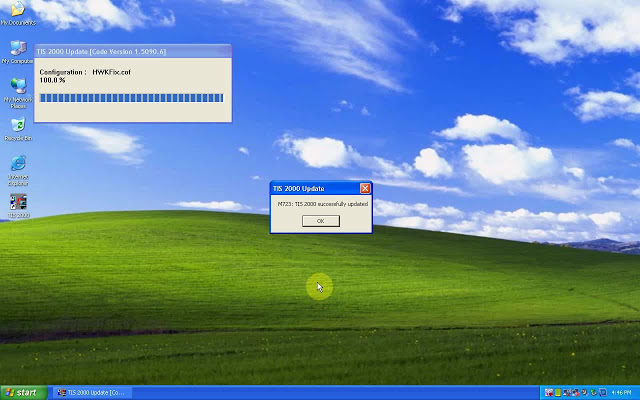
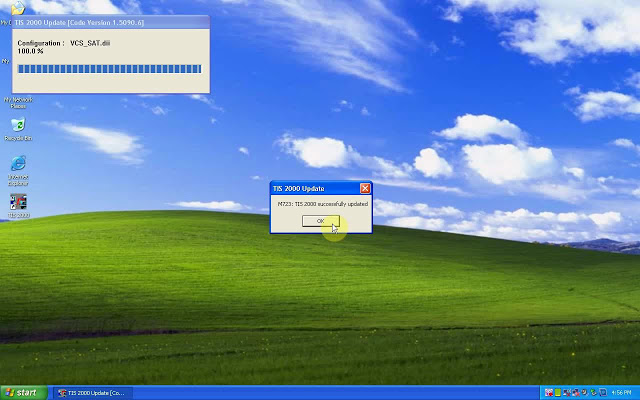
M723: TIS2000 successfully updated.
crack-tis2000-09
crack-tis2000-10
Part 2: Insert CD2.
M723: Tis2000 successfully updated.
crack-tis2000-11
crack-tis2000-12
Part 3: Insert CD3.
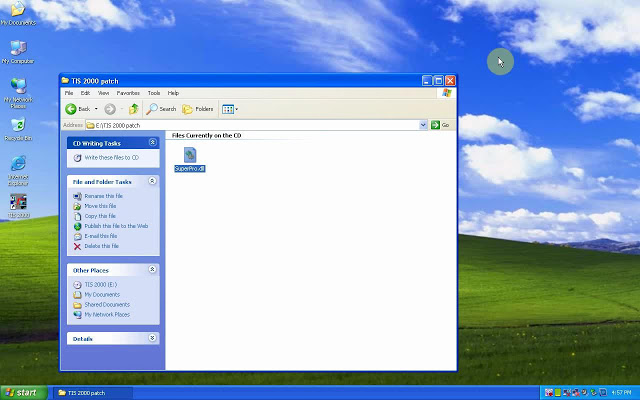
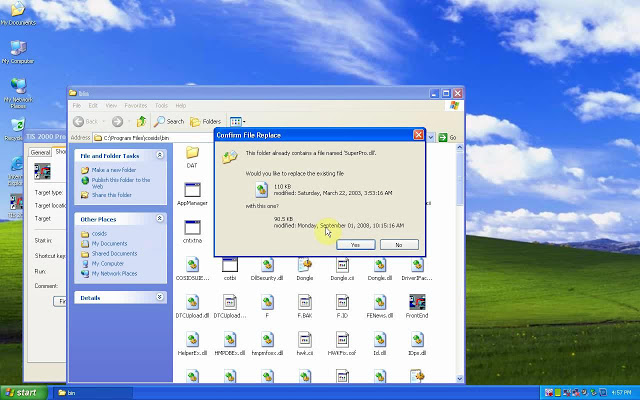
Open the cd, then “TIS2000 patch” to copy “SuperPro.dll”.
Right-click on “TIS 2000″, then “Find “Find target”, then paste “SuperPro.dll” here.
crack-tis2000-13
crack-tis2000-14    4
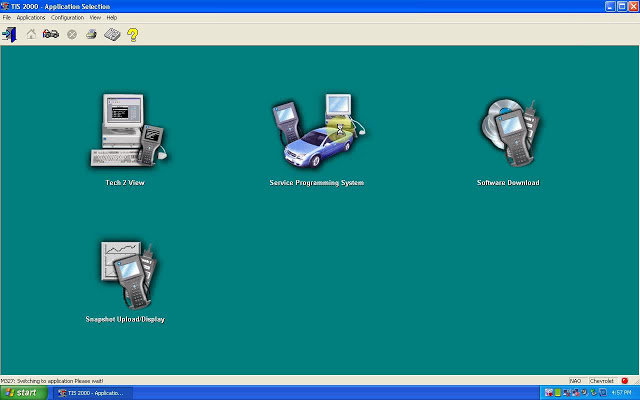
Part 4: open TIS2000.
Enter the “Service Programming system”.
crack-tis2000-15
crack-tis2000-16
crack-tis2000-17
Done.
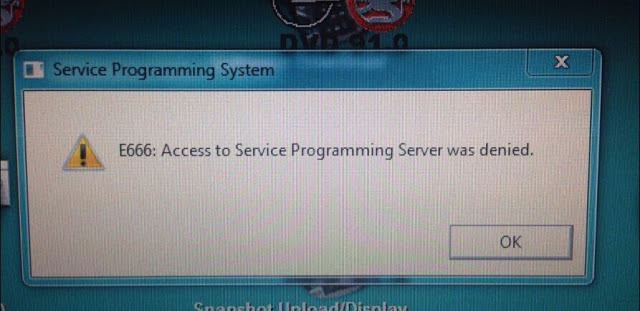
Note: If you done by following the above procedure one by one, you won’t get error ” E666: Access to Service Programming Server was denied”.
crack-tis2000-18
Good luck

Tech2 Clone ensure Corvette C6 steering wheel at zero … and more

Device: GM Tech2 Clone
Car: Corvette C6 2005- 2013
Feedback:
First Impressions
this scan tool is a massive beast, in the pictures it looks smaller but damn! This thing is hefty and looks like one of those TV walkmans’s from the 80’s. hahaha
It can do so so much more than a simple OBD2 Scanner:
Overall technical ability of this GM Tech2 Clone is amazing, I bought it to ensure my steering wheel was at zero after steering rack removal for a harmonic balancer; works great! After pulling DTCs from every single module in the car, I soon realized I had fault codes that a regular OBDII reader would never capture which is pretty awesome!
While playing around with it more, I found where you can adjust the engine idle RPM speed and adjusted it up to 625 from the pre-set 550 RPM. This minor adjustment to the idle speed actually made my Corsa Sport exhaust sound more throaty and aggressive at idle, you should try it. I wouldn’t think this small idle adjustment would damage anything.
FYI, I purchased Tech2 Clone came with the latest GM software version 33. something….This version covers GM vehicles up to 2013. Keep in mind the Tech2 is only a diagnostic tool, used to test different modules and perform numerous tests as well as special functions which are extremely useful. If you want to program or re-flash a module such as the BCM, the Tech2 serves as a pass thru device and you need a subscription from the AC Delco website to perform calibrations or updates to modules.
tech2-clone-corvette-c6-sps-programming-01 tech2-clone-corvette-c6-sps-programming-02
A word: Tech2 Clone can do so much more than a simple OBD2 scanner.
Enjoy!

Sunday, December 22, 2019

GM TECH2


GM-Tech-2
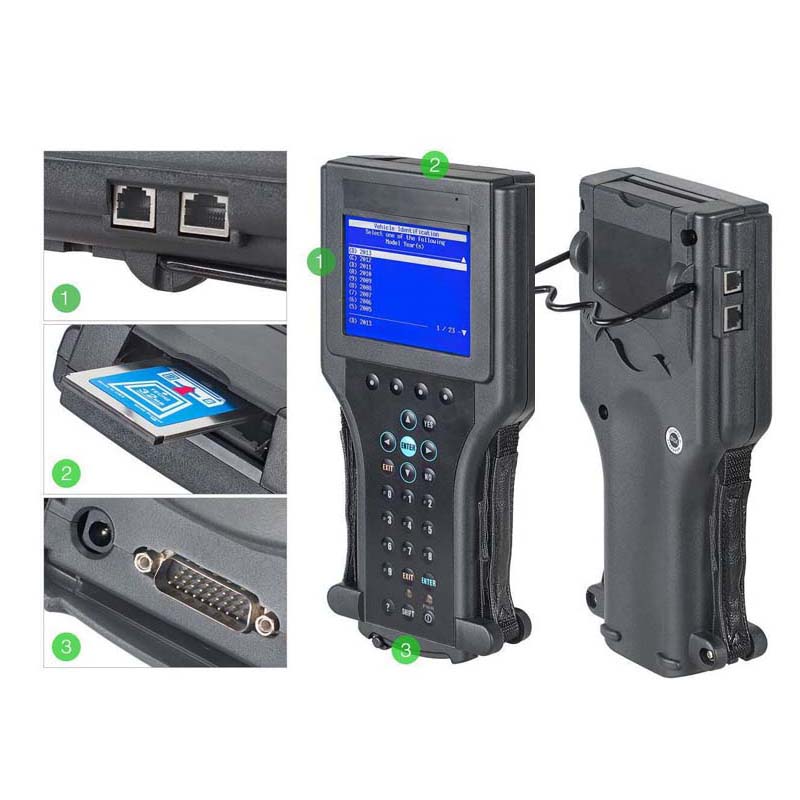
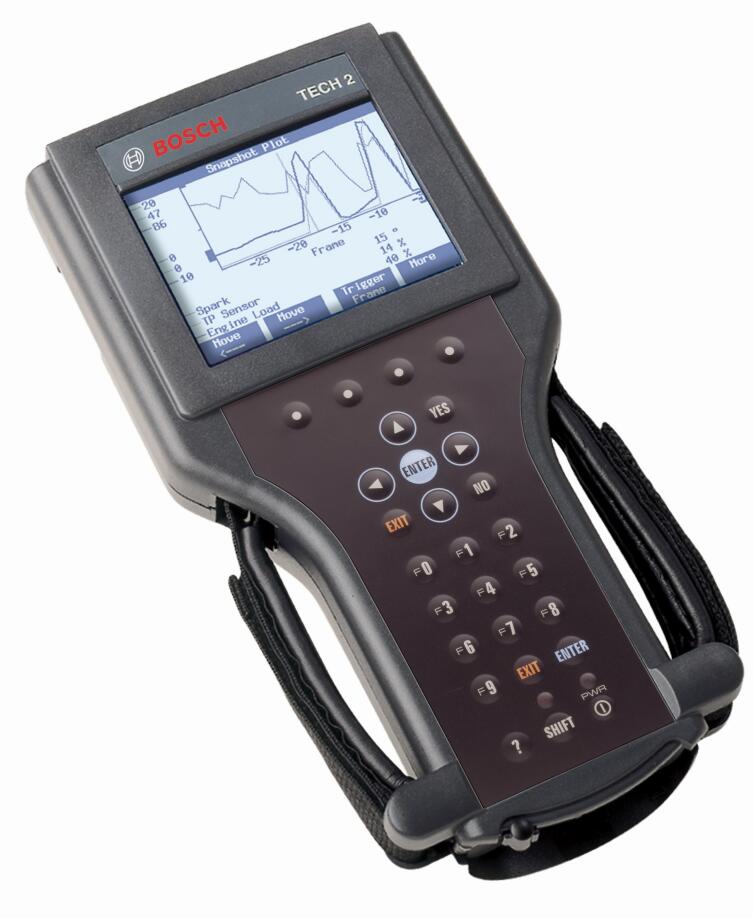
The Tech 2 is a powerful, versatile hand-held diagnostic computer, designed to help diagnose and repair today’s automotive electronic systems. The Tech 2 Scanner supports the changes in the on-board electronic systems for model years 1996 and beyond. With the addition of the CAN Diagnostic Interface (CANdi) module, Tech 2 will support GM on-board electronic systems for years to come.
The CANdi is an in-cable module that works with existing Tech 2 components including the VCI, cables and adapters to add CAN diagnostic capability to the Tech 2 tester. The CANdi module is fully backward compatible with current Tech 2 functionality and operates transparently when diagnosing non-CAN-equipped vehicles.
The Tech 2 provides extensive diagnostic capability through the 32MB PCMCIA card. The PCMCIA card stores diagnostic information intended to diagnose powertrain, body or chassis control modules and related vehicle malfunctions. It also contains the Service Programming System (SPS) application which allows the Tech 2 to program control modules with vehicle calibration data.
The PCMCIA card is updated by linking the Tech 2 to a PC that has access to the ACDelco TDS website. This method of communication provides flexibility for updating the card with vehicle calibration data, mid-year and new-model-year vehicle diagnostics and Tech 2 software enhancements. Software updates are distributed to GM dealers automatically via TIS2WEB at the GM Global Connect web site or go directly to the TIS2WEB site to download updates at any time.
The Tech 2 is capable of capturing a snapshot of vital performance data at idle or during a test drive. You can replay the snapshot or plot and graph the data directly on the Tech 2, or the snapshot file may be uploaded to an approved GM Techline terminal. The file may also be stored on the CD-ROM terminal for future reference. The snapshot capability allows you to see where an intermittent fault occurred, even if it did not set a trouble code.
Model Year Coverage
92 up OBD systems CAN equipped vehicle coverage with CANdi module
PC Requirements:
Only required if reprogramming or Tech 2 diagnostic software update is performed. Tech 2 is a stand-alone diagnostic tool. Currently GM is recommending a minimum Intel i5 processor
Recommended package:
Intel Core i5 at 2.6GHz 64 bit
2) USB 2.0 (or better) ports
500GB Hard drive
4GB ram
Windows 7 Professional 64bit
Internet Explorer 9 +
Wireless capability
Note: The Tech 2 uses a legacy DB9 Serial Null modem cable to connect to PC. Current spec PC do not have this connection. It will be necessary to have the null modem cable and a Tripplite Serial to USB adapter properly configured on the machine to perform reprogramming or diagnostic software updates.
Software License
Available as three different subscriptions:
Complete GM Service Support Package Includes: GM SI, Tis2Web – All Access, GDS 2, and Tech2Win
Tech 2 Service and programming package which includes software updates and license for the Tech 2 operating software, Service programming software, Tech 2 View, Tech 2 Snap Shot, and Tech2Win
Tech 2 Diagnostics Includes: Tech 2 Diagnostic software updates
The Tech 2 does not time out if the software becomes outdated. The tool will display a message to update as a reminder and may not operate correctly with newer vehicles if it is not updated regularly.
DTC Code Retrieval
Retrieve OE DTC with code Definition     X     X
Retrieve and display Mode 6 Data     X
Link DTC to service information     X
Customizable PID display     X
Data Logging
Body     X     X
Chassis     X     X
Electrical     X     X
Powertrain     X     X
Network Test
CAN     X     X
J1850     X     X
Module Programming
Programmable Module replacement procedures     X     Set-up
Module Reprogramming (Reflash)     X     SPS
Coding     X     X
Supplemental restraints initialization     X     X
Programmable Parameters ( ability to change in service settings ie, tire size, personality, customer convenience etc.     X     X
Body Controls
Anti-theft System Functions     X     X
Remote Keyless Entry     X     X
Restraints (supplemental restraints and seat belts)     X     X
Chassis Tools
ABS Service Bleed     X     X
ABS/ Brake system functions     X     X
IVD Initialization Sequence (SAS reset)     X     X
Ride Height Calibration ( for vehicles with pneumatic or hydraulic ride height controls)         X
Cruise Control System tests     X     X
Electronic Ride control     X     X
Electrical Tools
Charging System Test     X     X
Audio     X     X
Powertrain Tools
EVAP Test     X     X
Force monitors to run     X     X
Fuel System Test/Relative Injector Flow Test     X     X
Bi-directional control of fuel components     X     X
Bi-directional Ignition System control     X
Power Balance Test     X     X
Transmission bi-directional Tests     X     X
Engine Checks and OBD Tests (Drive Cycle, Mode 01, Mode 06 & Mode 09)
EGR Test     X     X
Other Powertrain tests & functions     X
Digital Multimeter
Basic DMM functions (Volts, resistance, frequency)         X
Current measurements (50 Amps/500 Amps)         X
Pressure/Vacuum measurements with PVT         X
Oscilloscope Tools
Oscilloscope         X
Alternator ripple         X
COP (Coil-On-Plug) stress test         X
Signal Generator Monitor (SGM)     X     X

Wednesday, July 31, 2019

GM Tech 2 Clone Reliable or Not Purchase – Package – Programming Tips

This is advice for those have problems:
– what do you think of Tech 2 made in china?
– Is there any software close to Tech 2 to be bought which has access to all hummer h2 modules?
Many thanks all contribution from MixManSC like to share his experience with all.
Purchase:
I bought my Tech2 from China and it works great.
I cannot speak for any on Aliexpress or Amazon. I’ve seen both good and bad reviews on the ones from there.. Regardless it would not matter as again, I have no way of knowing if one from some seller on there will be a good one or not.
It is also worth spending the extra to get the case which does cost a good bit more. These come with a lot of different adapters and parts and the case makes it very nice and easy to keep it all together.
This is the kit that I ordered. It also includes the Candi module which is needed for many newer model GM vehicles.
Newest Vetronix Tech2 Diagnostic Scanner Working for GM/SAAB/OPEL/SUZUKI/ISUZU
Note: China tech2, Palmer ScanXL Pro and EASE
I’ve got 3 different scanners, a China tech2, Palmer ScanXL Pro with enhanced GM software and EASE Diagnostics with enhanced software for both chevy and hummer.
The Tech2 is the best, palmer ScanSL Pro is very good at pulling trouble codes from all GM modules but does not have bidirectional control while EASE is good software its had issues with pulling all codes from all modules but it has bidirectional capabilities. The Tech2 can do it all up to 2013 along with programming modules if you have the software and security key up to 2007 models.
Package:
The “Candi” module is needed for GM vehicles with the newer electrical systems. On an H2 the “Candi” module would be required for an 08/09 model. I’m not sure what years on an H3 and other GM vehicles.
On any of them you must have the 32MB card (GM North America)
The plastic case adds to the cost but is worth it as the full kit is a lot of separate pieces and the case gives you one place in a custom fitted case to keep it all neatly versus all dumped into a cardboard box.
The TIS2000 software/USB Key are really NOT needed unless you want to reprogram ones of the many various computer modules in your vehicle with software updates. To use the TIS2000 software you will need to install it on an older PC running Windows 98, Windows XP, or Windows 7 (32 bit) and will need a serial port to connect to the Tech2. As an example though, my 2003 had multiple modules with updated software which CAN fix problems. One I remember is my air ride module had an update that fixed the compressor running much more often than needed.
Hummer H2 Programming tips & guides:
Actually it does the programming just fine on newer than 2007 GM vehicles BUT you must pay for an ACDelco TDS subscription for vehicles above 2007 and you would use the CANDI module that comes with many of the Tech2’s for working with CAN bus vehicles. You can subscribe for as little as two days for $55.
https://www.acdelcotds.com/acdelco/action/subscribehome
This is ONLY needed if you want to program or update the software in a module. ALL of the build in diagnostics and testing for vehicles up to 2013 works without the subscription or the older TIS2000 software. You only need those for doing actual programming. The older TIS2000 software – that is what has the programming was discontinued in 2007. TIS2000 does have the actual programming for all vehicles up to 2007. After 2007 GM went to the TDS system.
You can also get a newer style MDI or MDI 2 for diagnostics and programming. The catch with those. They have NO screen or built in software and you must pay for a subscription from from ACDelco TDS to use an MDI.
Other brand units, a very select few can do actual programming and use the pass-through method. NONE have the diagnostics that the actual Tech2 or MDI (with the subscription) will have. Check with Autel and see if they have the full diagnostics and re-calibration for the rear air suspension on a Hummer H2. Not going to happen, there is too little demand for them to hack and reverse engineer that particular bit of code in a Tech2 to figure out the diagnostics and then write programming for that for their tool.
For programming you also need to have TIS2000 running on a computer or pay GM for a 24 month subscription for their TIS2WEB (Vehicle Programming) for $40 https://www.acdelcotds.com/acdelco/action/subscribehome
The computer will need a serial port for downloading the programming to the Tech II for programming your vehicle.
The way programming works is you connect the Tech2 to the vehicle and tell it you want to program a module. It interrogates all of the modules on the vehicle for the current versions and the VIN number. You then connect it to the computer running TIS2000, GlobalTIS, or TIS2WEB subscription and select programming in the computer. It reads the Tech2 for the vehicle info and then presents you with a list of software for all of the modules and shows you which have updated software. I recommend only doing one module at a time which is a good bit more back and forth but safer. The computer then loads the update to the Tech2. You take that back to the vehicle and connect it and it then programs the module.
The best, most reliable and safest method is to use a long enough serial cable (its uses 9 pin serial adapters with an ethernet cable to make the cable longer – so you can just use a longer network cable) and do pass-through programming. In that method the process is the same but you leave the Tech2 connected to both the computer and the vehicle at the same time. Once you select programming on the Tech2 then go to the computer and you can immediately update each module right from the computer.
There is a slightly more updated version of standalone TIS2000 floating around on the web which has additional updates that has software updates for vehicles through 2009 as well. I know just using that TIS2000 both my GMC truck and my 2003 H2 both had
a bunch of software updates available to be programmed all of which fix small issues or improve certain aspects. One example in on the older single compressor air ride like my 2003. Those would run and make small adjustments a LOT more often than needed and the software update fixed that. On the H2 the rear air ride is also one to be very careful of for doing software updates though. For example, my 2003 came with the earlier style single compressor but if it were to fail a dealership would replace it with the newer style dual pump compressor. Programming would still think its the original style and would attempt to program it and that would actually cause it to fail. TIS2000, (Global, Web, etc) will warn you about this sort of thing though so just heed all warnings and follow instructions and its fine.
The programming aspect is not needed or required to use the Tech2. The Tech2 still gives you a TON of diagnostics and tests that NO other OBD device has including things like the air ride module, detailed BCM functions, basically you can control and test every computer module in the vehicle.
btw, HUMMER is not shown in the GM vehicle list… because that little short list is incorrect and only shows a few of the earlier than 2007 CAN bus vehicles.
Summary:
Cannot really compare software with a gm Tech2 as that is comparing hardware to a program. That being said, there is a software side of things that work alongside the Tech2 which is the TIS2000 software. Getting that working is a bit of a project in and of itself as the software is old and seems to work best on Windows XP. The TIS2000 software is really not needed to use the Tech2 though – that is needed if you want to update the firmware in the various modules in your vehicle like the ECU, BCM, DDM, etc.
Simply put though. There is no other tool that can do everything on Hummer H2 that the Tech2 can do. It is the only tool with things that are very specific like calibrating the rear air suspension module. Other tools can be very powerful but that are mostly just have features that are common to many vehicles and will not have things that are specific to just one or two vehicles.

Friday, June 28, 2019

Can I use Tech 2 for OBD1

TECH 2 scan tools work with GMs from 1991- 2013
OBD1 is everything before ’96!
If the menu is in the Tech2 for ’91 then that hints that all you would need is the correct 16 – 12 connector/adapter and also likely a provision to power it with the adapter. OBD2 is self-powered from the DLC, OBD1 ain’t. ’94 & ’95 would work without the adapter, they’re 16 pin DLC with pin 16 being B+.
I’ve used my “REAL” Tech 2 Scan Tool with ’95 but not Corvette, compared to my Tech1 on the same car I did have some contradictory comparisons that I couldn’t explain. I don’t recall them now but it did confuse me for a time. I put a JY ECM in a ’95 ParkAvenue for a fellow to resale and it ran well so I worried NOT about it.
FYI, There is a Tech1A OBD1 to OBD2 interface that lets the Tech1a work fine with 96.
I have done it multiple times, you MUST have a Tech1A with correct mass storage module to install a new PCM or CCM to program key fob resistance, mileage , vin info ,LT1 or LT5. You have 100 miles after install to program the module or it becomes non programmable. (this pertains to new or reman module, used module is just what you get and is non programmable)
Edit: The manual says it should work with the OBD I connector:
SECTION VI
TROUBLESHOOTING
2005 Tech 2 User’s Guide VI – 15
IMPORTANT
If not properly grounded, the CANdi module will appear to be defective when it is not. The Professional Diagnostic Tool CANdi module will fail due to improper grounding if you use the 16-pin DLC (J-1962) connector and power the
Tech 2 from an AC/DC power supply. The adapter you use must have a GM part number. Although PVI
adapters are similar to GM adapters, they will not work with the CANdi module.
CANdi Module Troubleshooting Guide
If a CANdi module is not functioning properly, please perform the following tests:
Make sure the CANdi module is properly grounded by connecting to a vehicle or by using the 12-pin
ALDL connector, which has the signal and chassis ground shorted.
loading..

Sunday, October 14, 2018

Remote programming with Tech 2

GM_TECH2_1
So now I can show you guys why that actually failed although I hit the button a little bit before I thought I was gonna have the Tech 2 ready. So programming is in progress this is the part two of the first part of the remote programming so if you missed the first one and it’ll make no sense to you whatsoever. but the reason why this one wasn’t programming which I’ll show you know that’s the programming was successful is this guy right here he’s actually connected.
GM_TECH2_2
I’ve already had all this part just put it back in for right now though but they had that wired into the last two lines it was not pulling down the line. It was not interrupting the line in any other way then when I was trying to do the programming. it was just there and apparently trying to do something with that line and preventing it from being able to talk.
So always look for things like that if you’re about to do a programming and there’s something wrong that’s one of the things that you want to make sure that you have disconnected.
GM_TECH2_3
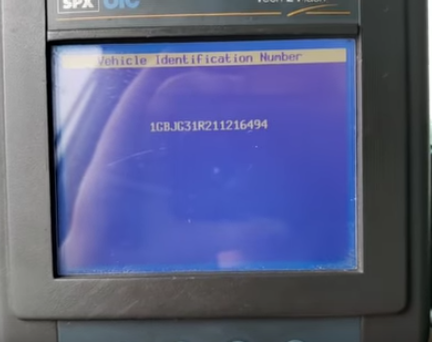
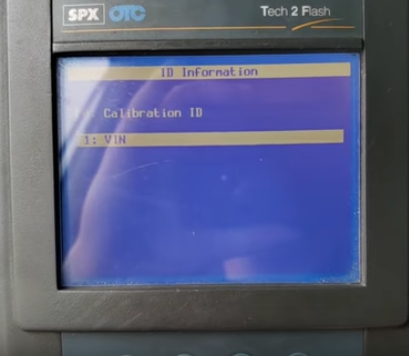
Alright so that’s a successful turn the key off hit the continue button come back out of here and one thing you can do just to make sure is go into diagnostics and pull up 2001 my beauty truck powertrain this is a 5.7 VIN. it’s under 86 and they can go down into the information and pull up our VIN number if the good numbers there whoops.
GM_TECH2_4
GM_TECH2_5 GM_TECH2_6 GM_TECH2_7 GM_TECH2_8
let’s turn that key back on dopey there’s our VIN number,then we definitely got our calibration in as long as that’s there you’re okay no bricks today and I’ll come in here and they’ll probably get the Car Diagnostic Tool for so they’re like a twenty six hundred possibly a sixteen hundred sixteen thirty one.
GM_TECH2_9
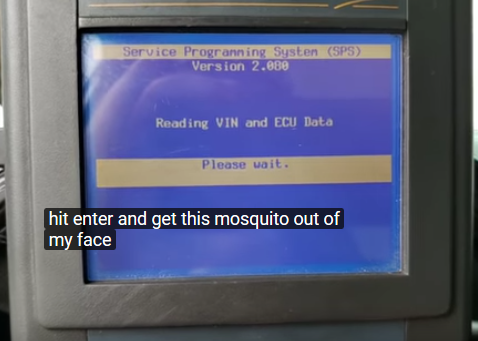
There you are that the turns start a naval signal not correct so just to show you because they have that thing in there that says vehicle theft deterrent we will go back hit enter go back into the service pro gaming system request the information again Chevrolet 2001 light duty truck Express gasoline hit enter and get this mosquito out of my face there I’m really suffering for you guys now I got to ask you over here even my arm as I’m holding up the camera
GM_TECH2_10
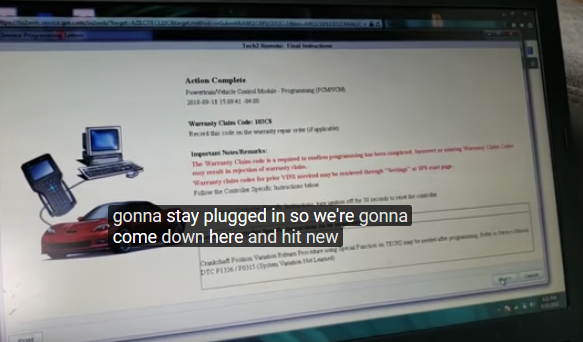
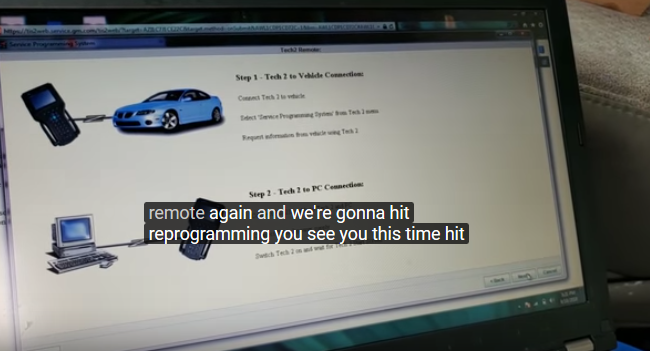
All right is the VIN cracked yes it is this time turn off the ignition disconnect ektu all that good stuff we don’t need to do any of that just go back to the main screen okay we’re just gonna stay plugged in so we’re gonna come down here and hit new and we’re gonna come up here I’m going to hit the remote again and we’re gonna hit reprogramming you see you this time hit next and again it’s going to start communicating up here a second let’s say download mode rs-232 possibly
GM_TECH2_11 GM_TECH2_12
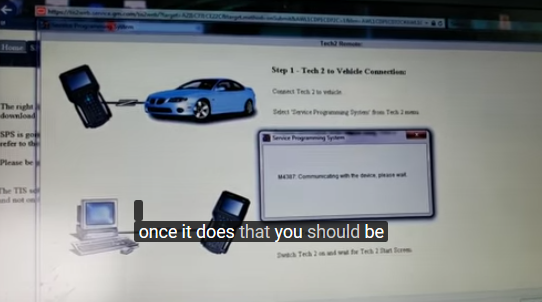
There we go once it does that you should be getting that and yes these old ones are tedious and all that good stuff but it becomes necessary now there’s a VIN number this time around it pulled it up perfectly fine hit next.
GM_TECH2_13
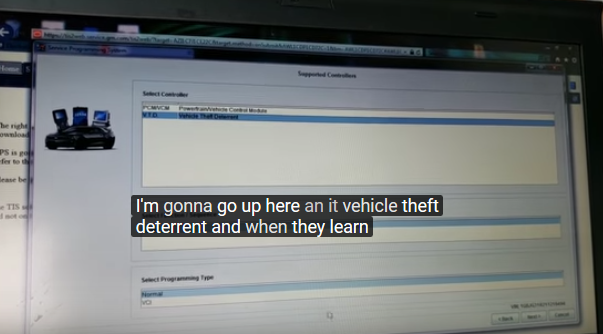
I’m gonna go up here an it vehicle theft deterrent and when they learn and we read next.
GM_TECH2_14
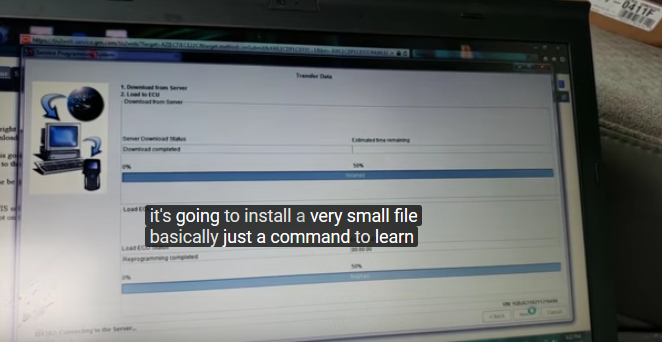
I remember we’re not telling the car or anything all we’re gonna do now is we’re going to transfer over that data how we first we didn’t know if it’s an export or not so let’s see which one is export, which one’s not that’s domestic and that’s export we are domestic so we hit the mistake weird next next again and it’s going to install a very small file basically just a command to learn.
GM_TECH2_15
That’ll be now up here get back to the main screen its back on the main screen and they’re going to service programming hit program ECU am I sure you betcha and then you get a timer say preparing controller for programming performing programming operations and this time around what you get is please wait 10 minutes remaining
Now you can wait 10 minutes and sit here and stare at this thing I’m going to tell you now Chevy Express Van zhis Peschel II when you do in the old remote programming this Pro this process or alright that’s a you know this is a 2001 I will say anything prior to 2001
it will not work 2002 2003 have actually had a couple of them that did go through but certainly not on this one so I’m just gonna cut the video right where it is the next part of this here if you wanted to do this manually you have to do in the programming is I’m sure most of you guys are already familiar with it.
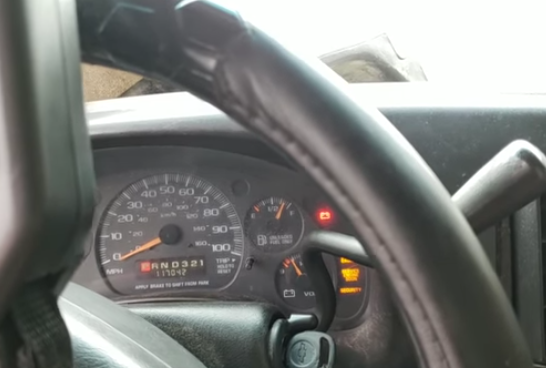
You’ll go into the crank position release the key wait 10 minutes for that little security light down there down there to actually go out once that goes out your 10 minutes is up cycle the key off wait two seconds do it again go to crank position again 10 minute wait for the security light to go out you can do that process anywhere from 3 to 4 times service information says 3 sometimes.
It’s not really in programming mode so it might take 4 but that’s it and that’s what’s gonna get this thing back up and running again so this is more about the programming operation and watching the truck run but anyhow that’s it for you guys and apparently they must have unplugged but I’m looking now throughthe viewfinder.
They must have unplugged my battery maintainer out there alright then you go take care of that before this thing good does have a good day.
GM_TECH2_16
I recommend that you buy gm tech2 on Obd2tool.com. They are cheap, logistics is fast, and after-sales service is also very good. I have been using it for a year and there is no problem with the quality of the product.

Friday, August 17, 2018

How does GM Tech 2 works with Hummer

This is about GM Tech 2 scan tool for Hummer troubleshooting and programming.
Can I have a cheap Tech 2 for Hummer?
Yep. Both the original and HQ clone can work for your car.
Where can I get a working clone at a good price?
https://www.obd2tool.com/goods-1568-GM+Tech2+GM+Scanner+-CANdi++TIS+(Works+for+GMSAABOPELSUZUKIISUZUHolden).html
Why my Hummer is not shown in the GM vehicle list?
That little short list is incorrect and only shows a few of the earlier than 2007 CAN bus vehicles.
Tech 2 clone for both troubleshooting and programming Hummer?
I’ve used my Tech2 on my 08 many times for troubleshooting not programming
But I think it should be able to program Hummer.
Anyone has good success of Hummer H3?
My H3 has had a CEL on – po452. I checked it with the tech 2. Well it pulls 3 codes, po455 (large evap leak), po442 (small evap leak), and po449 (vent solenoid control).
Tech 2 is possible to program for Hummer H2 above the year 2007… what to do in that case?
Actually it does the programming just fine on newer than 2007 GM vehicles BUT you must pay for an ACDelco TDS subscription for vehicles above 2007 and you would use the CANDI module that comes with many of the Tech2’s for working with CAN bus vehicles. You can subscribe for it.
This is ONLY needed if you want to program or update the software in a module. ALL of the build in diagnostics and testing for vehicles up to 2013 works without the subscription or the older TIS2000 software. You only need those for doing actual programming. The older TIS2000 software – that is what has the programming was discontinued in 2007. TIS2000 does have the actual programming for all vehicles up to 2007. After 2007 GM went to the TDS system.
You can also get a newer style MDI or MDI 2 for diagnostics and programming. The catch with those. They have NO screen or built in software and you must pay for a subscription from from ACDelco TDS to use an GM MDI.
Other brand units, a very select few can do actual programming and use the pass-through method. NONE have the diagnostics that the actual Tech2 scanner or MDI interface (with the subscription) will have. Check with Autel and see if they have the full diagnostics and re-calibration for the rear air suspension on a Hummer H2. Not going to happen, there is too little demand for them to hack and reverse engineer that particular bit of code in a Tech2 to figure out the diagnostics and then write programming for that for their tool.
11-1 11-2
loading..
Posted by Celia Liu at 6:31 PM No comments: Email ThisBlogThis!Share to TwitterShare to FacebookShare to Pinterest
Labels: candi module, GM Tech 2 clone, Gm tech 2 scanner, Gm Tech2, TIS2000
Tuesday, June 26, 2018
Tip and Guide Needed before Buying Tech 2 for SPS Programming
Hi all,
Here are all experience of Chinese GM Tech 2 interface for SPS programming and hardware key issues. You will get useful tips/guide. Have fun.
Confirm your card with a brand:
Before buying, you should tell your seller: Will you choose GM or SAAB or Isuzu or Opel card?
Because every card to one brand cars. If you want to do more brands, they will ask your pay extra fee for other cards.
Hope it be useful.
Can do programming:
Chinese clone Tech II don’t have hardware key but it can do programming
TIS2000 dongle & sw make it:
The TIS2000 Dongle( the newest one is USB flash type ) and the TIS 2000 software could do the SPS programming . usually the chinese gm tech 2 kit not included it . you should point it speartly that you need it very important . may be need more $100.0 for the dongle and software
Work for cars 2008 or older:
You should use the TIS200 dongle and software for reprogramming SPS and access Immo SYSTEM but just work for 2008 year or older. for new cars, you should use the MDI module programming online
MDI instead for new cars:
buy GM MDI instead as it will run tech2win and do sps flashing and also do latest model cars that tech2 won’t do
Must have TIS2000:
the Chinese GM Tech-2 can’t program, if you want to do programming you need to buy the TIS2000 software. It has the hardware key.
Works well for one year:
if you consider to buy one, I can suggest you buy it using the site obd2tool.com , I buy it one years ago, and it works well now, and they can supply us the technical support. I use it to program with the TIS2000 software….
Works fine for 2 years:
I bought a Chinese OPEL TECH2 interface off obd2tool.com, from two years now and it stills working fine. If you use the right software you wont found any inconvenience …
There’s no need of drivers and Opel tech II is an Auto exec file, so it doesn’t need to install.
I Hope it’s been helpful 4U
Both 2 units work fine:
I bought 2 units from different suppliers, both work fine, until I bought the original tech2 card from one of this suppliers It does snapshots, and programming but one of the units wont accept the card, it seems like one of the edges close to the pin connector side , is been damage well one of the problems, the main problem I think is after I use explorer manager to upload the file to the tech2 card on my laptop I did it many times with no problems it work just fine, but after that day I couldn’t it goes up to 25% and gives an error related to power , couldn’t find a card of 12v or something like that, and the other card finish fine but when when I plug to the tech2 it wont recognize the card it displays downloading mode and that it, but a clone card work fine so I use this to diagnose, ifany body knows how to do a low level format or some fix like that in order to be able to use the card again please help.
Until today I’m using tech2 clone from china it does SPS and all, still working fine I have a software emulator for dongle it works great on American NAO, Brasil, Isuzu, I do SPS on all this vehicles with no problems. just make sure you get a card for SPS, snapshots and it will work.

https://www.obd2tool.com/blog/2018/08/06/how-does-gm-tech-2-works-with-hummer/

Friday, October 27, 2017

GM TECH2 clone on Corvettes C5 reviews – works like a real one

I have a great knock off GM Tech2, it works great on GM Corvettes!!! I got mine from my good buddy who just bought it. I just sent my money via Paypal to the site to get their Tech 2 unit.. It was a better deal than the other site because The company where I purchased my Tech 2 has been in business for 6 years.
Here is the link to the site that sell the Vetronix units, I still need to buy a case ….I have mine in the box it came in:
http://www.obd2tool.com/goods-1568-GM+Tech2+GM+Scanner+-CANdi++TIS+(Works+for+GMSAABOPELSUZUKIISUZUHolden).html
I took several pictures of mine, quality of the cables and connectors and even the discs it comes with. you don’t need to download the manual , it’s on the data disk
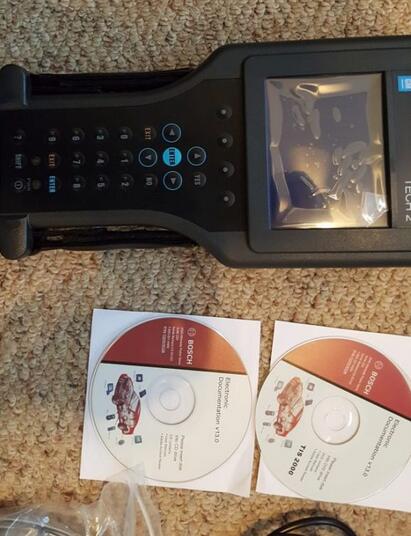
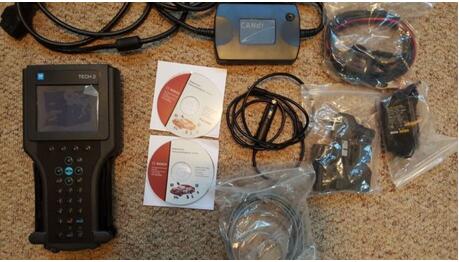
The unit itself ….and the software CD’s … pretty good knockoffs, I think it’s like the others stated , it is a TECH II
TECH2-1
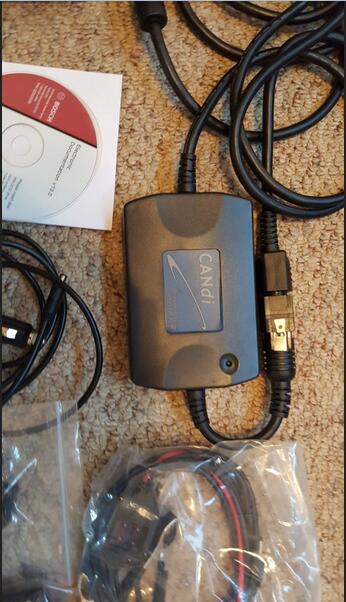
and here is the CANDI unit and cables ….. pretty high quality stuff along with one of the 12 volt adapters
TECH2-2
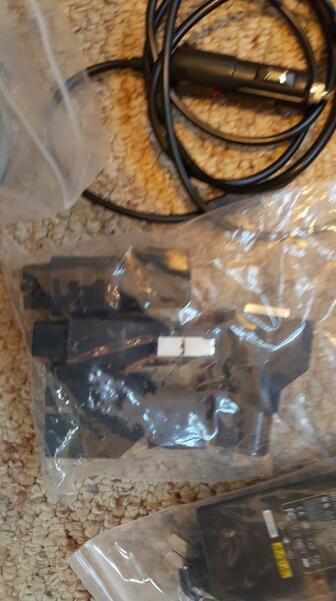
And another shot of the data disks .. as you can see the labels were not made with an INK JET printer … and the a second cigarette lighter 12 volt power cable
TECH2-3
and ….every cable and cable end you would need to connect to any GM car.
TECH2-4
but wait, if you act today there is more …..
TECH2-5
Personally, I can verify that they look to be the real CDs that come with the GM Tech 2 units.
As for the GM Tech2 update:
Not sure why everybody is worrying about UPDATING” it as it is my understanding that Professional Diagnostic Tool GM put its last update for this thing way back in 2011 .
Anything you need or want to do with this thing can be done as it sits with no need to update ……..everything listed in JT’s post about updating is already in mine ….. at least for my 2011 Corvette LS3
As far as updates for my car … I am a firm believer , just like computer BIOS , if it is not broken , don’t try and fix it . My Chevrolet dealer stated that I had all the updates installed already
So far I have use it as a diagnostic tool /TCM reset tool , accessed the ABS and BCM modules and to turn on and off certain toggles etc that only a tech two can access $329.00 gamble, we picked one that we thought we could trust and used the best credit card as far as buyer protection and doubled down by also using PAYPAL then hoped for the best … in my case it worked out for what I wanted it to do.
Another good story to my friend, his software is out of date, but he can get into most everything that he have tried to so far on newer cars. He uses the “Global OBD II” under the VIN info page. He has not tried to program anything this way, but He has been able to access all the different modules on the CAN buss.
But I would suggest him update by getting the newest PC card from one of the online sellers, 2011 is the last update that GM did on the Tech 2 for Corvettes, so the newer units being sold all have the latest software already loaded on the GM card. Below is the latest card for GM for the Tech 2..From their site…
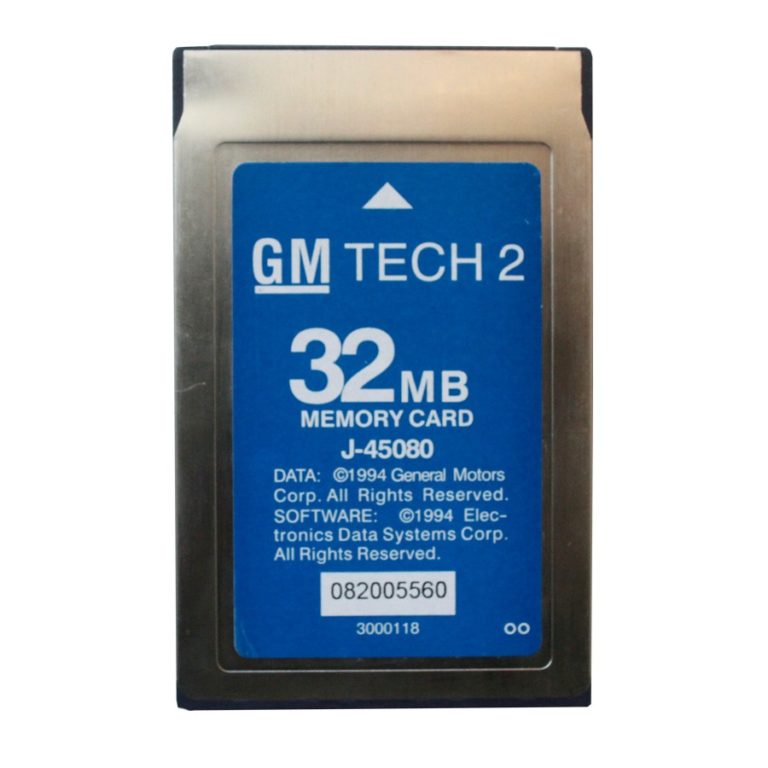
32MB Card for GM TECH2 (GM OPEL SAAB ISUZU SUZUKI & Holden)
Their description: Works with GM TECH2, contain the latest software for GM TECH2. It has six kinds of software, SAAB, OPEL, GM, ISUZU, Suzuki and Holden. Customers can choose one type of software to be loaded to this 32MB Card.
TECH2-6
What about other GM models?
It works for more than Corvettes… I am sure there are a lot of repair shops that are using a knock off . Several users over on C5 have bought them and reports are positive from what I saw…
Failure:
1.didn’t work on certain GM trucks
2.Also if you do a search of people that have actually purchased a Tech 2 recently, you will find that there are very few that aren’t totally pleased with their purchase..
In my option, the TECH II from obd2tool.com is great you are limited to using it on certain GM cars .
Overall, This thing is a priceless tool as far as I am concerned. My $250.00 device does everything that the $5,000 device does …things that make you go ” Hmmmmm”.

http://cheapobd2tool.com/2017/10/19/gm-tech2-clone-on-corvettes-c5-reviews-works-like-a-real-one/