Saturday, July 7, 2018

Autel MaxiDAS DS808 vs. DS708 vs.MS906

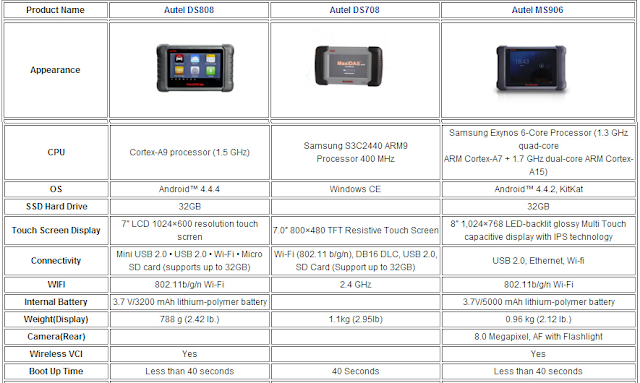
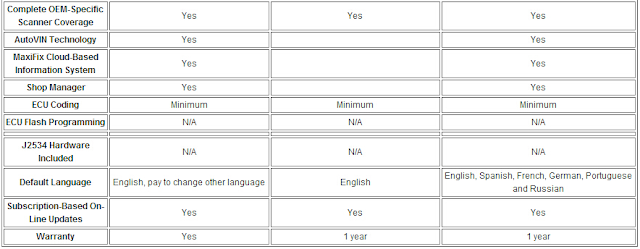
As a hot sell product in Autel, MaxiDAS DS808 has many powerful functions. Here is the comparison of DS808, DS708 and MS906.
31-1 31-2
In conclusion
MaxiDAS DS808 has such powerful Features:
1. Extensive vehicle coverage for more than 80 US, Asian and European vehicle makes
2. Exceptional OE-Level system coverage for all electronic systems
3. Complete capabilities for codes, live data, active test, ECU information, adaptation, matching, etc.
4. Smart AutoVIN technology for identifying vehicles easily
5. Automatic system and software updates with real-time push message notifications via Wi-Fi
6. Instant remote control tech support anytime, anywhere
7. Cloud-based MaxiFix online community provides a vast database of diagnostic and repair tips and proven filed fixes
8. Interactive Data Logging sessions enable direct contact with Autel Technical Support for first-hand troubleshooting of diagnostic bugs and errors
9. One-stop multitasking designed for ideal management of workshop operations to keep all data files, customer info, and vehicle records well organized
10. Convenient data management system for managing internal program applications and reviewing data

http://forobd2tool.com/blog/2018/06/25/autel-maxidas-ds808-vs-ds708-vs-ms906/

Saturday, June 30, 2018

2018 OBDSTAR X300 DP Plus (X300 PAD2) Key Programmer

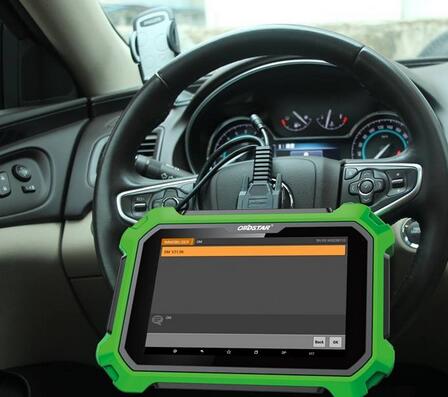
OBDSTAR X300 DP PLUS (X300 PAD2/X300 DP II) is a new Android-based vehicle trouble diagnostic device which is characterized by covering a wide range of vehicles, featuring powerful function, and providing a precise result.
Compared with OBDSTAR X300 DP PAD,  it has great improvements in both hardware and software. Please keep reading to find out more.
5-1 5-2 5-3
X300 DP Plus Hardware Advantages:
1. Built-in VCI box, communication more stable
2. 8-inch touchscreen, more intuitionistic
3. Can be charged directly via OBD interface
4. Practical and high-end gift box
5. Industrial design with silicone case
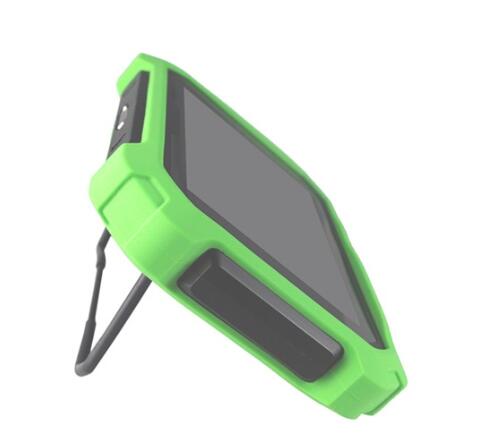
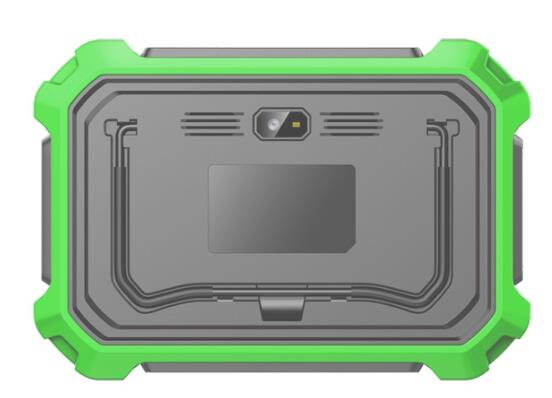
6. Back bracket design:Can prop on the steering wheel or stand on the table, easier to operate
7. With 4 Toyota simulation keys (the fifth is coming soon)
8. 3 in 1, P001 programmer: combined with EEPROM adapter + RFID adapter+ Key Renew adapter
9. Add the clip of reading SOP 8PIN EEPROM
10. Add wiring harness of ECU reading by OBD (for ECU cloning and switch activation)
X300 DP Plus Software Advantages:
1. ECU Clone
1) ECU Clone, means ECU duplication.
The device copies all the data from the original vehicle ECU, and then writes all data copied into ECU with the same hardware to realize the same ECU function with the original vehicle.
2) Clone directly when replacing a new or a used ECU!
Without online matching in 4S store or removal of ECU bonding wire for reading and writing! Directly write without dismantling OBD!
3) Three features for ECU Clone:
A. Free of 4S online: break monopoly from 4S, benefiting automobile maintenance industry
B. Simplified operation procedures: realize foolproof operation
C. Non-dismantling with zero risks: read and write data without dismantling ECU
2. Switch activation function
(Today many instruments or audio of vehicles activate secondary power supply to go into power-on status by relevant module CAN communication on the vehicle, but sometimes an instrument or an audio is separated from vehicle CANBUS network, causing startup failure when it needs to be repaired by an auto technician. This function can simulate CAN communication to activate secondary power supply, so the instrument or the audio enters into power-on status. In this way, it not only can test and verify the instrument or the audio, but also save an enormous cost for an auto technician to purchase a large number of startup platforms of various vehicles and wiring harnesses!)
3. Add “Help” functions
Including built-in testable vehicle models, upgrade announcement, features, help notes and wiring diagrams, etc.
4. Carlist:
Can directly get on the device
5. Upgrade Announcement:
All details are available on the device
6. Customers can look up the features or uniquely support functions on the device
7. Help notes:
Built-in help notes for each model or function
8. Wiring diagrams:
Built-in ECU wiring diagrams, more intuitionistic and convenient
OBDSTAR Scanner X300 PAD2 Diagnostic functions:
1. Diagnose the electronic control system of prevailing vehicle models covering Asian, European, American and Chinese. Diagnosis functions include: Read DTCS, Clear DTCS, Read data stream, Special functions etc.
2. Classify special function: ABS, EEPROM Adapter, Battery match, CVT learning, EPB, Gear learning, Immobilizer, TPMS (low tire) reset, Cluster calibrate, ECU programming, steering angle reset.
3. Specially designed for Android platform with clear and user-friendly interface;
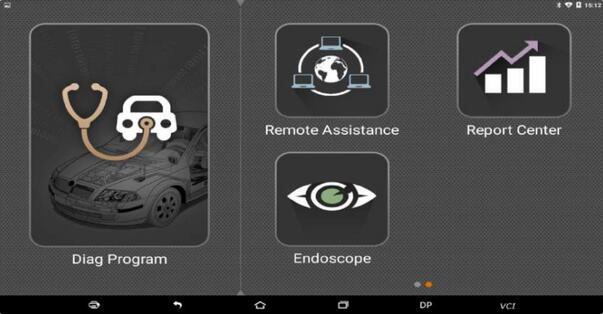
Diagnostic software Main interface Display:
5-5
5-4

Friday, June 22, 2018

SDconnect C4 DTS-monaco user manual

MB SD Connect C4 DTS-monaco user manual:
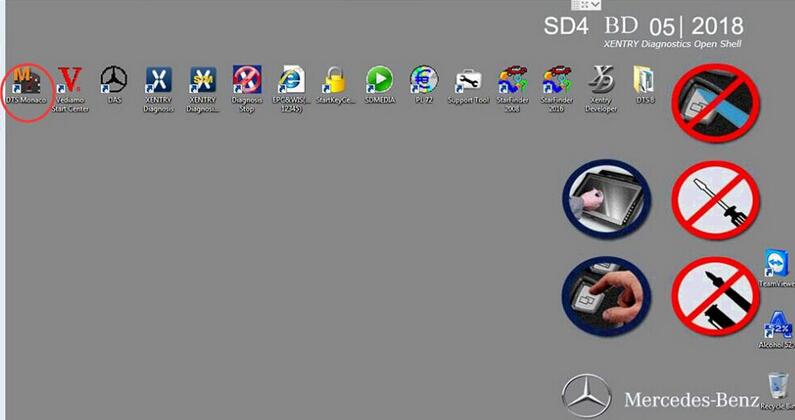
1.What is DTS-monaco?
2.Which MB sw version comes with DTS-monaco?
3.Why do you need DTS-monaco?
4.What’s the difference between DTS-monaco and Vediamo?
5.Where to get DTS-monaco confirmed to work?
6.Where to download DTS Monaco for free?
7.How to install DTS Monaco on Windows 7?
8.Any good success with DTS Monaco?
9.How do people think of DTS Monaco?
1.What is DTS-monaco?
DTS Monaco enables the comprehensive testing of diagnostic communication, diagnostic data and diagnostic sequences in the areas of engineering, testing and preparation of manufacturing tests. It can be adapted flexibly both for a whole range of different test tasks and for different user groups.
2.Which MB sw version comes with DTS-monaco?
12-2017, 03-2018, 05-2018 (newest)
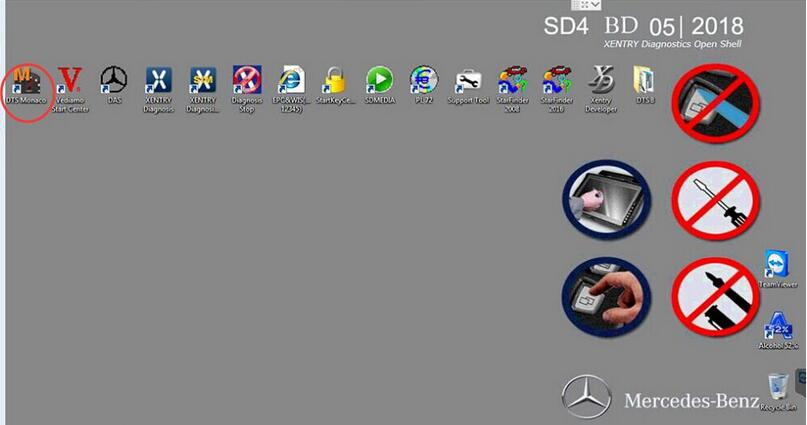
7-1
3.Why do you need DTS-monaco?
1)Areas of Application
* Development of diagnostic and control functions for ECUs
* Function test and validation
* Integration and system test
* Preparation of test sequences for Manufacturing and Service
* Analysis of returns and Quality Assurance
2)Flexibly Adaptable to the Relevant Task
DTS Monaco is part of the Diagnostic Tool MB Star C4 Set product family and is based on the DTS Base System. Monaco stands for Modular Analyzer for Vehicle Communication. A clearly laid out start page enables simple and fast access to the functions required most frequently. The actual workspace is divided into two: one area with a fixed layout and one with layouts that you can toggle between. A status display below shows communication server messages. The various functions are realized using special, configurable interface elements. These “HMI Controls” can be arranged freely in the layouts in configuration mode and comprehensively configured.
3)Early Detection of Problems and Errors
In execution mode, a configured workspace can be “started”. In doing so individual functions can be started automatically and communication can be established in advance if so required. Self-generated test sequences enable both simple and very complex function tests. This makes it possible to detect, and remedy, communication problems and function errors at an early stage. Communication data and test results can be documented in entirety in the process.
4)Fast Results
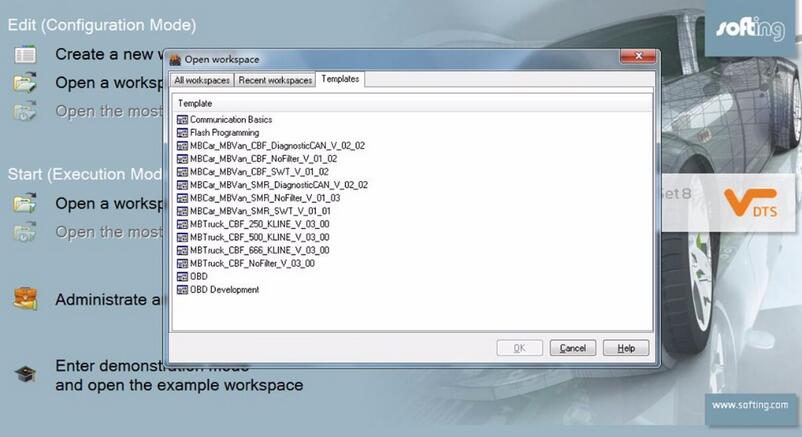
For typical use scenarios predefined templates including an universal database for the OBD self-diagnosis as well as various protocol templates (WWH-OBD, J1939-73 among others) are supplied. In Demonstration mode, all functions can be tested, even without an interface and a license, using a detailed example including simulation. Furthermore, the tool has a completely integrated OTX runtime for running complex test sequences in accordance with ISO 13209. An authoring tool for creating such OTX sequences can be started directly from SD Connect C4 DTS Monaco.
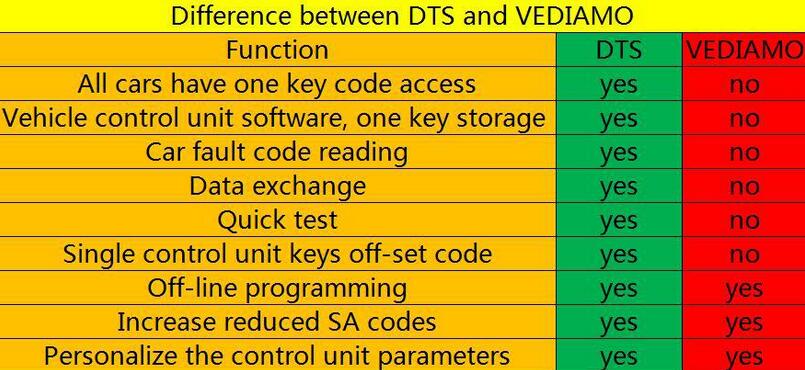
4.What’s the difference between DTS-monaco and Vediamo?
7-2
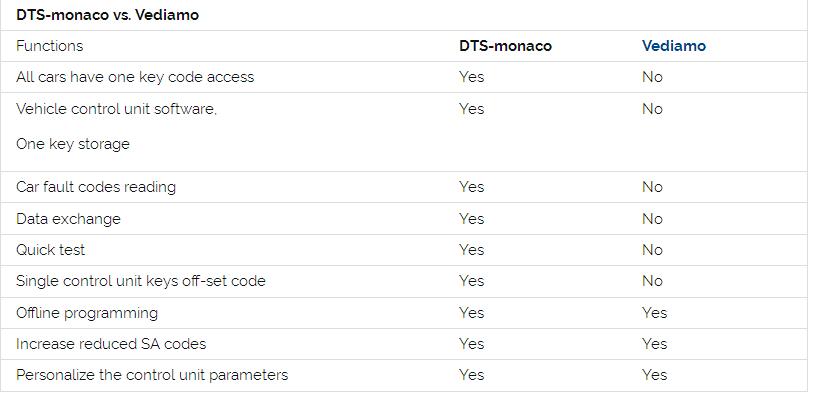
DTS-monaco vs. Vediamo
7-3
DTS-monaco wins, definitely!
5.Where to download Star Diagnostic DTS Monaco for free?
https://mega.nz/#!p9ZDGKwS!VTn9fB80Z9-YKpV8aj9PkRXR3KinAT6RFiW13GGdOHI It’s free but with unknown security.
6.Where to get DTS-monaco confirmed to work?
7-4
7-5
7-6
Here you go.
http://www.obd2tool.com/category-163-b0-MB+Star+Diagnostic+Tools.html
7.How to install DTS Monaco on Windows 7?
When installing DTS Monaco to communicates and works with SD connect c4 all user installed SDconnect Toolkit version 2.1.3. And no one tried to force the work SDconnect Toolkit version 2.1.4.2, which is installed together with the installation of Setup_Addon_DAG. And I did it.
Checked only on the system without DAS/Xentry.
DTS Monaco 8.03.12.
Windows 7 x64.
Follow the next steps:
1)  Install Monaco
2)  Install Setup_Addon_DAG
3)  Go to ะก:\ProgramData\I+ME ACTIA\Toolkit\
4)  Open and edit toolkit.ini
Code:
ShowInTray=2
NetworkIcon=2
DeviceIcon=1
ConnectionState=1
1)  Save file and reboot Windows
2)  Connect SDconnect MUX via cable
3)  Start System Configurator
4)  Go to Licenses and you will see your MUX as DCDIPartW with your serial number. After editing in Interfaces type of MUX will change to MVCI_IME_ACTIA_GmbH_SDconnect
5)  Go toInterfaces
Code:5
eCOM_SMR
Interface name – > SDconnect_SMR
Bus system interface – > D-PDU API
D-PDU API version – > I+ME ACTIA GmbHXS_D_PDU_API_FOR_DTS_8_03_12
Module type – > MVCI_IME_ACTIA_GmbH_SDconnect
Cable – > CABLE_OBDII_SDCONNECT
Physical links: CAN1, CAN4, CAN8
1)  Click Save and close System Configurator
2)  Now you can connectto the car or single ECU
8.Any good success with DTS Monaco?
DTS Monaco works good – Mercedes W205 coding
Mercedes-benz W205 coding with DTS Monaco
Monday, June 18, 2018

Why choose 2018 CARFANS C800 Heavy Duty Truck Diagnostic Scanner?


CAR FANS C800 is fully optimized based on the OEM scanner, which enhances the comprehensive diagnostic capability of the diesel vehicle. Some of the functions are based on the advanced technology accumulated by the R & D team for many years, and are superior to other similar diagnostic products in the industry. The main diagnostic functions include reading the version information, reading/clearing the fault code, actual values, actuators, advanced function (special function, matching settings, functional test, diesel calibration) and so on.
CARFANS C800 support 35 Heavy duty brand, 21 BUS Brand, 16 Passenger car Brand, 32 Machinery vehicle brand and 46 ECU System, almost cover all brand heavy duty vehicles in market.
C800 Truck Diagnostic Tool Function:
Identification
Read Fault code
Erase Fault code
Actual Values
Actuators
CARFANS C800 Heavy Duty Scanner Menu & Function Display:
Commercial vehicle
1
Passenger vehicle
2
Engine &ECU
3
Home interface
4
System selection interface
5
Advanced Function- Adjustment/Setting
6
Special Function-Coding interface
7

If you want to get more details,please click here.

Sunday, June 10, 2018

Retrofitting Adaptive Cruise Control to 8V RS3

Questiones:
I am now planning to keep this car until its four year warranty expires in May 2020. In which case I shall, if possible, fit ACC.
This is meant to be a simple procedure providing the car is fitted with the right instrument cluster and CAN gateway. (Kufatec tell me this anyway… apparantly it is wiring in the radar and some reprogramming…)
Kufatec want to know, from diagnostics, what the part numbers are for these items as fitted to the car from diagnostics and not the parts catalogue. My VCDS know-how is pretty basic, so can anyone help me locate where I can find the CAN gateway part number please? I might be ok with the instrument cluster, but this too would help!

Answer:
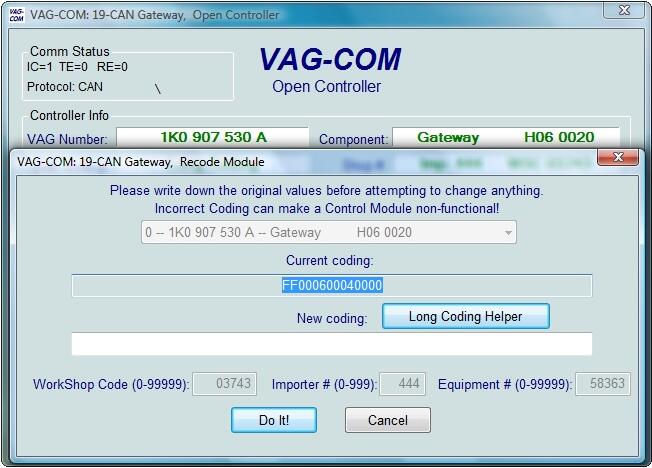
Go into VAGCOM 18.2 select 19 can Gateway
You’ll see something like this
Part number SW version etc
1-1

Friday, May 11, 2018

Autel Maxisys MS906 OBDII Automotive Diagnostic Scanner


11-1
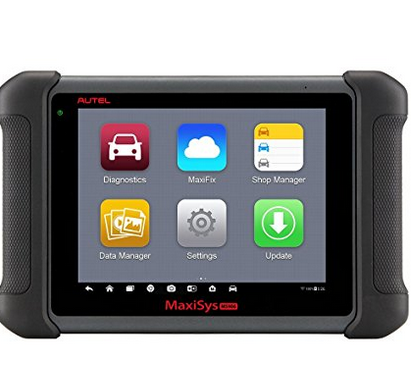
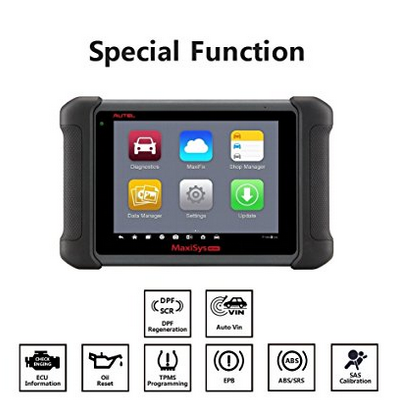
Autel MaxiSYS MS906 is based on the Android operating system and is featured with an extensive coverage of OE-level diagnostics at an affordable price. Built with Exynos 5260 6-core processor (1.3 GHz quad-core ARM Cortex-A7 + 1.7 GHz dual-core ARM Cortex-A15), a 32G SSD hard drive and an 8” capacitive HD touch screen, MaxiSys MS906 efficiently provides comprehensive vehicle diagnostics and analysis
11-2
Complete Diagnostic: This Autel Scanner Performs full OBD2 functions, advanced vehicle diagnostics and analysis, such as read codes, erase codes, live data view, actuation tests, adaptations and more dedicated services functions, it also with full OBDI adapters.
11-3
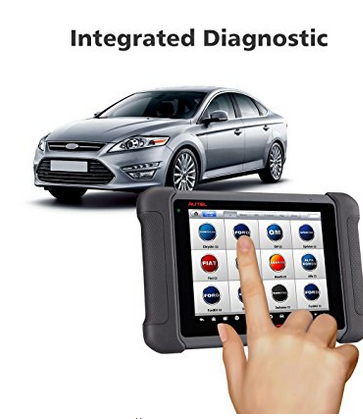
Smart Diagnostic Scanner: The ms906 featuring the latest AutoVIN technology to identify vehicles in one touch to scan ECUs, acquire vehicle info and run diagnostics on selected systems.
11-4
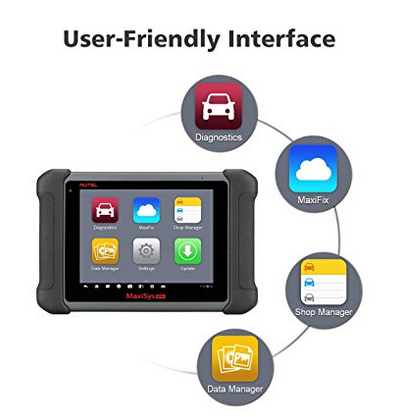
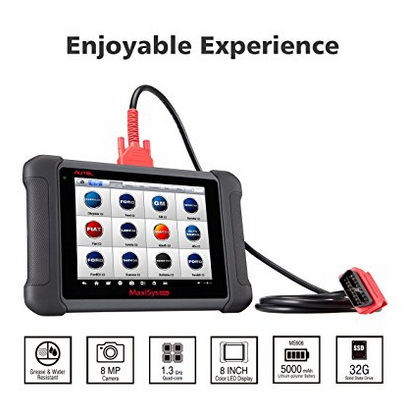
Enjoyable Experience: Samsung Exynos 6-Core Processor make the diagnoses more quicker. Comes with 8.0” LED touch screen which is bigger and sensitive than DS808, and with one touch navigation menu, which make everything smooth, intuitive and simple. 5000mAh lithium-polymer battery provided around 4.5 hours of continuous use.
11-5
Extensive OE-Level Converge: Scan a broad range of automotive related problems for over 80 car manufactures such as ABARTH, ACURA, ALFA, AUDI, BENTLEY, BENZ, BMW, BUGATTI, CHEVROLET, CHRYSLER, CITROEN, DODGE, DACIA, DAIHATSU, FIAT, FORD, GM, Holden, HONDA, HYUNDAI, INFINITI, ISUZU, JAGUAR, JEEP, KIA, LAND ROVER, LEXUS, LANCIA, MAYBACH, MAZDA, MINI, MITSUBISHI, NISSAN, OPEL, PEUGEOT, PORSCHE, RENAULT, SAAB, SCION, SEAT, SKODA, SMART, SPRINTER, SUBARU, SUZUKI, TOYOTA, VAUXHALL, VOLVO, VW, etc.
11-6
Online Update & Perfect Service: Automatic system and software updates with real-time push message notifications via internet, it also come with 12-month warranty for any quality problems.

http://forobd2tool.com/blog/2018/04/05/autel-maxisys-ms906-obdii-automotive-diagnostic-scanner-2/

Saturday, April 21, 2018

Porsche Piwis Tester 2 Online Coding Guide

Porsche Piwis online programming account service is piwis porsche subscription and piwis tester 2 online coding service offer via teamviewer. Porsche piwis coding account need to work with obd2tool.com Porsche PIWIS tester 2 diagnostic tool. Porsche Piwis 2 online coding one time for one module of Porsche car coding.
Many customer inquiry about how to do online coding via piwis II, here we share Piwis II Online programming guide as following.
What need prepare for Piwis II online programming?
1.Original plan Porsche Piwis 2 inluded OBD & USB cable
2.Original XP system Piwis Tester II software running on laptop compatible with piwis II
3.One Porsche Car from 1996-2017 (vehicle support OBDII protocol )
If customer need original plan Porsche piwis II with laptop Piwis II software installed full set, just order here>>
14823129183 Porsche Piwis Tester 2 Online Coding Guide
When you keep all mentioned above ready for Porsche Piwis II online programming, just check and following below guide;
How does piwis II online coding service?
Step 1: Prepare Porsche Car information:
Excellent network performance is most important
Car model, Year
VIN number
What module need coding
Step 2: Order piwis II one time online programming here>>
Step 3: Due to time difference, pls keep your order number contact email sales@obd2tool.com  appointment online programming available time in advance.
Step 4: Connect car to Porsche Piwis Tester and laptop, send us teamviewer id and password during appointment time for online coding service offering.
Step 5: Waiting for online programming till coding finished, and check and confirmed.
Obd2tool.com kindly note:
1. We do not offer Porsche Dealer Account login service.
2. We offer one time Piwis II online programming service from dealer account login till module coding be finished successful.
3. Piwis II online programming one time only for one module as usual, if customer need coding several module of cars, pls inquiry our sales for how many times Porsche piwis online coding service you need order.
With Porsche diagnostic tool online coding account, customers can activate the Porsche PIWIS tester2 vci online program function, any question about the Porsche piwis ii online coding account service just contact us freely.

http://forobd2tool.com/blog/2018/04/15/porsche-piwis-tester-2-online-coding-guide/