Showing posts with label BMW ICOM A2. Show all posts

Wednesday, August 28, 2019

How to set WIFI for BMW ICOM NEXT A+B+C New Generation OF ICOM A2

1.Set router
username:ISAP
password:12345678
2.Connect the laptop with router
3.The device is powered on and waits for the WLAN light to be on for a long time.

If the customer needs to set the WIFI account password of BMW ICOM NEXT A+B+C.Power on the device and connect to the computer via a network cable
1.Open IToolRadarsoftware
图片2
2.Record the current IP address of the device
图片3
3.Open IE browser and enter the IP address you just recorded.
+  :58000图片4
4.Enter WLAN Settings.Put username in SSID,put the password in Pre-shared Key
图片5
5.Click Save Changes
6.Then restart the device and you can use it

Friday, November 30, 2018

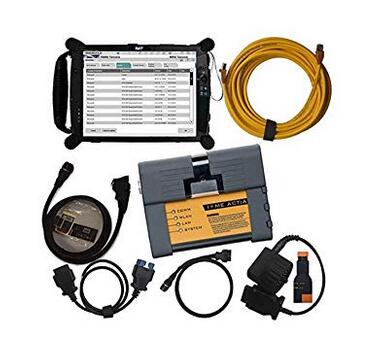
BMW ICOM A2+B+C for BMW with 2018.9V Software program Plus EVG7 Diagnostic Tool FAQ

BMW-ICOM-A2
Query:
Can BMW ICOM A2+B+C software be updated if yes how so? And does this tablet run ista/d and ista/p can it program and code modules
Answer:
Hello my friend: the software could be updated, but you might want to obtain a new application HDD from us! You simply need to buy one particular time for one particular year, the software program is about USD 135 with shipping cost, it truly is one 500GB HDD, and this can be a specialist tester for BMW, so it could plan!
The update each year obtainable at our shop. Tablet run windows, so very same as typical laptop hardware.
Question:
Are you able to send me all the information and facts around the bmw laptop or computer is it just like ista when programing
Answer:
It may test and programmer,we have set up all software inside the EVG7, as well as active it properly, you'll be able to use it straight if you get it!
Query:
Is this wireless? Is every little thing already loaded onto the evg7? Thinking of purchasing BMW ICOM or a single with all the laptop which will be superior? Thanks
Answer:
hello my pal:
I hope you might have a very good day! we'll set up almost everything for you personally nicely just before we send it to you, you may choose the products as outlined by your need, if you can install the application by oneself, you can acquire it devoid of computer, just with one protable challenging disk with it, so you could use it with any laptop, for those who think install the software program is actually a dilemma, so you can pick the one together with the EVG7, we'll set up computer software for you, it can be ok?

Friday, September 1, 2017

How to update ICOM A A2 firmware for Rheingold 2015.11

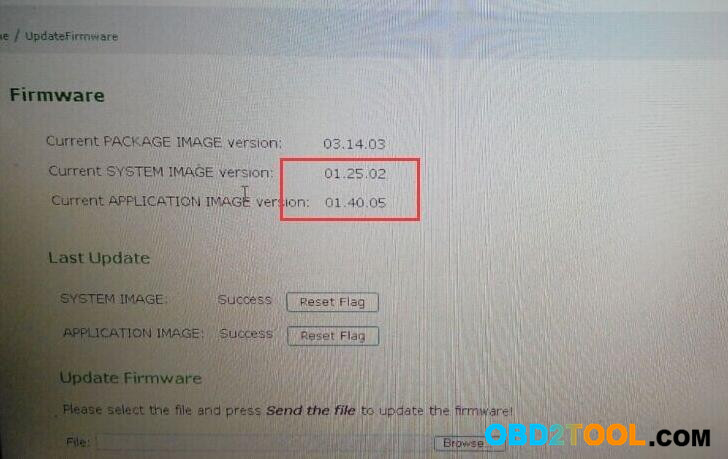
The latest BMW ICOM A1/ A2 software Rheingold 2015.11 has been released. So what do you do for the new ICOM software? Update your ICOM firmware!! That is, users with ICOM A A2 2015.11 should update firmware system image to version 01.25.02 & application image to version 1.40.05.
Here is the BMW ICOM Software update instruction.
Note: please free download firmware update files first!
ICOM-ApplicationImage-01-40-05.bin
ICOM-BootImage-01-25-02.bin
1 Connect ICOM A1 / ICOM A2 to PC via wired network connection.
Connect ICOM A1 / ICOM A2 emulator to the vehicle or power on the emulator via 12V power adapter.
2 Open Internet Explorer
User name: root
Password: NZY11502
User name: root
Password: NZY1150263
3 Click “Update Firmware“, to get the ICOM firmware version.
4 Select file “ICOM-BootImage-01-25-02.bin”, to set image type as SYSTEM, then click “Send the file“.
5 Prompt: Write the image file to the flash?
Select Yes, and the light on ICOM mux will turn red.
6 Prompt: The SYSTEM IMAGE update was successful.
Click “Update Firmware“.
7 Select file “ICOM-ApplicationImage-01-40-05.bin”, to set image type as APPLICATION, and then click “Send the file“.
(several minutes needed)
8 Prompt: Write the image file to the flash?
Select Yes, and the light on ICOM mux will turn red for the second time.
9 When all is ok, click “reboot“.
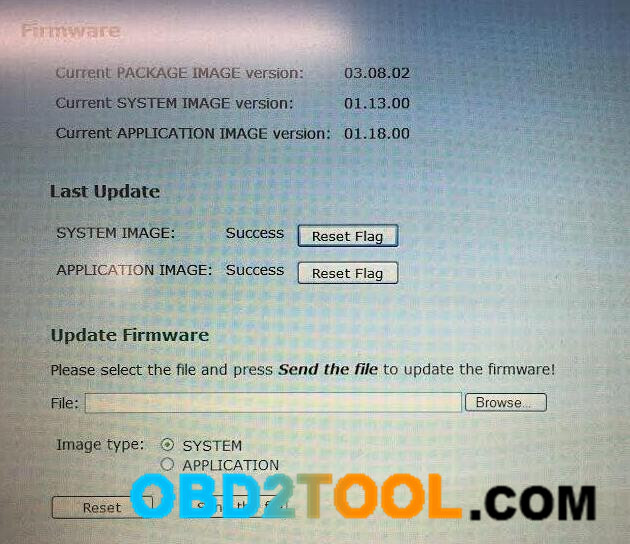
Ps. the ICOM firmware version display
11-1
NOTE: change the local network connection, that is, set automatically obtain local network connection
Two update files are available. Use the small-size first, then the big-size.
When using the small-size file, select SYSTEM.
When using the big-size file, select APPLICATION.

http://forobd2tool.com/blog/2017/08/21/how-to-update-icom-a-a2-firmware-for-rheingold-2015-11/

Saturday, August 19, 2017

BMW ICOM A2 System LED Turns Red and Flashes Always(SOLVED)

Symptom:
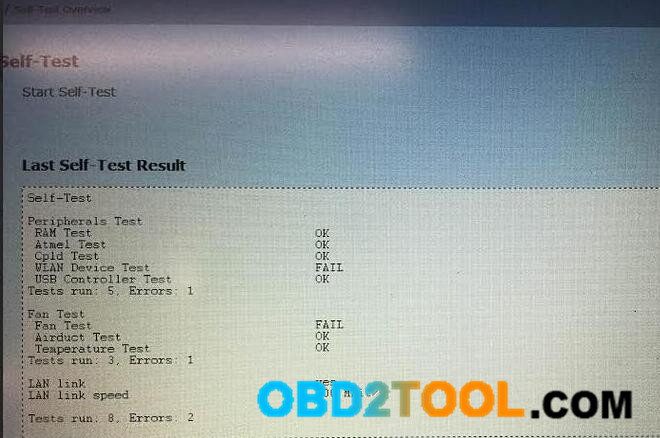
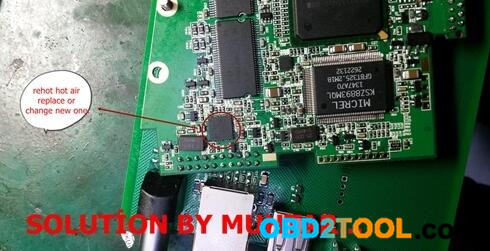
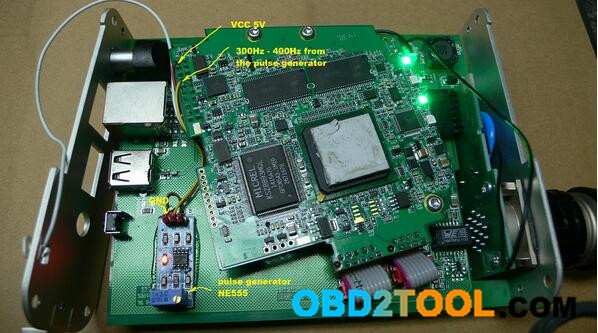
BMW diagnostic mux ICOM A2 System LED stays red and flashes/blink always. No problem exists after self-test and firmware update.
7-1
7-2
Solution 1:
1)-rehot hot a?r gun th?s ?c ..
2)-?f no, replace or change new one ..
3)-problem that ?c..
7-3
Solution 2:
Solution of the problem with the nonexistent fun. LED is again green.
The pulse generator to buying on auctions.
7-4
NOTE: it’s technical, so if you are not experienced, please be careful to try this; otherwise, you may destroy your Car Diagnostic Tool ICOM mux.