Showing posts with label Mercedes C5. Show all posts

Thursday, September 10, 2020

How to Perform Service Reset on Benz W204 with MB SD Connect C4 C5 C6 Star Diagnosis


MB SD Connect C4 C5,MB STAR C6 comes with newest version 2020.06 software,can support wireless,offline programming and online programming(You must have an account online).

Below blog shows how to perform service reset with MB SD Connect Compact 4/C5/C6 on Benz W204:

Procedures:

Connect Xentry interface(C4,C5,C6) to obd port,then run software.

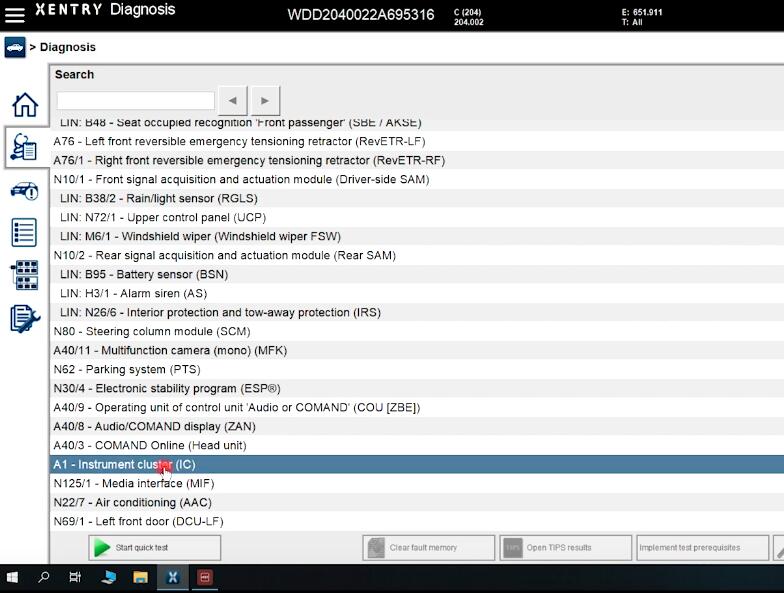
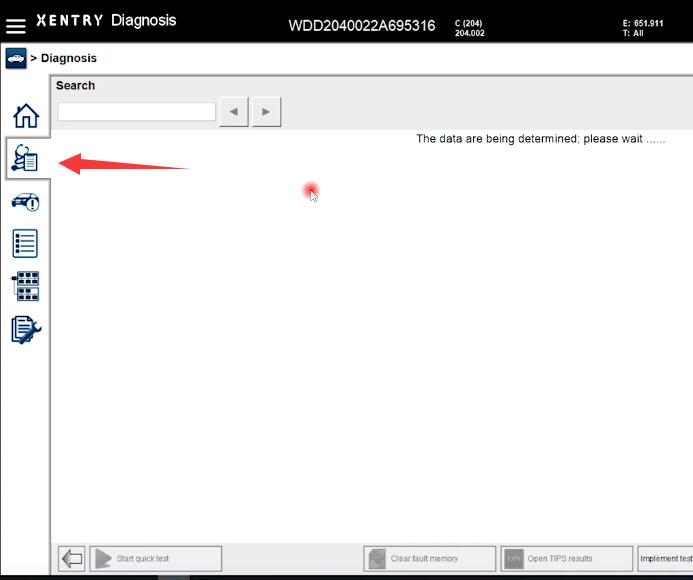
After vehicle identification,select “Diagnosis” option at left side menu

Then select “Instrument cluster(IC)” and click “Continue” button

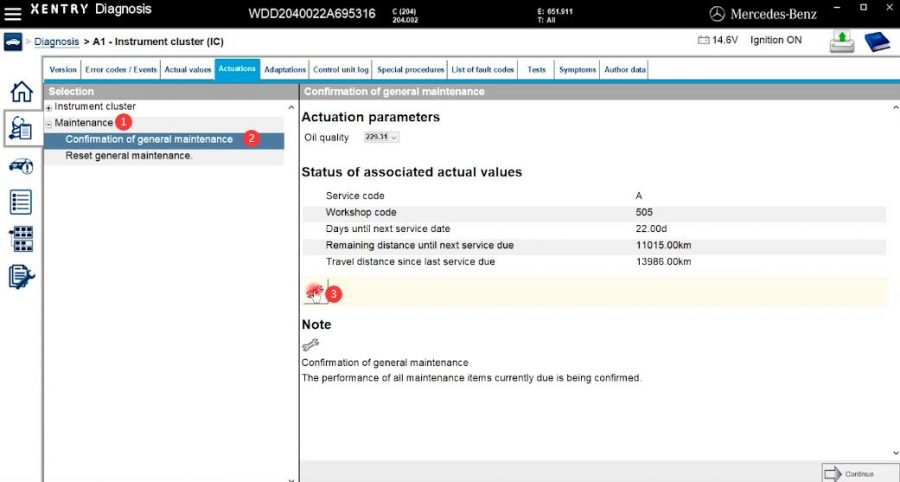
Select “Actuations”

Click “Maintenance”–>”Confirmation of general maintenance”

Then click “Setting” icon marked 4

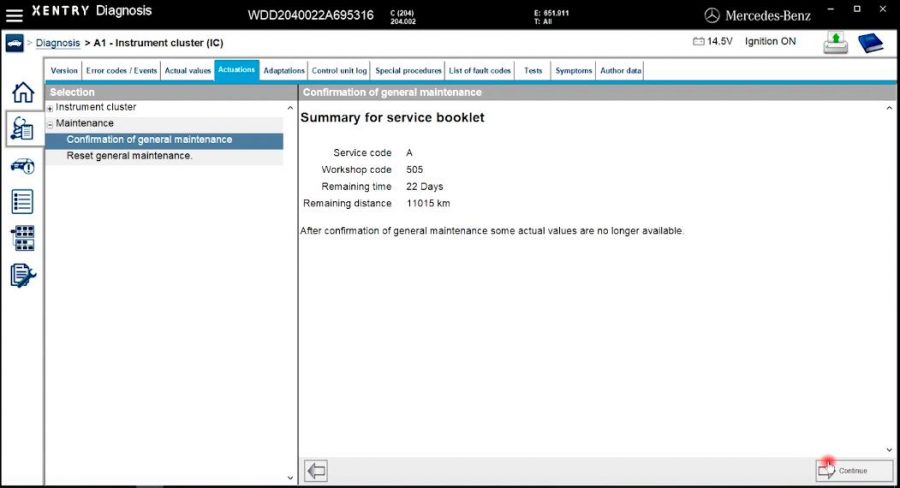
Summary for service booklet

After confirmation of generate maintenance some actual values are no longer available

Click “Continue” button

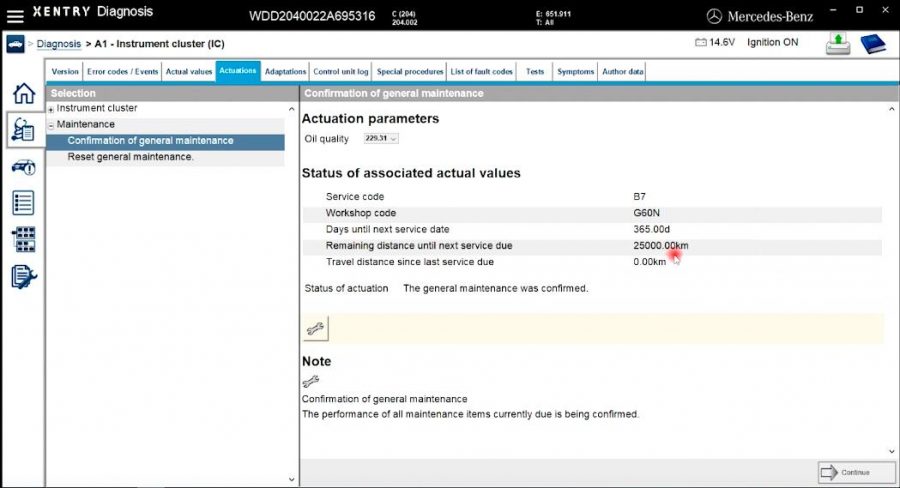
Now new status show

The service has been reset

Done!

Wednesday, July 8, 2020

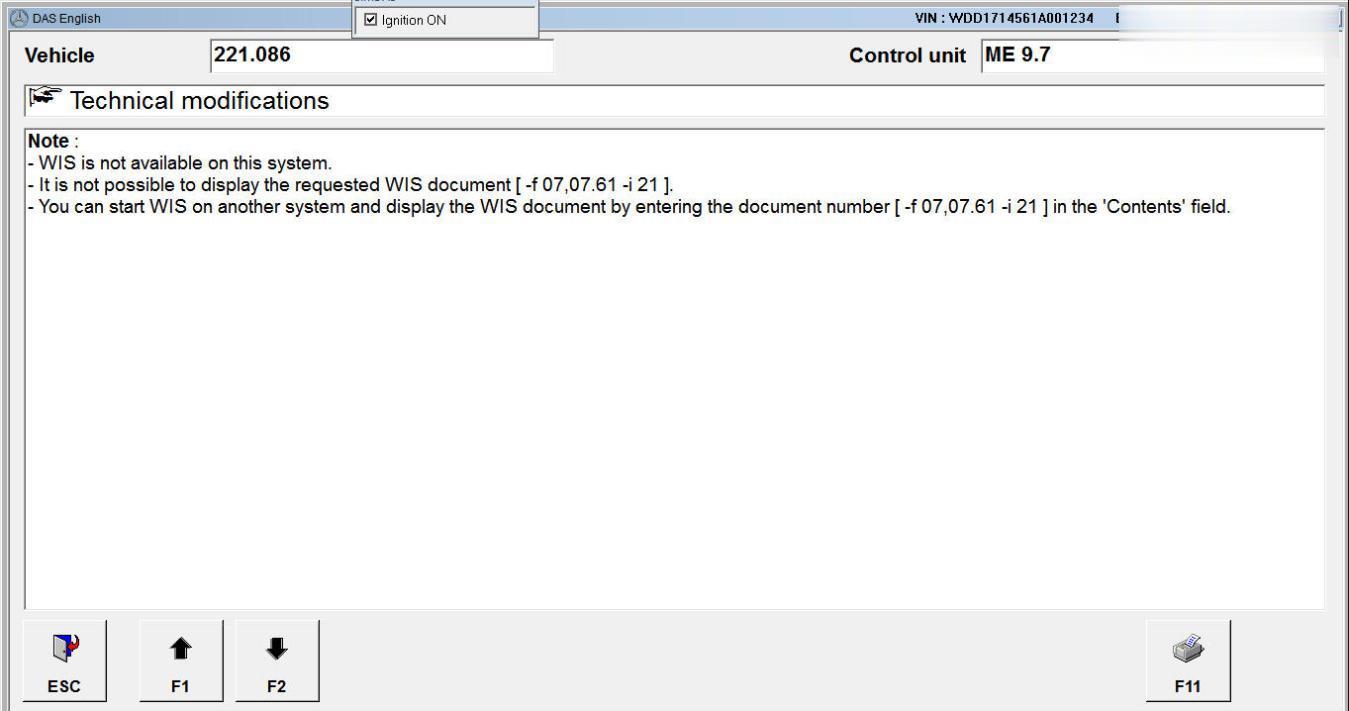
XDOS DAS Call WIS NET F6 (HELP)- WIS is not available Solution

Problem:
Update VI. Fix “WIS is not available on this system” error when click F6 in DAS ver 1.1 for 2019-09.
Purpose:
if you click F6 in DAS then you get “WIS is not available on this system” error, you have to apply this fix to get the help documents in wis.
As there is an known obstacle on installing wis standalone on Xentry, you can use wis net as replacement of it. But when you click F6, you will get this famous sentence “WIS is not available on this system”
XDOS-DAS-Call-WIS-NET-F6--WIS-is-not-available-Solution-1 (2)
XDOS-DAS-Call-WIS-NET-F6--WIS-is-not-available-Solution-2 (2)
XDOS-DAS-Call-WIS-NET-F6--WIS-is-not-available-Solution-3 (2)
Notes:
1. I change the “s” file only but to sustain compatibility i include the cnt too.
2. It should be able to be used for DAS call WIS standalone in Xenty XP, but i have not tested it yet. i don’t have the Xentry xp system right now.
3. You have to run wis net before run xentry.
4. DIY, No Support, All Risks are yours, it is for education only.
Compatibility: ALL XDOS version, Xentry xp (not check yet).
Vehicle: passenger car, smart, transp/van.
For passenger car (pkw):
XDOS-DAS-Call-WIS-NET-F6--WIS-is-not-available-Solution-1 (2)
extract to
xdos: (x32/x64)
c:\program files (xxx)\mercedes-benz\das\trees\pkw\programm\wis_link
xp:
f:\programme\das\trees\pkw\programm\wis_link
Don’t forget to backup the original files please.
For smart:
XDOS-DAS-Call-WIS-NET-F6--WIS-is-not-available-Solution-5 (2)
extract to
xdos: (x32/x64)
c:\program files (xxx)\mercedes-benz\das\trees\smart\SpecialF\WIS
xp:
f:\programme\das\trees\smart\SpecialF\WIS
For transp/van
extract to
xdos: (x32/x64)
c:\program files (xxx)\mercedes-benz\das\trees\transp\037\programm\wis_link
c:\program files (xxx)\mercedes-benz\das\trees\transp\157\programm\wis_link
c:\program files (xxx)\mercedes-benz\das\trees\transp\960\programm\
c:\program files (xxx)\mercedes-benz\das\trees\transp\909\programm\
xp:
f:\programme\das\trees\transp\037\programm\wis_link
f:\programme\das\trees\transp\157\programm\wis_link
f:\programme\das\trees\transp\960\programm\
f:\programme\das\trees\transp\909\programm\
Don’t forget to backup the original files please.
EDIT:
When you update java, don’t forget to edit
xentry\bin\GlobalSystemSettings_install.properties.
For example: xdos 05-2017 version, here is the fix:
Xentry Help and DAS F6 Call WIS added fix for 2017-05.rar
Fix DAS F6 Call WIS is not available on this system ver 1_1.rar
Update:
it’s still valid for xdos 2018-12 with wis 2018-11. when you update java,
don’t forget to edit xentry\bin\GlobalSystemSettings_install.properties
The patch above is valid too for 03-2017 xdos version.
Hope this help.

How to recoverreset Xentry SD Connect C5

Xentry SD Connect C5 recovery… Here you go.
You can reset your Xentry Connect C5 multiplexer if your Xentry connect can not work well.
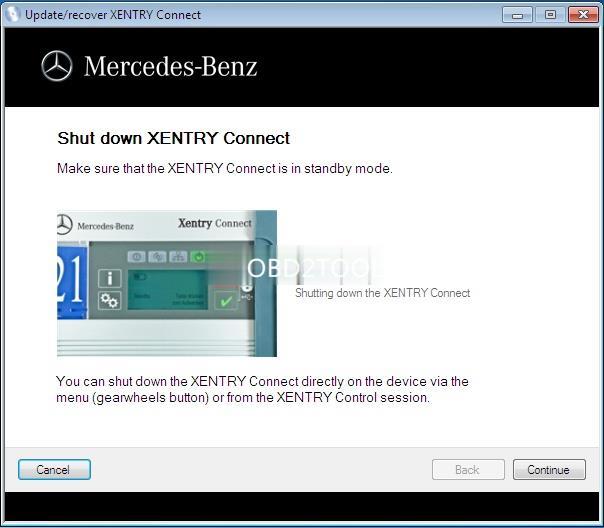
Make sure the Xentry connect is in Standby Mode!!!
You can shut down the Xentry Connect directly on the device via the menu (gearwheels button) or from the Xentry Control session
xentry-connect-c5-recovery-1 (3)
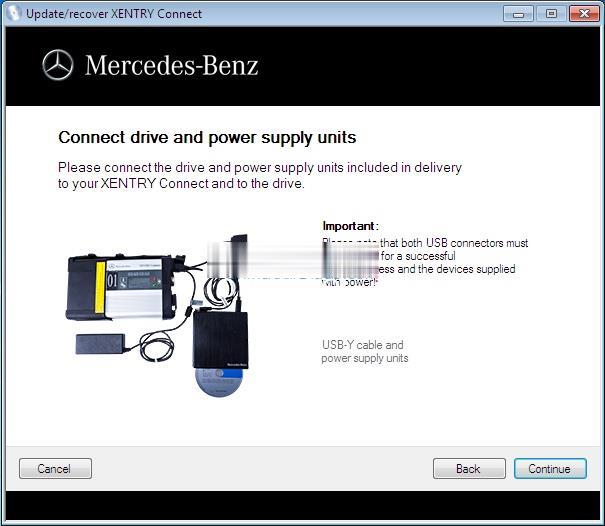
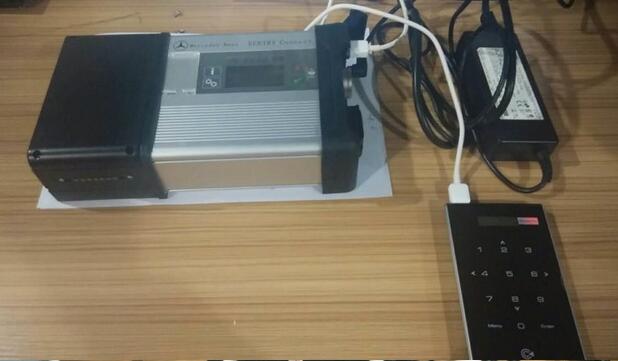
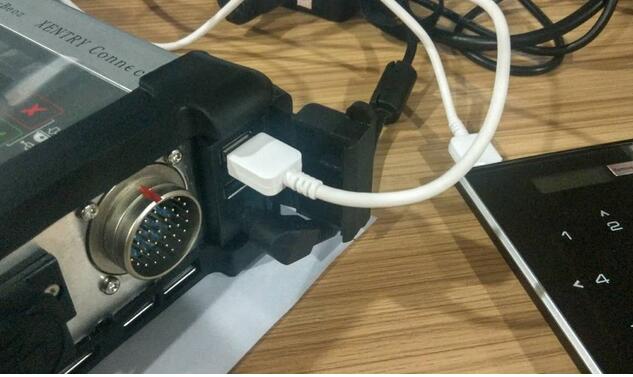
Please connect the driver and power supplyincludinged in delivery to your Xentry connect and to the drive.
xentry-connect-c5-recovery-2 (3)
Important: please note that both USB connectors must be attached for a successful update process and the devices supplied with power
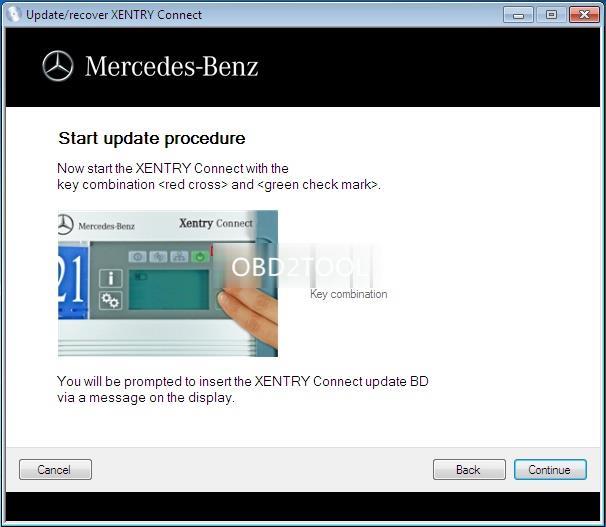
Start update procedure: Power on the Xentry Connect with the keycombination<red cross> and <green check mark>
xentry-connect-c5-recovery-3 (3)
You’ll be prompted to insert the Xentry Connect update BD via a message on the display
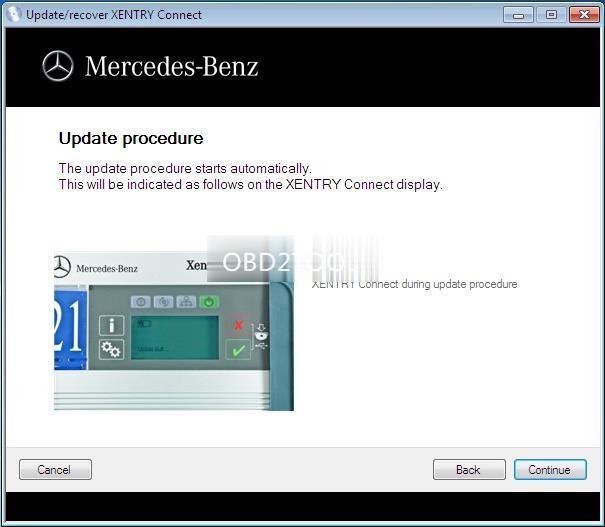
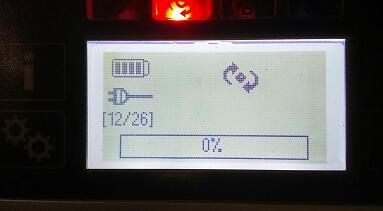
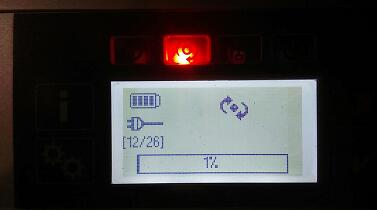
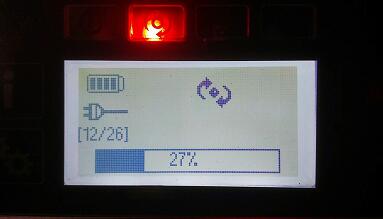
Update procedure: The update procedure starts automatically. This will be indicated as follows on the display
xentry-connect-c5-recovery-4 (3)
Just wait till the steps finish.
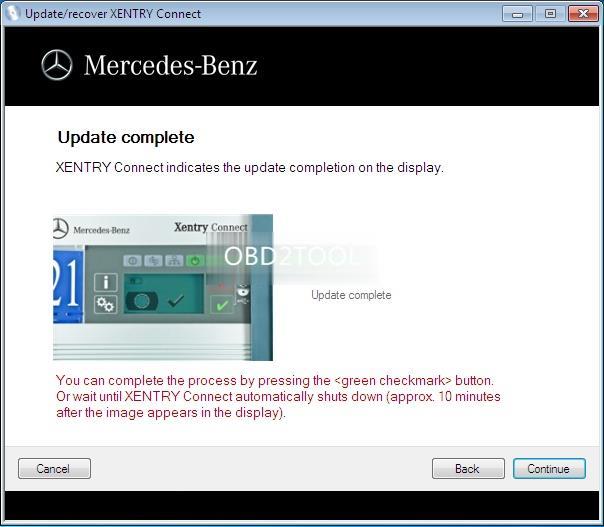
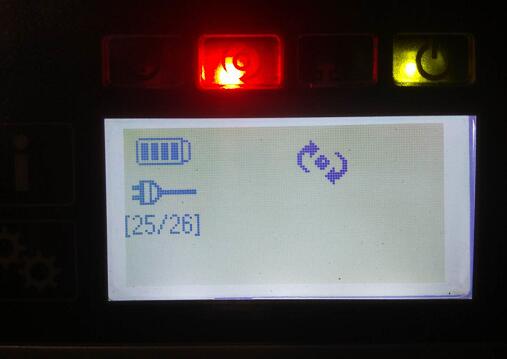
Update complete: Xentry Connect indicates the update completion on the display.
xentry-connect-c5-recovery-5 (3)
You can complete the process by pressing the <green check mark> button. Or wait until Xentry Connect automatically shuts down (approx 10 min after the image appears in the display)
If necessary, install some patchs or add-ons after the Xentry Connect Recovery.
xentry-connect-c5-recovery-6 (3)
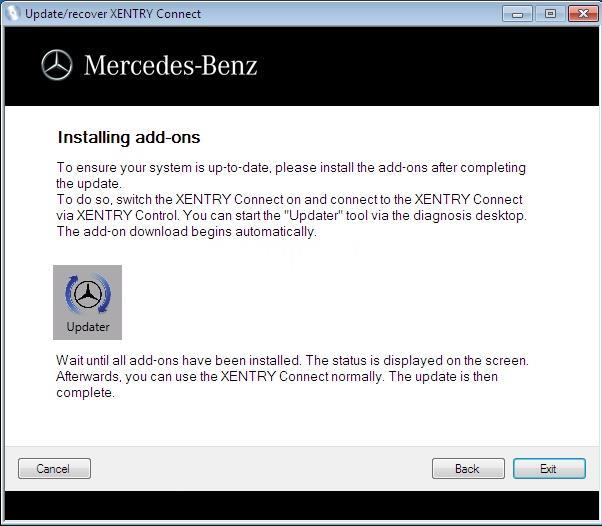
To ensure your system is up-to-date, please install the add-ons after completing the update
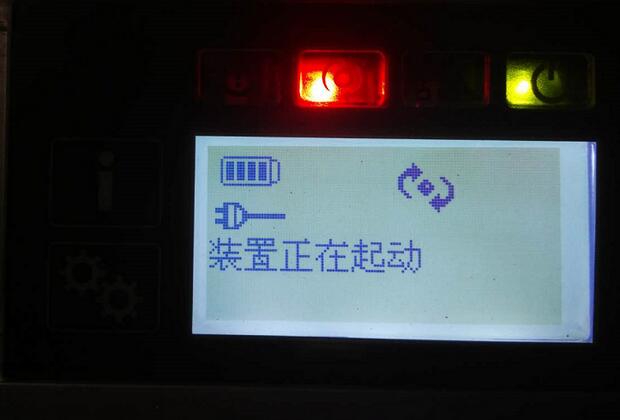
To do so, switch the Xentry Connect on and connect to the Xentry Connect via Xentry Control. You can start the “Updater” tool via the diagnosis deskshop.
The add-on download begins automatically
Wait until all add-ons have been installed. The status is displayed on the screen. Afterwards, you can use the Xentry Connect C5 normally. The update is then complete

Tuesday, December 3, 2019

Why choose Mercedes C5

First , see the fake Mercedes Benz C5: nothing update
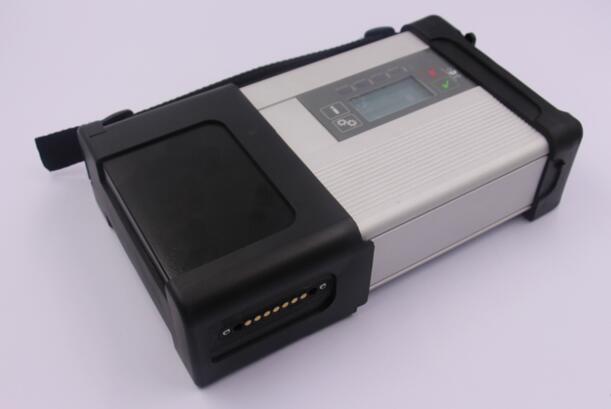
Fake mb star c5 is another SDconnect c4 with a different look only
fake C5 adopts the same design in appearance as the genuine from French ACTIA Company
same sw, some PCB, same result
See the fake board from c5 mux, completely same as Mercedes BENZ C5
To buy a fake c5 is to have a c4 in hand.
But now, you have luck with a real Mercedes Benz C5.
Genuine Xentry Connect C5
1:1 clone of the original
This 1:1 clone of the original is the newest star diagnosis system in the year 2017.
Same as the one produced by French ACTIA Company, can test Engine /Transmission / air conditioning /SRS.ABS/ anti-theft system and OBD-II system.
New & Update:
1 This C5 is the real version with HQ PCB like the original, not the cheap onemade by SD connect PCB.
2 support the newest hybrid W222.
3 has an Ethernet switch, which switches the TCP/IP messages in the event of DoIP diagnosis to the vehicle side.
New PCB talks.
Top 7 Reasons To Get MB SD Connect C5:
1.Support Wireless
2.Software Version: 2019.09
3. Hardware Verison:  OS:2.3   CSD:2.11
4. Support Multi-languages: English, Croatian, Czech, Danish, Dutch, Finish, French, German, Greek, Hungarian, Italian, Japanese, Korean, Polish, Portuguese, Romanian, Russian, Spanish, Swedish, Turkish & Chinese
5. Support Mercedes Benz Cars After Year 2000
6. The quality is the best and it can work stable.
7. Support Offline and Online Programming, If You Want to Do Online,you must have an account online.Buy This Online SCN Coding Service(RD94)
Softwares list:
1. DAS 2019.09: the automatically Diagnosis Assistance System
2. Xentry 2019.09: New software released by Bennz Company after 04/2009 by diagnosis new cars.
3. WIS net 2019.03:Workshop Information System
Supply the whole view of the wiring diagram in a car, component location diagram and maintenance method. What you do is to enter the chassis number, and then you will get the manufacture data, engine configuration and the car model -all in detail.
4. EPC.net 2018.11:Electronic Parts Catalog
5. ST Finder:Part Location Finder options: 2008 and 2016
6. STARUTILITIES :the movement management system and self-test
7. SD MEDIA 2014
8. PL73: 2018 Mercedes software with PL73
9.Engineer Software:DTS monaco V8.14.016 And Vediamo V5.01.01 Support Offline Programming
10.HHT Software for old cars
11. Engineer version Vediamo updated to V5.01.01,Engineer version DTS updated to V8.14.016,Upgrade to the latest version of 2019 data
1) Fix the error that Mercedes-Benz DAS cannot directly call WIS
2) Join the DAS sedan smart offline programming
3) Join the 204 DAS stand-alone version, which can be mutated (German), which is more powerful than Vediamo
4) Join DAS special function password-free access PKW and SMART
5) Repair SMART 450, 451, 452, 454 No longer need TAN Caculator, all offline
6) Increase offline EOL and VMAX all LKW, modify truck maximum speed limit
7) Lift the truck NOx TORGUE restriction, do not need FDOK XT calculation code, directly enter, directly cancel the legal speed limit, you can modify without special function
8) Clear the truck SCR/ADBLUE fault code (MR), do not need FDOK XN calculation code, enter directly
9)Add DAS 212,207 prototyp model

Monday, September 3, 2018

How to update Xentry Connect C5 2018.7 in Two Method

Xentry Connect C5 2018.7 can update in the way of ISO Image file or ship back the hard disk to the dealer for update. This post describes how to update step by step, what to use and what should attention.
2018.7 Best Quality Benz C5 features:
1): Hardware 1 :1 Best quality
2). Works with Mercedes Benz cars and trucks
3). Doesn’t come with computer, but with internal hard disk + one moveable hard disk.
24-1
2: How to update Benz C5?
Option 1: ship back the disk for update (Easy)
However, most users can’t update online by themselves, so you are highly advised to ship back the dealer with the internal solid hard disk as well as the external Dell hard disk, the Dell hard disk update is up to you, you can ship back or not as you like.
Benz C3 software: Benz C5 2018.7 is available with Solid Hard Disk sold at 145USD free shipping by simple post.
Option 2: update Benz C5 with the ISO Image file (need skills)
2018.7 update
Note: If your C5 is bought before 2018.3 and want to update, then contact the dealer for remote assistance; if your C5 is bought after 2018.3, you can directly download the above link to update.
How update Benz C5 with the ISO Image file?
Tools required:
IODD 2541
Xentry_Kit_09_2017.iso(copy to the folder: iodd 2541 _ISO)
Benz C5
Panasonic power adapter
SanDisk U disk 64G high speed 3.0 sales for 29.99USD free shipping by post service.
IODD 2541
24-2
Panasonic power adapter
Xentry Connect C5 multiplexer
24-3
C5 mux in standby mode
Plug the Panasonic power adapter into Benz C5
Insert IODD 2541 into the USB port on C5
24-4
24-5
Ensure Benz C5 is in a standby mode, then hold the “X” and “√” at the same time, then it will pop up “Start Update?” (if it pop up “Start XENTRY Connect?” instead, then, please wait until it disappears, then repeat the operation until it display “Start Update?”)
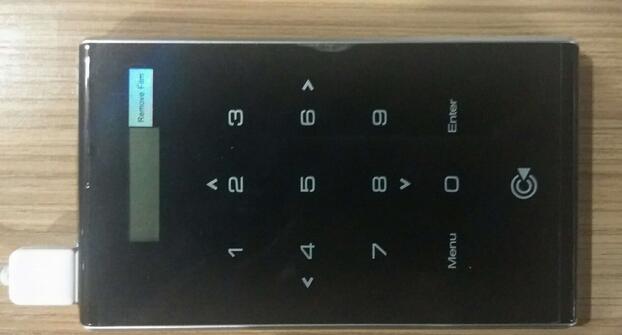
When you see “Start Update?”, press “√” and Connect C5 will go into the update status and IODD 2541 will light up shown as below.
Just quickly press button “5” on IODD 2541.And the cross “X” will turn a circle “O”.
24-6
Please look at the Benz C5 screen, it is updating.
24-7
24-8
24-9 24-10
The update will take 50-55 minutes to finish, after complete the system will restart.
24-11
If the system fails to restart, turn off C5 and then restart it.
When C5 starts, take out the hard disk in the C5 and install it into the laptop I.E Dell 55220. Before it, Please install the Windows machine on the U disk
24-12
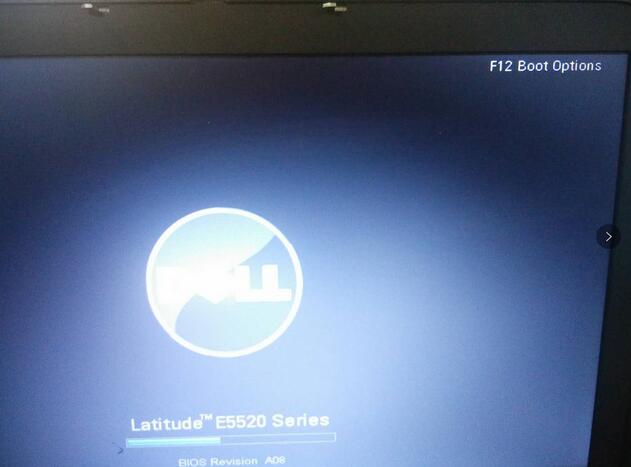
Press F12 when you see the pop-up “F12 Boot Options”
24-13
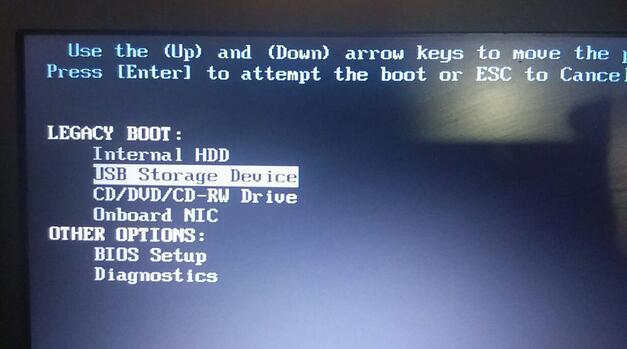
Choose “USB Storage Device” and press “Enter”.
24-14
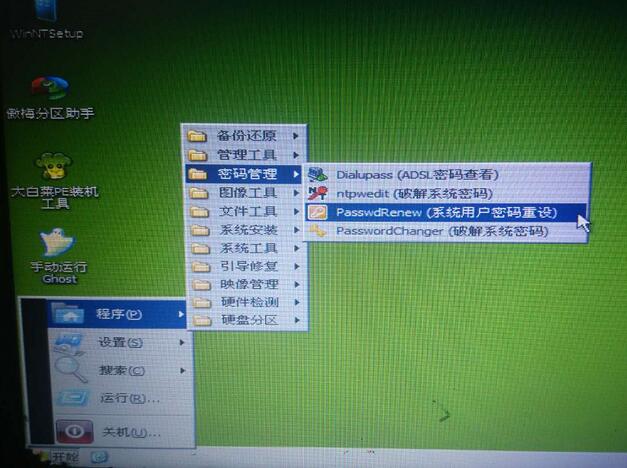
Choose [03] WIN2003 PE Classical
24-15
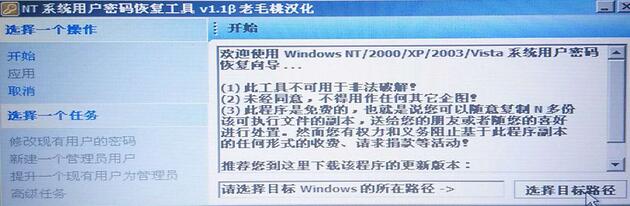
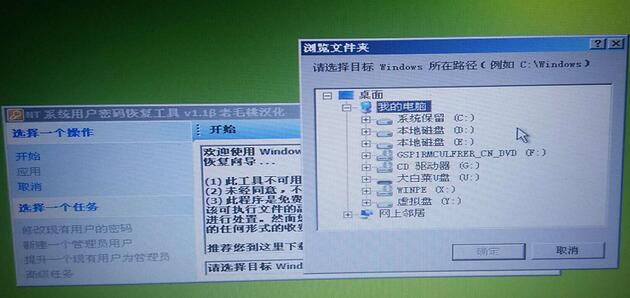
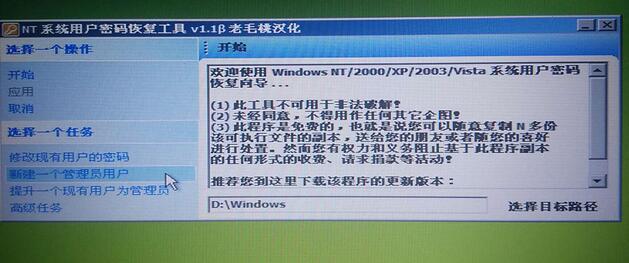
Go to the PE system and open “create a new user” program.
24-16
24-17
24-18
24-19
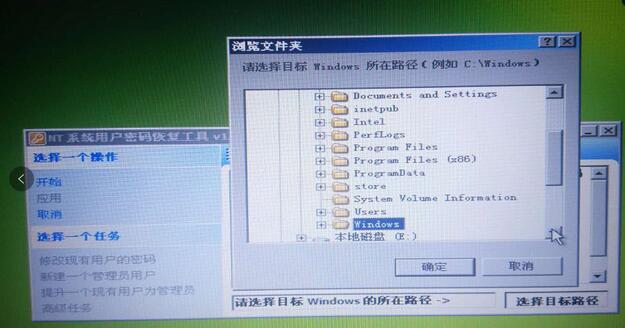
Note : Windows should be located in disk D:
After choose the path, right click on “Create a new admin account” on the left.
24-20
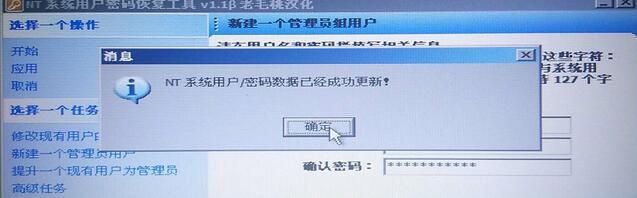
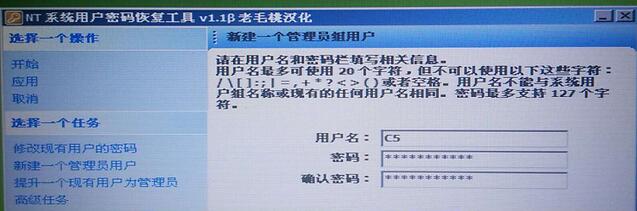
Input user name : C5, password: abc12345678 ( you are allowed to input any user name and password as you like).
24-21
24-22
Click on Ok
Close the application
Turn off the laptop
Take out the disk off the laptop and install it into C5 multiplexer
24-23
3. How to active Xentry Connect C5 after update?
After update complete every time, paste this Benz C5 key to “StartKeyCerter” to active the diagnostic software.
Here is the procedure to follow on how to activate:
https://mega.nz/#!Gp8lzLLK!-B3Ytw1j-YoC9tWM_atYxgvmer5mbOMNxfH4BYz4D0E
Files need to activate C5:
Activation key
2018.7 key
Back list C5
4.Benz C5 Questions and answers:
Q: Can Benz C5 2018.7 work with both cars and trucks?
A: Yes.
Q: Can Benz C5 software be copied to a personal computer?
A: No, the software is bound together with the multiplexer, it can’t be copied.
Q: Can Mercedes Star Diagnostic Benz C5 software support Expert DTS?
A: No, not supported so far.
Q: What’s the difference between Benz C5 and C4?
A: All of the Benz C5 software is free for 3 years until the account invalid. C4 upgrade needs to be cracked every time, it is very troublesome.
Q: Is Xentry Connect C5 available with the installation guide in other Language?
A: Yes. here you can refer to:
Xentry Connect C5 installation in English
Xentry Connect C5 installation in French
Xentry Connect C5 installation in German
Xentry Connect C5 installation in Italian
Xentry Connect C5 installation in Spanish
Xentry Connect C5 installation in Japanese
Tuesday, September 27, 2016

Key pro M8 VS SKP-900


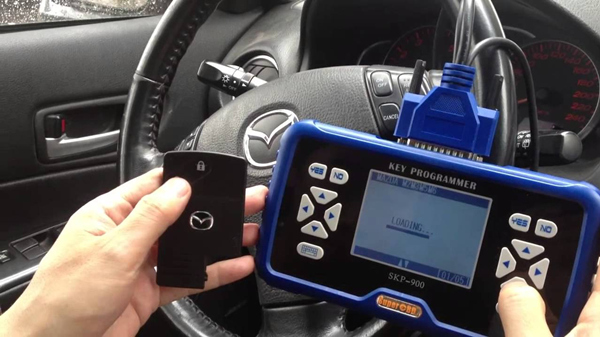
Generally speaking, Key Pro M8 can make auto transponder keys and auto remote keys; SKP-900 can read and program auto transponder keys, auto remote keys and auto smart keys; 468 key pro III can only copy ID46 chip. Do they work with your specific car keys; you need to check the user manuals in the package.
What way to match key?
Both Key pro M8 and SKP-900 can make key by directly plugging the OBD diagnostic cable with the car, and 468 key pro III copy the key by inserting the original key in the hole of the machine.

Does it need tokens?
Both Key pro M8 and SKP900 need tokens, when the tokens end Key pro M8 need money to add tokens and SKP900 add tokens for free. 468 key programmer need no tokens.

Can it read pin code and does it need pin code?
Both Key pro M8 and SKP900 can read pin code for many car models and at the same time can t read pin code for some cars, also don t need PIN code when programming keys for many vehicles.

Can it update?
All of the three key programmers can update, Key pro M8 update for one-year free, and car key programmer SKP900 is now free of charge to update.

As for how to update, the supplier also offer update way in the site.
In my option, there is no best or worst tool. Again I want to say: no tool can do all, each tool has its pros and cons, which one tool to buy it depend on your personal needs and budget.

100% Original second-hand MB SD Connect Compact 5 Star diagnostic process manufactured by French ACTIA tech is available in Autonumen.com. Best six reason to get mb star c5. WIS (Workshop Information Program) is one particular of Mercedes program for Star diagnosis, and good for performing maintenance and repair work. Many MB owners come to consult it always and some want to buy it separately, but here we mbstarshop offer it in a more cost-effective ways, especially for Mercedes owners.

Mercedes C5 may be the lately updated professional diagnostic equipment for Mercedes Benz cars manufactured after 12 months 2013. It truly is much difference inside shape from MB Star Compact-4 and smaller in space, light than Compact3. C4 2009 can do every just one of the works what Compact4 does in fact it is the replacing Compact4-Star.